export const metadata = {
title: `Shipping Option`,
}
# {metadata.title}
In this document, you’ll learn about shipping options and their rules.
## What is a Shipping Option?
A shipping option is a way of shipping an item. Each fulfillment provider offers a set of shipping options. For example, a provider may offer a shipping option for express shipping and another for standard shipping.
When the customer places an order, they choose a shipping option to fulfill their items.
A shipping option is represented by the [ShippingOption data model](/references/fulfillment/models/ShippingOption).
---
## Service Zone Restrictions
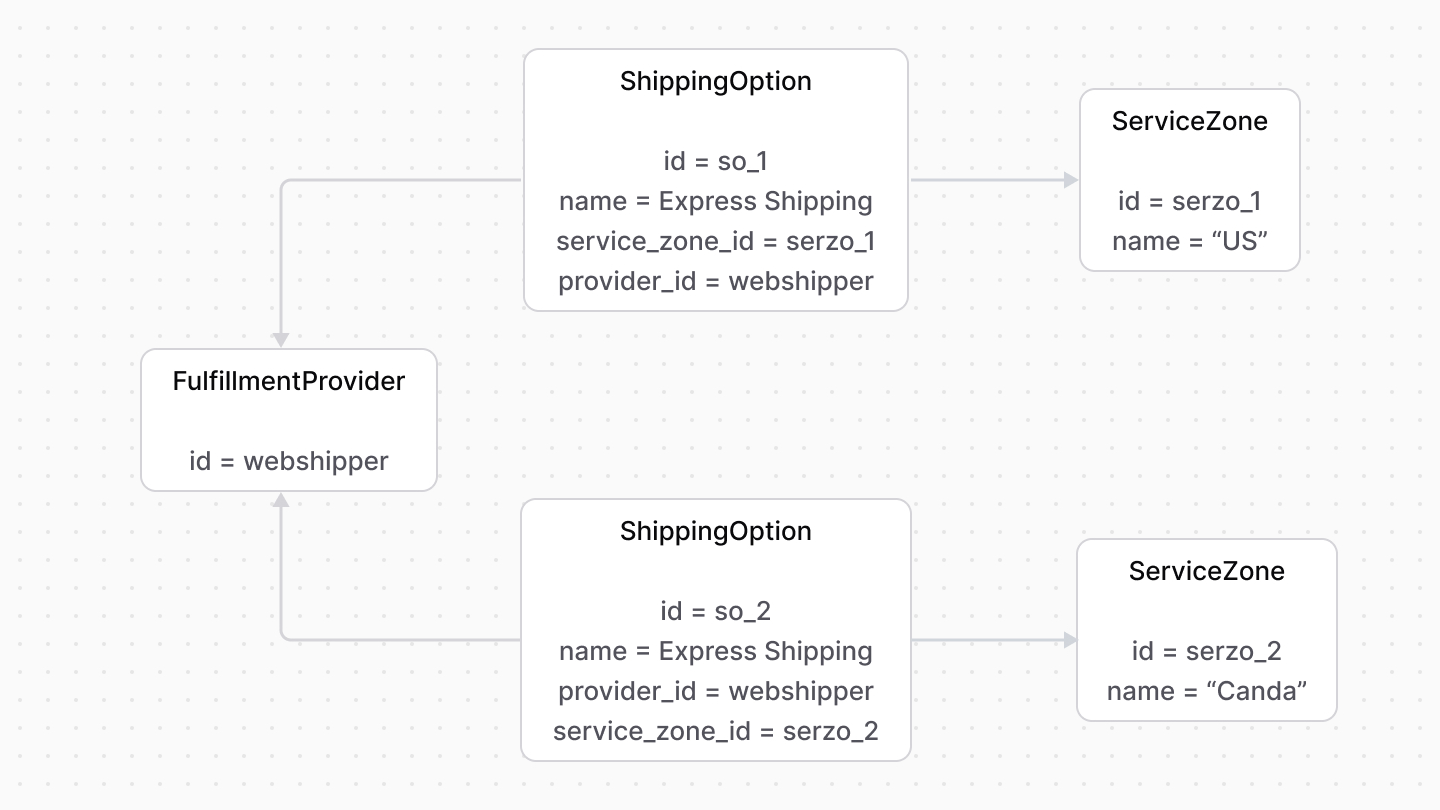
A shipping option is restricted by a service zone, which limits the locations where the shipping option can be used.
For example, a fulfillment provider may have a shipping option that can be used in the United States and another in Canada.
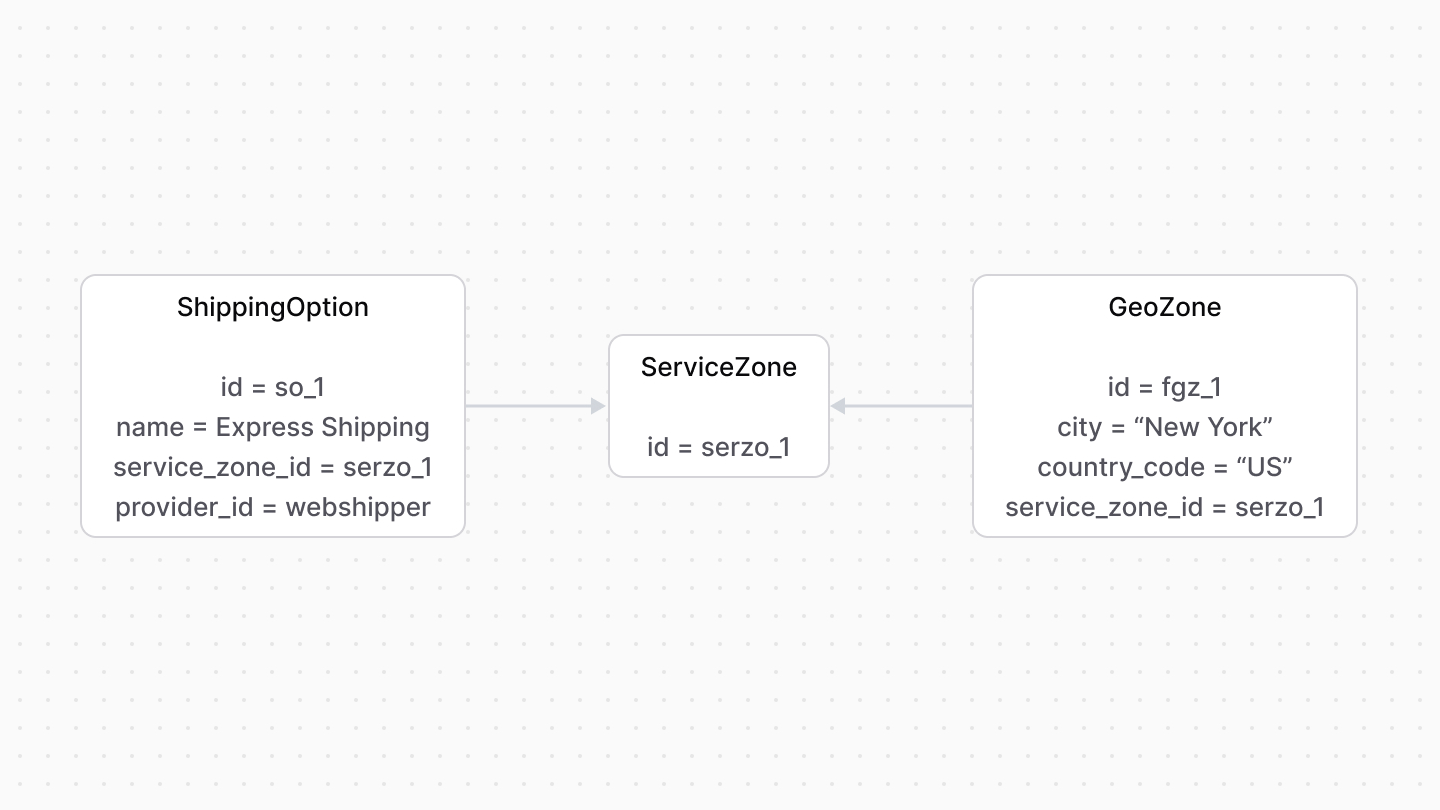
Service zones can be more restrictive, such as limiting to certain cities or province codes.
The province code is always in lowercase and in [ISO 3166-2 format](https://en.wikipedia.org/wiki/ISO_3166-2).
---
## Shipping Option Rules
You can restrict shipping options by custom rules, such as the item’s weight or the customer group.
You can also restrict a shipping option's price based on specific conditions. For example, you can make a shipping option's price free based on the cart total. Learn more in the Pricing Module's [Price Rules](../../pricing/price-rules/page.mdx#how-to-set-rules-on-a-price) guide.
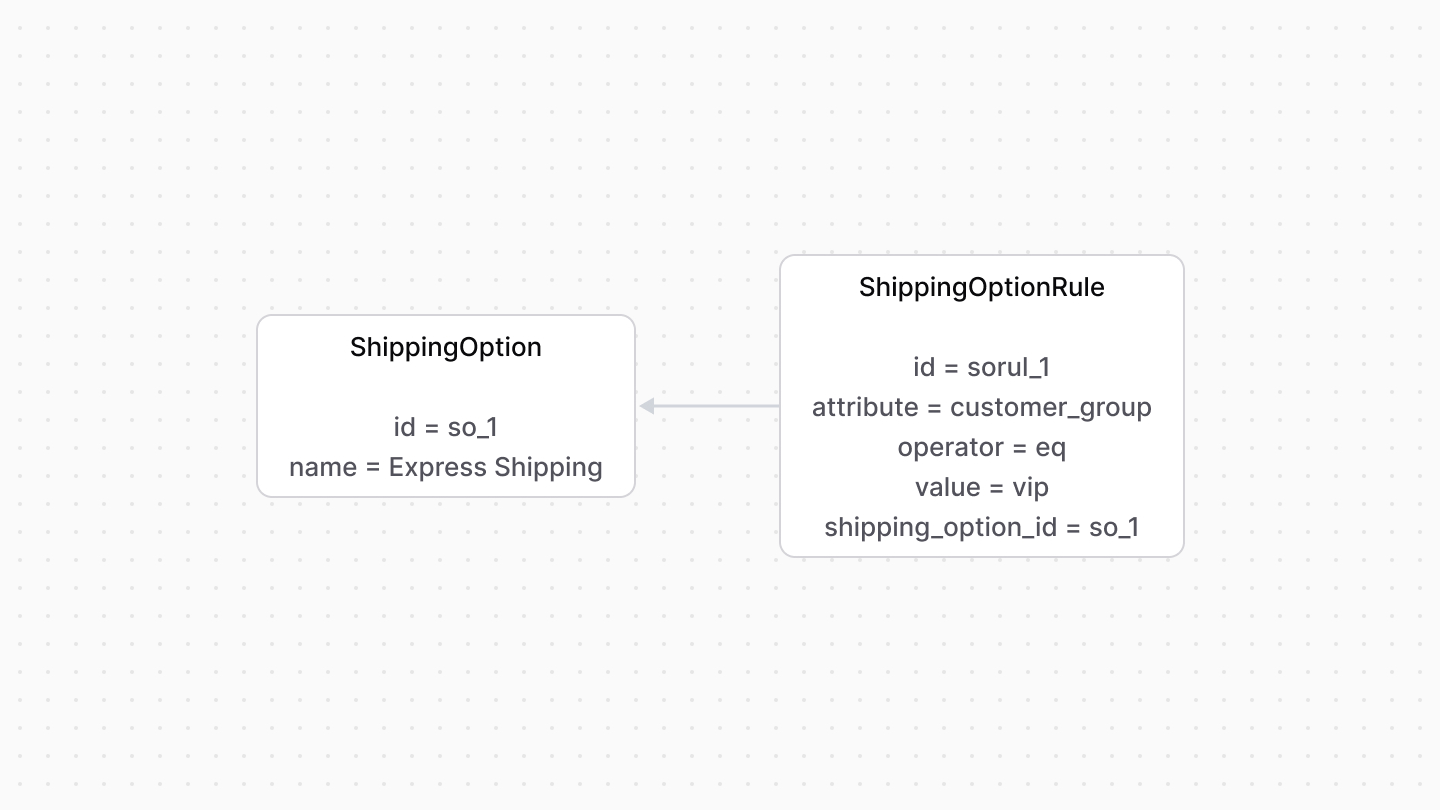
These rules are represented by the [ShippingOptionRule data model](/references/fulfillment/models/ShippingOptionRule). Its properties define the custom rules:
- `attribute`: The name of a property or table that the rule applies to. For example, `customer_group`.
- `operator`: The operator used in the condition. For example:
- To allow multiple values, use the operator `in`, which validates that the provided values are in the rule’s values.
- To create a negation condition that considers `value` against the rule, use `nin`, which validates that the provided values aren’t in the rule’s values.
- `value`: One or more values.
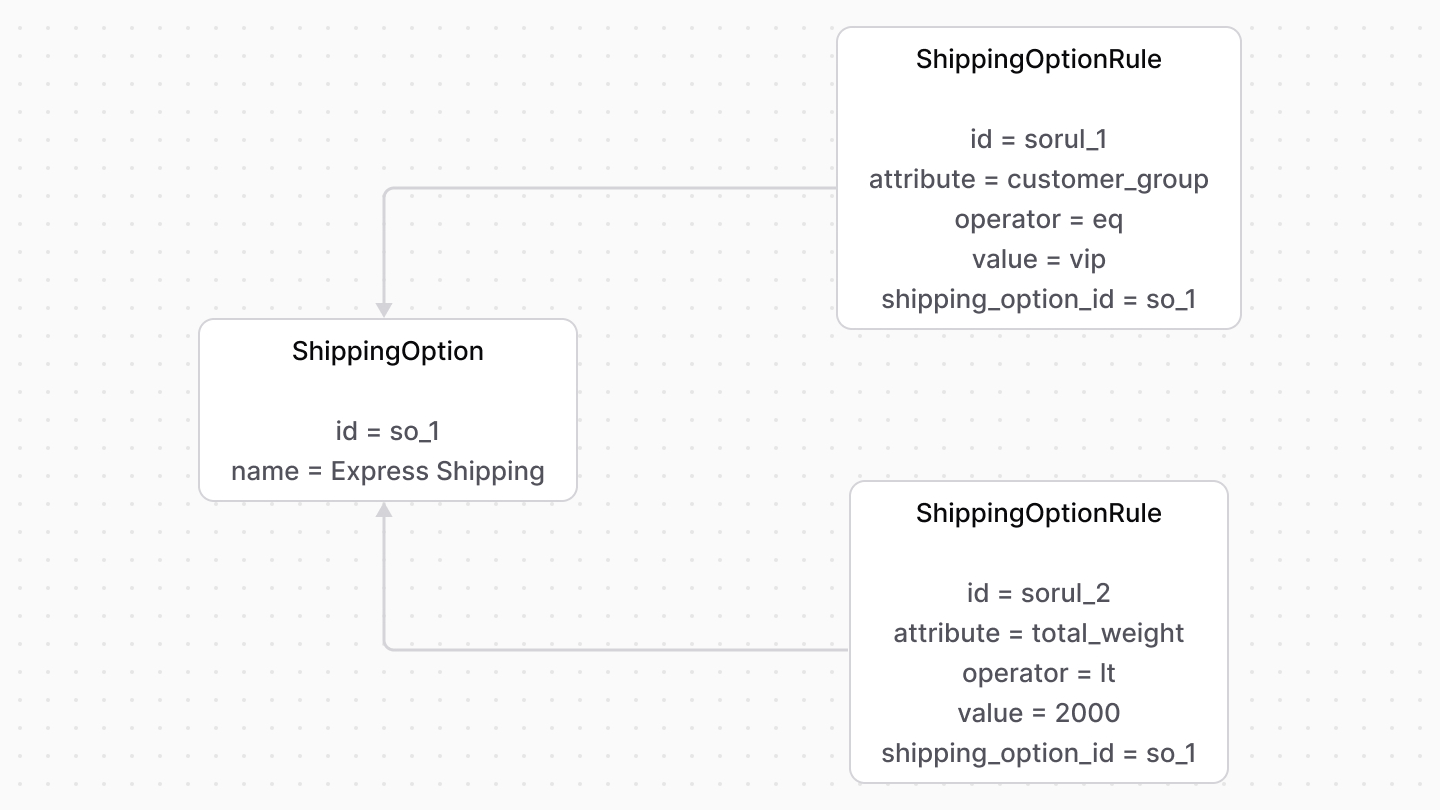
A shipping option can have multiple rules. For example, you can add rules to a shipping option so that it's available if the customer belongs to the VIP group and the total weight is less than 2000g.
---
## Shipping Profiles and Types
A shipping option belongs to a type and a profile.
A shipping option type defines a group of shipping options with shared shipping characteristics. For example, a shipping option’s type may be `express`, while another may be `standard`. The type is represented by the [ShippingOptionType data model](/references/fulfillment/models/ShippingOptionType).
A shipping profile defines a group of items (such as products) that are shipped in a similar manner. For example, the "Standard" shipping profile applies to all products, whereas the "Digital" shipping profile applies to digital products. Shipping profiles are represented by the [ShippingProfile data model](/references/fulfillment/models/ShippingProfile).
---
## data Property
When fulfilling an item, you might use a third-party fulfillment provider that requires additional custom data to be passed along from the checkout or order creation process.
The `ShippingOption` data model has a `data` property. It's an object that stores custom data relevant for creating and processing a fulfillment later.