export const metadata = {
title: `Payment Webhook Events`,
}
# {metadata.title}
In this guide, you’ll learn how you can handle payment webhook events in your Medusa application and using the Payment Module.
## What's a Payment Webhook Event?
A payment webhook event is a request sent from a third-party payment provider to your application. It indicates a change in a payment’s status.
This is useful in many cases such as:
- When a payment is processed (authorized or captured) asynchronously.
- When a payment is managed on the third-party payment provider's side.
- When a payment action on the frontend was interrupted, leading the payment to be processed without an order being created in the Medusa application.
So, it's essential to handle webhook events to ensure that your application is aware of updated payment statuses and can take appropriate actions.
---
## How to Handle Payment Webhook Events
### Webhook Listener API Route
The Medusa application has a `/hooks/payment/[identifier]_[provider]` API route out-of-the-box that allows you to listen to webhook events from third-party payment providers, where:
- `[identifier]` is the `identifier` static property defined in the payment provider. For example, `stripe`.
- `[provider]` is the ID of the provider. For example, `stripe`.
For example, when integrating basic Stripe payments with the [Stripe Module Provider](../payment-provider/stripe/page.mdx), the webhook listener route is `/hooks/payment/stripe_stripe`.
You can use this webhook listener when configuring webhook events in your third-party payment provider.
### getWebhookActionAndData Method
The webhook listener API route executes the [getWebhookActionAndData method](/references/payment/getWebhookActionAndData) of the Payment Module's main service. This method delegates handling of incoming webhook events to the relevant payment provider.
Payment providers have a similar [getWebhookActionAndData method](/references/payment/provider) to process the webhook event. So, if you're implementing a custom payment provider, make sure to implement it to handle webhook events.
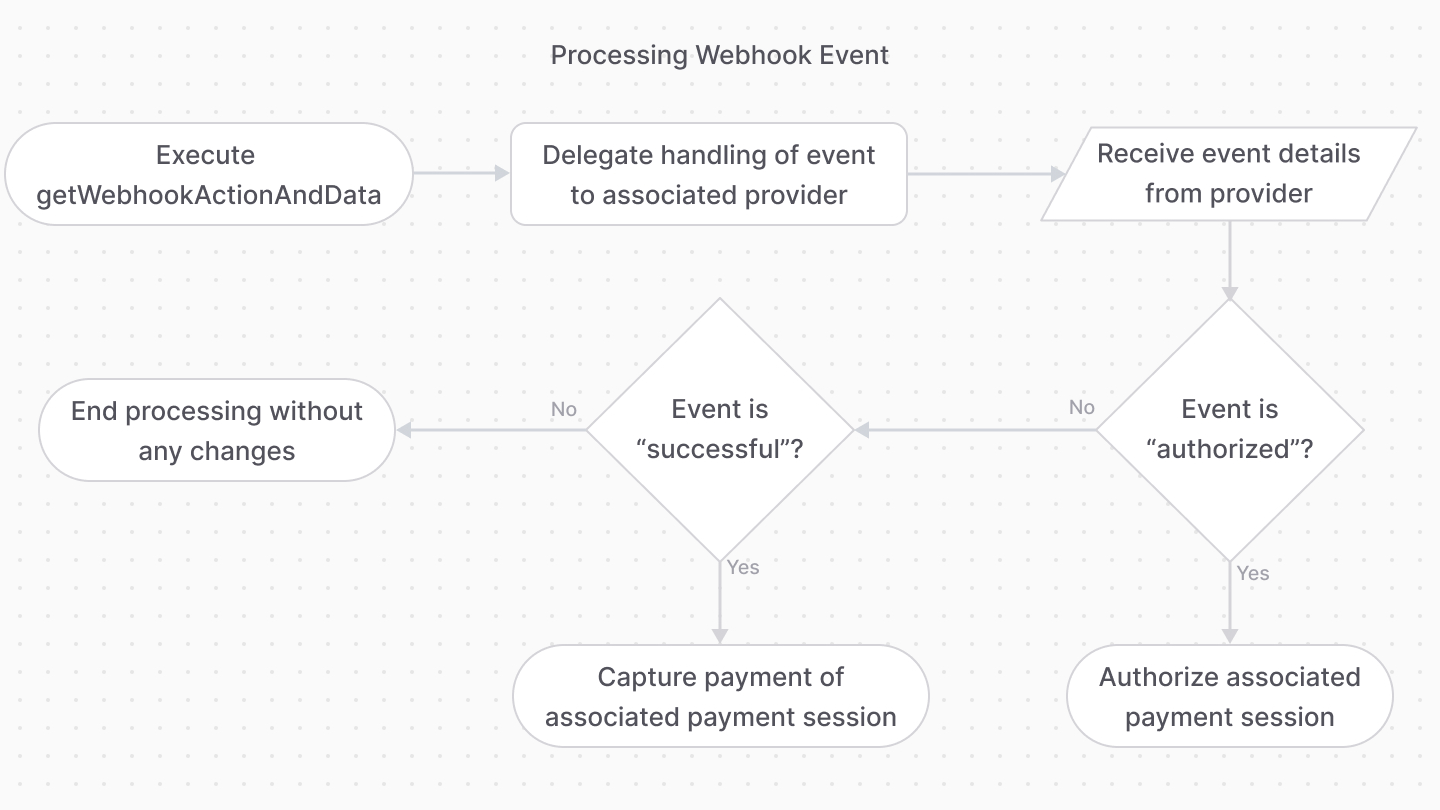
If the `getWebhookActionAndData` method returns an `authorized` or `captured` action, the Medusa application will perform one of the following actions:
View the full flow of the webhook event processing in the [processPaymentWorkflow](/references/medusa-workflows/processPaymentWorkflow) reference.
- If the method returns an `authorized` action, Medusa will set the associated payment session to `authorized`.
- If the method returns a `captured` action, Medusa will set the associated payment session to `captured`.
- In either cases, if the cart associated with the payment session is not completed yet, Medusa will complete the cart.