---
sidebar_label: "Section Row"
---
import { TypeList } from "docs-ui"
export const metadata = {
title: `Section Row - Admin Components`,
}
# {metadata.title}
The Medusa Admin often shows information in rows of label-values, such as when showing a product's details.
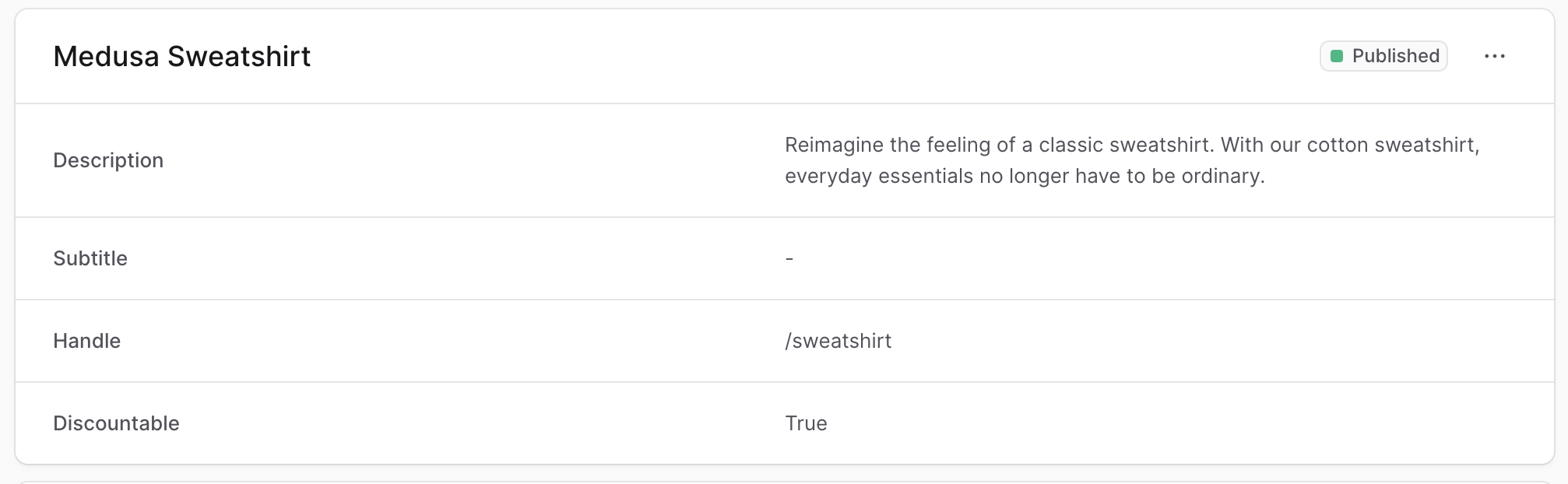
To create a component that shows information in the same structure, create the file `src/admin/components/section-row.tsx` with the following content:
```tsx title="src/admin/components/section-row.tsx"
import { Text, clx } from "@medusajs/ui"
export type SectionRowProps = {
title: string
value?: React.ReactNode | string | null
actions?: React.ReactNode
}
export const SectionRow = ({ title, value, actions }: SectionRowProps) => {
const isValueString = typeof value === "string" || !value
return (
{title}
{isValueString ? (
{value ?? "-"}
) : (
{value}
)}
{actions &&
{actions}
}
)
}
```
The `SectionRow` component shows a title and a value in the same row.
It accepts the following props:
---
## Example
Use the `SectionRow` component in any widget or UI route.
For example, create the widget `src/admin/widgets/product-widget.tsx` with the following content:
```tsx title="src/admin/widgets/product-widget.tsx"
import { defineWidgetConfig } from "@medusajs/admin-sdk"
import { Container } from "../components/container"
import { Header } from "../components/header"
import { SectionRow } from "../components/section-row"
const ProductWidget = () => {
return (
)
}
export const config = defineWidgetConfig({
zone: "product.details.before",
})
export default ProductWidget
```
This widget also uses the [Container](../container/page.mdx) and [Header](../header/page.mdx) custom component.