import { CodeTabs, CodeTab } from "docs-ui"
export const metadata = {
title: `Links between API Key Module and Other Modules`,
}
# {metadata.title}
This document showcases the module links defined between the API Key Module and other commerce modules.
## Summary
The API Key Module has the following links to other modules:
- [`ApiKey` data model \<\> `SalesChannel` data model of Sales Channel Module](#sales-channel-module).
---
## Sales Channel Module
You can create a publishable API key and associate it with a sales channel. Medusa defines a link between the `ApiKey` and the `SalesChannel` data models.
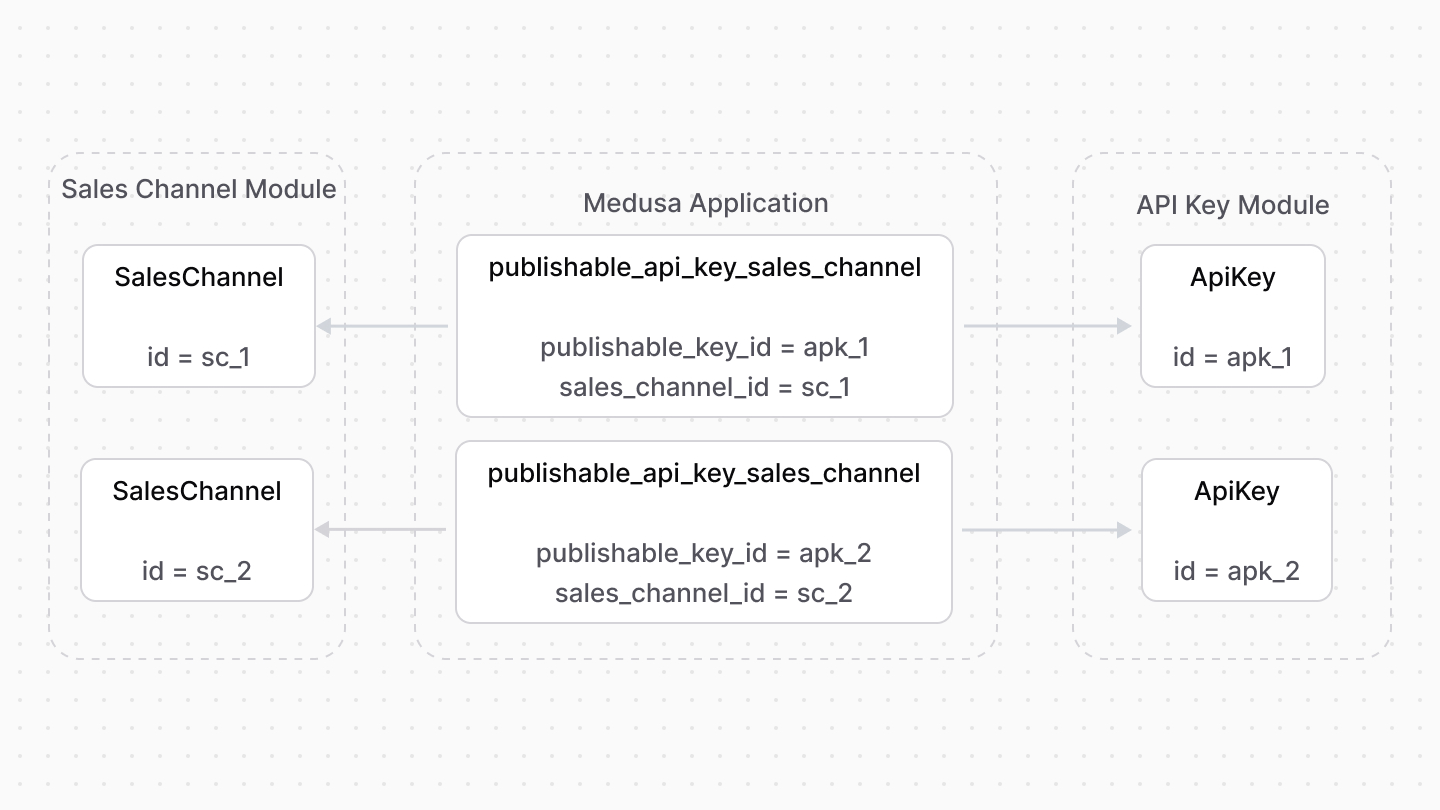
This is useful to avoid passing the sales channel's ID as a parameter of every request, and instead pass the publishable API key in the header of any request to the Store API route.
Learn more about this in the [Sales Channel Module's documentation](../../sales-channel/publishable-api-keys/page.mdx).
### Retrieve with Query
To retrieve the sales channels of an API key with [Query](!docs!/learn/fundamentals/module-links/query), pass `sales_channels.*` in `fields`:
```ts
const { data: apiKeys } = await query.graph({
entity: "api_key",
fields: [
"sales_channels.*",
],
})
// apiKeys.sales_channels
```
```ts
import { useQueryGraphStep } from "@medusajs/medusa/core-flows"
// ...
const { data: apiKeys } = useQueryGraphStep({
entity: "api_key",
fields: [
"sales_channels.*",
],
})
// apiKeys.sales_channels
```
### Manage with Link
To manage the sales channels of an API key, use [Link](!docs!/learn/fundamentals/module-links/link):
```ts
import { Modules } from "@medusajs/framework/utils"
// ...
await link.create({
[Modules.API_KEY]: {
api_key_id: "apk_123",
},
[Modules.SALES_CHANNEL]: {
sales_channel_id: "sc_123",
},
})
```
```ts
import { Modules } from "@medusajs/framework/utils"
import { createRemoteLinkStep } from "@medusajs/medusa/core-flows"
// ...
createRemoteLinkStep({
[Modules.API_KEY]: {
api_key_id: "apk_123",
},
[Modules.SALES_CHANNEL]: {
sales_channel_id: "sc_123",
},
})
```