 baaee11114
* docs: updates for storefront in cloud

* comment-out pnpm

* fix broken link

* npm prerequisites

* Update www/apps/cloud/app/storefront/page.mdx

Co-authored-by: Stevche Radevski <sradevski@live.com>

* remove global cdn

---------

Co-authored-by: Stevche Radevski <sradevski@live.com>
93 lines
5.0 KiB
Plaintext
93 lines
5.0 KiB
Plaintext
export const metadata = {
|
|
title: `Access Deployment`,
|
|
}
|
|
|
|
# {metadata.title}
|
|
|
|
In this guide, you'll learn how to access your Cloud [deployment](../page.mdx) for an environment.
|
|
|
|
## Access Live Deployment
|
|
|
|
You can only access a deployment of an [environment](../../environments/page.mdx) once its status is "Live". A live deployment means that your Medusa application is successfully built and is publicly accessible. You can't access previous deployments or deployments that are still in the "Building" or "Failed" status.
|
|
|
|
You can access the live deployment's Medusa Admin, send requests to its API routes, and access its storefront (if applicable) using the deployment's environment URL.
|
|
|
|
---
|
|
|
|
## Find Backend and Admin's URL
|
|
|
|
<Note>
|
|
|
|
For preview environments, refer to the [Preview Environments](../../environments/preview/page.mdx#access-deployed-preview-environment) guide to find the URL of the preview environment.
|
|
|
|
</Note>
|
|
|
|
An environment's backend URL is in the format `<subdomain>.medusajs.app`, where `<subdomain>` is the subdomain you set either when [creating its project](../../projects/page.mdx#create-a-project) or when [creating the environment](../../environments/long-lived/page.mdx#create-a-long-lived-environment).
|
|
|
|
You can also find the URL of a deployment's backend through the Cloud dashboard:
|
|
|
|
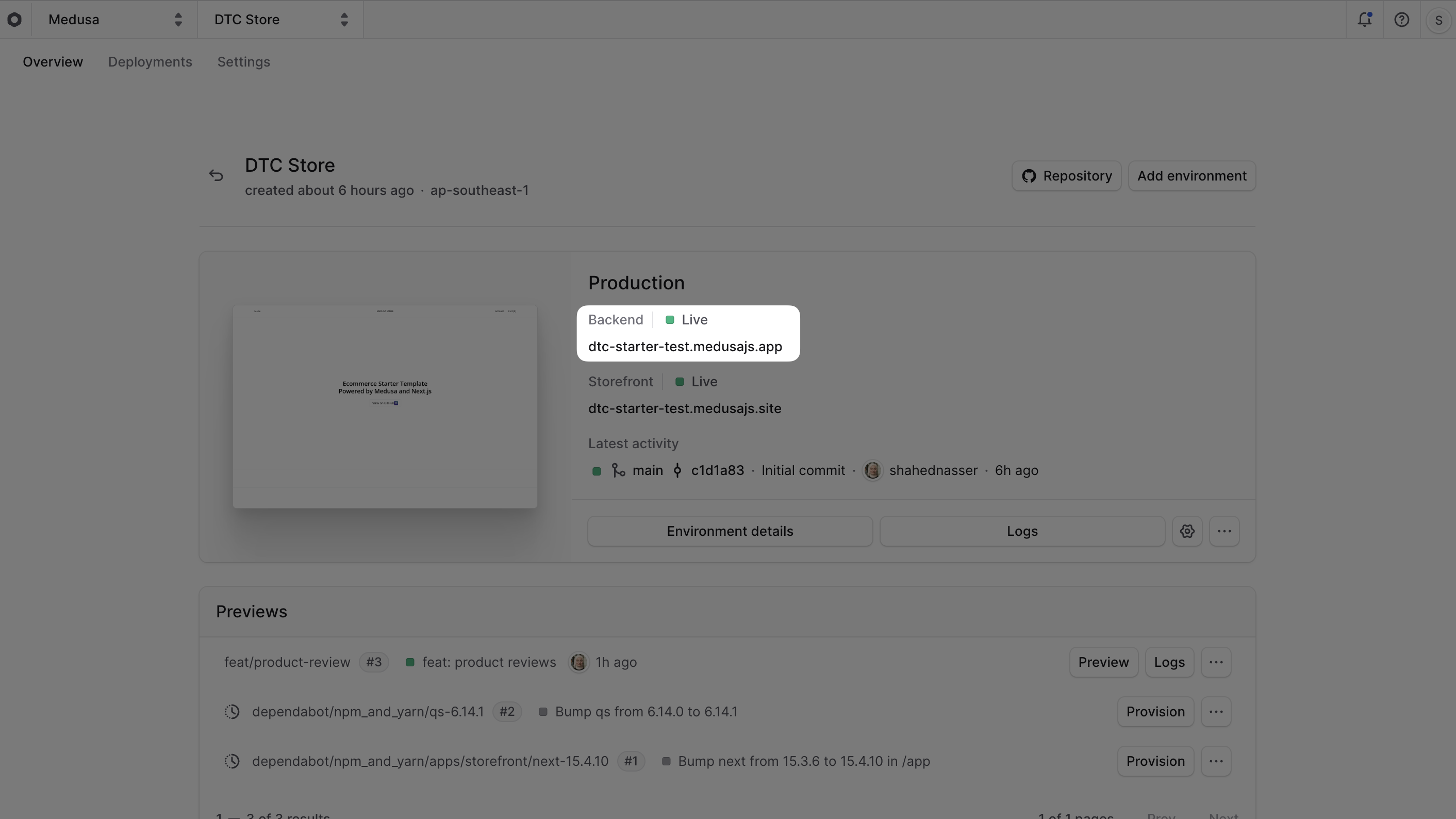
1. Select a project from the [organization's dashboard](../../organizations/page.mdx#organization-dashboard).
|
|
2. In the project's dashboard, find the backend URL in the environment's card under the "Backend" title. You can copy the URL by clicking the copy icon next to it.
|
|
|
|
|
|
|
|
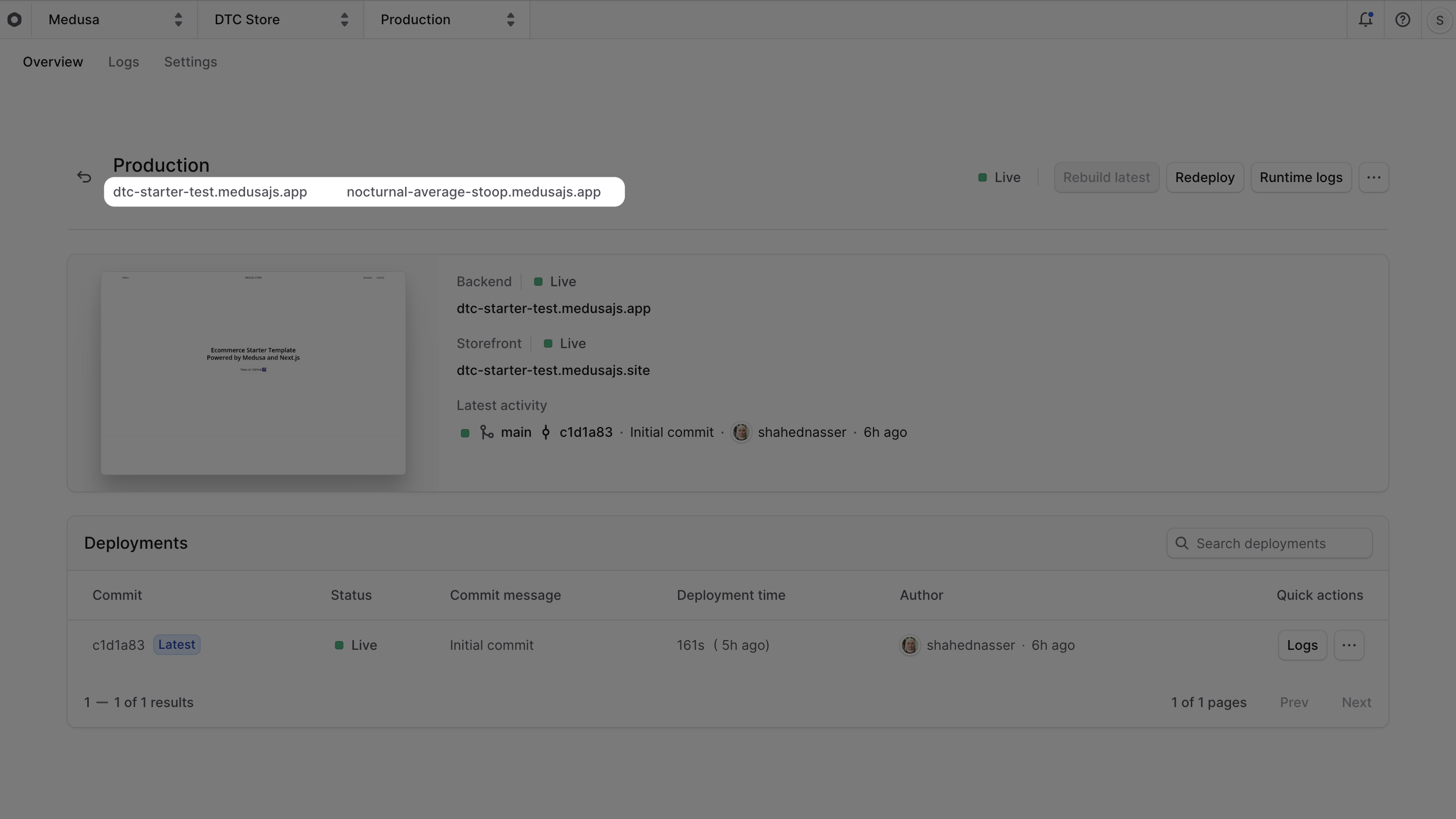
3. You can also click on the environment's name to open its dashboard, where you'll find the URL under the environment's name.
|
|
|
|
|
|
|
|
### Access the Deployment's Medusa Admin
|
|
|
|
To access the Medusa Admin of a live deployment, click on [the environment's URL](#find-backend-and-admins-url), or navigate to `<environment-url>/app`. For example, if your environment's URL is `my-project.medusajs.app`, navigate to `my-project.medusajs.app/app`.
|
|
|
|
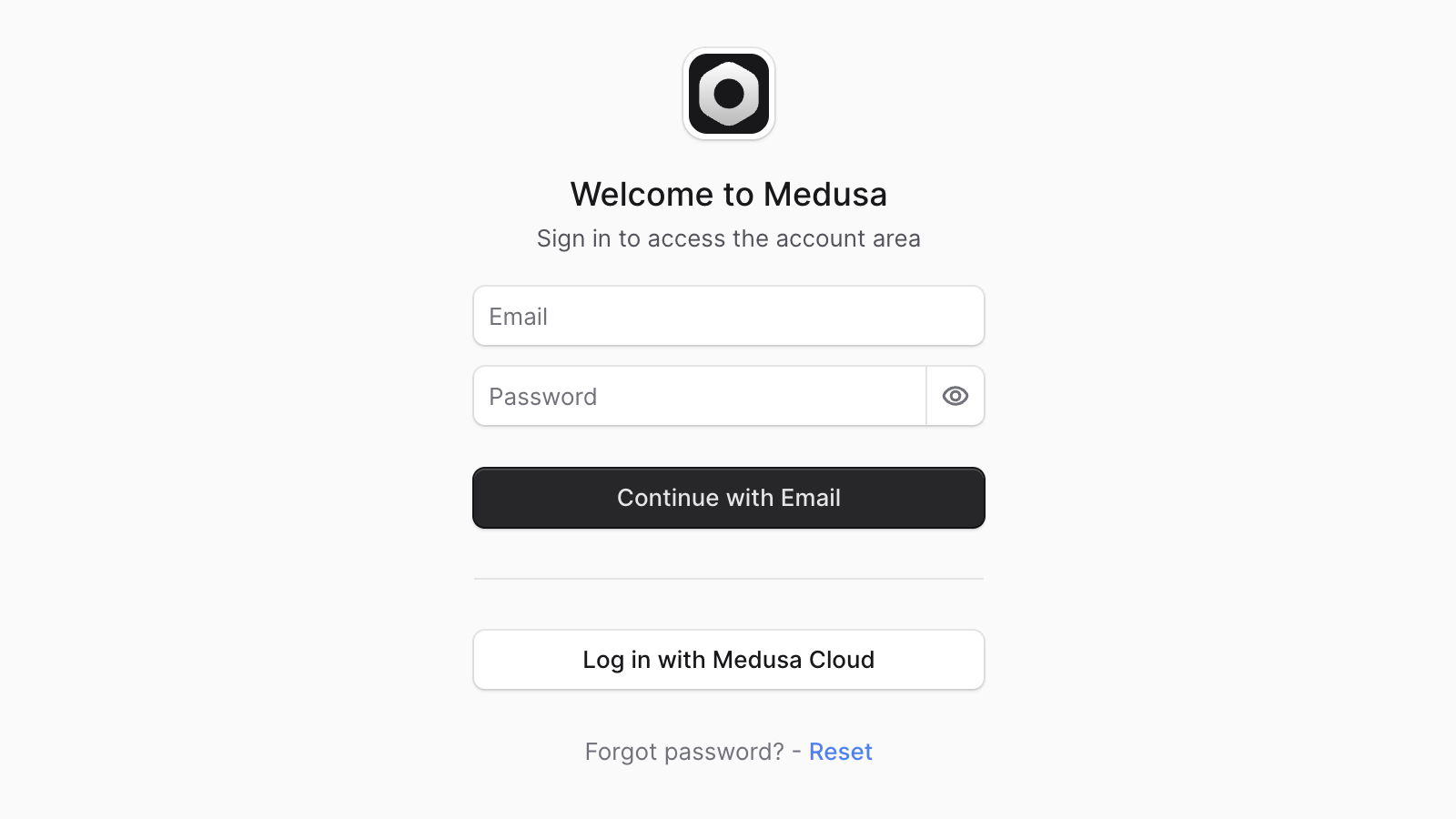
You can then log in either using:
|
|
|
|
1. The email and password set either [during project creation](../../projects/page.mdx#create-a-project).
|
|
2. Your existing Cloud account by clicking the "Log in with Medusa Cloud" button. A user will be created in the Medusa application with the same email as your Cloud account.
|
|
|
|
|
|
|
|
### Can't Find the Log in with Medusa Cloud Button?
|
|
|
|
If you don't see the "Log in with Medusa Cloud" button on the Medusa Admin log in page, make sure that:
|
|
|
|
1. Your Medusa application's version is using [Medusa v2.12.4 or later](https://github.com/medusajs/medusa/releases/tag/v2.12.4).
|
|
2. If your deployed project was created before Medusa v2.12.4, set the [environment variable](../../environments/environment-variables/page.mdx) `MEDUSA_CLOUD_OAUTH_DISABLED` to `false` in the environment's settings, then redeploy the environment.
|
|
|
|
---
|
|
|
|
## Send Requests to the Deployed Medusa Backend
|
|
|
|
You can send requests to a live deployment's Medusa backend using the deployment's [environment URL](#find-backend-and-admins-url).
|
|
|
|
For example, to check the health of the live deployment, you can send a `GET` request to the `/health` endpoint:
|
|
|
|
```bash
|
|
curl https://my-project.medusajs.app/health
|
|
```
|
|
|
|
Where `https://my-project.medusajs.app` is the URL of the environment's Medusa backend.
|
|
|
|
---
|
|
|
|
## Access Deployment's Server through SSH
|
|
|
|
Medusa doesn't support SSH access to the server instance of a deployment. However, you can still access the server's [runtime and build logs](../../logs/page.mdx) to debug issues in your application.
|
|
|
|
If this isn't sufficient for your use case, you can contact support to discuss alternatives.
|
|
|
|
---
|
|
|
|
## Find Storefront URL
|
|
|
|
If you deployed a storefront alongside your Medusa backend, you can access it using the storefront URL.
|
|
|
|
By default, storefronts are deployed at the `medusajs.site` subdomain. The domain prefix is the same as the Medusa backend's subdomain. For example, if your backend is at `my-store.medusajs.app`, your storefront will be at `my-store.medusajs.site`.
|
|
|
|
You can find the storefront URL:
|
|
|
|
1. Select a project from the [organization's dashboard](../../organizations/page.mdx#organization-dashboard).
|
|
2. In the project's dashboard, find the storefront URL in the environment's card under the "Storefront" title. You can copy the URL by clicking the copy icon next to it.
|
|
3. Click the URL to open the storefront in a new browser tab.
|
|
|
|
You can also set up a custom domain for your storefront. Learn more in the [Storefront Custom Domain](../../storefront/page.mdx#storefront-custom-domain) guide.
|