
 Shahed NasserandGitHub
c1a5390fc6
Shahed NasserandGitHub
c1a5390fc6
* docs: translation module

* fix link in JS SDK

* add translations user guides [WIP]

* updates

* fix broken link

* remove mentions of default locale

* change header

* updates

* updated user guides

* handle todos

* fix build error

* fix lint errors
72 lines
3.1 KiB
Plaintext
72 lines
3.1 KiB
Plaintext
export const metadata = {
|
||
title: `Cart Concepts`,
|
||
}
|
||
|
||
# {metadata.title}
|
||
|
||
In this document, you’ll learn about the main concepts related to carts in Medusa.
|
||
|
||
## Cart
|
||
|
||
A cart is the selection of product variants that a customer intends to purchase. It is represented by the [Cart data model](/references/cart/models/Cart).
|
||
|
||
A cart holds information about:
|
||
|
||
- The items the customer wants to buy.
|
||
- The customer's shipping and billing addresses.
|
||
- The shipping methods used to fulfill the items after purchase.
|
||
- The payment method and information necessary to complete the purchase.
|
||
- These are stored and handled by the [Payment Module](../../payment/page.mdx).
|
||
|
||
### Cart Locale
|
||
|
||
<Note>
|
||
|
||
Cart locale is available starting [Medusa v2.12.3](https://github.com/medusajs/medusa/releases/tag/v2.12.3).
|
||
|
||
</Note>
|
||
|
||
The `Cart` data model has a `locale` property that indicates the locale of the cart. This locale is in the [IETF BCP 47 standard](https://gist.github.com/typpo/b2b828a35e683b9bf8db91b5404f1bd1) format, such as `en-US` for American English or `fr-FR` for French (France).
|
||
|
||
When creating a cart, you can set the `locale` property to specify the desired locale for the cart. The information of the items in the cart, such as product titles and descriptions, will be displayed in the specified locale if translations are available.
|
||
|
||
Refer to the [Translation Module](../../translation/page.mdx) to learn more about how translations and locales work.
|
||
|
||
---
|
||
|
||
## Line Items
|
||
|
||
A line item, represented by the [LineItem](/references/cart/models/LineItem) data model, is a quantity of a product variant added to the cart. A cart has multiple line items.
|
||
|
||
<Note>
|
||
|
||
In the Medusa application, a product variant is implemented in the [Product Module](../../product/page.mdx).
|
||
|
||
</Note>
|
||
|
||
A line item stores some of the product variant’s properties, such as the `product_title` and `product_description`. It also stores data related to the item’s quantity and price.
|
||
|
||
---
|
||
|
||
## Shipping and Billing Addresses
|
||
|
||
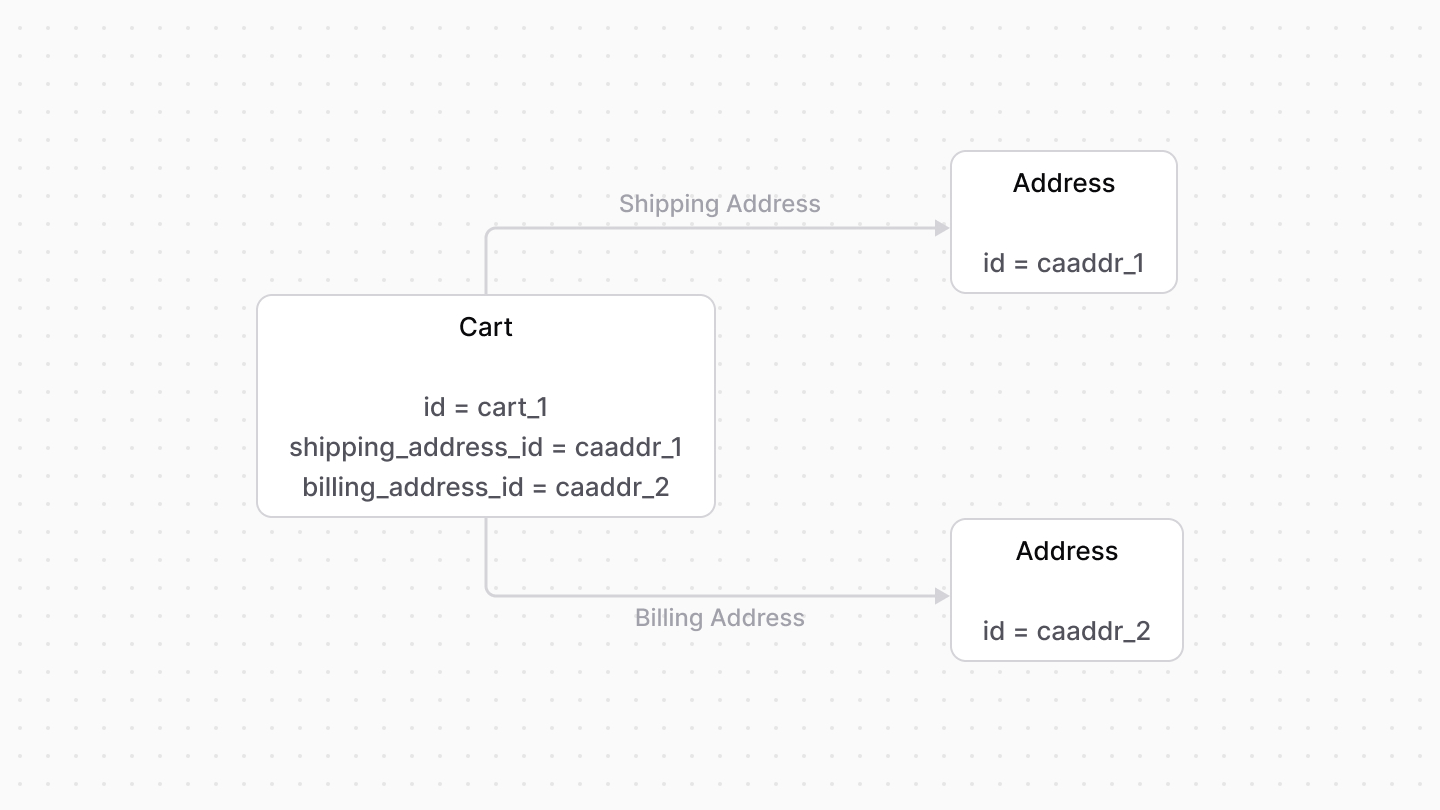
A cart has a shipping and billing address. Both of these addresses are represented by the [Address data model](/references/cart/models/Address).
|
||
|
||
|
||
|
||
---
|
||
|
||
## Shipping Methods
|
||
|
||
A shipping method, represented by the [ShippingMethod data model](/references/cart/models/ShippingMethod), is used to fulfill the items in the cart after the order is placed. A cart can have more than one shipping method.
|
||
|
||
In the Medusa application, the shipping method is created from a shipping option, available through the [Fulfillment Module](../../fulfillment/page.mdx). Its ID is stored in the `shipping_option_id` property of the method.
|
||
|
||
### data Property
|
||
|
||
After an order is placed, you can use a third-party fulfillment provider to fulfill its shipments.
|
||
|
||
If the fulfillment provider requires additional custom data to be passed along from the checkout process, set this data in the `ShippingMethod`'s `data` property.
|
||
|
||
The `data` property is an object used to store custom data relevant later for fulfillment.
|