 Shahed Nasser
009d00f27d
Shahed Nasser
009d00f27d
* implement toc

* added to projects

* fixes and adapt for references

* added product frontmatter

* remove action menu from 404 pages
278 lines
6.1 KiB
Plaintext
278 lines
6.1 KiB
Plaintext
---
|
|
products:
|
|
- cart
|
|
- order
|
|
---
|
|
|
|
import { CodeTabs, CodeTab, Table } from "docs-ui"
|
|
|
|
export const metadata = {
|
|
title: `Links between Promotion Module and Other Modules`,
|
|
}
|
|
|
|
# {metadata.title}
|
|
|
|
This document showcases the module links defined between the Promotion Module and other Commerce Modules.
|
|
|
|
## Summary
|
|
|
|
The Promotion Module has the following links to other modules:
|
|
|
|
<Note title="Tip">
|
|
|
|
Read-only links are used to query data across modules, but the relations aren't stored in a pivot table in the database.
|
|
|
|
</Note>
|
|
|
|
<Table>
|
|
<Table.Header>
|
|
<Table.Row>
|
|
<Table.HeaderCell>
|
|
First Data Model
|
|
</Table.HeaderCell>
|
|
<Table.HeaderCell>
|
|
Second Data Model
|
|
</Table.HeaderCell>
|
|
<Table.HeaderCell>
|
|
Type
|
|
</Table.HeaderCell>
|
|
<Table.HeaderCell>
|
|
Description
|
|
</Table.HeaderCell>
|
|
</Table.Row>
|
|
</Table.Header>
|
|
<Table.Body>
|
|
<Table.Row>
|
|
<Table.Cell>
|
|
[Cart](/references/cart/models/Cart) in [Cart Module](../../cart/page.mdx)
|
|
</Table.Cell>
|
|
<Table.Cell>
|
|
[Promotion](/references/promotion/models/Promotion)
|
|
</Table.Cell>
|
|
<Table.Cell>
|
|
Stored - many-to-many
|
|
</Table.Cell>
|
|
<Table.Cell>
|
|
[Learn more](#cart-module)
|
|
</Table.Cell>
|
|
</Table.Row>
|
|
<Table.Row>
|
|
<Table.Cell>
|
|
[LineItemAdjustment](/references/cart/models/LineItemAdjustment) in [Cart Module](../../cart/page.mdx)
|
|
</Table.Cell>
|
|
<Table.Cell>
|
|
[Promotion](/references/promotion/models/Promotion)
|
|
</Table.Cell>
|
|
<Table.Cell>
|
|
Read-only - has one
|
|
</Table.Cell>
|
|
<Table.Cell>
|
|
[Learn more](#cart-module)
|
|
</Table.Cell>
|
|
</Table.Row>
|
|
<Table.Row>
|
|
<Table.Cell>
|
|
[Order](/references/order/models/Order) in [Order Module](../../order/page.mdx)
|
|
</Table.Cell>
|
|
<Table.Cell>
|
|
[Promotion](/references/promotion/models/Promotion)
|
|
</Table.Cell>
|
|
<Table.Cell>
|
|
Stored - many-to-many
|
|
</Table.Cell>
|
|
<Table.Cell>
|
|
[Learn more](#order-module)
|
|
</Table.Cell>
|
|
</Table.Row>
|
|
</Table.Body>
|
|
</Table>
|
|
|
|
---
|
|
|
|
## Cart Module
|
|
|
|
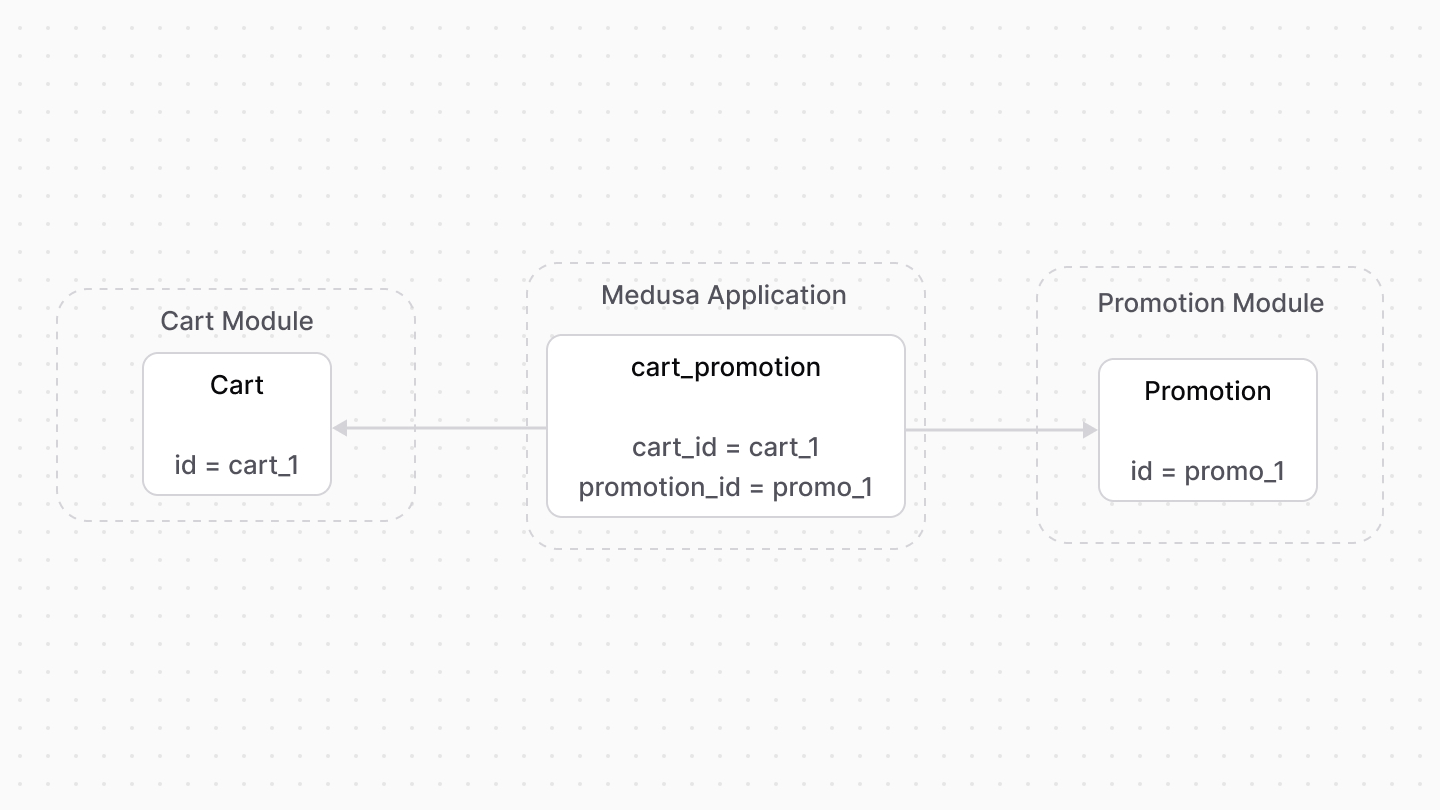
A promotion can be applied on line items and shipping methods of a cart. Medusa defines a link between the `Cart` and `Promotion` data models.
|
|
|
|
|
|
|
|
Medusa also defines a read-only link between the [Cart Module](../../cart/page.mdx)'s `LineItemAdjustment` data model and the `Promotion` data model. Because the link is read-only from the `LineItemAdjustment`'s side, you can only retrieve the promotion applied on a line item, and not the other way around.
|
|
|
|
### Retrieve with Query
|
|
|
|
To retrieve the carts that a promotion is applied on with [Query](!docs!/learn/fundamentals/module-links/query), pass `carts.*` in `fields`:
|
|
|
|
<Note>
|
|
|
|
To retrieve the promotion of a line item adjustment, pass `promotion.*` in `fields`.
|
|
|
|
</Note>
|
|
|
|
<CodeTabs group="relation-query">
|
|
<CodeTab label="query.graph" value="method">
|
|
|
|
```ts
|
|
const { data: promotions } = await query.graph({
|
|
entity: "promotion",
|
|
fields: [
|
|
"carts.*",
|
|
],
|
|
})
|
|
|
|
// promotions[0].carts
|
|
```
|
|
|
|
</CodeTab>
|
|
<CodeTab label="useQueryGraphStep" value="step">
|
|
|
|
```ts
|
|
import { useQueryGraphStep } from "@medusajs/medusa/core-flows"
|
|
|
|
// ...
|
|
|
|
const { data: promotions } = useQueryGraphStep({
|
|
entity: "promotion",
|
|
fields: [
|
|
"carts.*",
|
|
],
|
|
})
|
|
|
|
// promotions[0].carts
|
|
```
|
|
|
|
</CodeTab>
|
|
</CodeTabs>
|
|
|
|
### Manage with Link
|
|
|
|
To manage the promotions of a cart, use [Link](!docs!/learn/fundamentals/module-links/link):
|
|
|
|
<CodeTabs group="relation-link">
|
|
<CodeTab label="link.create" value="method">
|
|
|
|
```ts
|
|
import { Modules } from "@medusajs/framework/utils"
|
|
|
|
// ...
|
|
|
|
await link.create({
|
|
[Modules.CART]: {
|
|
cart_id: "cart_123",
|
|
},
|
|
[Modules.PROMOTION]: {
|
|
promotion_id: "promo_123",
|
|
},
|
|
})
|
|
```
|
|
|
|
</CodeTab>
|
|
<CodeTab label="createRemoteLinkStep" value="step">
|
|
|
|
```ts
|
|
import { Modules } from "@medusajs/framework/utils"
|
|
import { createRemoteLinkStep } from "@medusajs/medusa/core-flows"
|
|
|
|
// ...
|
|
|
|
createRemoteLinkStep({
|
|
[Modules.CART]: {
|
|
cart_id: "cart_123",
|
|
},
|
|
[Modules.PROMOTION]: {
|
|
promotion_id: "promo_123",
|
|
},
|
|
})
|
|
```
|
|
|
|
</CodeTab>
|
|
</CodeTabs>
|
|
|
|
---
|
|
|
|
## Order Module
|
|
|
|
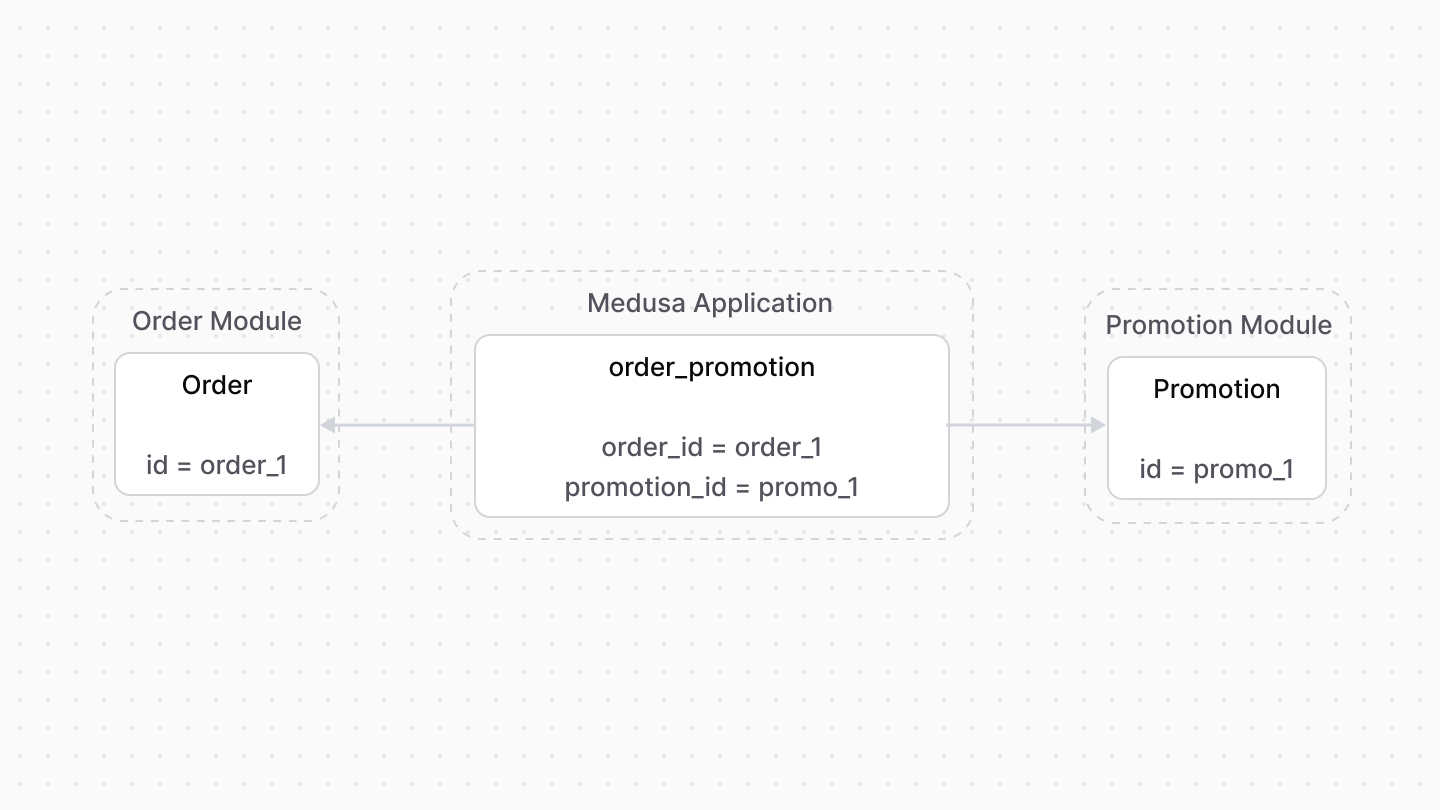
An order is associated with the promotion applied on it. Medusa defines a link between the `Order` and `Promotion` data models.
|
|
|
|
|
|
|
|
### Retrieve with Query
|
|
|
|
To retrieve the orders a promotion is applied on with [Query](!docs!/learn/fundamentals/module-links/query), pass `orders.*` in `fields`:
|
|
|
|
<CodeTabs group="relation-query">
|
|
<CodeTab label="query.graph" value="method">
|
|
|
|
```ts
|
|
const { data: promotions } = await query.graph({
|
|
entity: "promotion",
|
|
fields: [
|
|
"orders.*",
|
|
],
|
|
})
|
|
|
|
// promotions[0].orders
|
|
```
|
|
|
|
</CodeTab>
|
|
<CodeTab label="useQueryGraphStep" value="step">
|
|
|
|
```ts
|
|
import { useQueryGraphStep } from "@medusajs/medusa/core-flows"
|
|
|
|
// ...
|
|
|
|
const { data: promotions } = useQueryGraphStep({
|
|
entity: "promotion",
|
|
fields: [
|
|
"orders.*",
|
|
],
|
|
})
|
|
|
|
// promotions[0].orders
|
|
```
|
|
|
|
</CodeTab>
|
|
</CodeTabs>
|
|
|
|
### Manage with Link
|
|
|
|
To manage the promotion of an order, use [Link](!docs!/learn/fundamentals/module-links/link):
|
|
|
|
<CodeTabs group="relation-link">
|
|
<CodeTab label="link.create" value="method">
|
|
|
|
```ts
|
|
import { Modules } from "@medusajs/framework/utils"
|
|
|
|
// ...
|
|
|
|
await link.create({
|
|
[Modules.ORDER]: {
|
|
order_id: "order_123",
|
|
},
|
|
[Modules.PROMOTION]: {
|
|
promotion_id: "promo_123",
|
|
},
|
|
})
|
|
```
|
|
|
|
</CodeTab>
|
|
<CodeTab label="createRemoteLinkStep" value="step">
|
|
|
|
```ts
|
|
import { Modules } from "@medusajs/framework/utils"
|
|
import { createRemoteLinkStep } from "@medusajs/medusa/core-flows"
|
|
|
|
// ...
|
|
|
|
createRemoteLinkStep({
|
|
[Modules.ORDER]: {
|
|
order_id: "order_123",
|
|
},
|
|
[Modules.PROMOTION]: {
|
|
promotion_id: "promo_123",
|
|
},
|
|
})
|
|
```
|
|
|
|
</CodeTab>
|
|
</CodeTabs> |