 Shahed Nasser
ed715813a5
Shahed Nasser
ed715813a5
* docs: docs for next release

* changes to opentelemetry dependencies

* document plugin env variables

* document admin changes

* fix vale error

* add version notes

* document campaign budget updates

* document campaign changes in user guide

* document chages in cluster mode cli

* documented once promotion allocation

* document multiple API keys support
54 lines
1.9 KiB
Plaintext
54 lines
1.9 KiB
Plaintext
---
|
|
sidebar_label: "Locations & Shipping Overview"
|
|
tags:
|
|
- user guide
|
|
- stock location
|
|
- fulfillment
|
|
products:
|
|
- stock location
|
|
- fulfillment
|
|
---
|
|
|
|
import { EllipsisHorizontal } from "@medusajs/icons"
|
|
|
|
export const metadata = {
|
|
title: `Locations & Shipping Overview in Medusa Admin`,
|
|
}
|
|
|
|
# {metadata.title}
|
|
|
|
In the Locations & Shipping settings, you can manage stock locations and their shipping options, and other shipping-related configurations, such as shipping profiles.
|
|
|
|
## Overview
|
|
|
|
### Stock Locations
|
|
|
|
A stock location:
|
|
|
|
- Is associated with sales channels. Orders from these sales channels are fulfilled from this location.
|
|
- Has fulfillment providers that can be used in that location. For example, you can use UPS in the United States and DHL in Europe.
|
|
- Has shipping and pick up modes that you can add shipping options to. These are the shipping options used to fulfill items from this stock location.
|
|
|
|
### Shipping Profiles
|
|
|
|
A shipping profile groups similar products that require a different way of fulfillment. For example, fragile products are fulfilled differently than normal products. You can then provide shipping options specific for products that belong to the Fragile shipping profile.
|
|
|
|
### Shipping Option Types
|
|
|
|
A shipping option type groups shipping options with similar characteristics. For example, you can group all express shipping options together and apply a promotion to all of them at once.
|
|
|
|
---
|
|
|
|
## View Location & Shipping Settings
|
|
|
|
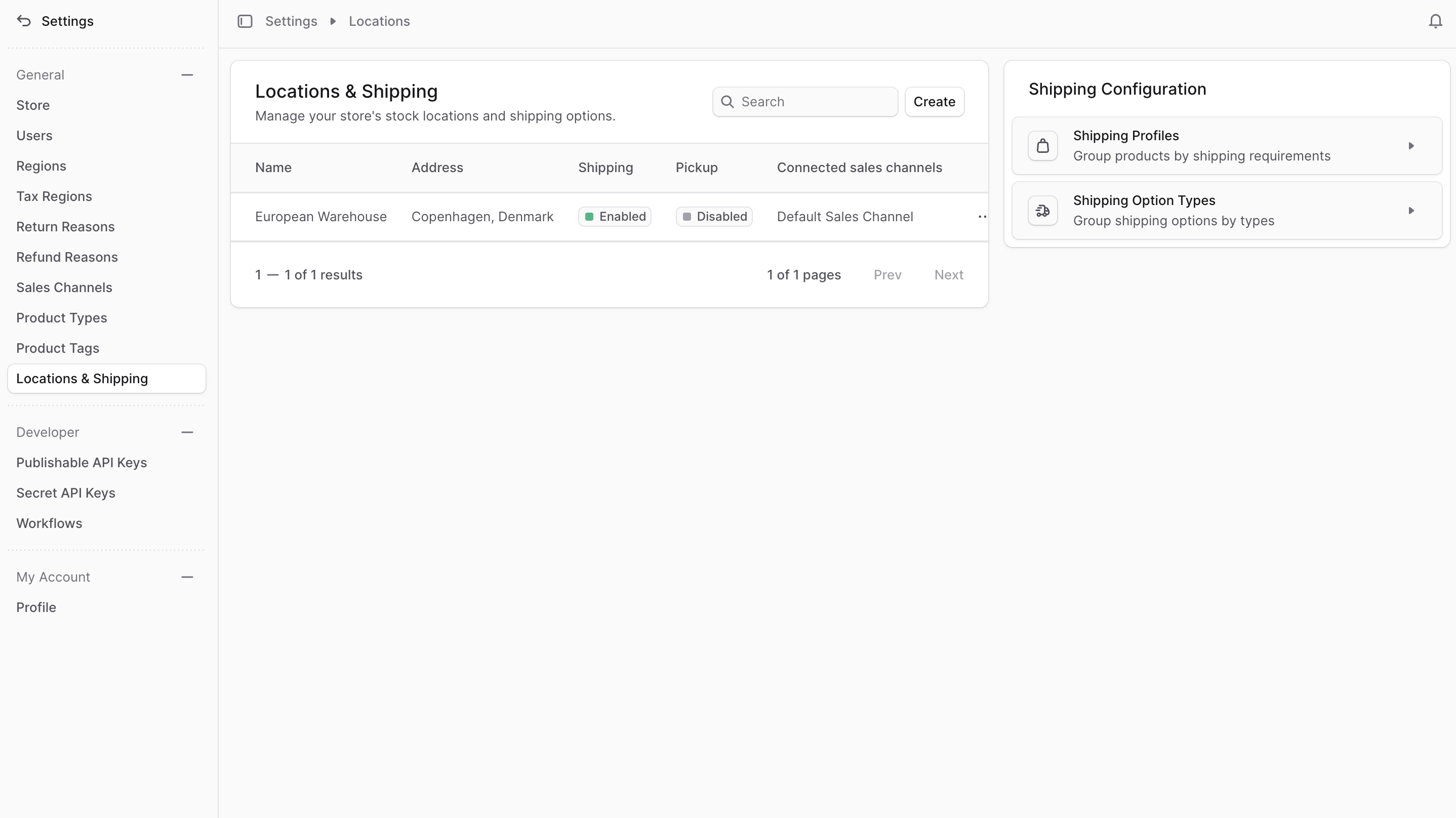
To view location and shipping settings, go to Settings → Locations & Shipping.
|
|
|
|
|
|
|
|
---
|
|
|
|
## Manage Location & Shipping Settings
|
|
|
|
- [Manage Locations](./locations/page.mdx)
|
|
- [Manage Shipping Profiles](./shipping-profiles/page.mdx)
|
|
- [Manage Shipping Option Types](./shipping-option-types/page.mdx) |