 91f6cfad5d
* docs: wording and structural changes to cloud

* Fix vale error

* Fix faq title

* Fix heading levels

* Small change to previews
37 lines
1.5 KiB
Plaintext
37 lines
1.5 KiB
Plaintext
export const metadata = {
|
|
title: `Draft Order Plugin`,
|
|
}
|
|
|
|
# {metadata.title}
|
|
|
|
In this guide, you'll learn about the Draft Order Plugin add-on available to Cloud users.
|
|
|
|
## What is the Draft Order Plugin?
|
|
|
|
Draft orders allow admin users to create orders on behalf of customers. They are useful for customer support or when customers place orders offline.
|
|
|
|
When you sign up for Cloud, you can access the Draft Order plugin in your deployed Medusa applications.
|
|
|
|
The Draft Order Plugin is an add-on to your Cloud projects that provides draft order features in the Medusa Admin dashboard.
|
|
|
|
---
|
|
|
|
## Draft Order Plugin Features
|
|
|
|
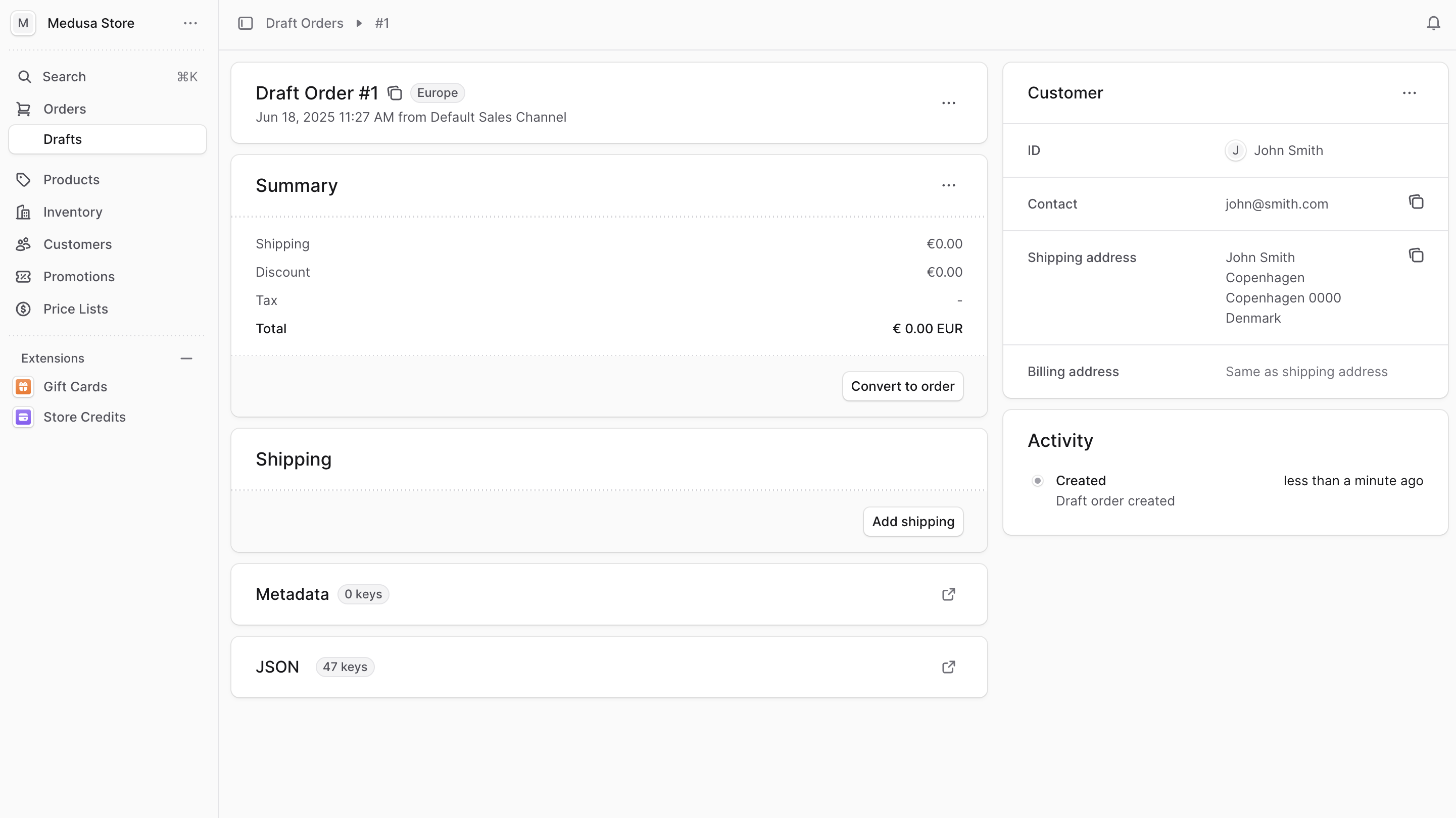
The Draft Order Plugin provides the following features:
|
|
|
|
- Create draft orders from the Medusa Admin dashboard.
|
|
- Manage items in draft orders, including adding, updating, and removing items.
|
|
- Add shipping methods to draft orders.
|
|
- Associate the draft order with a customer in your store.
|
|
- Convert the draft order to a regular order to complete the purchase.
|
|
|
|
|
|
|
|
---
|
|
|
|
## How to Install the Draft Order Plugin
|
|
|
|
The Draft Order Plugin is currently only available for Cloud users. If you're not a Cloud user, [learn how to get started](../page.mdx#sign-up-for-cloud).
|
|
|
|
Then, you can contact support for assistance in installing the Draft Order Plugin in your deployed Medusa application. |