 154673f3d8
* docs: changes based on DX changes

* remove fields no longer needed

* remove unnecessary parameters

* fixes to authenticate middleware usage

* add highlight to migrations config

* change configuration to http

* added missing remote link docs

* fix name in sidebar

* added notification module docs + updated file module docs

* add vale exceptions

* fix vale errors

* added docs on custom cli scripts
24 lines
1.1 KiB
Plaintext
24 lines
1.1 KiB
Plaintext
export const metadata = {
|
||
title: `${pageNumber} Link Modules`,
|
||
}
|
||
|
||
# {metadata.title}
|
||
|
||
In this chapter, you’ll learn what a link module is and how to use the remote link in your customizations.
|
||
|
||
## What is a Link Module?
|
||
|
||
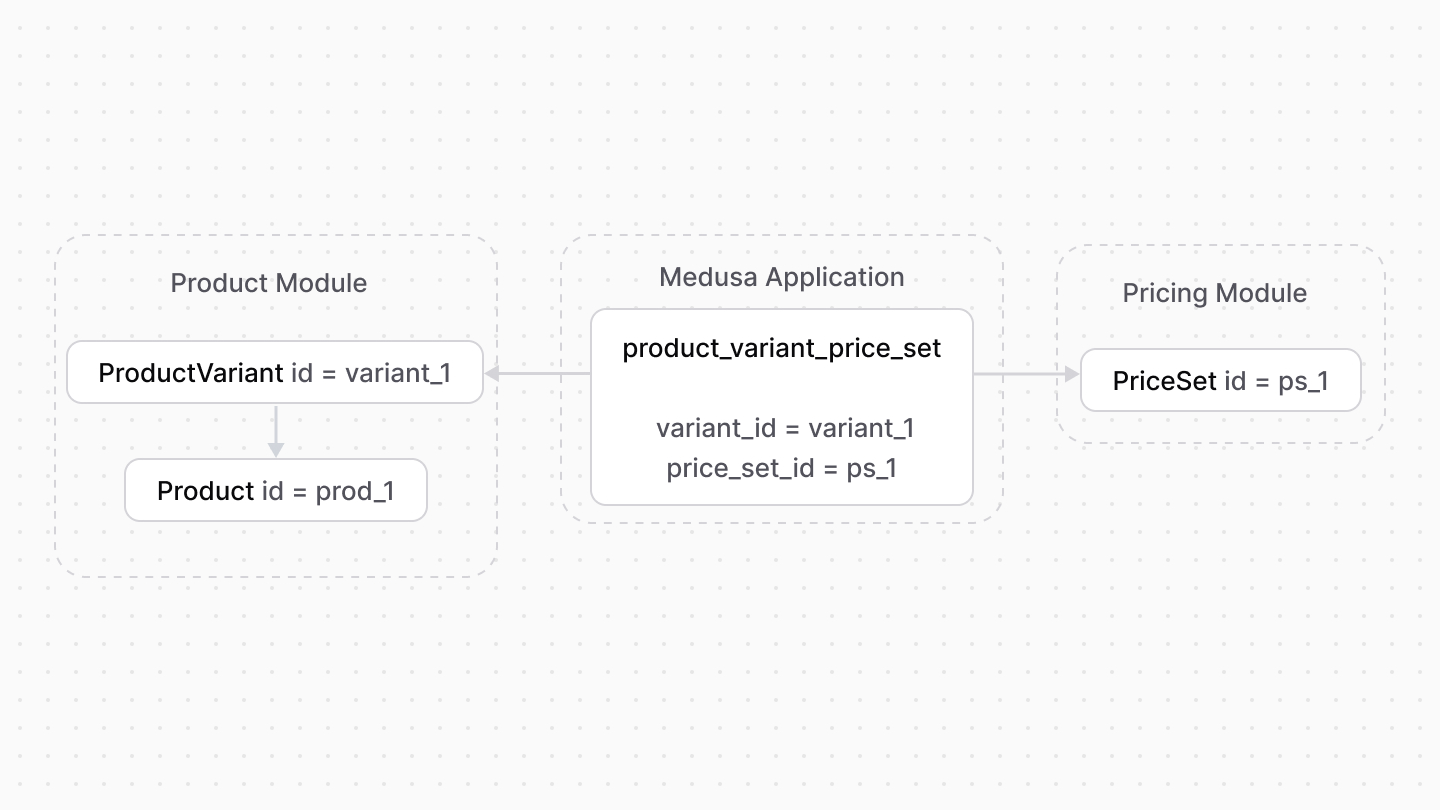
A link module is a module whose only purpose is to define a relationship between two modules’ data models. The relationship is represented as a pivot or link table in the database, pointing at the primary keys of each data model.
|
||
|
||
For example, Medusa has a link module that defines a relationship between the Product and Pricing modules. It links the `ProductVariant` and `PriceSet` data models.
|
||
|
||
|
||
|
||
Link modules provide more flexibility in managing relationships between modules while maintaining module isolation. The Medusa application only creates the link tables when both modules are available.
|
||
|
||
<Note type="soon">
|
||
|
||
Link modules are currently only available for Medusa’s commerce modules.
|
||
|
||
</Note>
|