
102 lines
4.4 KiB
Plaintext
102 lines
4.4 KiB
Plaintext
export const metadata = {
|
||
title: `${pageNumber} Deployment Overview`,
|
||
}
|
||
|
||
# {metadata.title}
|
||
|
||
In this chapter, you’ll learn about the different methods to deploy your Medusa application.
|
||
|
||
## Medusa Project Components
|
||
|
||
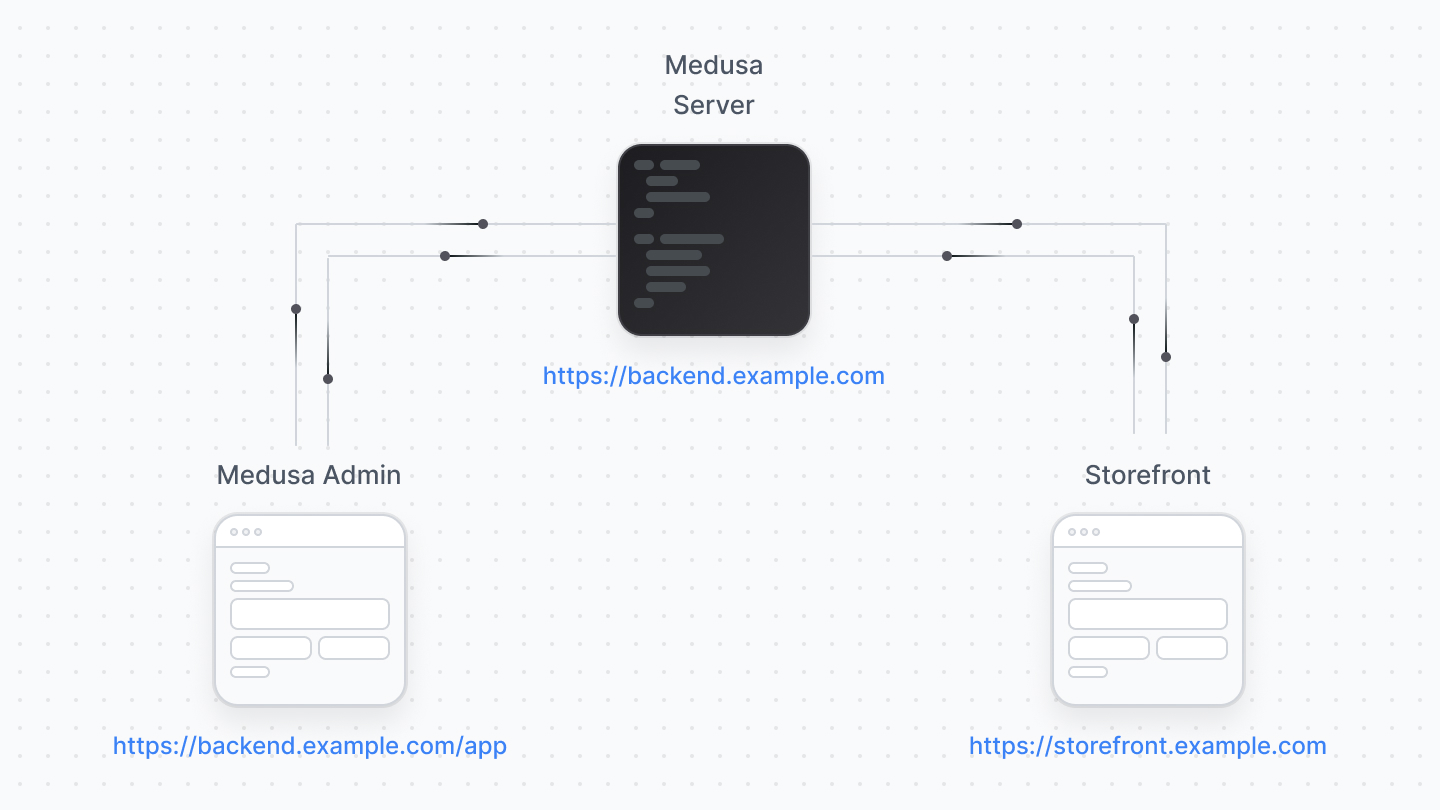
A standard Medusa project is made up of:
|
||
|
||
- Medusa application: The Medusa server and the Medusa Admin.
|
||
- One or more storefronts
|
||
|
||
|
||
|
||
You can either deploy the Medusa application fully (server along with the admin), or deploy the Medusa Admin separately. As for the storefront, it's always deployed separately.
|
||
|
||
---
|
||
|
||
## Deploying the Medusa Server
|
||
|
||
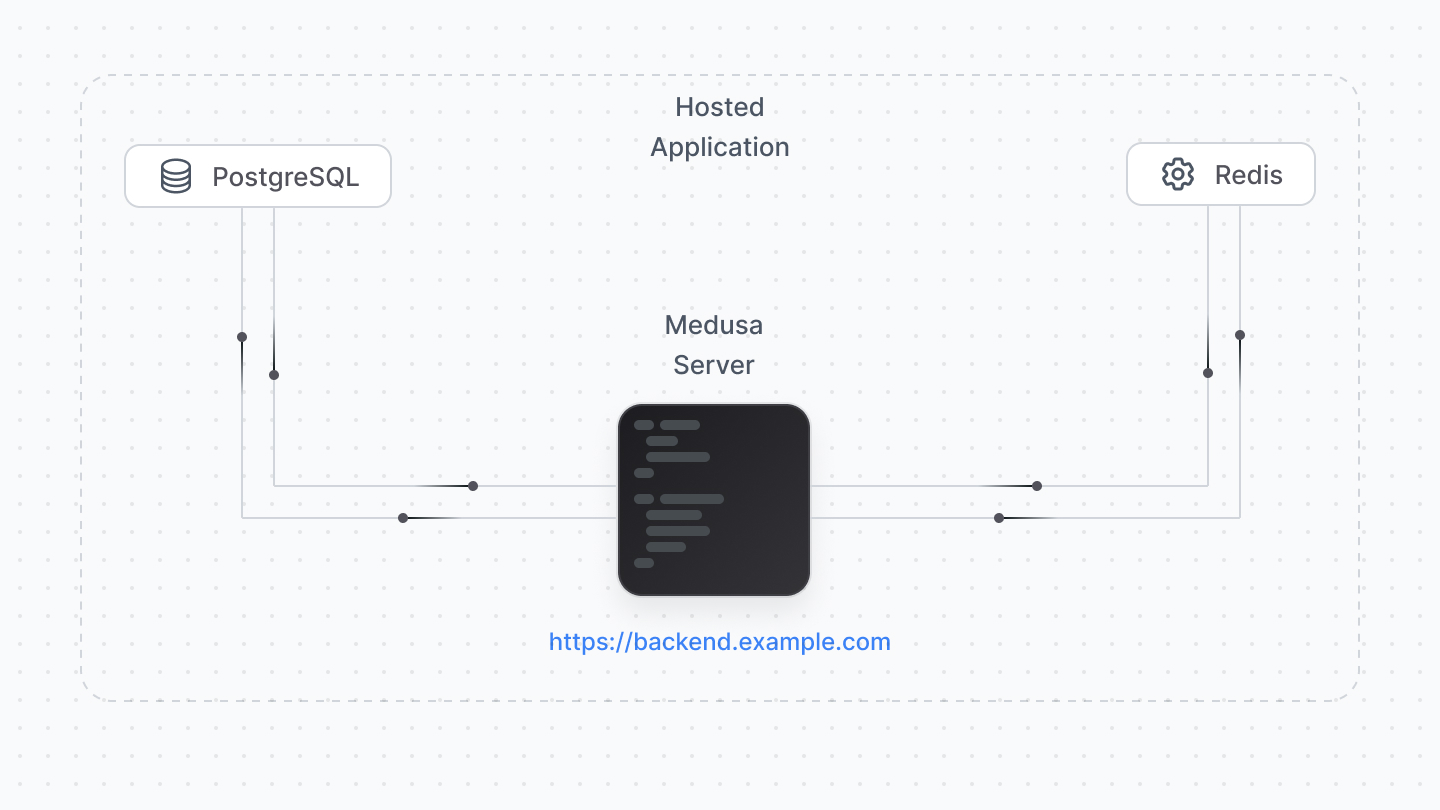
You must deploy the Medusa server before the admin or storefront, as both of them connect to it and won’t work without a deployed Medusa server URL.
|
||
|
||
|
||
|
||
Since the Medusa server is a Node.js server, it must be deployed to a hosting provider that supports deploying servers, such as Railway, DigitalOcean, AWS, Heruko, etc…
|
||
|
||
<Note title="Tip">
|
||
|
||
For optimal experience, make sure that the hosting provider and plan offer at least 2GB of RAM.
|
||
|
||
</Note>
|
||
|
||
Your server connects to PostgreSQL and Redis databases. Most hosting providers support deploying and managing these databases along with your Medusa server (such as Railway and DigitalOcean). You can also choose a separate hosting for either of them and connect to them with Medusa’s configurations.
|
||
|
||
Refer to [this reference](!resources!/deployment) to find how-to deployment guides for specific hosting providers.
|
||
|
||
---
|
||
|
||
## Deploying the Medusa Admin
|
||
|
||
<Note type="soon" title="Development Notice">
|
||
|
||
Admin deployment details are still in the work.
|
||
|
||
</Note>
|
||
|
||
### Deploy Admin with the Server
|
||
|
||
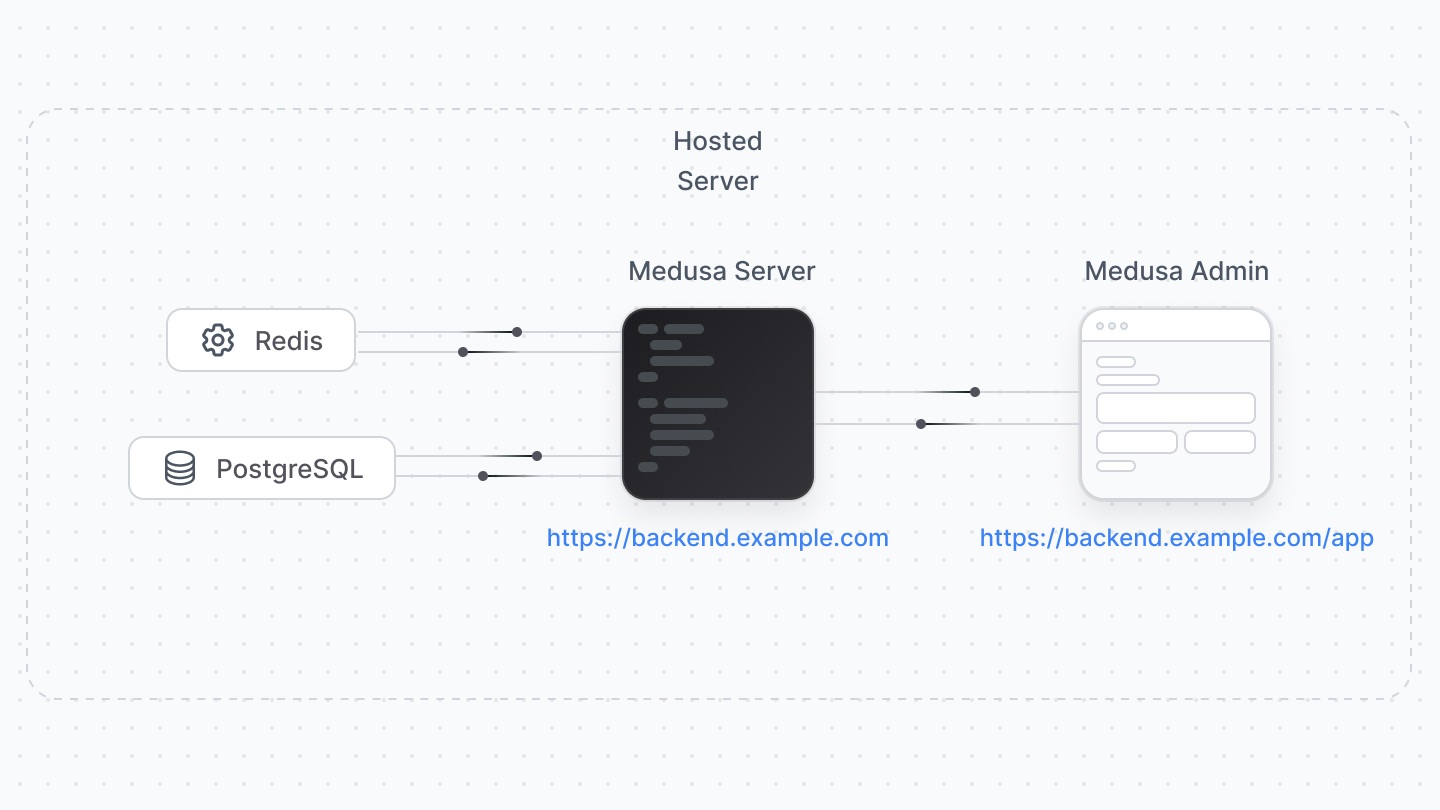
Since the Medusa Admin is a plugin installed in the server, you may choose to host them together.
|
||
|
||
In this scenario, make sure the hosting provider and plan of your choice provide at least 2GB of RAM, as the admin build requires high RAM usage.
|
||
|
||
|
||
|
||
<Note title="Tip">
|
||
|
||
The server deployment guides mention details on how to deploy the admin along with the backend.
|
||
|
||
</Note>
|
||
|
||
### Deploy Admin through GitHub Action
|
||
|
||
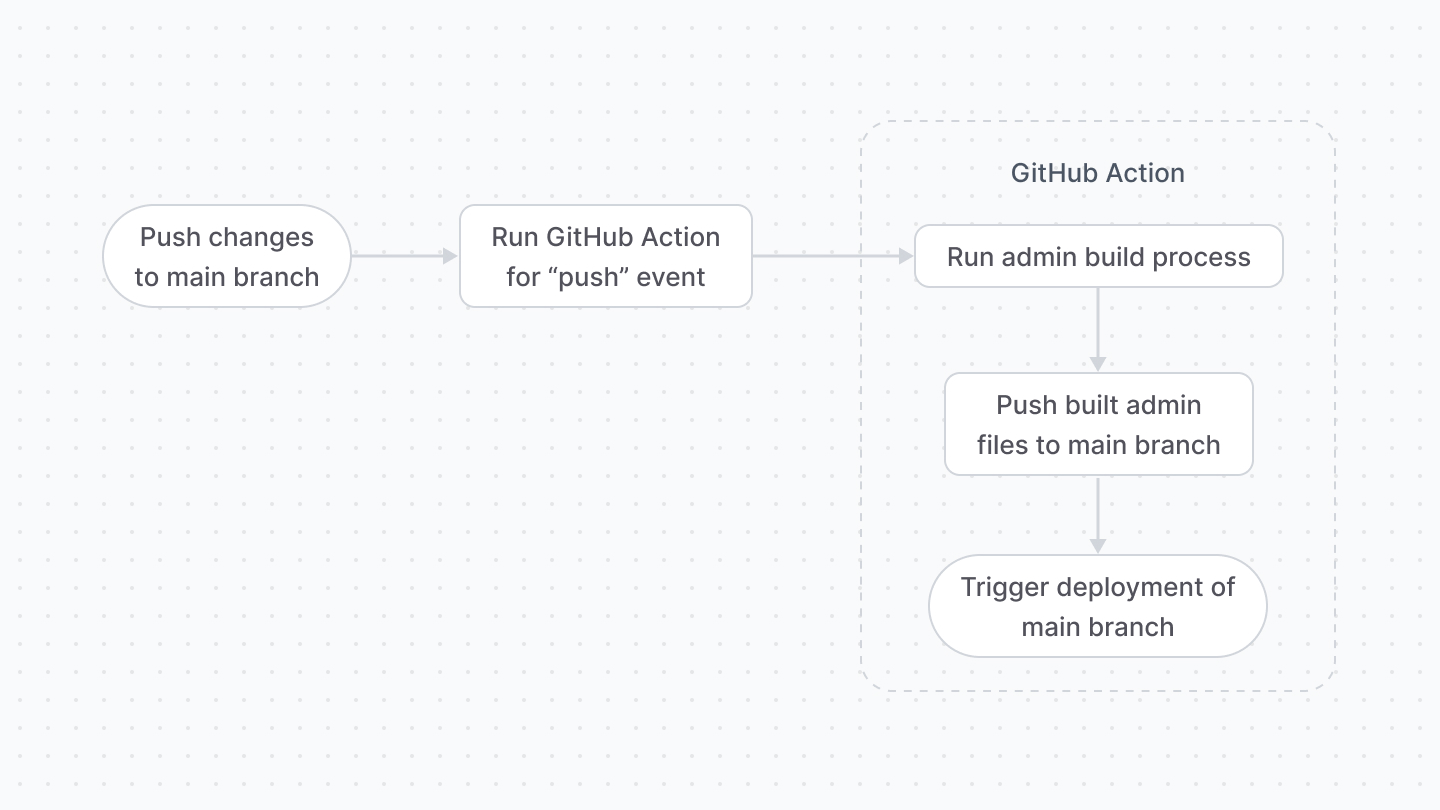
If you host your server's code on GitHub, you can:
|
||
|
||
1. Disable the `autoRebuild` option of the admin plugin.
|
||
2. Create a GitHub action that builds the admin before the deployment is triggered.
|
||
|
||
With this solution, you can deploy the admin with the server but the hosting provider doesn’t handle the admin building, decreasing the RAM usage.
|
||
|
||
|
||
|
||
### Deploy Admin Separately
|
||
|
||
You can deploy the admin into a separate hosting provider or instance. The admin can be hosted on providers that support front-end websites and frameworks, such as Vercel.
|
||
|
||
<Note title="Important">
|
||
|
||
Per Vercel’s [license and plans](https://vercel.com/pricing), their free plan can only be used for personal, non-commercial projects. So, you can deploy the Medusa Admin on the free plan for development purposes, but for commercial projects, you must update your Vercel plan.
|
||
|
||
</Note>
|
||
|
||
Refer to [this reference](!resources!/deployment) to find how-to deployment guides for specific hosting providers.
|
||
|
||
---
|
||
|
||
## Deploying the Storefront
|
||
|
||
The storefront is deployed separately from the Medusa application, and the hosting options depend on the tools and frameworks you use to create the storefront.
|
||
|
||
If you’re using the Next.js starter, you may deploy the storefront to any hosting provider that supports frontend frameworks, such as Vercel.
|
||
|
||
<Note title="Important">
|
||
|
||
Per Vercel’s [license and plans](https://vercel.com/pricing), their free plan can only be used for personal, non-commercial projects. So, you can deploy the storefront on the free plan for development purposes, but for commercial projects, you must update your Vercel plan.
|
||
|
||
</Note>
|
||
|
||
Refer to [this reference](!resoureces!/deployment) to find how-to deployment guides for specific hosting providers.
|