 76bc21ff25
* docs: tax provider updates for next release

* change images

* fix vale error

* fix vale errors

* generate
100 lines
4.2 KiB
Plaintext
100 lines
4.2 KiB
Plaintext
import { CardList } from "docs-ui"
|
||
|
||
export const metadata = {
|
||
title: `Payment Module Provider`,
|
||
}
|
||
|
||
# {metadata.title}
|
||
|
||
In this guide, you’ll learn about the Payment Module Provider and how it's used.
|
||
|
||
<Note title="Looking for no-code docs?">
|
||
|
||
Refer to this [Medusa Admin User Guide](!user-guide!/settings/regions) to learn how to manage the payment providers available in a region using the dashboard.
|
||
|
||
</Note>
|
||
|
||
---
|
||
|
||
## What is a Payment Module Provider?
|
||
|
||
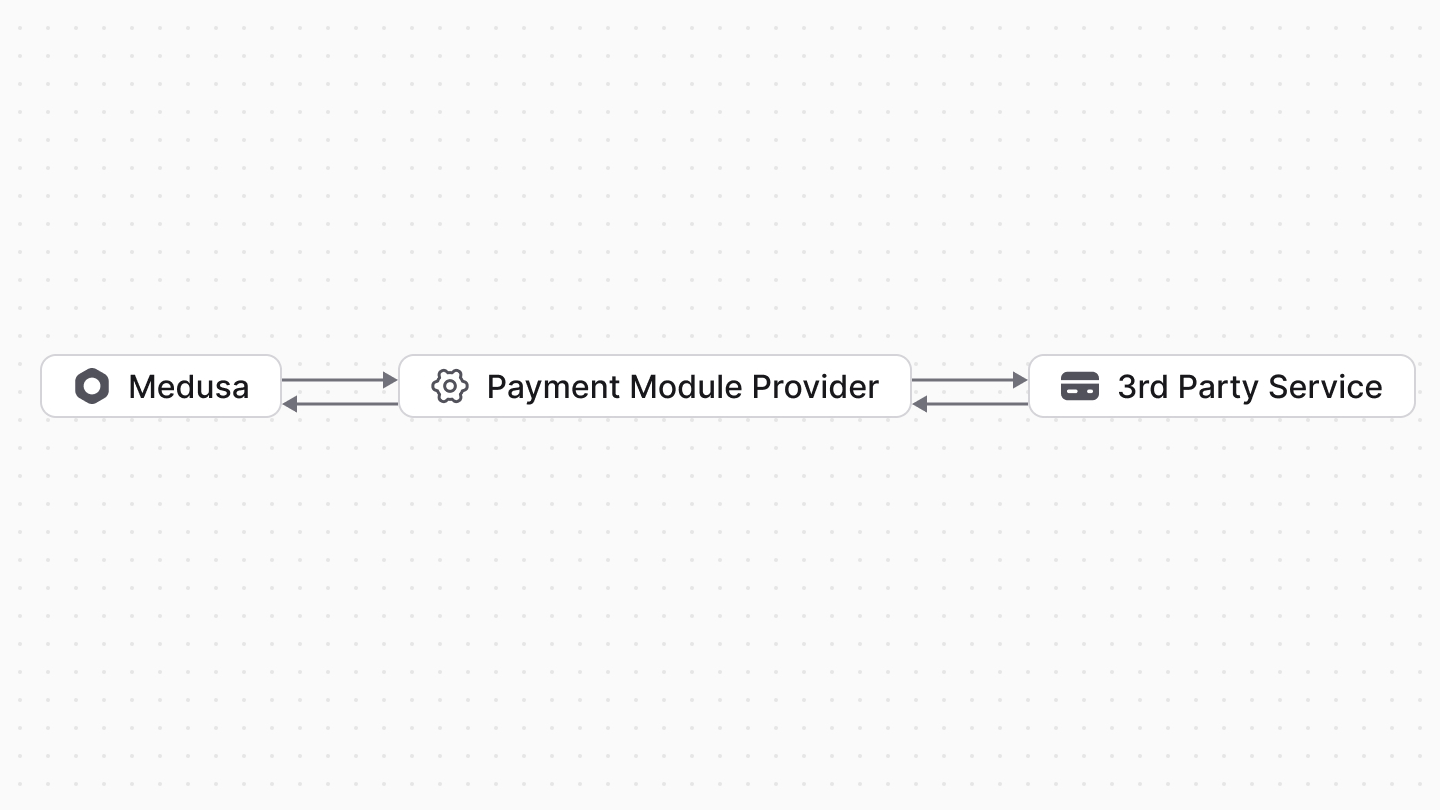
The Payment Module Provider handles payment processing in the Medusa application. It integrates third-party payment services, such as [Stripe](./stripe/page.mdx).
|
||
|
||
To authorize a payment amount with a payment provider, a payment session is created and associated with that payment provider. The payment provider is then used to handle the authorization.
|
||
|
||
After the payment session is authorized, the payment provider is associated with the resulting payment and handles its payment processing, such as to capture or refund payment.
|
||
|
||
|
||
|
||
### List of Payment Module Providers
|
||
|
||
<CardList
|
||
items={[
|
||
{
|
||
href: "/commerce-modules/payment/payment-provider/stripe",
|
||
title: "Stripe"
|
||
}
|
||
]}
|
||
/>
|
||
|
||
### Default Payment Provider
|
||
|
||
The Payment Module provides a `system` payment provider that acts as a placeholder payment provider.
|
||
|
||
It doesn’t handle payment processing and delegates that to the merchant. It acts similarly to a cash-on-delivery (COD) payment method.
|
||
|
||
<Note title="Tip">
|
||
|
||
The identifier of the system payment provider is `pp_system`.
|
||
|
||
</Note>
|
||
|
||
---
|
||
|
||
## How to Create a Custom Payment Provider?
|
||
|
||
A payment provider is a module whose main service extends the `AbstractPaymentProvider` imported from `@medusajs/framework/utils`.
|
||
|
||
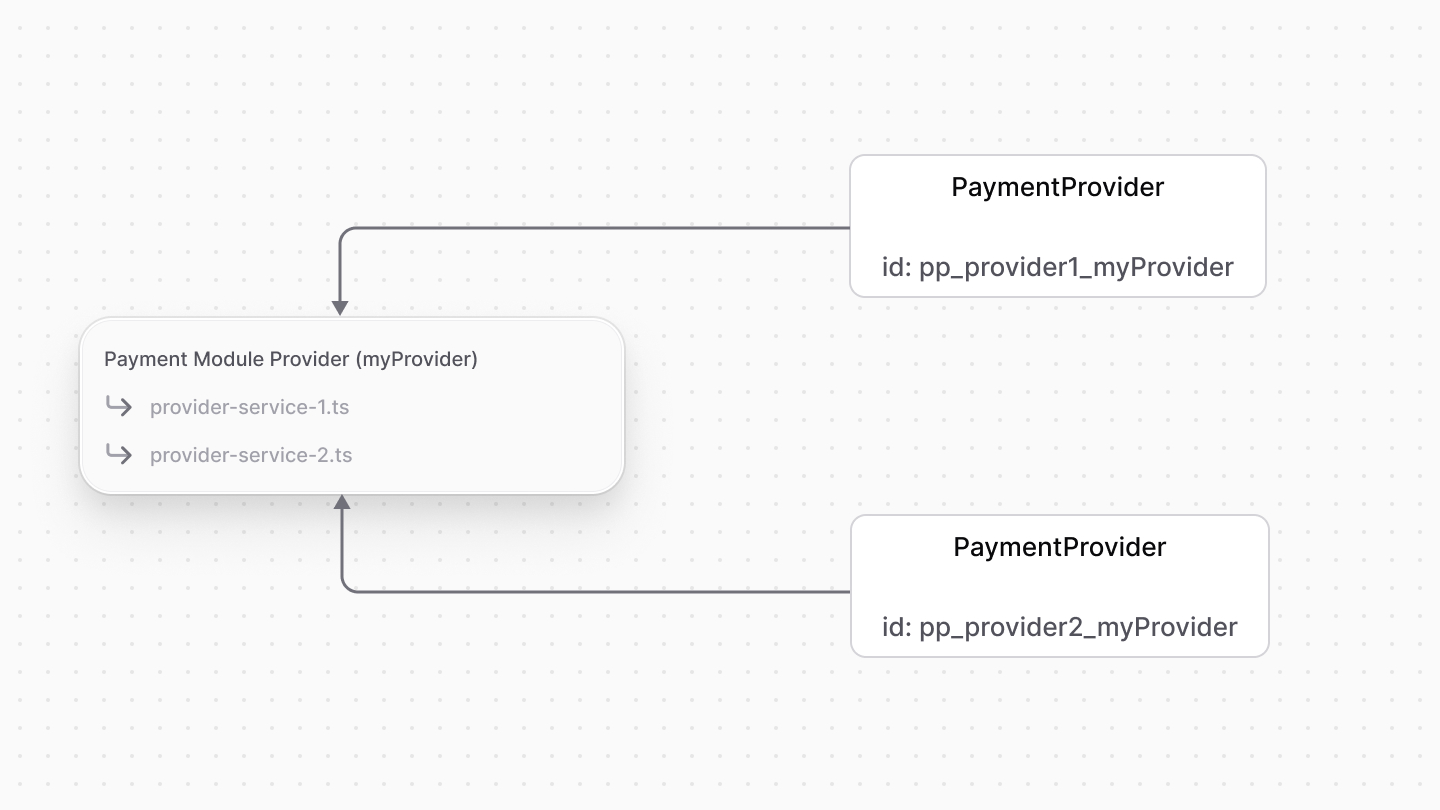
The module can have multiple payment provider services, where each is registered as a separate payment provider.
|
||
|
||
Refer to [this guide](/references/payment/provider) on how to create a payment provider for the Payment Module.
|
||
|
||
After you create a payment provider, you can enable it as a payment provider in a region using the [Medusa Admin dashboard](!user-guide!/settings/regions).
|
||
|
||
---
|
||
|
||
## How are Payment Providers Registered?
|
||
|
||
### Configure Payment Module's Providers
|
||
|
||
The Payment Module accepts a `providers` option that allows you to configure the providers registered in your application.
|
||
|
||
Learn more about this option in the [Module Options](../module-options/page.mdx) guide.
|
||
|
||
### Registration on Application Start
|
||
|
||
When the Medusa application starts, it registers the Payment Module Providers defined in the `providers` option of the Payment Module.
|
||
|
||
For each Payment Module Provider, the Medusa application finds all payment provider services defined in them to register.
|
||
|
||
### PaymentProvider Data Model
|
||
|
||
A registered payment provider is represented by the [PaymentProvider data model](/references/payment/models/PaymentProvider) in the Medusa application.
|
||
|
||
|
||
|
||
This data model is used to reference a service in the Payment Module Provider and determine whether it's installed in the application.
|
||
|
||
The `PaymentProvider` data model has the following properties:
|
||
|
||
- `id`: The unique identifier of the Payment Module Provider. The ID's format is `pp_{identifier}_{id}`, where:
|
||
- `identifier` is the value of the `identifier` property in the Payment Module Provider's service.
|
||
- `id` is the value of the `id` property of the Payment Module Provider in `medusa-config.ts`.
|
||
- `is_enabled`: A boolean indicating whether the payment provider is enabled.
|
||
|
||
### How to Remove a Payment Provider?
|
||
|
||
If you remove a payment provider from the `providers` option, the Medusa application will not remove the associated `PaymentProvider` data model record.
|
||
|
||
Instead, the Medusa application will set the `is_enabled` property of the `PaymentProvider`'s record to `false`. This allows you to re-enable the payment provider later if needed by adding it back to the `providers` option.
|