
93 lines
3.5 KiB
Plaintext
93 lines
3.5 KiB
Plaintext
export const metadata = {
|
||
title: `Pricing Concepts`,
|
||
}
|
||
|
||
# {metadata.title}
|
||
|
||
In this guide, you’ll learn about the main concepts in the Pricing Module.
|
||
|
||
## Price Data Model
|
||
|
||
The [Price](/references/pricing/models/Price) data model represents a specific price for a resource. For example, the price of a product variant in the USD currency.
|
||
|
||
The `Price` data model has an `amount` property that represents the monetary value of the price. It's stored as an integer in base or major units. For example, `$20.00` is stored as `20`, and `$20.5` is stored as `20.5`.
|
||
|
||
The `Price` data model belongs to other data models like `PriceSet` and `PriceList` to provide a variety of pricing features, as explained below.
|
||
|
||
---
|
||
|
||
## Price Set
|
||
|
||
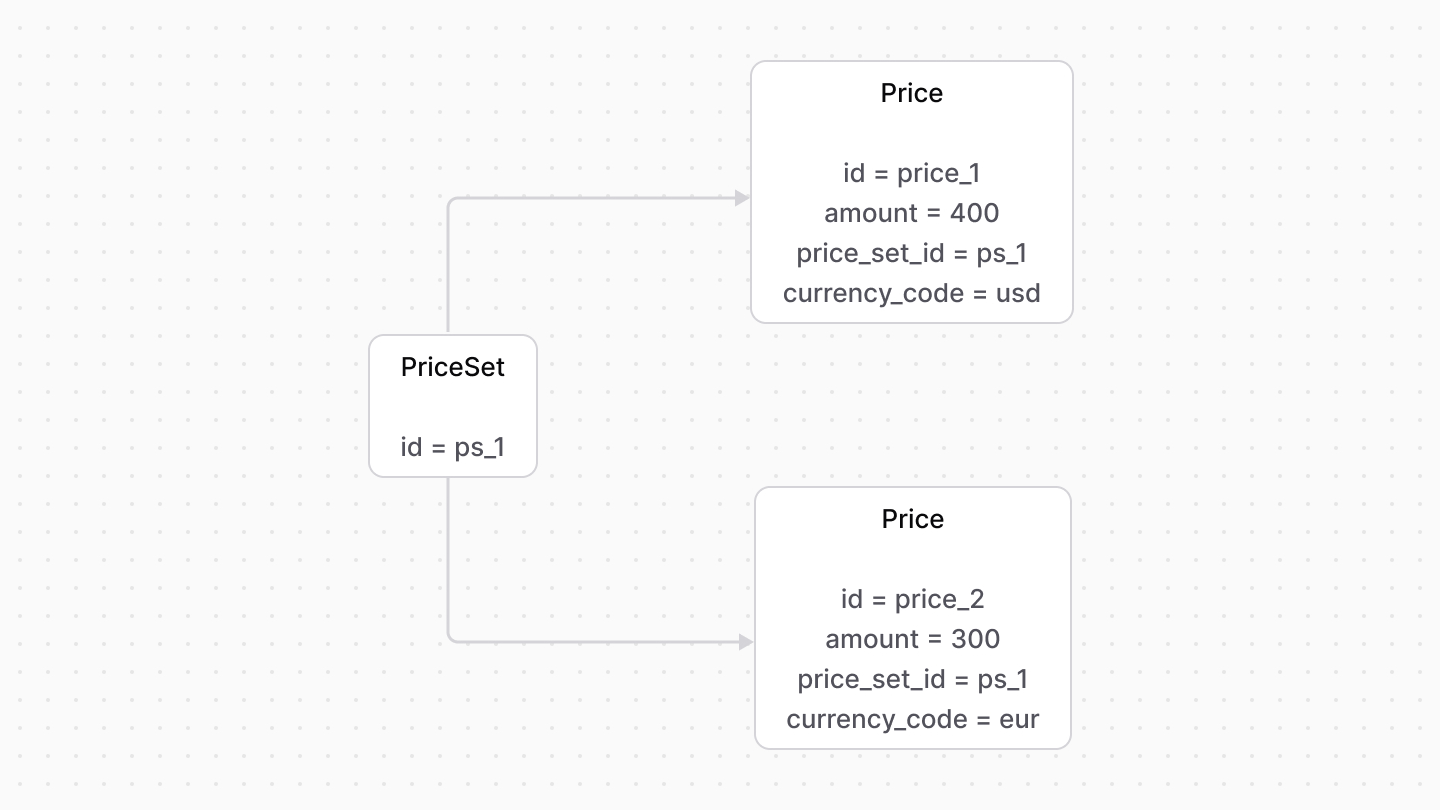
A [PriceSet](/references/pricing/models/PriceSet) represents a collection of prices that are linked to a resource. For example, a product variant can have a price set that includes prices in multiple currencies, such as USD and EUR.
|
||
|
||
Each of these prices is represented by the [Price data model](#price-data-model).
|
||
|
||
|
||
|
||
---
|
||
|
||
## Price List
|
||
|
||
A [PriceList](/references/pricing/models/PriceList) is a group of prices that are only enabled when their conditions and rules are satisfied. For example, you can apply special prices to customers in the VIP group.
|
||
|
||
When the conditions are met, the prices in the price list can override the default prices in a price set. Learn more in the [Price Calculation](../price-calculation/page.mdx) guide.
|
||
|
||
A price list has optional `start_date` and `end_date` properties that indicate the date range in which a price list can be applied.
|
||
|
||
Its associated prices are represented by the [Price data model](#price-data-model).
|
||
|
||
---
|
||
|
||
## Multi-Currency Support for Prices
|
||
|
||
The `Price` data model has a `currency_code` property that represents the currency of the price. For example, `usd` for US Dollars and `eur` for Euros.
|
||
|
||
This adds support for multi-currency pricing, allowing you to associate a resource with a price set that contains prices in multiple currencies.
|
||
|
||
For example, Medusa links a product variant from the [Product Module](../../product/page.mdx) to a price set that contains prices in multiple currencies. A variant's price set would be similar to the following:
|
||
|
||
```json title="Example Price Set with Multiple Currencies"
|
||
{
|
||
"id": "pset_123",
|
||
"prices": [
|
||
{
|
||
"id": "price_123",
|
||
"amount": 20,
|
||
"currency_code": "usd"
|
||
},
|
||
{
|
||
"id": "price_124",
|
||
"amount": 18,
|
||
"currency_code": "eur"
|
||
}
|
||
]
|
||
}
|
||
```
|
||
|
||
When the customer views and purchases a product, Medusa selects the price based on the customer's currency.
|
||
|
||
---
|
||
|
||
## Multi-Region Support for Prices
|
||
|
||
The `Price` data model has a relation to the [PriceRule](/references/pricing/models/PriceRule) data model that allows you to define prices that are applied based on specific conditions, such as the customer's region.
|
||
|
||
For example, Medusa allows you to specify prices for a product variant that are applied only when the customer is in a specific region. The price would be similar to the following:
|
||
|
||
```json title="Example Price with Region Rule"
|
||
{
|
||
"id": "price_123",
|
||
"amount": 25,
|
||
"currency_code": "usd",
|
||
"price_rules": [
|
||
{
|
||
"id": "pricerule_123",
|
||
"attribute": "region_id",
|
||
"value": "reg_123",
|
||
"operator": "eq"
|
||
}
|
||
]
|
||
}
|
||
```
|
||
|
||
When the customer views and purchases a product, Medusa selects the price based on the customer's region. |