 d510639193
* added draft order plugin docs

* fix vale error

* added note about draft order being optional

* add new shipping option - shipping method link

* update user guides

* generate

* fix github icon

* changes to shipping option type

* document logger

* reorder list

* fixes

* fixes
42 lines
1.4 KiB
Plaintext
42 lines
1.4 KiB
Plaintext
---
|
||
sidebar_autogenerate_exclude: true
|
||
sidebar_label: "Orders Overview"
|
||
tags:
|
||
- user guide
|
||
- order
|
||
products:
|
||
- order
|
||
---
|
||
|
||
export const metadata = {
|
||
title: `Orders Overview in Medusa Admin`,
|
||
}
|
||
|
||
# {metadata.title}
|
||
|
||
The Orders domain is where you'll manage all the orders in your store coming through different channels. You can view an order’s information, capture payment, create shipments and fulfillments, register returns or exchanges of the order, and more.
|
||
|
||
|
||
|
||
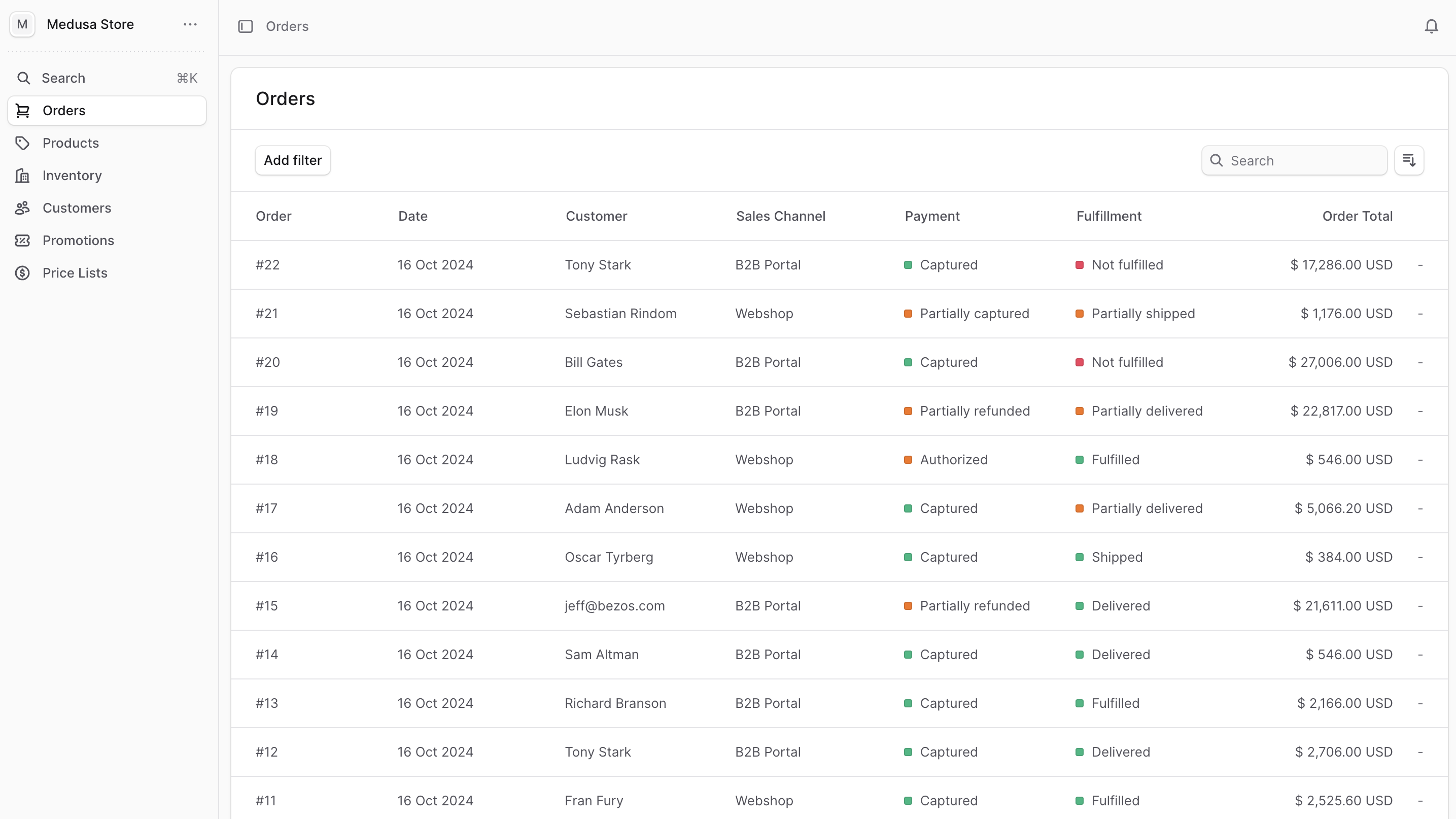
You can view the list of available orders in your commerce store by clicking on Orders from the sidebar menu.
|
||
|
||
In the list, you can see order details such as the ID, date, customer, sales channel, and fulfillment and payment status. You can also search, filter, and sort the orders to find the specific order you are looking for.
|
||
|
||
<Note title="Tip">
|
||
|
||
Find tips to use lists effectively in [this guide](../tips/lists/page.mdx).
|
||
|
||
</Note>
|
||
|
||
---
|
||
|
||
## Manage Orders
|
||
|
||
- [Manage Order Details](./manage/page.mdx)
|
||
- [Manage Order’s Payment](./payments/page.mdx)
|
||
- [Manage Order’s Fulfillment](./fulfillments/page.mdx)
|
||
- [Edit Order Items](./edit/page.mdx)
|
||
- [Manage Order Returns](./returns/page.mdx)
|
||
- [Manage Order Claims](./claims/page.mdx)
|
||
- [Manage Order Exchanges](./exchanges/page.mdx)
|
||
- [Manage Draft Orders](./draft-orders/page.mdx) |