 7161cf1903
* docs: auth in cloud + restructure deployment guides

* added details about enabling cloud auth

* fix vale errors
85 lines
4.4 KiB
Plaintext
85 lines
4.4 KiB
Plaintext
export const metadata = {
|
|
title: `Access Deployment`,
|
|
}
|
|
|
|
# {metadata.title}
|
|
|
|
In this guide, you'll learn how to access your Cloud [deployment](../page.mdx) for an environment.
|
|
|
|
## Access Live Deployment
|
|
|
|
You can only access a deployment of an [environment](../../environments/page.mdx) once its status is "Live". A live deployment means that your Medusa application is successfully built and is publicly accessible. You can't access previous deployments or deployments that are still in the "Building" or "Failed" status.
|
|
|
|
You can access the live deployment's Medusa Admin and send requests to its API routes using the deployment's environment URL.
|
|
|
|
---
|
|
|
|
## Find Environment's URL
|
|
|
|
<Note>
|
|
|
|
For preview environments, refer to the [Preview Environments](../../environments/preview/page.mdx#access-deployed-preview-environment) guide to find the URL of the preview environment.
|
|
|
|
</Note>
|
|
|
|
An environment's URL is in the format `<subdomain>.medusajs.app`, where `<subdomain>` is the subdomain you set either when [creating its project](../../projects/page.mdx#create-a-project) or when [creating the environment](../../environments/long-lived/page.mdx#create-a-long-lived-environment).
|
|
|
|
You can also find the URL of a deployment's environment through the Cloud dashboard:
|
|
|
|
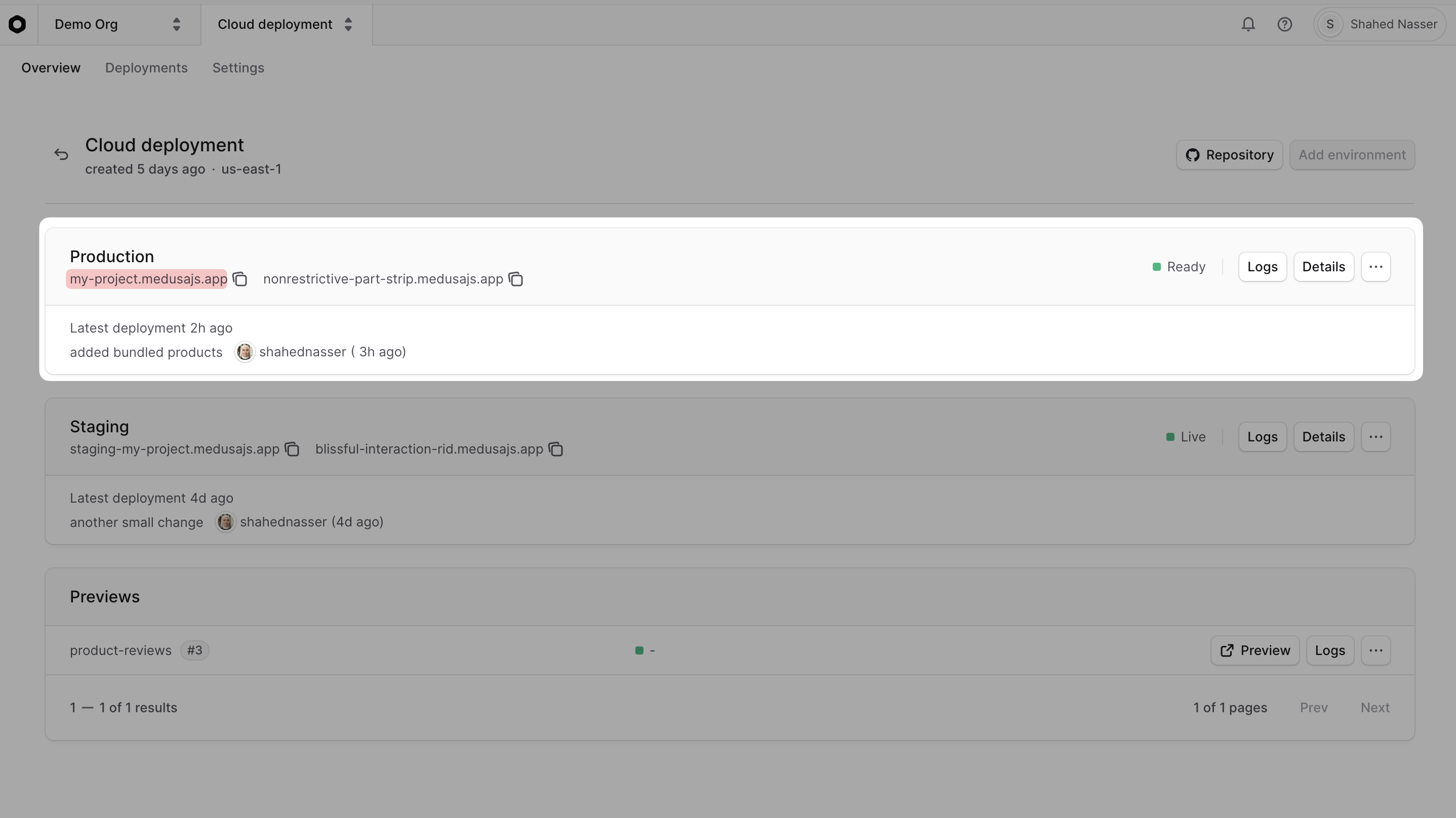
1. Select a project from the [organization's dashboard](../../organizations/page.mdx#organization-dashboard).
|
|
2. In the project's dashboard, find the URL in the environment's card under its name. For example, find the production URL in the Production environment card. You can copy the URL by clicking the copy icon next to it.
|
|
|
|
<Note title="Why are there two URLs?">
|
|
|
|
Aside from the subdomain you set when [creating the environment](../../environments/long-lived/page.mdx#create-a-long-lived-environment), Medusa also provides a unique, randomly generated URL for each environment. Both of these URLs point to the same deployment.
|
|
|
|
</Note>
|
|
|
|
|
|
|
|
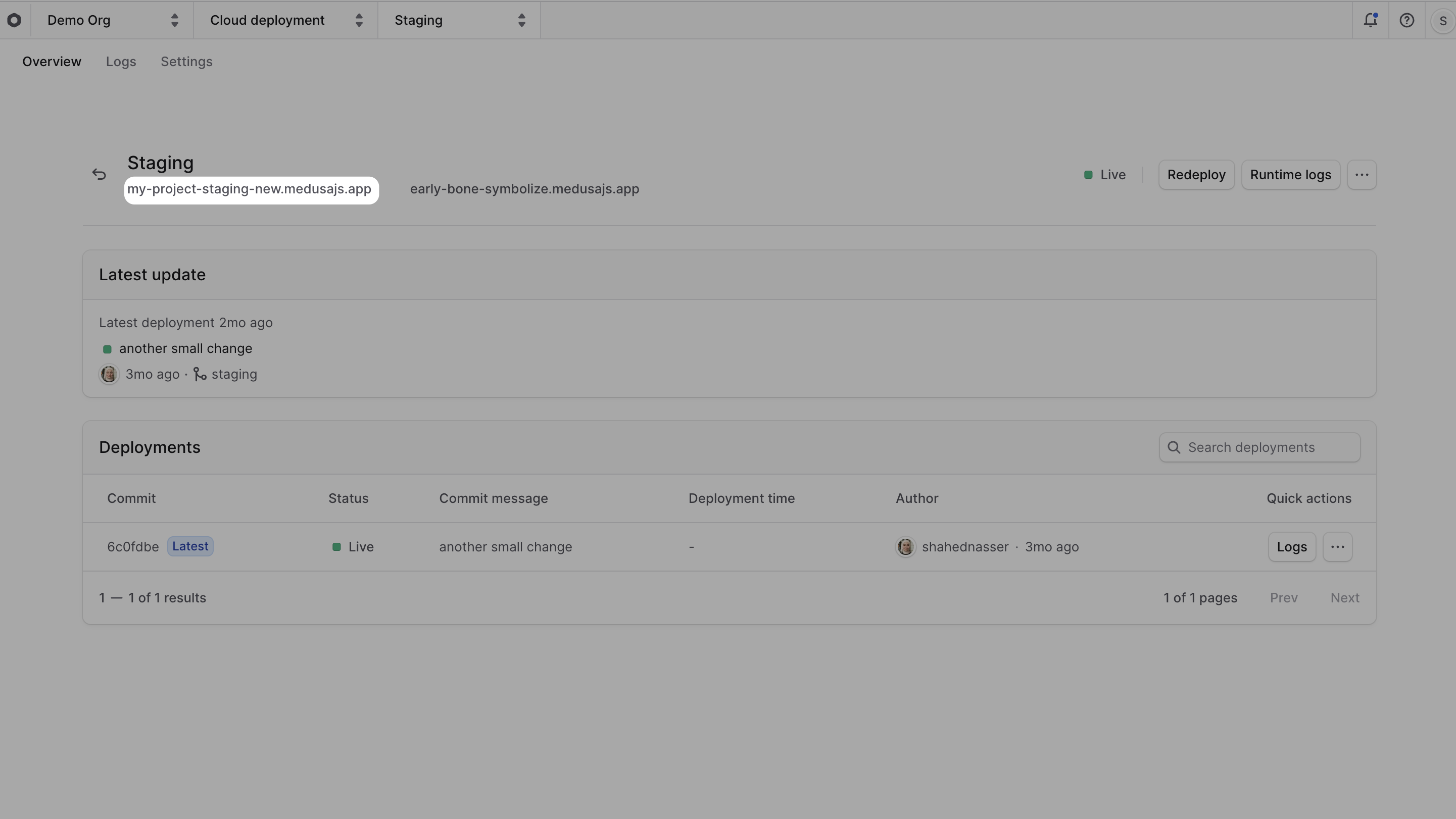
3. You can also click on the environment's name to open its dashboard, where you'll find the URL under the environment's name.
|
|
|
|
|
|
|
|
---
|
|
|
|
## Access the Deployment's Medusa Admin
|
|
|
|
To access the Medusa Admin of a live deployment, click on [the environment's URL](#find-environments-url), or navigate to `<environment-url>/app`. For example, if your environment's URL is `my-project.medusajs.app`, navigate to `my-project.medusajs.app/app`.
|
|
|
|
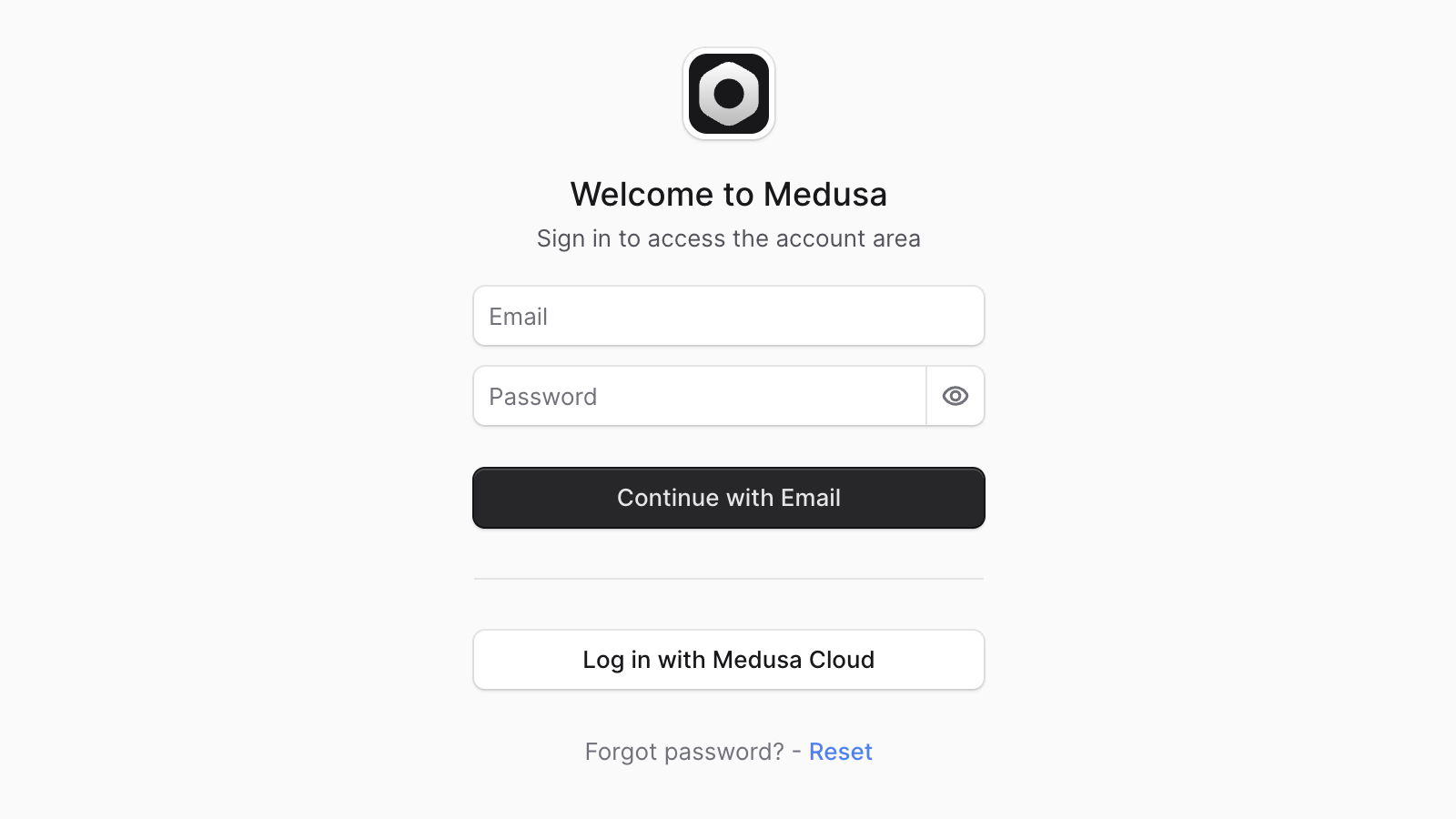
You can then log in either using:
|
|
|
|
1. The email and password set either [during project creation](../../projects/page.mdx#create-a-project).
|
|
2. Your existing Cloud account by clicking the "Log in with Medusa Cloud" button. A user will be created in the Medusa application with the same email as your Cloud account.
|
|
|
|
|
|
|
|
### Can't Find the Log in with Medusa Cloud Button?
|
|
|
|
If you don't see the "Log in with Medusa Cloud" button on the Medusa Admin log in page, make sure that:
|
|
|
|
1. Your Medusa application's version is using [Medusa v2.12.4 or later](https://github.com/medusajs/medusa/releases/tag/v2.12.4).
|
|
2. If your deployed project was created before Medusa v2.12.4, set the [environment variable](../../environments/environment-variables/page.mdx) `MEDUSA_CLOUD_OAUTH_DISABLED` to `false` in the environment's settings, then redeploy the environment.
|
|
|
|
---
|
|
|
|
## Send Requests to the Deployment
|
|
|
|
You can send requests to a live deployment's API routes using the deployment's [environment URL](#find-environments-url).
|
|
|
|
For example, to check the health of the live deployment, you can send a `GET` request to the `/health` endpoint:
|
|
|
|
```bash
|
|
curl https://my-project.medusajs.app/health
|
|
```
|
|
|
|
Where `https://my-project.medusajs.app` is the environment URL of the deployment.
|
|
|
|
---
|
|
|
|
## Access Deployment's Server through SSH
|
|
|
|
Medusa doesn't support SSH access to the server instance of a deployment. However, you can still access the server's [runtime and build logs](../../logs/page.mdx) to debug issues in your application.
|
|
|
|
If this isn't sufficient for your use case, you can contact support to discuss alternatives.
|