 6f1b49af03
* Fix issue on fixed total amount discount when using includes tax (#3472)

The calculation of the fixed discount amount breaks when having includes_tax setting active, due to the line item totals are incorrect and returning everything as 0, thus the totalItemPercentage will be Infinitiy due to the division by a subtotal of 0

* chore: Add missing changeset for @medusajs/medusa

* feat(medusa): Improve performance of Products domain (#3417)

* feat(medusa): Improve product update performances

* fix tests and update

* update mock repo

* improve repo

* cleanup

* fix

* cleanup + bulk emit + unit test fix

* improvements

* improve

* fix unit tests

* fix export

* fix product update handler

* enhance mock repo

* fix import integration

* fix end point tests

* revert mock repo product variant

* fix unit

* cleanup

* cleanup

* address feedback

* fix quotes in tests

* address feedback

* Create new-tips-mate.md

* use types

* chore: Remove integration-tests from changeset

* chore(release): v1.7.14

* chore(docs): Generated Docs Announcement Bar (automated) (#3489)

Co-authored-by: olivermrbl <olivermrbl@users.noreply.github.com>

* fix(medusa): EventBusService.emit using Redis mock (#3491)

* Fix eventBusService.emit using redis mock

* revert gitignore

* enqueuer

* unit test add redis_url

* fix test

* chore(docs): Generated Services Reference (automated) (#3490)

Co-authored-by: olivermrbl <olivermrbl@users.noreply.github.com>

* docs: publish restructure (#3496)

* docs: added features and guides overview page

* added image

* added version 2

* added version 3

* added version 4

* docs: implemented new color scheme

* docs: redesigned sidebar (#3193)

* docs: redesigned navbar for restructure (#3199)

* docs: redesigned footer (#3209)

* docs: redesigned cards (#3230)

* docs: redesigned admonitions (#3231)

* docs: redesign announcement bar (#3236)

* docs: redesigned large cards (#3239)

* docs: redesigned code blocks (#3253)

* docs: redesigned search modal and page (#3264)

* docs: redesigned doc footer (#3268)

* docs: added new sidebars + refactored css and assets (#3279)

* docs: redesigned api reference sidebar

* docs: refactored css

* docs: added code tabs transition

* docs: added new sidebars

* removed unused assets

* remove unusued assets

* Fix deploy errors

* fix incorrect link

* docs: fixed code responsivity + missing icons (#3283)

* docs: changed icons (#3296)

* docs: design fixes to the sidebar (#3297)

* redesign fixes

* docs: small design fixes

* docs: several design fixes after restructure (#3299)

* docs: bordered icon fixes

* docs: desgin fixes

* fixes to code blocks and sidebar scroll

* design adjustments

* docs: restructured homepage (#3305)

* docs: restructured homepage

* design fixes

* fixed core concepts icon

* docs: added core concepts page (#3318)

* docs: restructured homepage

* design fixes

* docs: added core concepts page

* changed text of different components

* docs: added architecture link

* added missing prop for user guide

* docs: added regions overview page (#3327)

* docs: added regions overview

* moved region pages to new structure

* docs: fixed description of regions architecture page

* small changes

* small fix

* docs: added customers overview page (#3331)

* docs: added regions overview

* moved region pages to new structure

* docs: fixed description of regions architecture page

* small changes

* small fix

* docs: added customers overview page

* fix link

* resolve link issues

* docs: updated regions architecture image

* docs: second-iteration fixes (#3347)

* docs: redesigned document

* design fixes

* docs: added products overview page (#3354)

* docs: added carts overview page (#3363)

* docs: added orders overview (#3364)

* docs: added orders overview

* added links in overview

* docs: added vercel redirects

* docs: added soon badge for cards (#3389)

* docs: resolved feedback changes + organized troubleshooting pages (#3409)

* docs: resolved feedback changes

* added extra line

* docs: changed icons for restructure (#3421)

* docs: added taxes overview page (#3422)

* docs: added taxes overview page

* docs: fix sidebar label

* added link to taxes overview page

* fixed link

* docs: fixed sidebar scroll (#3429)

* docs: added discounts overview (#3432)

* docs: added discounts overview

* fixed links

* docs: added gift cards overview (#3433)

* docs: added price lists overview page (#3440)

* docs: added price lists overview page

* fixed links

* docs: added sales channels overview page (#3441)

* docs: added sales overview page

* fixed links

* docs: added users overview (#3443)

* docs: fixed sidebar border height (#3444)

* docs: fixed sidebar border height

* fixed svg markup

* docs: added possible solutions to feedback component (#3449)

* docs: added several overview pages + restructured files (#3463)

* docs: added several overview pages

* fixed links

* docs: added feature flags + PAK overview pages (#3464)

* docs: added feature flags + PAK overview pages

* fixed links

* fix link

* fix link

* fixed links colors

* docs: added strategies overview page (#3468)

* docs: automated upgrade guide (#3470)

* docs: automated upgrade guide

* fixed vercel redirect

* docs: restructured files in docs codebase (#3475)

* docs: restructured files

* docs: fixed eslint exception

* docs: finished restructure loose-ends (#3493)

* fixed uses of backend

* docs: finished loose ends

* eslint fixes

* fixed links

* merged master

* added update instructions for v1.7.12

* docs: fixed discount details (#3499)

* docs: fix trailing slash causing 404 (#3508)

* docs: fix error during navigation (#3509)

* docs: removed the gatsby storefront guide (#3527)

* docs: removed the gatsby storefront guide

* docs: fixed query value

* chore(docs): Removed Docs Announcement Bar (automated) (#3536)

Co-authored-by: shahednasser <shahednasser@users.noreply.github.com>

* fix(medusa): Variant update should include the id for the listeners to be able to identify the entity (#3539)

* fix(medusa): Variant update should include the id for the listeners to be able to identify the entity

* fix unit tests

* Create brave-seahorses-film.md

* docs: fix admin redirects (#3548)

* chore(release): v1.7.15

* chore(docs): Generated Docs Announcement Bar (automated) (#3550)

Co-authored-by: olivermrbl <olivermrbl@users.noreply.github.com>

* chore(docs): Generated Services Reference (automated) (#3551)

Automated changes by [create-pull-request](https://github.com/peter-evans/create-pull-request) GitHub action

Co-authored-by: Oliver Windall Juhl <59018053+olivermrbl@users.noreply.github.com>

* chore: updated READMEs of plugins (#3546)

* chore: updated READMEs of plugins

* added notice to plugins

* docs: added a deploy guide for next.js storefront (#3558)

* docs: added a deploy next.js guide

* docs: fix image zoom

* docs: fixes to next.js deployment guide to vercel (#3562)

* chore(workflows): Enable manual workflow in pre-release mode (#3566)

* chore(docs): Removed Docs Announcement Bar (automated) (#3598)

Co-authored-by: shahednasser <shahednasser@users.noreply.github.com>

* fix(medusa): Rounding issues on line item adjustments (#3446)

* chores(medusa): Attempt to fix discount rounding issues

* add migration

* update entities

* apply multipler factor properly

* fix discount service

* WIP

* fix rounding issues in discounts

* fix some tests

* Exclude raw_discount_total from responses

* fix adjustments

* cleanup response

* fix

* fix draft order integration

* fix order integration

* fix order integration

* address feedback

* fix test

* Create .changeset/polite-llamas-sit.md

* remove comment

---------

Co-authored-by: Oliver Windall Juhl <59018053+olivermrbl@users.noreply.github.com>

* chore(workflows): Add release notification (#3629)

---------

Co-authored-by: pepijn-vanvlaanderen <pepijn@webbers.com>
Co-authored-by: olivermrbl <oliver@mrbltech.com>
Co-authored-by: Adrien de Peretti <adrien.deperetti@gmail.com>
Co-authored-by: github-actions[bot] <41898282+github-actions[bot]@users.noreply.github.com>
Co-authored-by: olivermrbl <olivermrbl@users.noreply.github.com>
Co-authored-by: Carlos R. L. Rodrigues <37986729+carlos-r-l-rodrigues@users.noreply.github.com>
Co-authored-by: shahednasser <shahednasser@users.noreply.github.com>
Co-authored-by: Oliver Windall Juhl <59018053+olivermrbl@users.noreply.github.com>
7.6 KiB
description, addHowToData
| description | addHowToData |
|---|---|
| Learn how to integrate Spaces with the Medusa backend. Learn how to install and configure the Spaces plugin on the Medusa backend. | true |
Spaces
In this document, you’ll learn how to install the Spaces plugin on your Medusa backend and use it for storage.
Overview
To manage images in Medusa, you need a file service plugin responsible for hosting the images. Without a file service plugin, you will face issues while working with Medusa, such as when uploading images for products.
Medusa provides three different options to handle your file storage. This document focuses on using Spaces to store images and files uploaded to the Medusa backend.
Prerequisites
Medusa Backend
A Medusa backend is required to be set up before following along with this document. You can follow the quickstart guide to get started in minutes.
Required Accounts
You need to create a DigitalOcean account to follow along with this documentation. A credit card is required during registration.
Create DigitalOcean Space
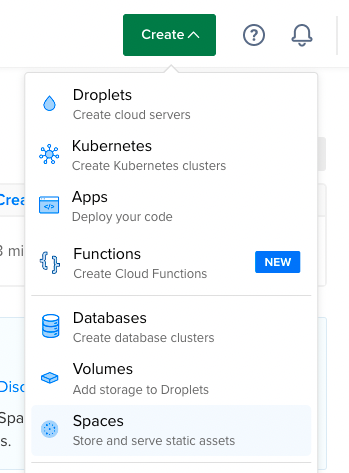
In your DigitalOcean account, click on the Create button at the top right, then choose Spaces from the dropdown.
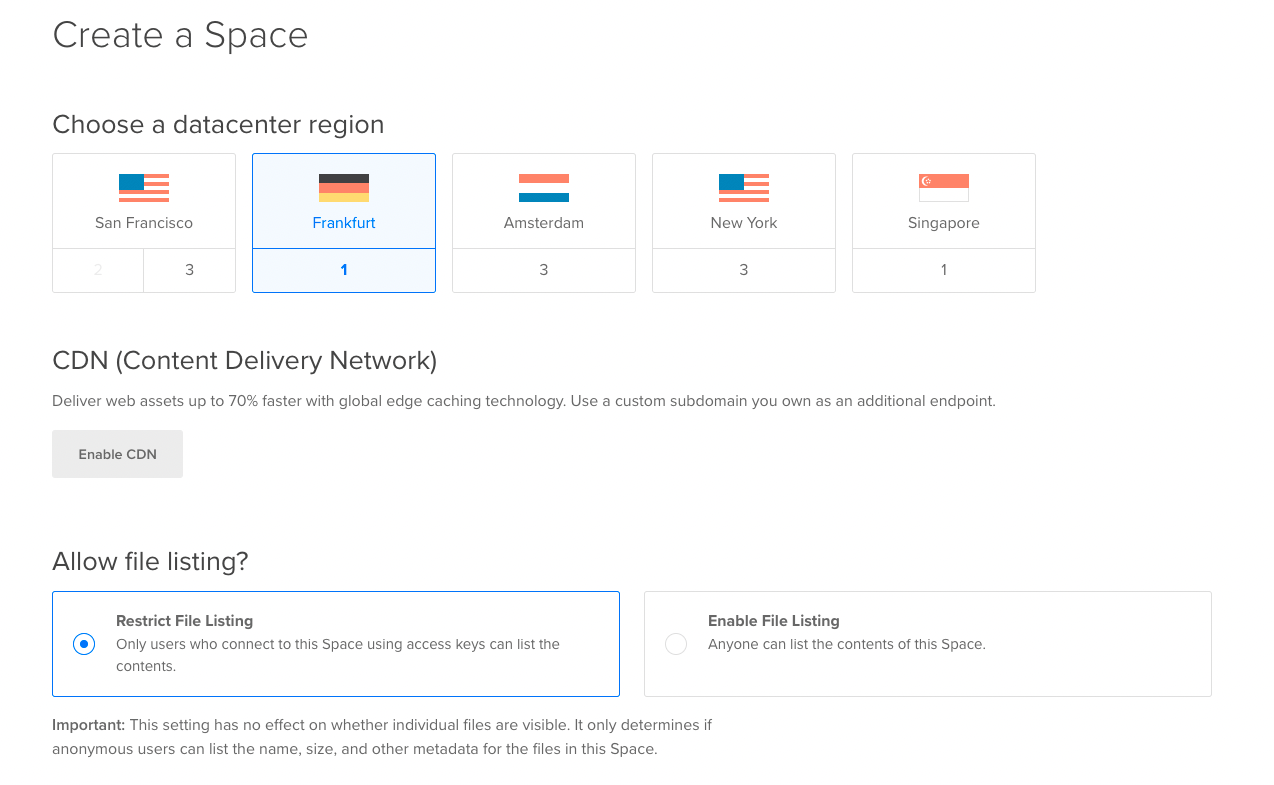
In the Create a Space form, you can choose any of the regions listed. You can alternatively leave all settings as they are and scroll down to the Finalize and Create section.
In the Finalize and Create section, enter a name for the field “Choose a unique name”. You’ll use this name later in the integration with Medusa. Also, select the project you want to add the new Space to.
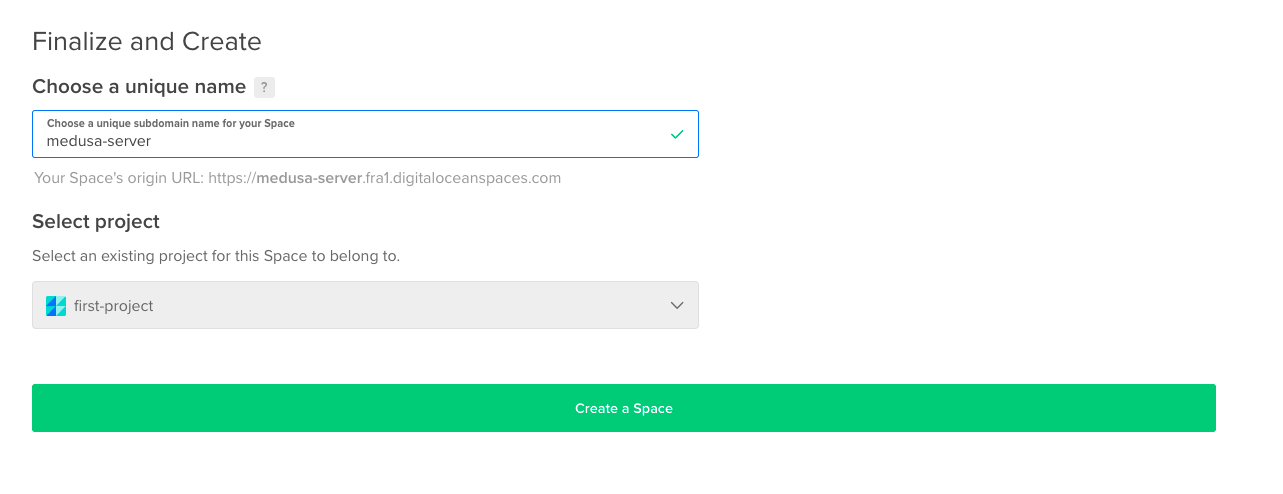
Once you’re done, click on the Create a Space button. This creates the Space and redirects you to the Space’s page.
Create Space Access Keys
Choose API from the bottom of the sidebar.
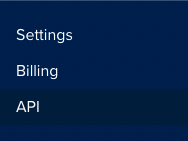
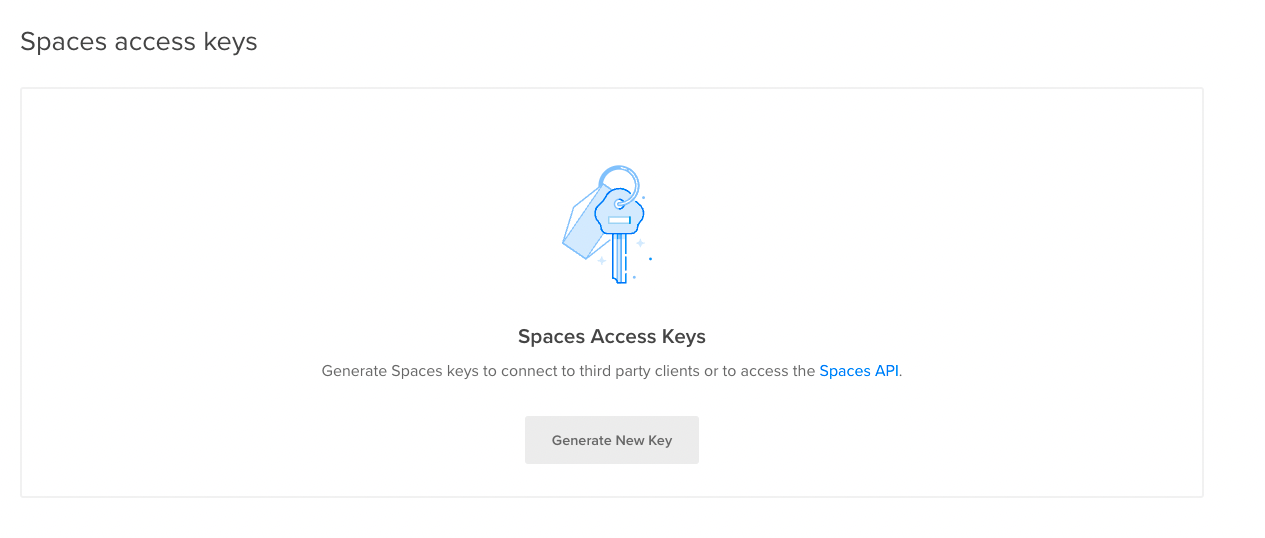
This opens the Application & API page. Scroll down to Spaces Access Keys and click the Generate New Key button.
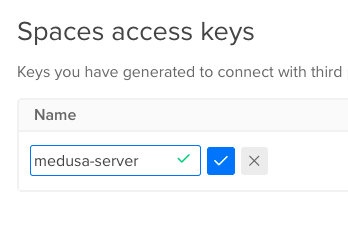
This shows a table with the Name field editable. Enter a name for the Access Keys and click on the checkmark button to save and generate the Spaces access keys.
Then, two keys will be available under the Key column of the table. The first one is the Access Key ID and the second is the Secret Access Key. Copy both as you’ll use them later.
:::caution
The secret access key will not be shown again after you leave the page. Make sure to copy it when you see it or you’ll need to re-generate a new one.
:::
Install the Spaces Plugin
In the directory of your Medusa backend, run the following command to install the Spaces plugin:
npm install medusa-file-spaces
Then, add the following environment variables:
SPACE_URL=<YOUR_SPACE_URL>
SPACE_BUCKET=<YOUR_SPACE_NAME>
SPACE_ENDPOINT=<YOUR_SPACE_ENDPOINT>
SPACE_ACCESS_KEY_ID=<YOUR_ACCESS_KEY_ID>
SPACE_SECRET_ACCESS_KEY=<YOUR_SECRET_ACCESS_KEY>
Where:
<YOUR_SPACE_URL>is the URL of your Space which you can find on the Space’s page below the Space’s name.

<YOUR_SPACE_NAME>is the name of your Space.<YOUR_SPACE_ENDPOINT>is your Space’s endpoint which can be found by going to your Space’s page, clicking on the Settings tab, and scrolling to the Endpoint section.

<YOUR_ACCESS_KEY_ID>and<YOUR_SECRET_ACCESS_KEY>are the keys you created in the previous section.
Finally, in medusa-config.js add a new item to the plugins array:
const plugins = [
  // ...
  {
    resolve: `medusa-file-spaces`,
    options: {
        spaces_url: process.env.SPACE_URL,
        bucket: process.env.SPACE_BUCKET,
        endpoint: process.env.SPACE_ENDPOINT,
        access_key_id: process.env.SPACE_ACCESS_KEY_ID,
        secret_access_key: process.env.SPACE_SECRET_ACCESS_KEY,
    },
  },
]
:::caution
If you have multiple storage plugins configured, the last plugin declared in the medusa-config.js file will be used.
:::
Test the Space Plugin
Run your Medusa backend with the following command:
npm run start
Then, you can either test the plugin using the REST APIs or using the Medusa Admin.
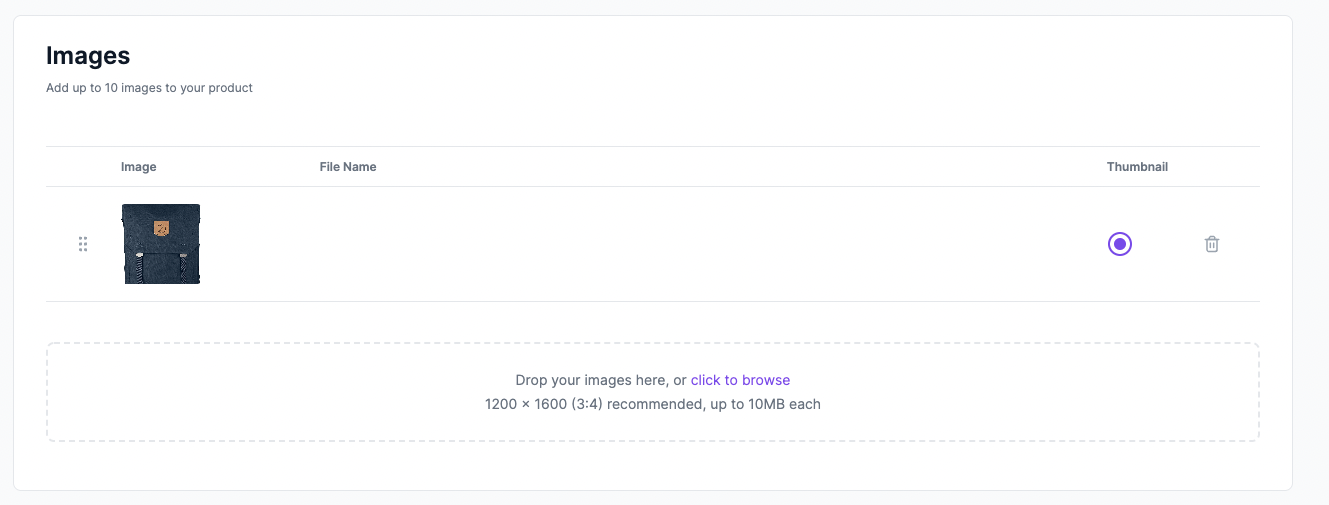
On the Medusa Admin, create a new product and, in the Images section, upload an image then click Save. If the integration was successful, the product image will be uploaded successfully.
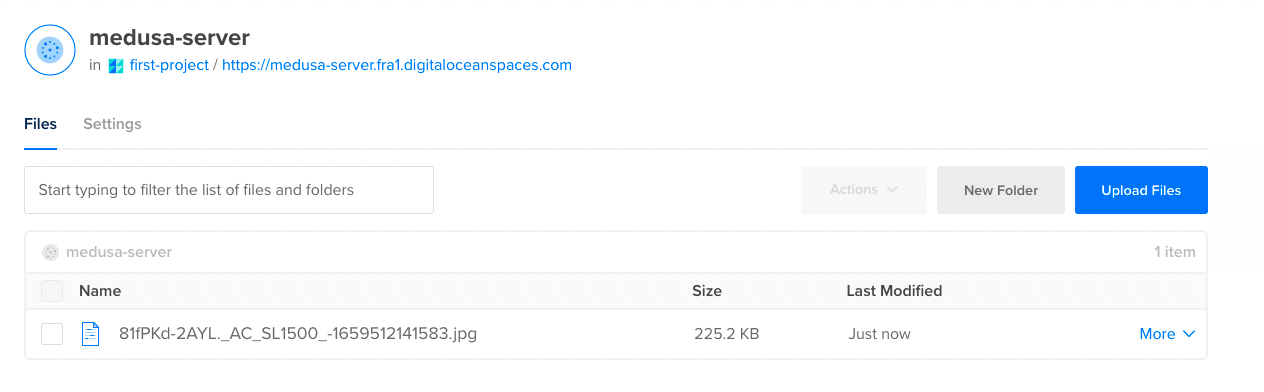
You can also check that the image was uploaded on the Space’s page.
Next.js Storefront Configuration
If you’re using a Next.js storefront, you need to add an additional configuration that adds the Space’s domain name into the configured images’ domain names. This is because all URLs of product images will be from the Space.
If this configuration is not added, you’ll receive the error "next/image Un-configured Host”.
In next.config.js add the following option in the exported object:
const { withStoreConfig } = require("./store-config")

// ...

module.exports = withStoreConfig({
  // ...
  images: {
    domains: [
      // ...
      "<YOUR_SPACE_DOMAIN>",
    ],
  },
})
Where <YOUR_SPACE_DOMAIN> is the domain name for your Space which can be retrieved from the Space URL. For example, medusa-backend.digitaloceanspaces.com.
See Also
- Check out more plugins you can add to your store.
- Deploy the Medusa backend on DigitalOcean.
- Install the Next.js starter storefront.