6f1b49af03
* Fix issue on fixed total amount discount when using includes tax (#3472)

The calculation of the fixed discount amount breaks when having includes_tax setting active, due to the line item totals are incorrect and returning everything as 0, thus the totalItemPercentage will be Infinitiy due to the division by a subtotal of 0

* chore: Add missing changeset for @medusajs/medusa

* feat(medusa): Improve performance of Products domain (#3417)

* feat(medusa): Improve product update performances

* fix tests and update

* update mock repo

* improve repo

* cleanup

* fix

* cleanup + bulk emit + unit test fix

* improvements

* improve

* fix unit tests

* fix export

* fix product update handler

* enhance mock repo

* fix import integration

* fix end point tests

* revert mock repo product variant

* fix unit

* cleanup

* cleanup

* address feedback

* fix quotes in tests

* address feedback

* Create new-tips-mate.md

* use types

* chore: Remove integration-tests from changeset

* chore(release): v1.7.14

* chore(docs): Generated Docs Announcement Bar (automated) (#3489)

Co-authored-by: olivermrbl <olivermrbl@users.noreply.github.com>

* fix(medusa): EventBusService.emit using Redis mock (#3491)

* Fix eventBusService.emit using redis mock

* revert gitignore

* enqueuer

* unit test add redis_url

* fix test

* chore(docs): Generated Services Reference (automated) (#3490)

Co-authored-by: olivermrbl <olivermrbl@users.noreply.github.com>

* docs: publish restructure (#3496)

* docs: added features and guides overview page

* added image

* added version 2

* added version 3

* added version 4

* docs: implemented new color scheme

* docs: redesigned sidebar (#3193)

* docs: redesigned navbar for restructure (#3199)

* docs: redesigned footer (#3209)

* docs: redesigned cards (#3230)

* docs: redesigned admonitions (#3231)

* docs: redesign announcement bar (#3236)

* docs: redesigned large cards (#3239)

* docs: redesigned code blocks (#3253)

* docs: redesigned search modal and page (#3264)

* docs: redesigned doc footer (#3268)

* docs: added new sidebars + refactored css and assets (#3279)

* docs: redesigned api reference sidebar

* docs: refactored css

* docs: added code tabs transition

* docs: added new sidebars

* removed unused assets

* remove unusued assets

* Fix deploy errors

* fix incorrect link

* docs: fixed code responsivity + missing icons (#3283)

* docs: changed icons (#3296)

* docs: design fixes to the sidebar (#3297)

* redesign fixes

* docs: small design fixes

* docs: several design fixes after restructure (#3299)

* docs: bordered icon fixes

* docs: desgin fixes

* fixes to code blocks and sidebar scroll

* design adjustments

* docs: restructured homepage (#3305)

* docs: restructured homepage

* design fixes

* fixed core concepts icon

* docs: added core concepts page (#3318)

* docs: restructured homepage

* design fixes

* docs: added core concepts page

* changed text of different components

* docs: added architecture link

* added missing prop for user guide

* docs: added regions overview page (#3327)

* docs: added regions overview

* moved region pages to new structure

* docs: fixed description of regions architecture page

* small changes

* small fix

* docs: added customers overview page (#3331)

* docs: added regions overview

* moved region pages to new structure

* docs: fixed description of regions architecture page

* small changes

* small fix

* docs: added customers overview page

* fix link

* resolve link issues

* docs: updated regions architecture image

* docs: second-iteration fixes (#3347)

* docs: redesigned document

* design fixes

* docs: added products overview page (#3354)

* docs: added carts overview page (#3363)

* docs: added orders overview (#3364)

* docs: added orders overview

* added links in overview

* docs: added vercel redirects

* docs: added soon badge for cards (#3389)

* docs: resolved feedback changes + organized troubleshooting pages (#3409)

* docs: resolved feedback changes

* added extra line

* docs: changed icons for restructure (#3421)

* docs: added taxes overview page (#3422)

* docs: added taxes overview page

* docs: fix sidebar label

* added link to taxes overview page

* fixed link

* docs: fixed sidebar scroll (#3429)

* docs: added discounts overview (#3432)

* docs: added discounts overview

* fixed links

* docs: added gift cards overview (#3433)

* docs: added price lists overview page (#3440)

* docs: added price lists overview page

* fixed links

* docs: added sales channels overview page (#3441)

* docs: added sales overview page

* fixed links

* docs: added users overview (#3443)

* docs: fixed sidebar border height (#3444)

* docs: fixed sidebar border height

* fixed svg markup

* docs: added possible solutions to feedback component (#3449)

* docs: added several overview pages + restructured files (#3463)

* docs: added several overview pages

* fixed links

* docs: added feature flags + PAK overview pages (#3464)

* docs: added feature flags + PAK overview pages

* fixed links

* fix link

* fix link

* fixed links colors

* docs: added strategies overview page (#3468)

* docs: automated upgrade guide (#3470)

* docs: automated upgrade guide

* fixed vercel redirect

* docs: restructured files in docs codebase (#3475)

* docs: restructured files

* docs: fixed eslint exception

* docs: finished restructure loose-ends (#3493)

* fixed uses of backend

* docs: finished loose ends

* eslint fixes

* fixed links

* merged master

* added update instructions for v1.7.12

* docs: fixed discount details (#3499)

* docs: fix trailing slash causing 404 (#3508)

* docs: fix error during navigation (#3509)

* docs: removed the gatsby storefront guide (#3527)

* docs: removed the gatsby storefront guide

* docs: fixed query value

* chore(docs): Removed Docs Announcement Bar (automated) (#3536)

Co-authored-by: shahednasser <shahednasser@users.noreply.github.com>

* fix(medusa): Variant update should include the id for the listeners to be able to identify the entity (#3539)

* fix(medusa): Variant update should include the id for the listeners to be able to identify the entity

* fix unit tests

* Create brave-seahorses-film.md

* docs: fix admin redirects (#3548)

* chore(release): v1.7.15

* chore(docs): Generated Docs Announcement Bar (automated) (#3550)

Co-authored-by: olivermrbl <olivermrbl@users.noreply.github.com>

* chore(docs): Generated Services Reference (automated) (#3551)

Automated changes by [create-pull-request](https://github.com/peter-evans/create-pull-request) GitHub action

Co-authored-by: Oliver Windall Juhl <59018053+olivermrbl@users.noreply.github.com>

* chore: updated READMEs of plugins (#3546)

* chore: updated READMEs of plugins

* added notice to plugins

* docs: added a deploy guide for next.js storefront (#3558)

* docs: added a deploy next.js guide

* docs: fix image zoom

* docs: fixes to next.js deployment guide to vercel (#3562)

* chore(workflows): Enable manual workflow in pre-release mode (#3566)

* chore(docs): Removed Docs Announcement Bar (automated) (#3598)

Co-authored-by: shahednasser <shahednasser@users.noreply.github.com>

* fix(medusa): Rounding issues on line item adjustments (#3446)

* chores(medusa): Attempt to fix discount rounding issues

* add migration

* update entities

* apply multipler factor properly

* fix discount service

* WIP

* fix rounding issues in discounts

* fix some tests

* Exclude raw_discount_total from responses

* fix adjustments

* cleanup response

* fix

* fix draft order integration

* fix order integration

* fix order integration

* address feedback

* fix test

* Create .changeset/polite-llamas-sit.md

* remove comment

---------

Co-authored-by: Oliver Windall Juhl <59018053+olivermrbl@users.noreply.github.com>

* chore(workflows): Add release notification (#3629)

---------

Co-authored-by: pepijn-vanvlaanderen <pepijn@webbers.com>
Co-authored-by: olivermrbl <oliver@mrbltech.com>
Co-authored-by: Adrien de Peretti <adrien.deperetti@gmail.com>
Co-authored-by: github-actions[bot] <41898282+github-actions[bot]@users.noreply.github.com>
Co-authored-by: olivermrbl <olivermrbl@users.noreply.github.com>
Co-authored-by: Carlos R. L. Rodrigues <37986729+carlos-r-l-rodrigues@users.noreply.github.com>
Co-authored-by: shahednasser <shahednasser@users.noreply.github.com>
Co-authored-by: Oliver Windall Juhl <59018053+olivermrbl@users.noreply.github.com>
14 KiB
description, addHowToData
| description | addHowToData |
|---|---|
| Learn how to integrate Algolia with the Medusa backend. Learn how to install the Algolia plugin into the Medusa backend and how to integrate it into a storefront. | true |
Algolia
In this document, you’ll learn how to install the Algolia plugin and use it on both your Medusa backend and your storefront.
Overview
Algolia is a search engine service that allows developers to integrate advanced search functionalities into their websites including typo tolerance, recommended results, and quick responses.
Algolia can be used for a wide range of use cases, including ecommerce websites. By integrating Algolia into your ecommerce website, you can provide your customers with a better user experience and help them find what they’re looking for swifltly.
Through Medusa's flexible plugin system, it is possible to add a search engine to your Medusa backend and storefront using Algolia with just a few steps.
Prerequisites
Medusa Components
It is required to have a Medusa backend installed before starting with this documentation. If not, please follow along with the quickstart guide to get started in minutes.
Furthermore, it’s highly recommended to ensure your Medusa backend is configured to work with Redis. As Medusa uses Redis for the event queue internally, configuring Redis ensures that the search indices in Algolia are updated whenever products on the Medusa backend are updated. You can follow this documentation to install Redis and then configure it on your Medusa backend.
:::caution
If you don’t install and configure Redis on your Medusa backend, the Algolia integration will still work. However, products indexed in Algolia are only added and updated when you restart the Medusa backend.
:::
Algolia Account
You need to create an Algolia account before you follow this documentation. Algolia offers a free plan to get started quickly.
Create an Algolia App
The first step is to create an Algolia app for your Medusa backend. To create one, open the Applications page or, on your dashboard, go to Settings then choose Applications.
On the Applications page, click on the New application button at the top right.
In the new page that opens, optionally enter a name for the application and choose a subscription plan. You can choose the Free plan for now, but it’s recommended to switch to the Pay-as-you-go plan as your business grows.
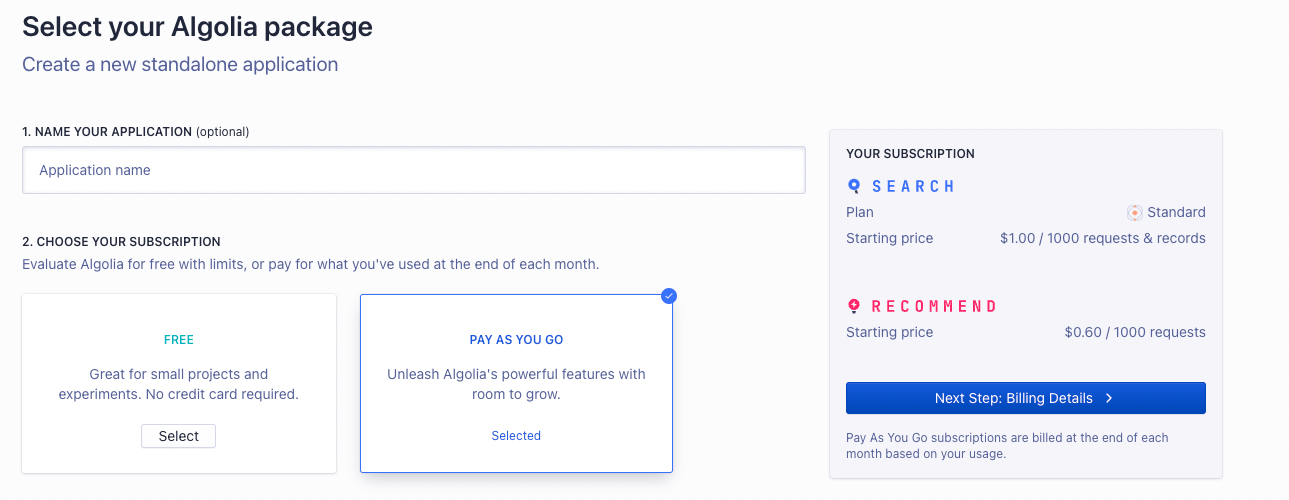
Once you’re done, click on the Next Step button. If you picked Pay as you go service, you’ll need to enter billing details before you proceed.
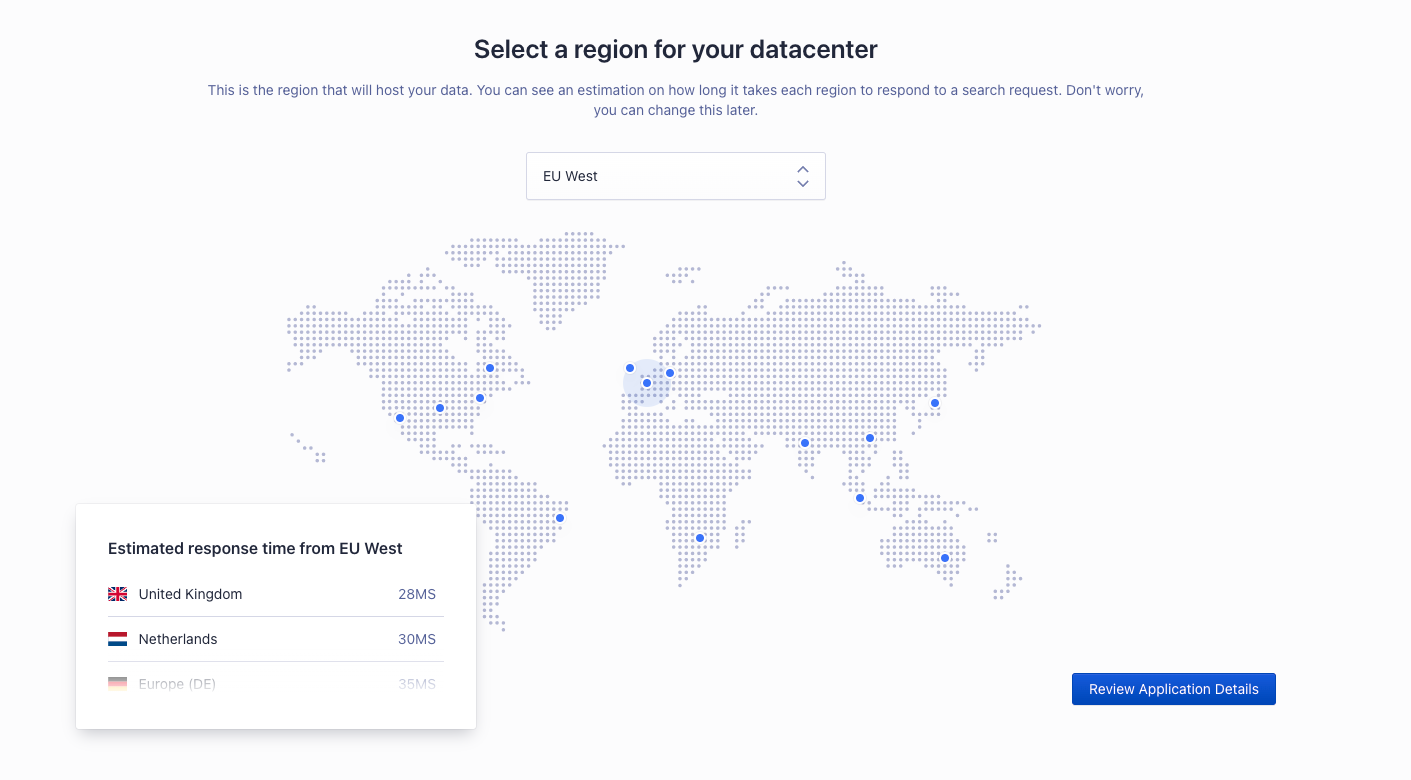
Then, you’ll be asked to pick a region for your application. Once you’re done, click on Review Application Details.
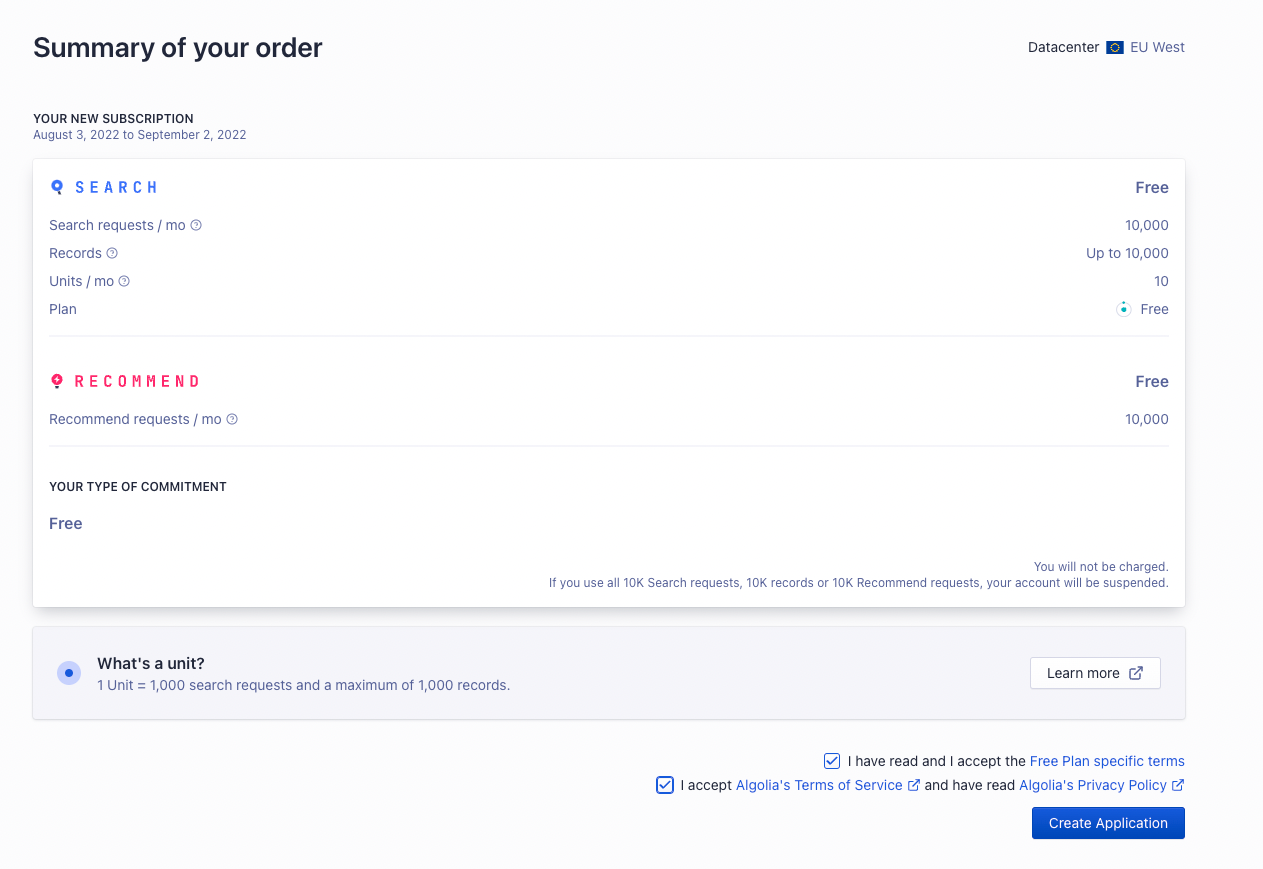
In the last step, you’ll see a summary of your order. If all looks good, check the checkboxes at the end of the form to indicate that you agree to the terms and conditions. Then, click on the Create Application button.
Retrieve API Keys
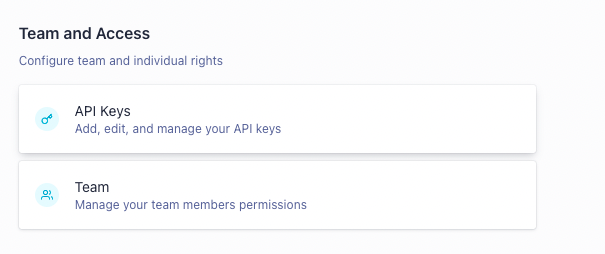
To retrieve the API keys that you’ll use in the next sections, go to Settings, then choose API Keys in the Team and Access section.
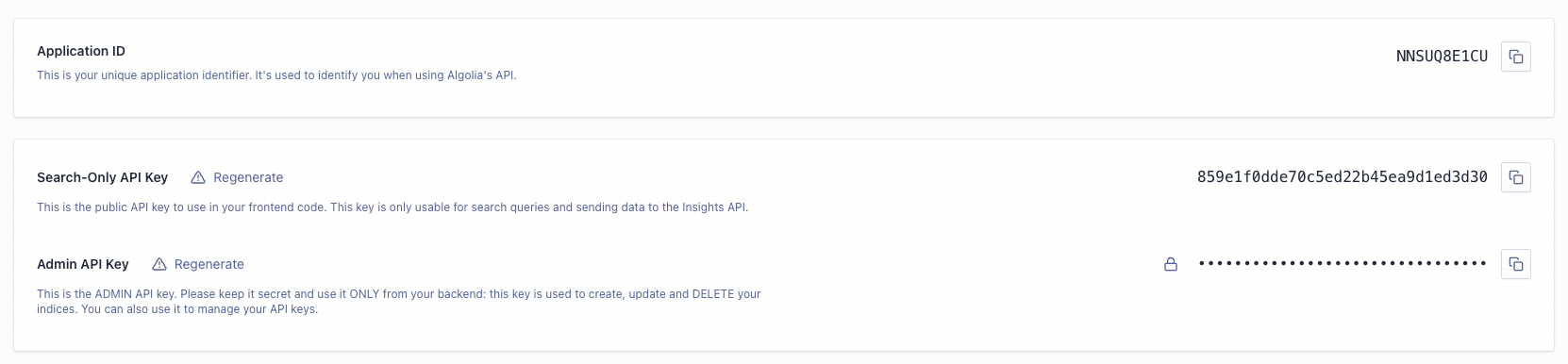
On this page, you’ll find the Application ID, Search-Only API Key, and Admin API Key. You’ll need the Application ID and Admin API Key for the Medusa backend. As for the storefront, you’ll need the Application ID and Search-Only API Key.
:::note
If you have more than one application in your Algolia account, make sure you’re viewing the keys of the correct application by checking the Application dropdown at the top left.
:::
Install the Algolia Plugin
In the directory of your Medusa backend, run the following command to install the Algolia plugin:
npm install medusa-plugin-algolia
Then, add the following environment variables to your Medusa backend:
ALGOLIA_APP_ID=<YOUR_APP_ID>
ALGOLIA_ADMIN_API_KEY=<YOUR_ADMIN_API_KEY>
Where <YOUR_APP_ID> and <YOUR_ADMIN_API_KEY> are respectively the Application ID and Admin API Key found on the API Keys page.
Finally, in medusa-config.js add the following item into the plugins array:
const plugins = [
  // ...
  {
    resolve: `medusa-plugin-algolia`,
    options: {
      application_id: process.env.ALGOLIA_APP_ID,
      admin_api_key: process.env.ALGOLIA_ADMIN_API_KEY,
      settings: {
        products: {
          searchableAttributes: ["title", "description"],
          attributesToRetrieve: [
            "id",
            "title",
            "description",
            "handle",
            "thumbnail",
            "variants",
            "variant_sku",
            "options",
            "collection_title",
            "collection_handle",
            "images",
          ],
        },
      },
    },
  },
]
The searchableAttributes are the attributes in a product that are searchable, and attributesToRetrieve are the attributes to retrieve for each product result. You’re free to make changes to these attributes as you see fit, but these are the recommended attributes.
Test the Algolia Plugin
Run your Medusa backend with the following command:
npm run start
The quickest way to test that the integration is working is by sending a POST request to /store/products/search. This endpoint accepts a q body parameter of the query to search for and returns in the result the products that match this query.

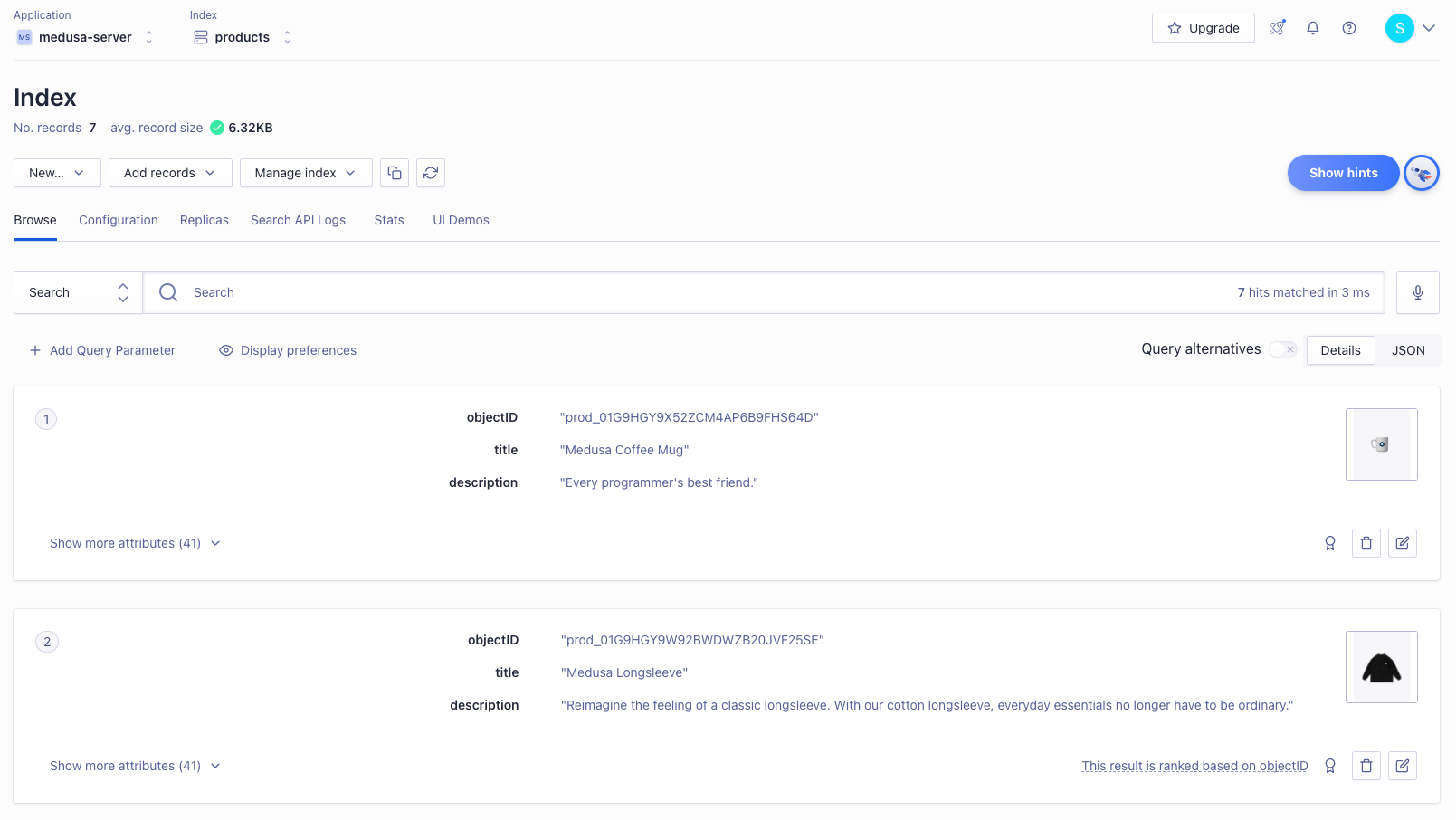
You can also check that the products are properly indexed by opening your Algolia dashboard and choosing Search from the left sidebar. You’ll find your products that are on your Medusa backend added there.
:::note
If you have more than one application on your Algolia account, make sure you’re viewing the keys of the correct one by checking the Application dropdown at the top left.
:::
Add or Update Products
If you add or update products on your Medusa backend, the addition or update will be reflected in the Algolia indices.
:::note
This feature is only available if you have Redis installed and configured with your Medusa backend as mentioned in the Prerequisites section. Otherwise, you must re-run the Medusa backend to see the change in the Algolia indices.
:::
Add Search to your Storefront
In this section, you’ll learn how to add the UI on your storefront to allow searching with Algolia. This section has instructions for Medusa’s Next.js storefront as well as React-based frameworks.
Storefront Prerequisites
It is assumed you already have a storefront set up and working with the Medusa backend, as this section only covers how to add the search UI.
:::tip
If you don’t have a storefront set up, you can use the Next.js starter storefront that Medusa provides.
:::
Add to Next.js Storefront
The Next.js storefront has the Algolia integration available out of the box. To get it working, you just need to follow three steps.
First, ensure that the search feature is enabled in store.config.json:
{
  "features": {
    "search": true
  }
}
Then, add the necessary environment variables:
NEXT_PUBLIC_SEARCH_APP_ID=<YOUR_APP_ID>
NEXT_PUBLIC_SEARCH_API_KEY=<YOUR_SEARCH_API_KEY>
NEXT_PUBLIC_SEARCH_INDEX_NAME=products
Where <YOUR_APP_ID> and <YOUR_SEARCH_API_KEY> are respectively the Application ID and Search-Only API Key on the API Keys page.
Finally, change the code in src/lib/search-client.ts to the following:
import algoliasearch from "algoliasearch/lite"

const appId = process.env.NEXT_PUBLIC_SEARCH_APP_ID || ""

const apiKey =
  process.env.NEXT_PUBLIC_SEARCH_API_KEY || "test_key"

export const searchClient = algoliasearch(appId, apiKey)

export const SEARCH_INDEX_NAME =
  process.env.NEXT_PUBLIC_INDEX_NAME || "products"
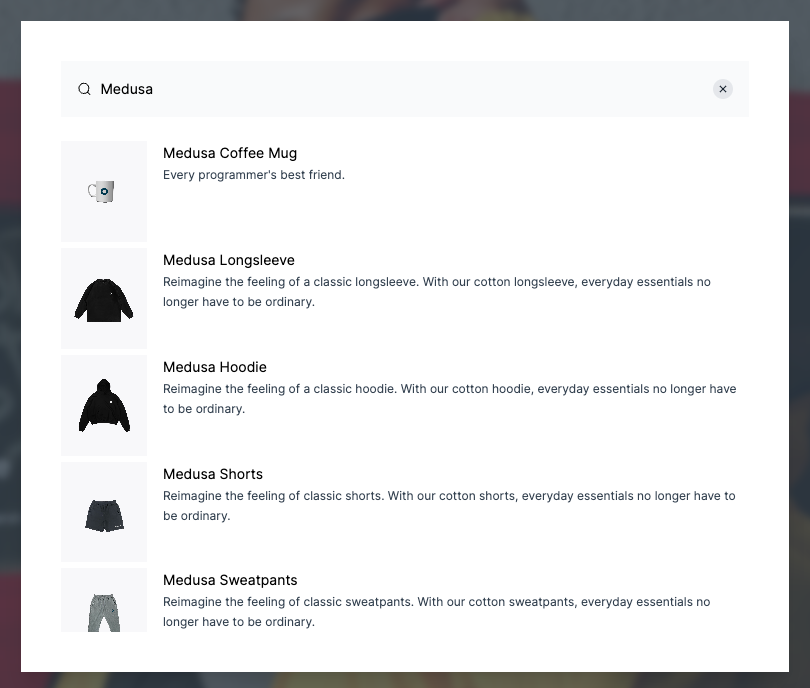
If you run your Next.js storefront now while the Medusa backend is running, the search functionality will be available in your storefront.
:::note
To make sure the Next.js storefront properly displays the products in the search result, include in the attributesToRetrieve setting of the Algolia plugin on the Medusa backend at least the fields title, handle, description, and thumbnail.
:::
Add to Gatsby and React-Based Storefronts
This section covers adding the search UI to React-based storefronts. It uses the Gatsby storefront as an example, but you can use the same steps on any React-based framework.
:::tip
For other frontend frameworks, please check out Algolia’s Integrations guide for steps based on your framework.
:::
In the directory that contains your storefront, run the following command to install the necessary dependencies:
npm install algoliasearch react-instantsearch-dom
Then, add the following environment variables:
GATSBY_ALGOLIA_APP_ID=<YOUR_APP_ID>
GATSBY_ALGOLIA_SEARCH_API_KEY=<YOUR_SEARCH_API_KEY>
GATSBY_SEARCH_INDEX_NAME=products
Where <YOUR_APP_ID> and <YOUR_SEARCH_API_KEY> are respectively the Application ID and Search-Only API Key on the API Keys page.
:::note
In Gatsby, environment variables that should be public and available in the browser are prefixed with GATSBY_. If you’re using another React-based framework, you might need to use a different prefix to ensure these variables can be used in your code. Please refer to your framework’s documentation for help on this.
:::
Then, create the file src/components/header/search.jsx with the following content:
import {
  Highlight,
  Hits,
  InstantSearch,
  SearchBox,
  connectStateResults,
} from "react-instantsearch-dom"

import React from "react"
import algoliasearch from "algoliasearch/lite"

const searchClient = algoliasearch(
  process.env.GATSBY_ALGOLIA_APP_ID,
  process.env.GATSBY_ALGOLIA_SEARCH_API_KEY
)

const Search = () => {
  const Results = connectStateResults(
    ({ searchState, searchResults, children }) => {
      return (
        searchState && searchState.query &&
        searchResults && searchResults.nbHits !== 0 ?
        (
          <div
            className="absolute ...">
            {children}
          </div>
        ) : (
          <div></div>
        )
      )
    }
  )

  return (
    <div className="relative">
      <InstantSearch
        indexName={process.env.GATSBY_SEARCH_INDEX_NAME}
        searchClient={searchClient}>
        <SearchBox submit={null} reset={null} />
        <Results>
          <Hits hitComponent={Hit} />
        </Results>
      </InstantSearch>
    </div>
  )
}

const Hit = ({ hit }) => {
  return (
    <div key={hit.id} className="relative">
      <div className="hit-name">
        <Highlight attribute="title" hit={hit} tagName="mark" />
      </div>
    </div>
  )
}

export default Search
This file uses the dependencies you installed to show the search results. It also initializes Algolia using the environment variables you added.
:::note
If you named your environment variables differently based on your framework, make sure to rename them here as well.
:::note
Finally, import this file at the beginning of src/components/header/index.jsx:
import Search from "./search"
And add the Search component in the returned JSX before RegionPopover:
// ...
<div className="...">
  <Search />
  <RegionPopover regions={mockData.regions} />
</div>
// ...
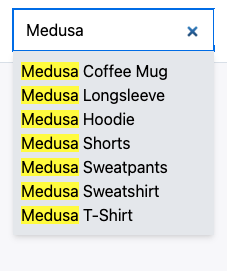
If you run your Gatsby storefront while the Medusa backend is running, you should find a search bar in the header of the page. Try entering a query to search through the products in your store.