
72 lines
1.9 KiB
Plaintext
72 lines
1.9 KiB
Plaintext
---
|
|
sidebar_label: "Single Column"
|
|
---
|
|
|
|
export const metadata = {
|
|
title: `Single Column Layout - Admin Components`,
|
|
}
|
|
|
|
# {metadata.title}
|
|
|
|
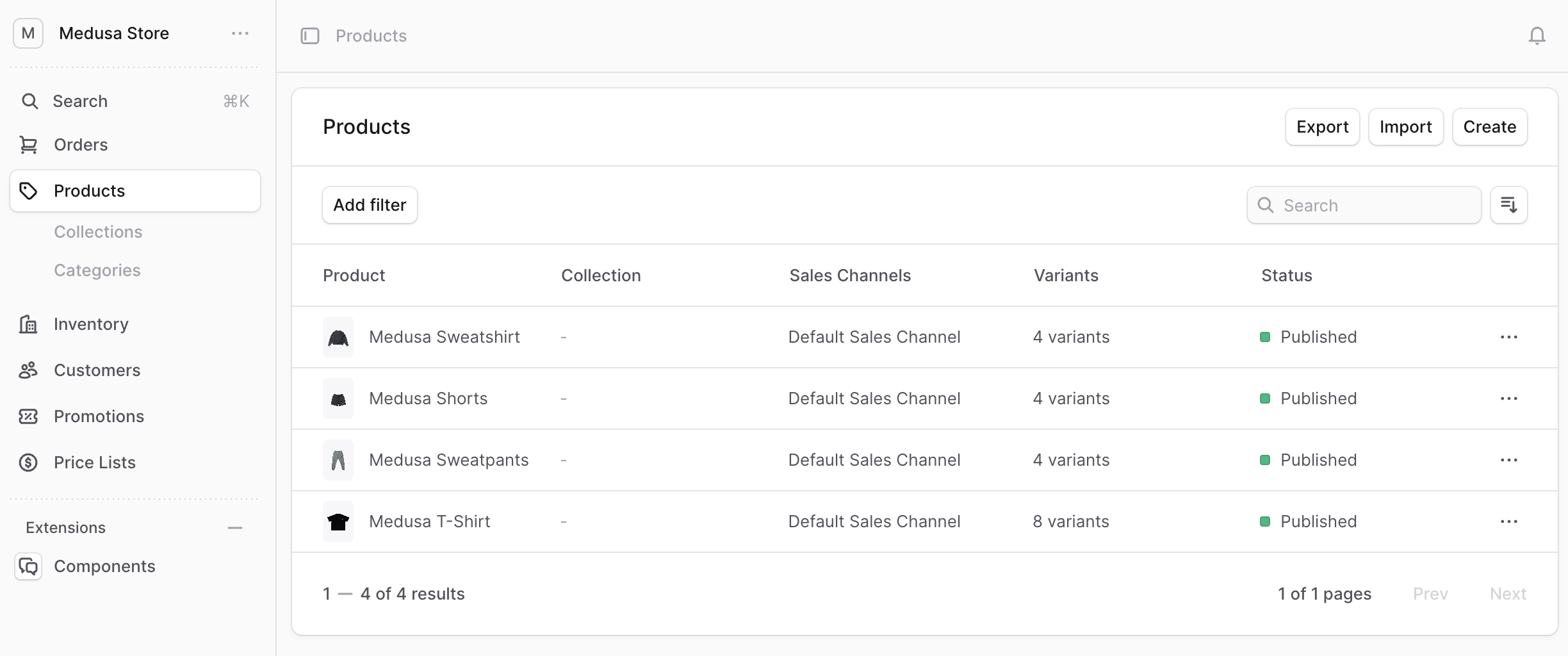
In this guide, you'll learn how to create a layout component that matches the Medusa Admin's design conventions for pages with a single column of content.
|
|
|
|
The Medusa Admin has pages with a single column of content.
|
|
|
|
<Note>
|
|
|
|
This doesn't include the sidebar, only the main content.
|
|
|
|
</Note>
|
|
|
|
|
|
|
|
To create a layout that you can use in UI routes to support one column of content, create the component `src/admin/layouts/single-column.tsx` with the following content:
|
|
|
|
```tsx title="src/admin/layouts/single-column.tsx"
|
|
export type SingleColumnLayoutProps = {
|
|
children: React.ReactNode
|
|
}
|
|
|
|
export const SingleColumnLayout = ({ children }: SingleColumnLayoutProps) => {
|
|
return (
|
|
<div className="flex flex-col gap-y-3">
|
|
{children}
|
|
</div>
|
|
)
|
|
}
|
|
```
|
|
|
|
The `SingleColumnLayout` accepts the content in the `children` props.
|
|
|
|
---
|
|
|
|
## Example
|
|
|
|
Use the `SingleColumnLayout` component in your UI routes that have a single column. For example:
|
|
|
|
```tsx title="src/admin/routes/custom/page.tsx" highlights={[["9"]]}
|
|
import { defineRouteConfig } from "@medusajs/admin-sdk"
|
|
import { ChatBubbleLeftRight } from "@medusajs/icons"
|
|
import { Container } from "../../components/container"
|
|
import { SingleColumnLayout } from "../../layouts/single-column"
|
|
import { Header } from "../../components/header"
|
|
|
|
const CustomPage = () => {
|
|
return (
|
|
<SingleColumnLayout>
|
|
<Container>
|
|
<Header title="Custom Page" />
|
|
</Container>
|
|
</SingleColumnLayout>
|
|
)
|
|
}
|
|
|
|
export const config = defineRouteConfig({
|
|
label: "Custom",
|
|
icon: ChatBubbleLeftRight,
|
|
})
|
|
|
|
export default CustomPage
|
|
```
|
|
|
|
This UI route also uses a [Container](../../components/container/page.mdx) and a [Header]() custom components. |