
115 lines
4.9 KiB
Plaintext
115 lines
4.9 KiB
Plaintext
export const metadata = {
|
|
title: `${pageNumber} Data Models`,
|
|
}
|
|
|
|
# {metadata.title}
|
|
|
|
In this chapter, you'll learn what a data model is and how to create a data model.
|
|
|
|
## What is a Data Model?
|
|
|
|
A data model represents a table in the database. You create data models using Medusa's data modeling language (DML). It simplifies defining a table's columns, relations, and indexes with straightforward methods and configurations.
|
|
|
|
You create a data model in a [module](../modules/page.mdx). The module's service provides the methods to store and manage those data models. Then, you can resolve the module's service in other customizations, such as a [workflow](../workflows/page.mdx), to manage the data models' records.
|
|
|
|
---
|
|
|
|
## How to Create a Data Model
|
|
|
|
In a module, you can create a data model in a TypeScript or JavaScript file under the module's `models` directory.
|
|
|
|
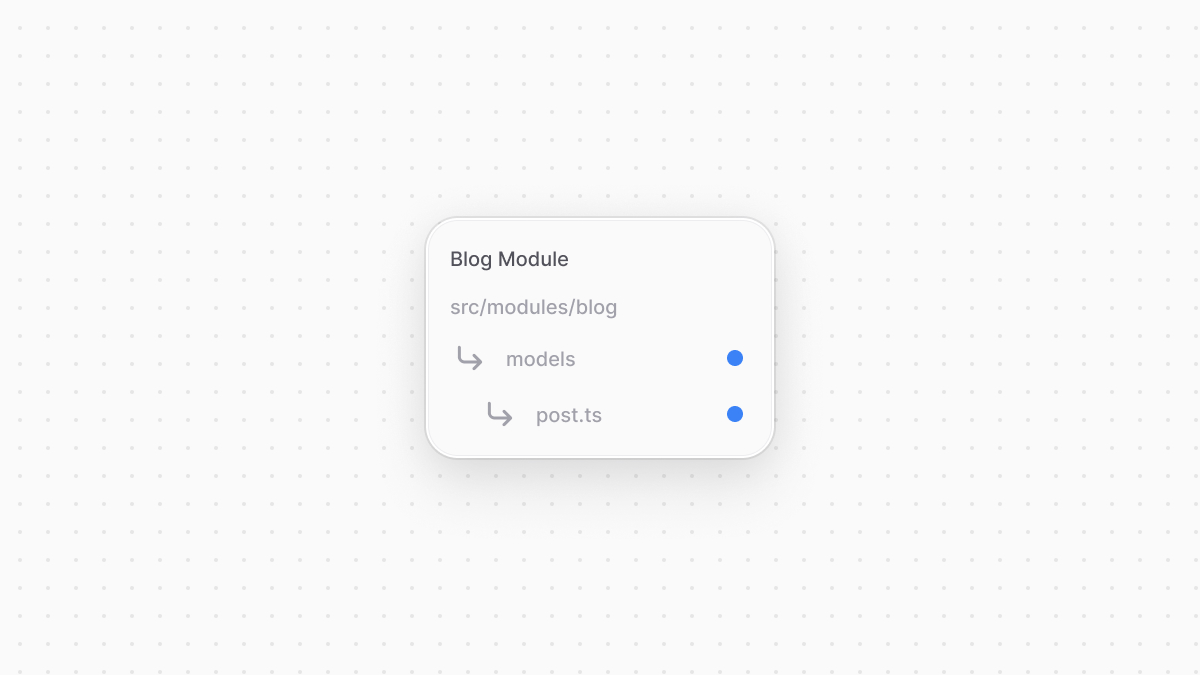
So, for example, assuming you have a Blog Module at `src/modules/blog`, you can create a `Post` data model by creating the `src/modules/blog/models/post.ts` file with the following content:
|
|
|
|
|
|
|
|
```ts title="src/modules/blog/models/post.ts"
|
|
import { model } from "@medusajs/framework/utils"
|
|
|
|
const Post = model.define("post", {
|
|
id: model.id().primaryKey(),
|
|
title: model.text(),
|
|
})
|
|
|
|
export default Post
|
|
```
|
|
|
|
You define the data model using the `define` method of the DML. It accepts two parameters:
|
|
|
|
1. The first one is the name of the data model's table in the database. Use snake-case names.
|
|
2. The second is an object, which is the data model's schema. The schema's properties are defined using the `model`'s methods, such as `text` and `id`.
|
|
- Data models automatically have the date properties `created_at`, `updated_at`, and `deleted_at`, so you don't need to add them manually.
|
|
|
|
The code snippet above defines a `Post` data model with `id` and `title` properties.
|
|
|
|
---
|
|
|
|
## Generate Migrations
|
|
|
|
After you create a data model in a module, then [register that module in your Medusa configurations](../modules/page.mdx#4-add-module-to-medusas-configurations), you must generate a migration to create the data model's table in the database.
|
|
|
|
A migration is a TypeScript or JavaScript file that defines database changes made by a module. Migrations are useful when you re-use a module or you're working in a team, so that when one member of a team makes a database change, everyone else can reflect it on their side by running the migrations.
|
|
|
|
For example, to generate a migration for the Blog Module, run the following command in your Medusa application's directory:
|
|
|
|
<Note>
|
|
|
|
If you're creating the module in a plugin, use the [plugin\:db\:generate command](!resources!/medusa-cli/commands/plugin#plugindbgenerate) instead.
|
|
|
|
</Note>
|
|
|
|
```bash
|
|
npx medusa db:generate blog
|
|
```
|
|
|
|
The `db:generate` command of the Medusa CLI accepts one or more module names to generate the migration for. It will create a migration file for the Blog Module in the directory `src/modules/blog/migrations` similar to the following:
|
|
|
|
```ts
|
|
import { Migration } from "@mikro-orm/migrations"
|
|
|
|
export class Migration20241121103722 extends Migration {
|
|
|
|
async up(): Promise<void> {
|
|
this.addSql("create table if not exists \"post\" (\"id\" text not null, \"title\" text not null, \"created_at\" timestamptz not null default now(), \"updated_at\" timestamptz not null default now(), \"deleted_at\" timestamptz null, constraint \"post_pkey\" primary key (\"id\"));")
|
|
}
|
|
|
|
async down(): Promise<void> {
|
|
this.addSql("drop table if exists \"post\" cascade;")
|
|
}
|
|
|
|
}
|
|
```
|
|
|
|
In the migration class, the `up` method creates the table `post` and defines its columns using PostgreSQL syntax. The `down` method drops the table.
|
|
|
|
### Run Migrations
|
|
|
|
To reflect the changes in the generated migration file on the database, run the `db:migrate` command:
|
|
|
|
<Note>
|
|
|
|
If you're creating the module in a plugin, run this command on the Medusa application that the plugin is installed in.
|
|
|
|
</Note>
|
|
|
|
```bash
|
|
npx medusa db:migrate
|
|
```
|
|
|
|
This creates the `post` table in the database.
|
|
|
|
### Migrations on Data Model Changes
|
|
|
|
Whenever you make a change to a data model, you must generate and run the migrations.
|
|
|
|
For example, if you add a new column to the `Post` data model, you must generate a new migration and run it.
|
|
|
|
---
|
|
|
|
## Manage Data Models
|
|
|
|
Your module's service should extend the [service factory](../modules/service-factory/page.mdx), which generates data-management methods for your module's data models.
|
|
|
|
For example, the Blog Module's service would have methods like `retrievePost` and `createPosts`.
|
|
|
|
Refer to the [Service Factory](../modules/service-factory/page.mdx) chapter to learn more about how to extend the service factory and manage data models, and refer to the [Service Factory Reference](!resources!/service-factory-reference) for the full list of generated methods and how to use them.
|