
40 lines
1.9 KiB
Plaintext
40 lines
1.9 KiB
Plaintext
export const metadata = {
|
||
title: `Payment Collection`,
|
||
}
|
||
|
||
# {metadata.title}
|
||
|
||
In this document, you’ll learn what a payment collection is and how the Medusa application uses it with the Cart Module.
|
||
|
||
## What's a Payment Collection?
|
||
|
||
A payment collection stores payment details related to a resource, such as a cart or an order. It’s represented by the [PaymentCollection data model](/references/payment/models/PaymentCollection).
|
||
|
||
Every purchase or request for payment starts with a payment collection. The collection holds details necessary to complete the payment, including:
|
||
|
||
- The [payment sessions](../payment-session/page.mdx) that represents the payment amount to authorize.
|
||
- The [payments](../payment/page.mdx) that are created when a payment session is authorized. They can be captured and refunded.
|
||
- The [payment providers](../payment-provider/page.mdx) that handle the processing of each payment session, including the authorization, capture, and refund.
|
||
|
||
---
|
||
|
||
## Multiple Payments
|
||
|
||
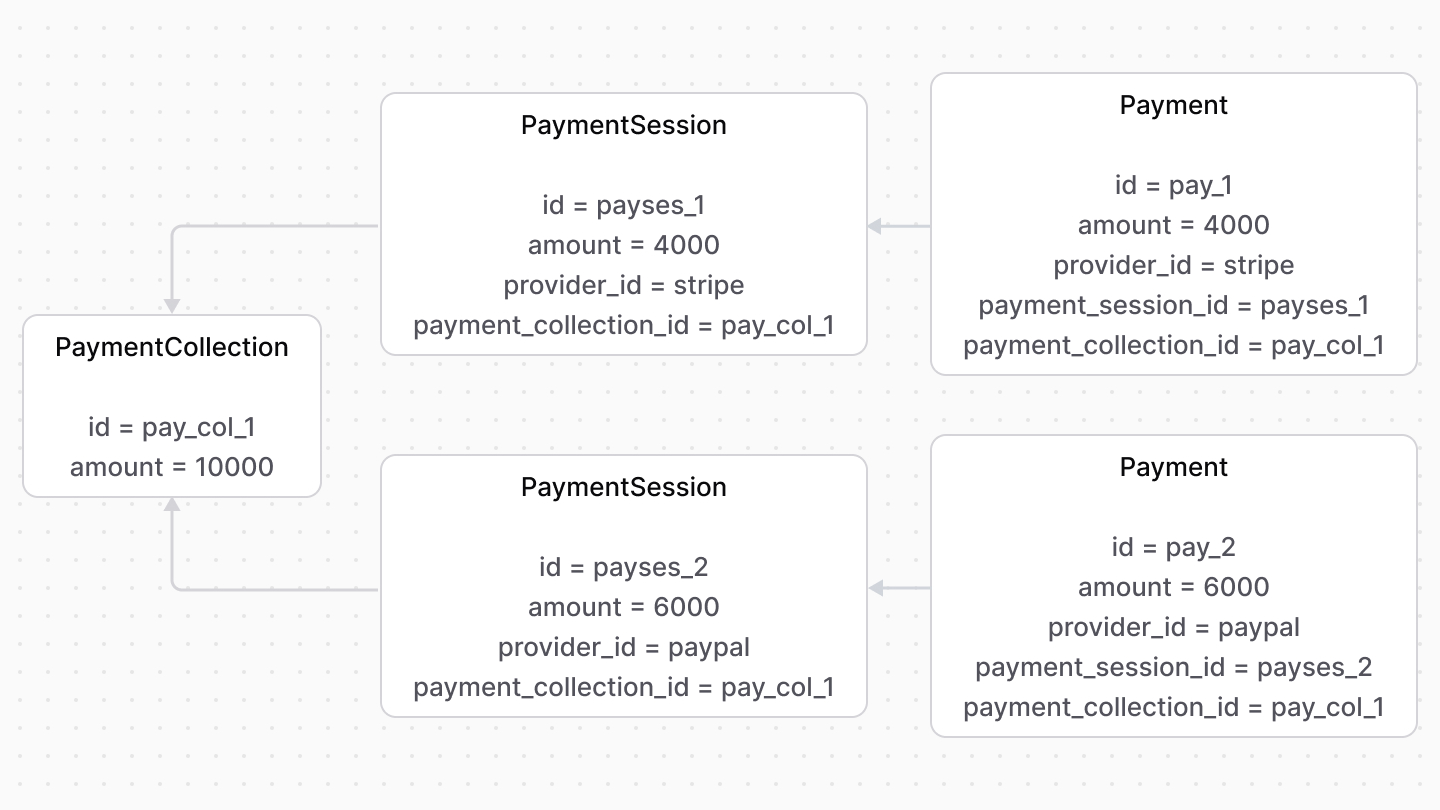
The payment collection supports multiple payment sessions and payments.
|
||
|
||
You can use this to accept payments in increments or split payments across payment providers.
|
||
|
||
|
||
|
||
---
|
||
|
||
## Usage with the Cart Module
|
||
|
||
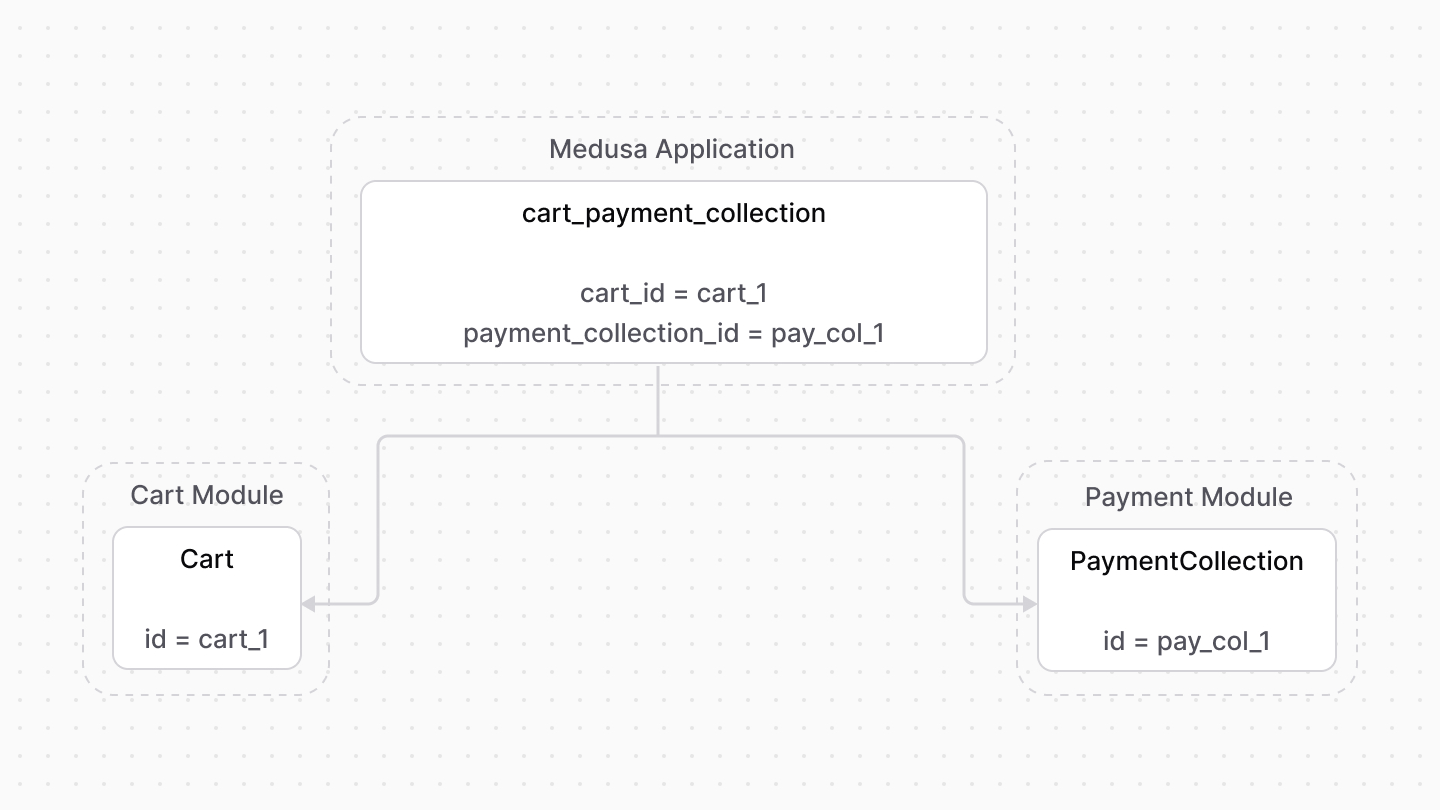
The Cart Module provides cart management features. However, it doesn’t provide any features related to accepting payment.
|
||
|
||
During checkout, the Medusa application links a cart to a payment collection, which will be used for further payment processing.
|
||
|
||
It also implements the payment flow during checkout as explained in [this documentation](../payment-flow/page.mdx).
|
||
|
||
|