
36 lines
1.5 KiB
Plaintext
36 lines
1.5 KiB
Plaintext
export const metadata = {
|
||
title: `Payment Session`,
|
||
}
|
||
|
||
# {metadata.title}
|
||
|
||
In this document, you’ll learn what a payment session is.
|
||
|
||
## What's a Payment Session?
|
||
|
||
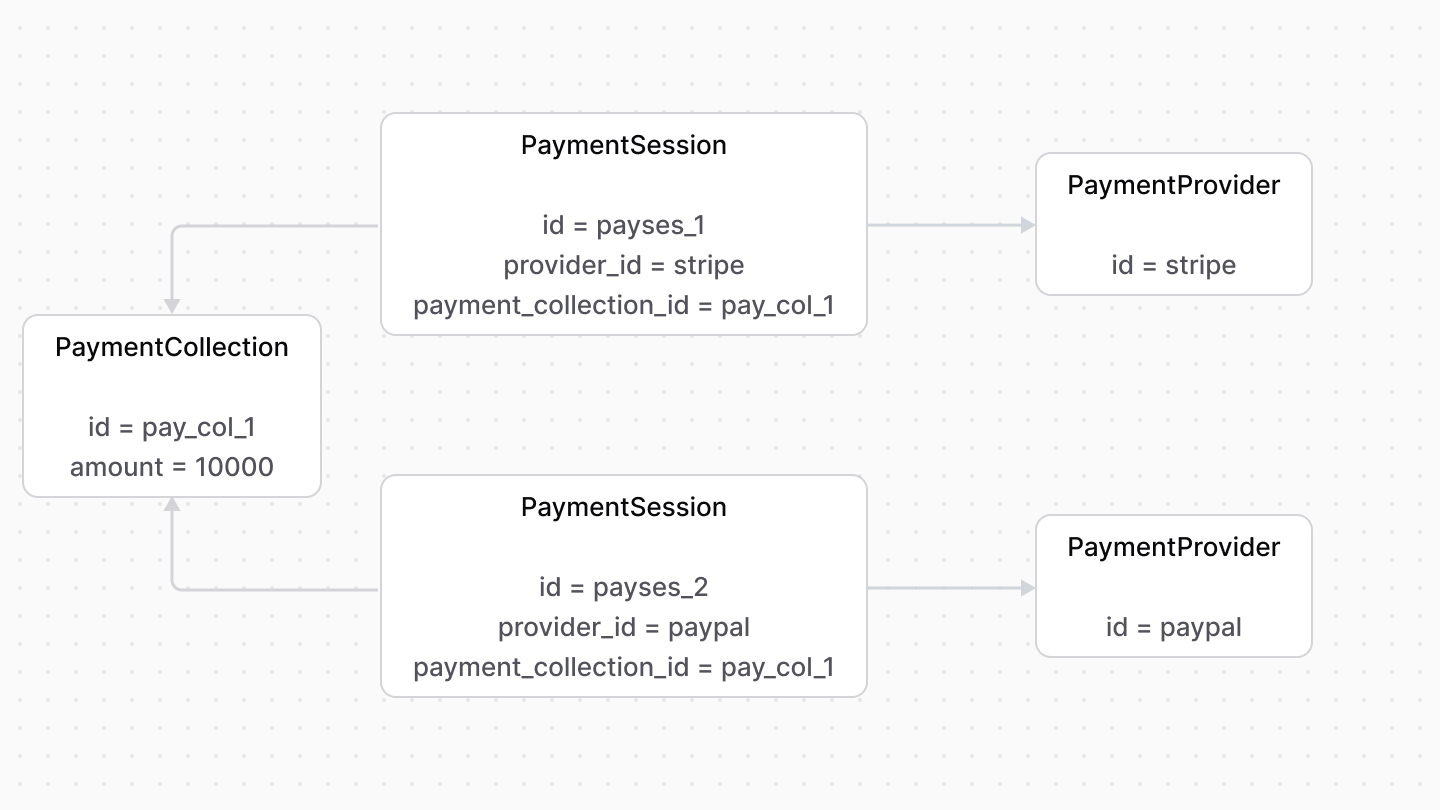
A payment session, represented by the [PaymentSession data model](/references/payment/models/PaymentSession), is a payment amount to be authorized. It’s associated with a payment provider that handles authorizing it.
|
||
|
||
A payment collection can have multiple payment sessions. Using this feature, you can implement payment in installments or payments using multiple providers.
|
||
|
||
|
||
|
||
---
|
||
|
||
## data Property
|
||
|
||
Payment providers may need additional data to process the payment later. The `PaymentSession` data model has a `data` property used to store that data.
|
||
|
||
For example, the customer's ID in Stripe is stored in the `data` property.
|
||
|
||
---
|
||
|
||
## Payment Session Status
|
||
|
||
The `status` property of a payment session indicates its current status. Its value can be:
|
||
|
||
- `pending`: The payment session is awaiting authorization.
|
||
- `requires_more`: The payment session requires an action before it’s authorized. For example, to enter a 3DS code.
|
||
- `authorized`: The payment session is authorized.
|
||
- `error`: An error occurred while authorizing the payment.
|
||
- `canceled`: The authorization of the payment session has been canceled.
|