
38 lines
1.4 KiB
Plaintext
38 lines
1.4 KiB
Plaintext
---
|
|
sidebar_autogenerate_exclude: true
|
|
---
|
|
|
|
import { ArrowUturnLeft } from "@medusajs/icons"
|
|
|
|
export const metadata = {
|
|
title: `Settings in Medusa Admin`,
|
|
}
|
|
|
|
# {metadata.title}
|
|
|
|
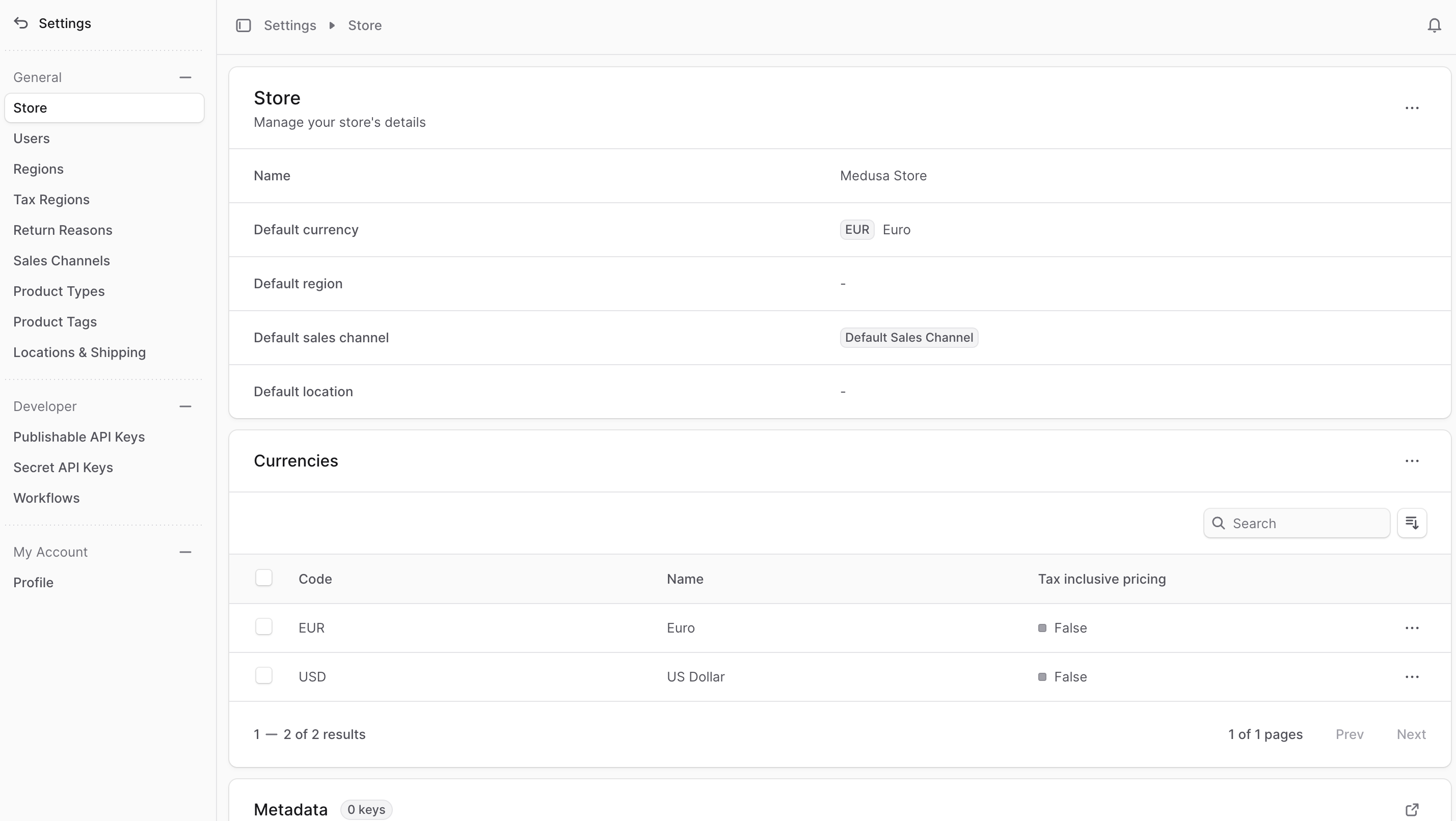
Your Medusa store's settings are where you can manage your store's details, regions, sales channels, and more.
|
|
|
|
You can access your store's settings by clicking the "Settings" item at the bottom of the sidebar. This shows a settings panel with a different sidebar to manage your store's data.
|
|
|
|
You can also go back to the main sidebar by clicking the <InlineIcon Icon={ArrowUturnLeft} alt="back" /> icon at the top of the sidebar.
|
|
|
|
|
|
|
|
---
|
|
|
|
## Manage Settings
|
|
|
|
- [Manage Store](./store/page.mdx)
|
|
- [Manage Users](./users/page.mdx)
|
|
- [Manage Regions](./regions/page.mdx)
|
|
- [Manage Tax Regions](./tax-regions/page.mdx)
|
|
- [Manage Return Reasons](./return-reasons/page.mdx)
|
|
- [Manage Sales Channels](./sales-channels/page.mdx)
|
|
- [Manage Product Types](./product-types/page.mdx)
|
|
- [Manage Product Tags](./product-tags/page.mdx)
|
|
- [Manage Location & Shipping Settings](./locations-and-shipping/page.mdx)
|
|
- [Manage Publishable API Keys](./developer/publishable-api-keys/page.mdx)
|
|
- [Manage Secret API Keys](./developer/secret-api-keys/page.mdx)
|
|
- [Manage Workflow Executions](./developer/workflows/page.mdx)
|
|
- [Manage Profile](./profile/page.mdx)
|