
126 lines
3.4 KiB
Plaintext
126 lines
3.4 KiB
Plaintext
export const metadata = {
|
|
title: `${pageNumber} Module's Container`,
|
|
}
|
|
|
|
# {metadata.title}
|
|
|
|
In this chapter, you'll learn about the module's container and how to register resources in that container.
|
|
|
|
## Module's Container
|
|
|
|
Each module has a local container only used by the resources of that module.
|
|
|
|
So, resources in the module, such as services or loaders, can only resolve other resources registered in the module's container.
|
|
|
|
---
|
|
|
|
## The Container Loader
|
|
|
|
Medusa provides a utility function that creates a container loader. This loader takes care of registering resources in your container.
|
|
|
|
For example:
|
|
|
|
export const highlights = [
|
|
["11", "moduleContainerLoaderFactory", "Create the container loader."],
|
|
["25", "", "Export the container loader."]
|
|
]
|
|
|
|
```ts title="src/modules/hello/index.ts" highlights={highlights}
|
|
// other imports...
|
|
import HelloModuleService from "./service"
|
|
import { MyCustom } from "./models/my-custom"
|
|
import {
|
|
ModulesSdkUtils,
|
|
MikroOrmBaseRepository,
|
|
} from "@medusajs/utils"
|
|
|
|
// ...
|
|
|
|
const containerLoader = ModulesSdkUtils.moduleContainerLoaderFactory({
|
|
moduleModels: {
|
|
MyCustom,
|
|
},
|
|
moduleRepositories: {
|
|
BaseRepository: MikroOrmBaseRepository,
|
|
},
|
|
moduleServices: {
|
|
HelloModuleService,
|
|
},
|
|
})
|
|
|
|
export default {
|
|
// ...
|
|
loaders: [containerLoader],
|
|
}
|
|
```
|
|
|
|
You create the container loader using the utility function `moduleContainerLoaderFactory` and export it in the module's definition.
|
|
|
|
### moduleContainerLoaderFactory Parameters
|
|
|
|
The `moduleContainerLoaderFactory` function accepts as a parameter an object with the following properties:
|
|
|
|
- `moduleModels`: An object where each key is a data model's name, and its value the data model class.
|
|
- `moduleRepositories`: An object of the module's repositories. You import here the `MikroOrmBaseRepository` from `@medusajs/utils` and use it as the value of `BaseRepository`.
|
|
- `moduleServices`: An object where each key is the service's registration name, and its value is the service class.
|
|
|
|
### Resources Registered by the Container Loader
|
|
|
|
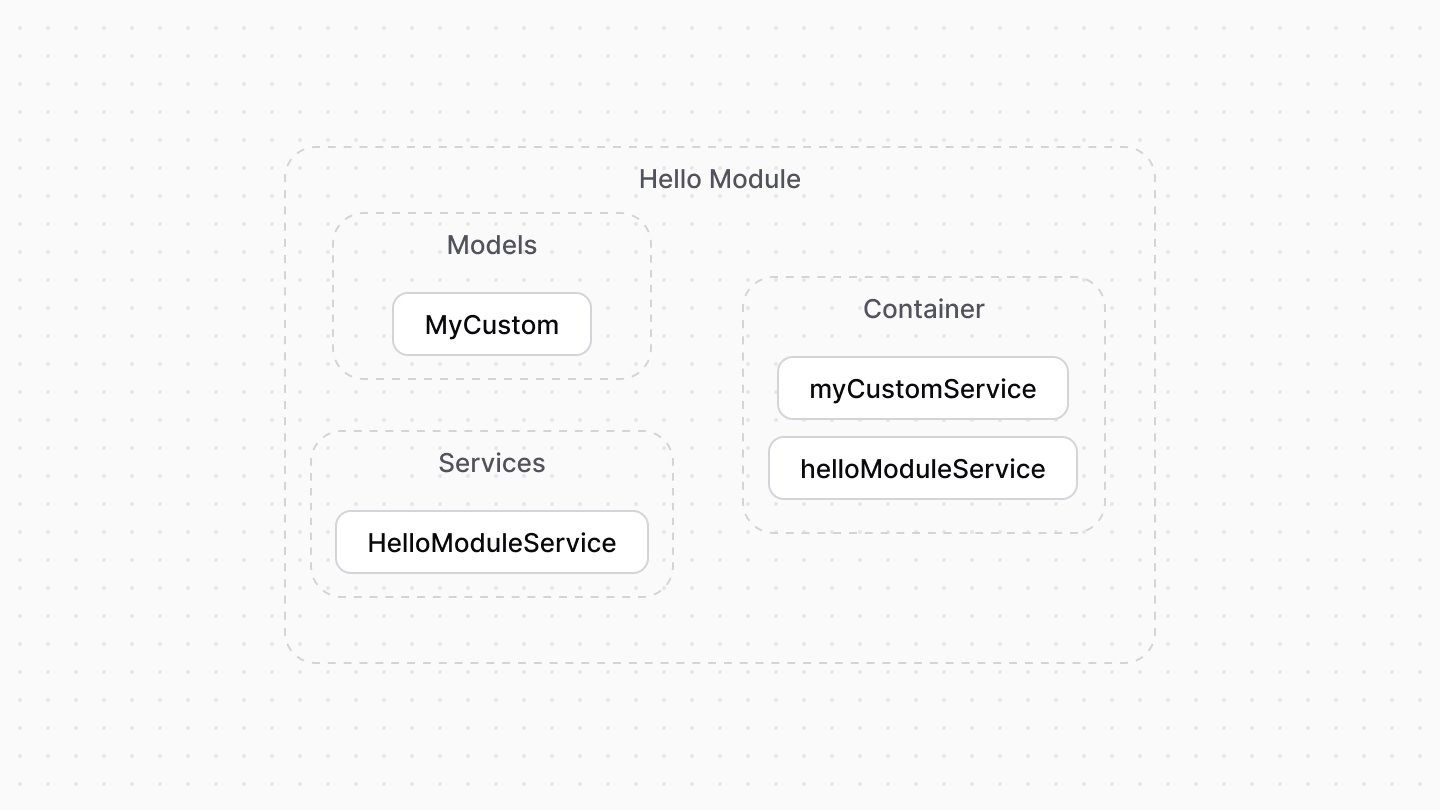
The container loader registers in the module's container:
|
|
|
|
- The services passed in the `moduleServices` property.
|
|
- The repositories provided in the `moduleRepositories`.
|
|
- A generated service for each data model provided in `moduleModels`.
|
|
|
|
|
|
|
|
---
|
|
|
|
## Resolve Resources
|
|
|
|
### Services
|
|
|
|
A service's constructor accepts as a first parameter an object used to resolve resources registered in the module's container.
|
|
|
|
For example:
|
|
|
|
```ts
|
|
import { ModulesSdkTypes } from "@medusajs/types"
|
|
import { MyCustom } from "./models/my-custom"
|
|
|
|
type InjectedDependencies = {
|
|
myCustomService: ModulesSdkTypes.InternalModuleService<any>
|
|
}
|
|
|
|
export default class HelloModuleService {
|
|
protected myCustomService_:
|
|
ModulesSdkTypes.InternalModuleService<MyCustom>
|
|
constructor({ myCustomService }: InjectedDependencies) {
|
|
this.myCustomService_ = myCustomService
|
|
}
|
|
|
|
// ...
|
|
}
|
|
```
|
|
|
|
### Loader
|
|
|
|
A loader function in a module accepts as a parameter an object having the property `container`. Its value is the module's container used to resolve resources.
|
|
|
|
For example:
|
|
|
|
```ts
|
|
import {
|
|
LoaderOptions,
|
|
} from "@medusajs/modules-sdk"
|
|
|
|
|
|
export default function helloWorldLoader({
|
|
container,
|
|
}: LoaderOptions) {
|
|
const myCustomService = container.resolve("myCustomService")
|
|
|
|
// ...
|
|
}
|
|
```
|