 0462cc5acf
- Change existing data model guides and add new ones for DML
- Change module's docs around service factory + remove guides that are now necessary
- Hide/remove all mentions of module relationships, or label them as coming soon.
- Change all data model creation snippets to use DML
- use `property` instead of `field` when referring to a data model's properties.
- Fix all snippets in commerce module guides to use new method suffix (no more main model methods)
- Rework recipes, removing/hiding a lot of sections as a lot of recipes are incomplete with the current state of DML.


### Other changes

- Highlight fixes in some guides
- Remove feature flags guide
- Fix code block styles when there are no line numbers.

### Upcoming changes in other PRs

- Re-generate commerce module references (for the updates in the method names)
- Ensure that the data model references are generated correctly for models using DML.
- (probably at a very later point) revisit recipes
24 lines
1.1 KiB
Plaintext
24 lines
1.1 KiB
Plaintext
export const metadata = {
|
||
title: `${pageNumber} Link Modules`,
|
||
}
|
||
|
||
# {metadata.title}
|
||
|
||
In this chapter, you’ll learn what a link module is and how to use the remote link in your customizations.
|
||
|
||
## What is a Link Module?
|
||
|
||
A link module is a module whose only purpose is to define a relationship between two modules’ data models. The relationship is represented as a pivot or link table in the database, pointing at the primary keys of each data model.
|
||
|
||
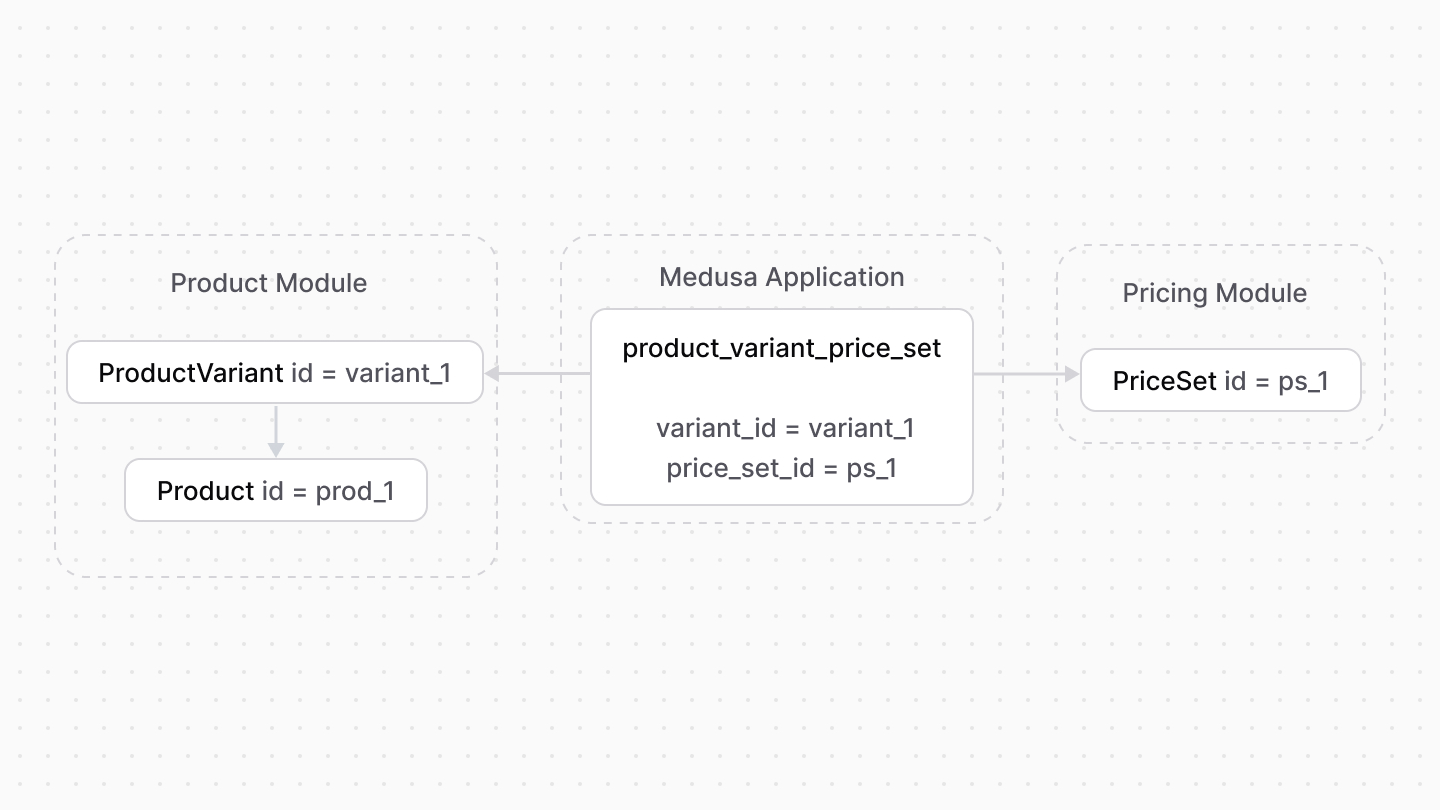
For example, Medusa has a link module that defines a relationship between the Product and Pricing modules. It links the `ProductVariant` and `PriceSet` data models.
|
||
|
||
|
||
|
||
Link modules create the relationship between modules while maintaining module isolation. The Medusa application only creates the link tables when both modules are available.
|
||
|
||
<Note type="soon">
|
||
|
||
Link modules are currently only available for Medusa’s commerce modules.
|
||
|
||
</Note>
|