
56 lines
2.3 KiB
Plaintext
56 lines
2.3 KiB
Plaintext
---
|
||
sidebar_label: "User Creation"
|
||
---
|
||
|
||
export const metadata = {
|
||
title: `User Creation with Auth Module`,
|
||
}
|
||
|
||
# {metadata.title}
|
||
|
||
In this document, you’ll learn about the user-creation flow and how to use it with the User Module.
|
||
|
||
## Auth User Creation in Authentication Flow
|
||
|
||
In the [Auth Provider](../auth-providers/page.mdx) documentation, you learned about the authentication flows supported by the Auth Module. These flows are used when an `AuthUser` is already available for the specified authentication data, such as email/password credentials.
|
||
|
||
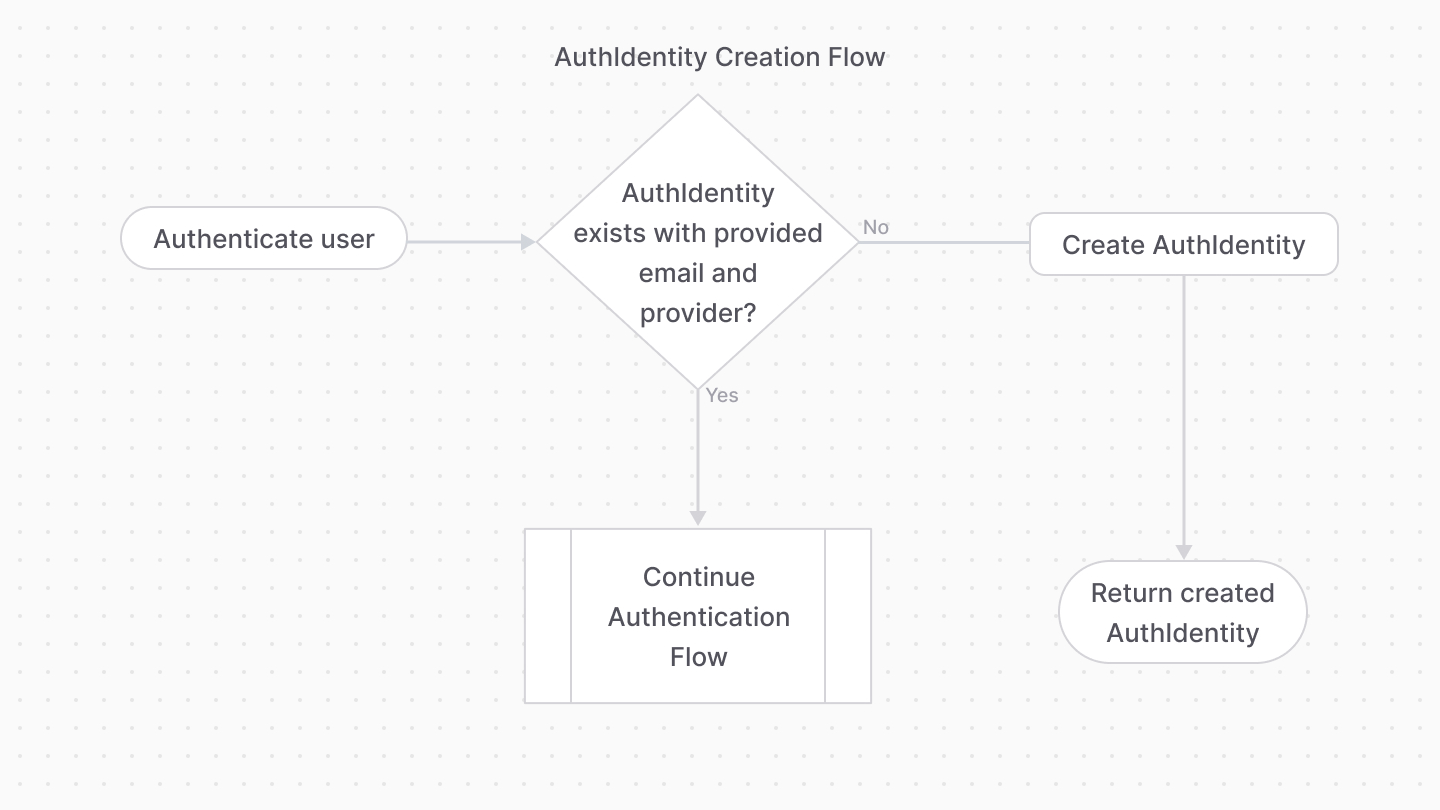
However, the `emailpass` and `google` providers support creating an `AuthUser` if none exists. If an email is provided that doesn’t have an `AuthUser` associated with it (checked via its `entity_id` field) for the specified provider (checked via its `provider` field), a new `AuthUser` is created for that email and provider.
|
||
|
||
|
||
|
||
So, by default, your authentication flow supports both sign-in and sign-up flows.
|
||
|
||
<Note title="Tip">
|
||
|
||
This step actually occurs at different points of the authentication flow for each of the providers. For the `emailpass` provider, it occurs before checking that the password is correct. For the `google` provider, you must go through the full authentication flow to retrieve the user details, such as email, from Google.
|
||
|
||
</Note>
|
||
|
||
---
|
||
|
||
## Creating a User in the User Module
|
||
|
||
The User Module provides user and invite management functionalities. However, it doesn’t provide authentication functionalities or store any related data.
|
||
|
||
By combining the User and Auth Modules, you can use the Auth Module for authenticating users, and the User Module to manage those users.
|
||
|
||
So, when a user is authenticated, and you receive the `AuthUser` object, you can use it to create a user if it doesn’t exist:
|
||
|
||
```ts
|
||
const { success, authUser } =
|
||
await authModuleService.authenticate("emailpass", {
|
||
// ...
|
||
})
|
||
|
||
// assuming authUser is defined
|
||
const [, count] = await userModuleService.listAndCount({
|
||
email: authUser.entity_id,
|
||
})
|
||
|
||
if (!count) {
|
||
const user = await userModuleService.create({
|
||
email: authUser.entity_id,
|
||
})
|
||
}
|
||
```
|