914d773d3a
* initialized next.js project

* finished markdown sections

* added operation schema component

* change page metadata

* eslint fixes

* fixes related to deployment

* added response schema

* resolve max stack issue

* support for different property types

* added support for property types

* added loading for components

* added more loading

* type fixes

* added oneOf type

* removed console

* fix replace with push

* refactored everything

* use static content for description

* fixes and improvements

* added code examples section

* fix path name

* optimizations

* fixed tag navigation

* add support for admin and store references

* general enhancements

* optimizations and fixes

* fixes and enhancements

* added search bar

* loading enhancements

* added loading

* added code blocks

* added margin top

* add empty response text

* fixed oneOf parameters

* added path and query parameters

* general fixes

* added base path env variable

* small fix for arrays

* enhancements

* design enhancements

* general enhancements

* fix isRequired

* added enum values

* enhancements

* general fixes

* general fixes

* changed oas generation script

* additions to the introduction section

* added copy button for code + other enhancements

* fix response code block

* fix metadata

* formatted store introduction

* move sidebar logic to Tags component

* added test env variables

* fix code block bug

* added loading animation

* added expand param + loading

* enhance operation loading

* made responsive + improvements

* added loading provider

* fixed loading

* adjustments for small devices

* added sidebar label for endpoints

* added feedback component

* fixed analytics

* general fixes

* listen to scroll for other headings

* added sample env file

* update api ref files + support new fields

* fix for external docs link

* added new sections

* fix last item in sidebar not showing

* move docs content to www/docs

* change redirect url

* revert change

* resolve build errors

* configure rewrites

* changed to environment variable url

* revert changing environment variable name

* add environment variable for API path

* fix links

* fix tailwind settings

* remove vercel file

* reconfigured api route

* move api page under api

* fix page metadata

* fix external link in navigation bar

* update api spec

* updated api specs

* fixed google lint error

* add max-height on request samples

* add padding before loading

* fix for one of name

* fix undefined types

* general fixes

* remove response schema example

* redesigned navigation bar

* redesigned sidebar

* fixed up paddings

* added feedback component + report issue

* fixed up typography, padding, and general styling

* redesigned code blocks

* optimization

* added error timeout

* fixes

* added indexing with algolia + fixes

* fix errors with algolia script

* redesign operation sections

* fix heading scroll

* design fixes

* fix padding

* fix padding + scroll issues

* fix scroll issues

* improve scroll performance

* fixes for safari

* optimization and fixes

* fixes to docs + details animation

* padding fixes for code block

* added tab animation

* fixed incorrect link

* added selection styling

* fix lint errors

* redesigned details component

* added detailed feedback form

* api reference fixes

* fix tabs

* upgrade + fixes

* updated documentation links

* optimizations to sidebar items

* fix spacing in sidebar item

* optimizations and fixes

* fix endpoint path styling

* remove margin

* final fixes

* change margin on small devices

* generated OAS

* fixes for mobile

* added feedback modal

* optimize dark mode button

* fixed color mode useeffect

* minimize dom size

* use new style system

* radius and spacing design system

* design fixes

* fix eslint errors

* added meta files

* change cron schedule

* fix docusaurus configurations

* added operating system to feedback data

* change content directory name

* fixes to contribution guidelines

* revert renaming content

* added api-reference to documentation workflow

* fixes for search

* added dark mode + fixes

* oas fixes

* handle bugs

* added code examples for clients

* changed tooltip text

* change authentication to card

* change page title based on selected section

* redesigned mobile navbar

* fix icon colors

* fix key colors

* fix medusa-js installation command

* change external regex in algolia

* change changeset

* fix padding on mobile

* fix hydration error

* update depedencies
8.9 KiB
description, addHowToData
| description | addHowToData |
|---|---|
| Learn how to integrate Segment with the Medusa backend. Learn how to add custom tracking with Segment and Medusa. | true |
Segment
In this document, you’ll learn about the Segment plugin, what it does, and how to install and use it.
Overview
Segment is a powerful Customer Data Platform that allows users to collect, transform, send and archive their customer data.
Segment allows users to manage different tracking and marketing tools using one API and interface, making it very simple to try out and integrate with different services in your ecommerce stack.
Common integration use cases that can be implemented with Segment include:
- Google Analytics
- Mailchimp
- Zendesk
- Data warehousing for advanced data analytics and segmentation through services like Snowflake
The Segment plugin in Medusa allows you to track ecommerce events and record them in Segment. Then, you can push these events to other destinations using Segment.
Events That the Segment Plugin Tracks
By default, the Segment plugin tracks the following events:
order.placed: Triggered when an order is placed.order.shipment_created: Triggered when a shipment is created for an order.claim.created: Triggered when a new claim is created.order.items_returned: Triggered when an item in an order is returned.order.canceled: Triggered when an order is canceled.swap.created: Triggered when a swap is created.swap.shipment_created: Triggered when a shipment is created for a swap.swap.payment_completed: Triggered when payment for a swap is completed.
:::tip
Check out the Event Reference to learn about all available events in Medusa.
:::
Prerequisites
Medusa Backend
It is assumed you already have a Medusa backend installed. If not, please follow the Quickstart guide to get started in minutes. The Medusa backend must also have an event bus module installed, which is available when using the default Medusa starter.
Segment Account
You need to create a Segment account to follow along with the tutorial. Segment offers a free plan to get started quickly.
Create a Segment Source
On your Segment dashboard, choose Catalog from the sidebar under Connections.
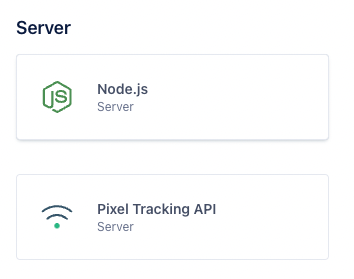
Then, in the catalog list find the Backend category and choose Node.js from the list.
This opens a new side menu. In the side menu, click on Add Source.
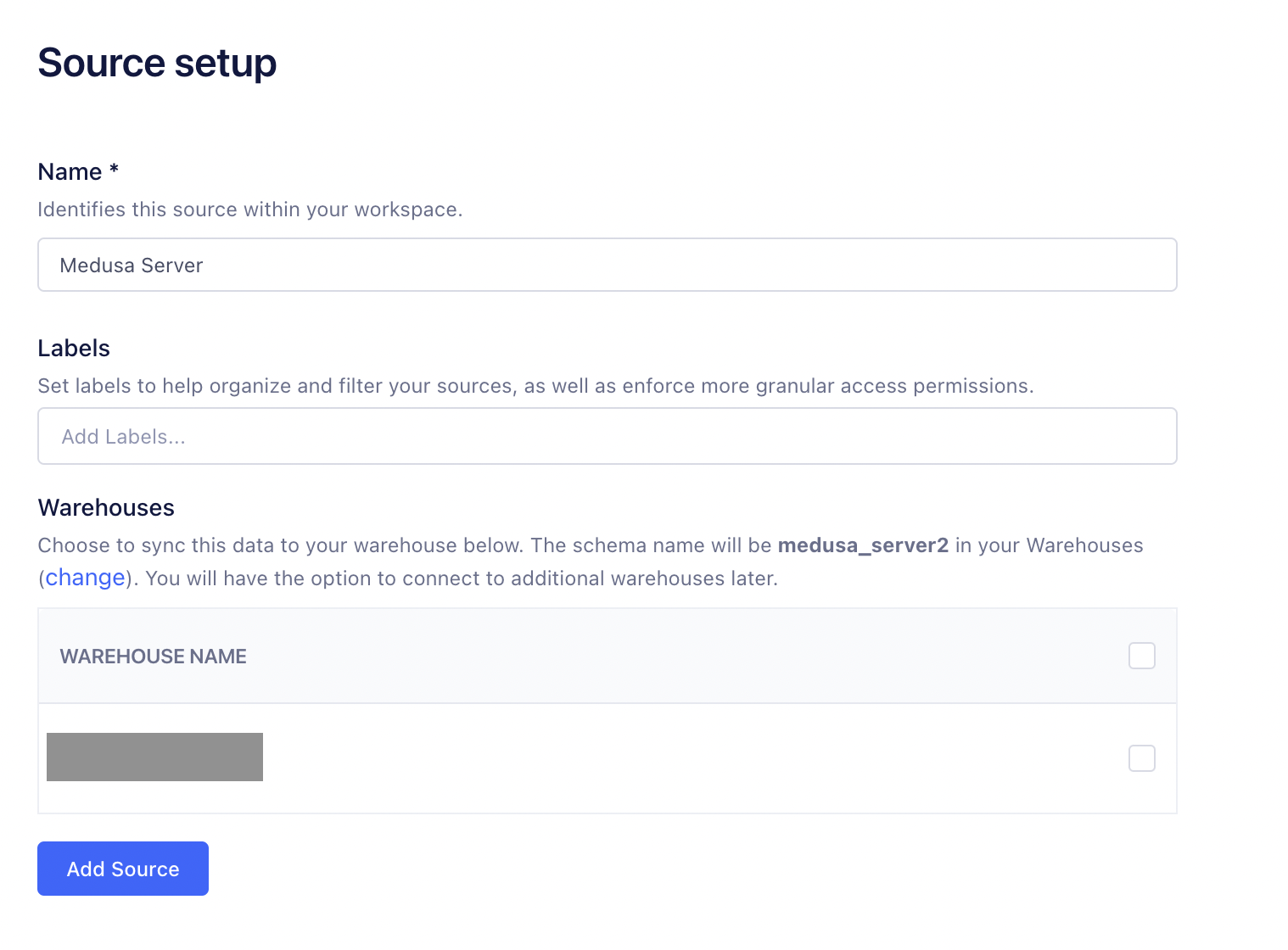
This opens a new page to create a Node.js source. Enter the name of the source then click Add Source.
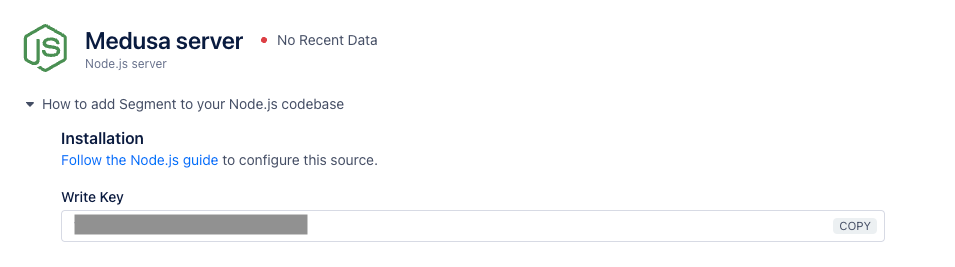
On the new source dashboard, you should find a Write Key. You’ll use this key in the next section after you install the Segment plugin on your Medusa backend.
Optional: Add Destination
After you create the Segment source, you can add destinations. This is where the data is sent when you send them to Segment. You can add more than one destination.
To add a destination, on the same Segment source page, click on Add Destination in the Destinations section.
You can then choose from a list of destinations such as Google Universal Analytics or Facebook Pixel.
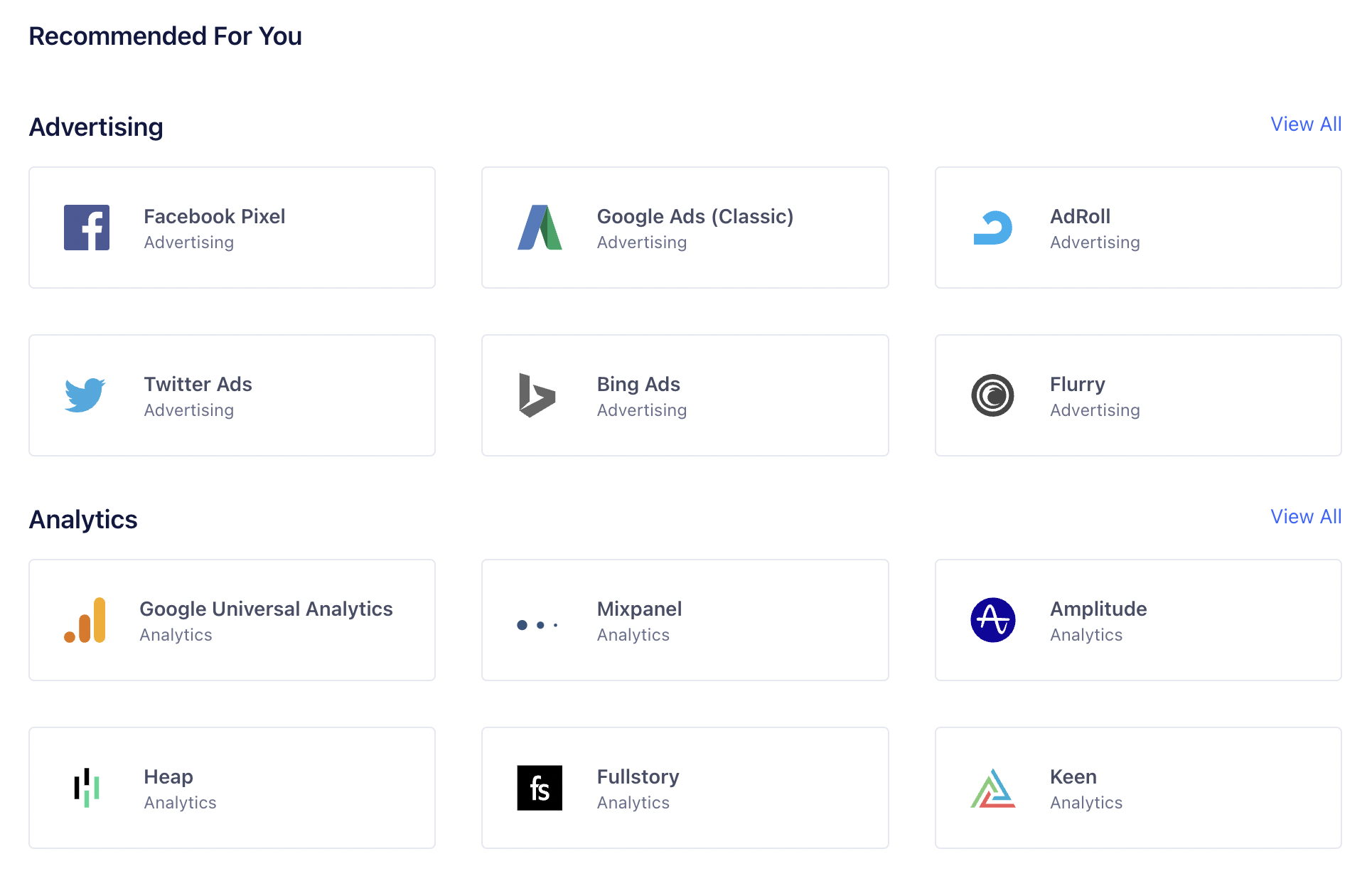
The process of integrating each destination is different, so you must follow the steps detailed in Segment for each destination you choose.
Install the Segment Plugin
In the directory of your Medusa backend, run the following command to install the Segment plugin:
npm install medusa-plugin-segment
Then, add the following environment variable:
SEGMENT_WRITE_KEY=<YOUR_SEGMENT_WRITE_KEY>
Where <YOUR_SEGMENT_WRITE_KEY> is the Write Key shown on the page of the Segment source you created in the previous section.
Finally, in medusa-config.js, add the following new item to the plugins array:
const plugins = [
  // ...
  {
    resolve: `medusa-plugin-segment`,
    options: {
      write_key: process.env.SEGMENT_WRITE_KEY,
    },
  },
]
Test the Plugin
Run your backend with the following command:
npx medusa develop
Then, try triggering one of the mentioned events earlier in this document. For example, you can place an order either using the REST APIs or using the Next.js Starter Template.
After you place an order, on the Segment source that you created, click on the Debugger tab. You should see at least one event triggered for each order you place. If you click on the event, you can see the order details are passed to the event.
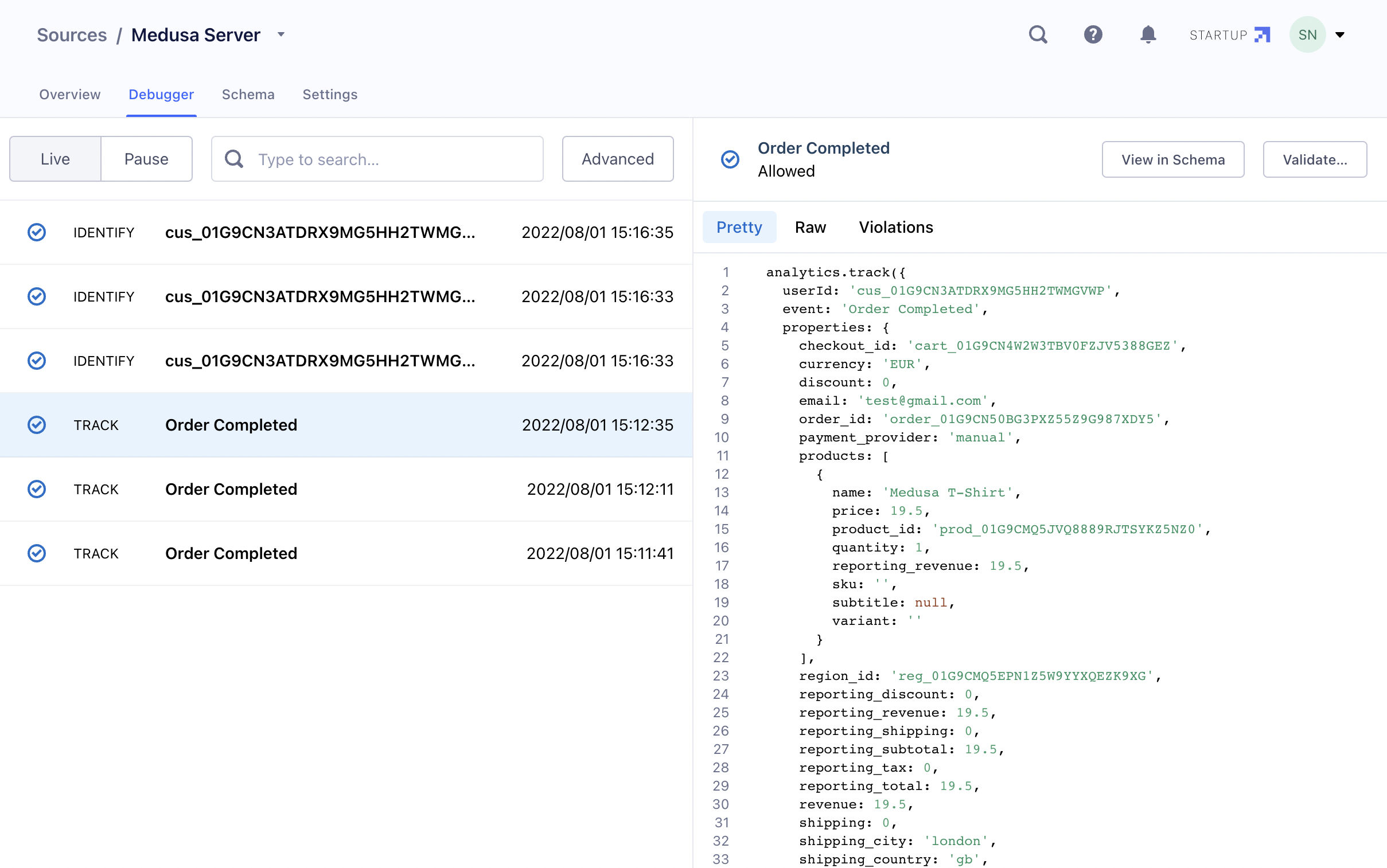
If you added a destination, you can also check your destination to make sure the data is reflected there.
:::note
If the data is not appearing on the destination, the issue is related to your configuration between the Segment source and destination and not related to the Segment plugin. Go over the steps that Segment showed you when you added the destination to figure out the issue.
:::
Add Custom Tracking
In some cases, you might want to track more events or custom events. You can do that using the SegmentService provided by the Segment Plugin.
For example, you can add the following subscriber to listen to the customer.created event and add tracking for every customer created:
class CustomerSubscriber {
  constructor({ segmentService, eventBusService }) {
    this.segmentService = segmentService

    eventBusService.subscribe(
      "customer.created",
      this.handleCustomer
    )
  }

  handleCustomer = async (data) => {
    const customerData = data
    delete customerData["password_hash"]

    this.segmentService.track({
      event: "Customer Created",
      userId: data.id,
      properties: customerData,
    })
  }
}

export default CustomerSubscriber
You resolve the SegmentService using dependency injection. Then, when the customer.created event is triggered, you use the track method available in the SegmentService to send tracking data to Segment.
:::info
Services can be resolved and used in Subscribers, endpoints, and other Services. Learn how to resolve services in the Services documentation.
:::
track accepts an object of data, where the keys event and userId are required. Instead of userId, you can use anonymousId to pass an anonymous user ID.
If you want to pass additional data to Segment, pass them under the properties object key.
The SegmentService also provides the method identify to tie a user to their actions or specific traits.
Test Custom Tracking
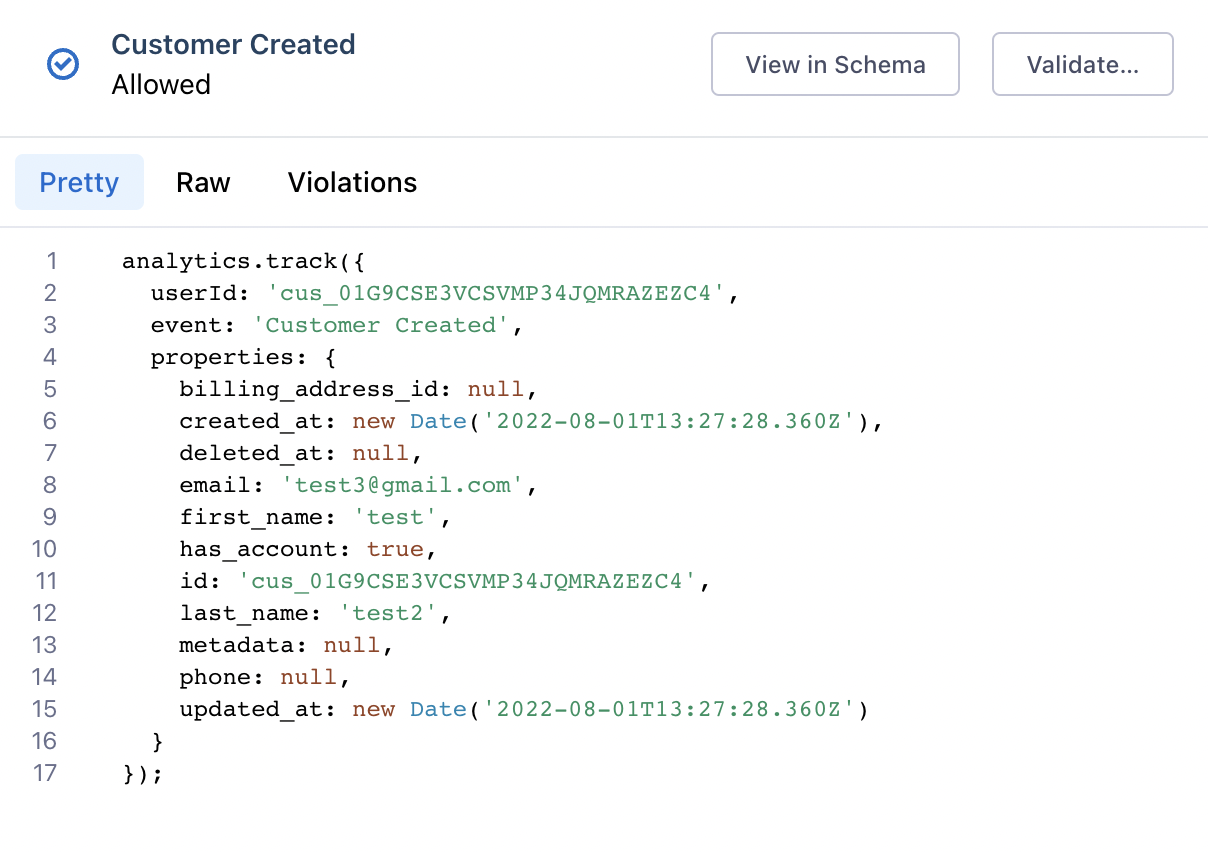
After adding the above subscriber, run your backend again if it isn’t running and create a customer using the REST APIs or one of the Medusa storefronts. If you check the Debugger in your Segment source, you should see a new event “Customer Created” tracked. If you click on it, you’ll see the data you passed to the track method.