 0a37675f0e
- Add a new homepage to `book` project for the routing page
- Move all main doc pages to be under `/v2/learn` (and added redirects + fixed links across docs)
- Other: add admin components to resources dropdown + fixes to search on mobile.

Closes DX-955

Preview: https://docs-v2-git-docs-router-page-medusajs.vercel.app/v2
26 lines
1.1 KiB
Plaintext
26 lines
1.1 KiB
Plaintext
export const metadata = {
|
|
title: `${pageNumber} Build Custom Features`,
|
|
}
|
|
|
|
# {metadata.title}
|
|
|
|
In this chapter, you'll learn about the concepts you need to build custom features in your Medusa application.
|
|
|
|
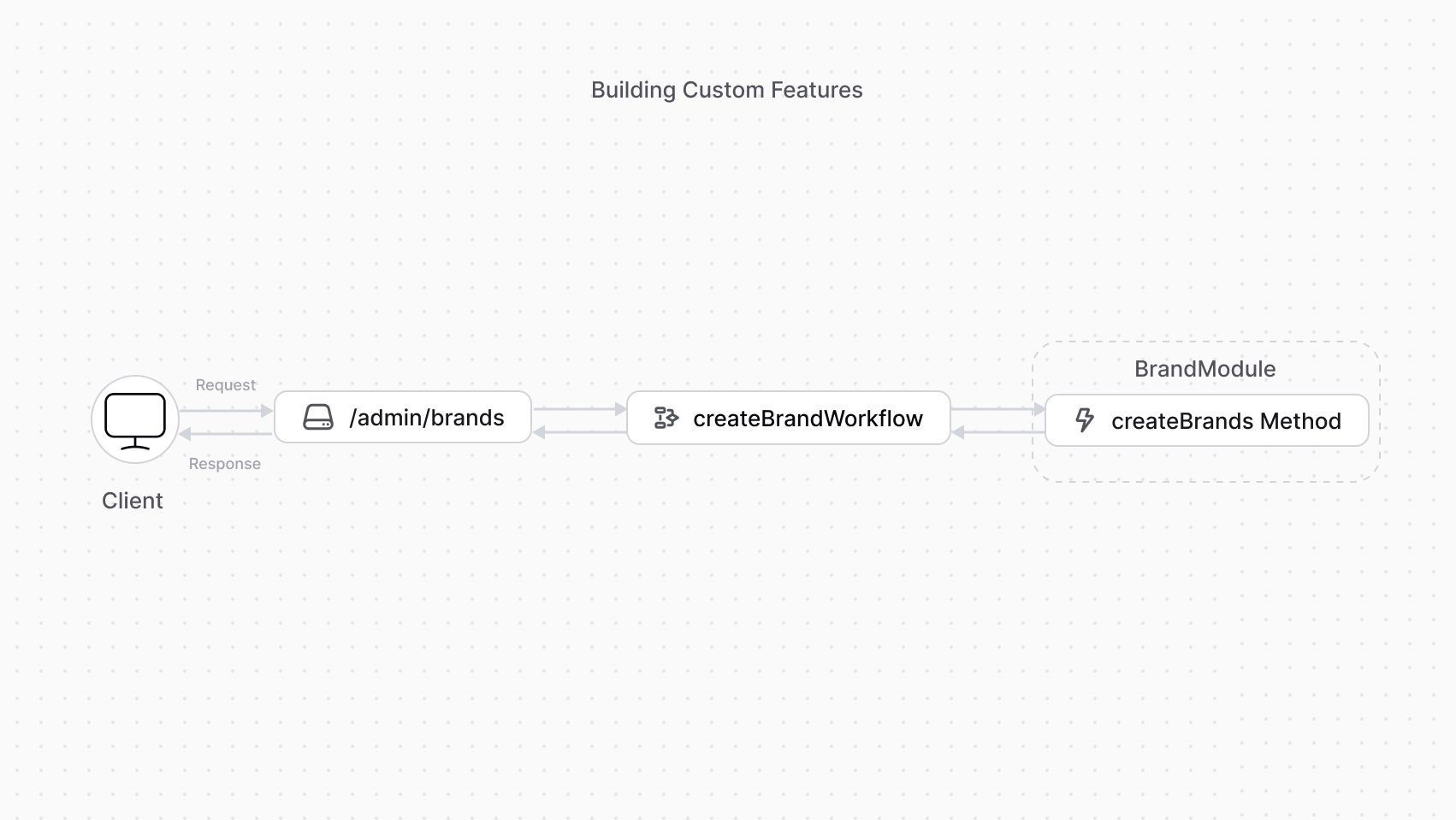
To add a custom feature to your application, you create:
|
|
|
|
1. A module with data models and a main service to manage them.
|
|
2. A workflow to create, update, and delete records of data models. You implement functionalities in a workflow to benefit from features such as roll-back in case of errors, retry configurations, and more.
|
|
3. An API route that exposes the workflow's functionality to clients, such as the storefront or admin dashboard.
|
|
|
|
|
|
|
|
---
|
|
|
|
## Next Chapters: Brand Module Example
|
|
|
|
In the next chapters, you'll follow an example to:
|
|
|
|
1. Add a Brand Module that creates a `Brand` data model and provides data-management features.
|
|
2. Add a workflow to create a brand.
|
|
3. Expose an API route that allows admin users to create a brand using the workflow.
|