
123 lines
3.5 KiB
Plaintext
123 lines
3.5 KiB
Plaintext
---
|
||
sidebar_label: "Authentication Flows"
|
||
---
|
||
|
||
export const metadata = {
|
||
title: `Authentication Flows with the Auth Main Service`,
|
||
}
|
||
|
||
# {metadata.title}
|
||
|
||
In this document, you'll learn how to use the Auth Module's main service's methods to implement an authentication flow.
|
||
|
||
## Authentication Methods
|
||
|
||
### Register
|
||
|
||
The [register method of the Auth Module's main service](/references/auth/register) creates an auth identity that can be authenticated later.
|
||
|
||
For example:
|
||
|
||
```ts
|
||
const data = await authModuleService.register(
|
||
"emailpass",
|
||
// passed to auth provider
|
||
{
|
||
// ...
|
||
}
|
||
)
|
||
```
|
||
|
||
This method calls the `register` method of the provider specified in the first parameter and returns its data.
|
||
|
||
### Authenticate
|
||
|
||
To authenticate a user, you use the [authenticate method of the Auth Module's main service](/references/auth/authenticate). For example:
|
||
|
||
```ts
|
||
const data = await authModuleService.authenticate(
|
||
"emailpass",
|
||
// passed to auth provider
|
||
{
|
||
// ...
|
||
}
|
||
)
|
||
```
|
||
|
||
This method calls the `authenticate` method of the provider specified in the first parameter and returns its data.
|
||
|
||
---
|
||
|
||
## Auth Flow 1: Basic Authentication
|
||
|
||
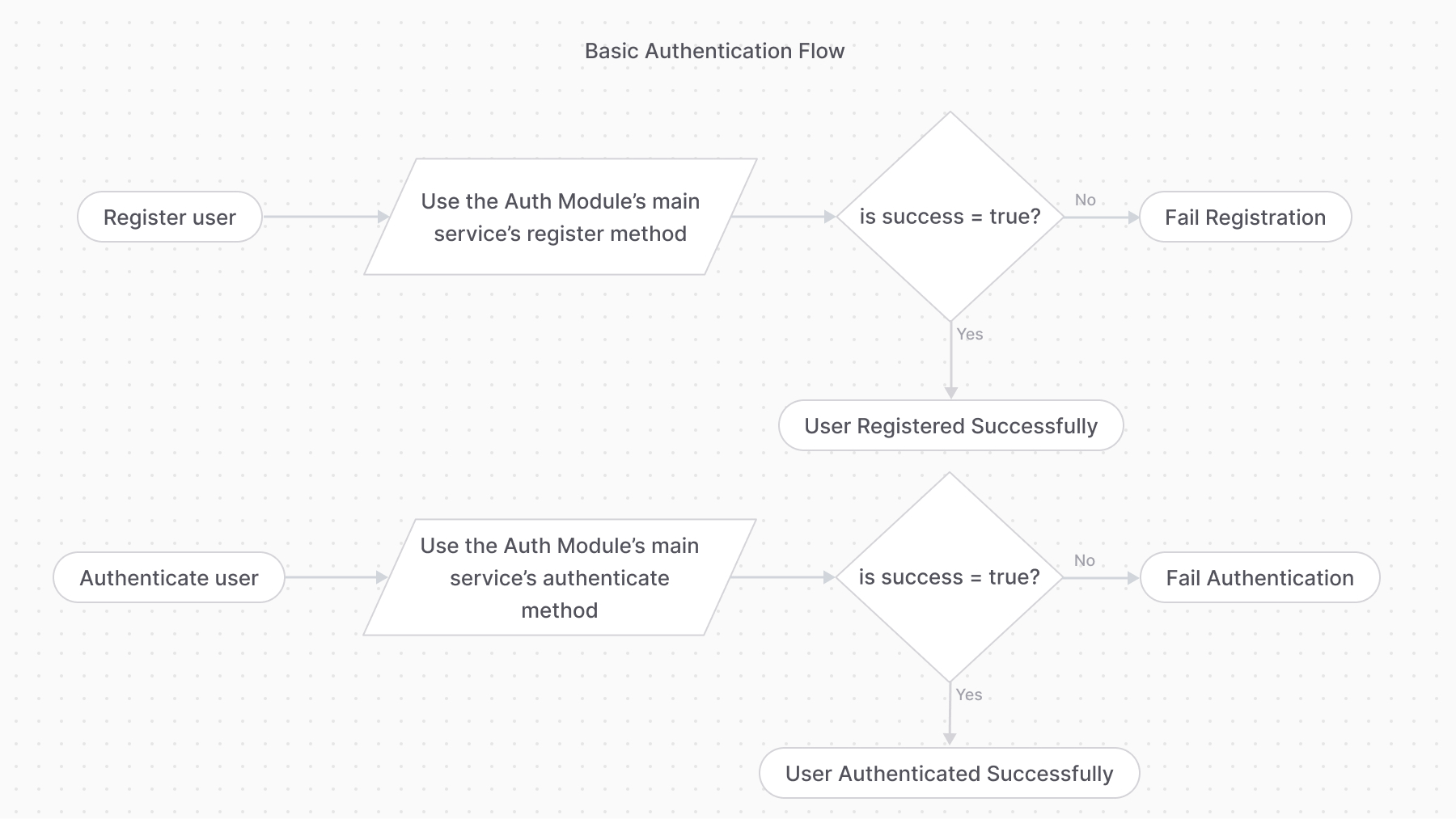
The basic authentication flow requires first using the `register` method, then the `authenticate` method.
|
||
|
||
If the `authenticate` method returns the following object:
|
||
|
||
```ts
|
||
data = {
|
||
success: true,
|
||
authIdentity: {
|
||
// ...
|
||
},
|
||
}
|
||
```
|
||
|
||
Then, the user is authenticated successfully, and their authentication details are available within the `authIdentity` object.
|
||
|
||
<Note>
|
||
|
||
Check out the [AuthIdentity](/references/auth/models/AuthIdentity) reference for the expected properties in `authIdentity`.
|
||
|
||
</Note>
|
||
|
||
|
||
|
||
---
|
||
|
||
## Auth Flow 2: Third-Party Service Authentication
|
||
|
||
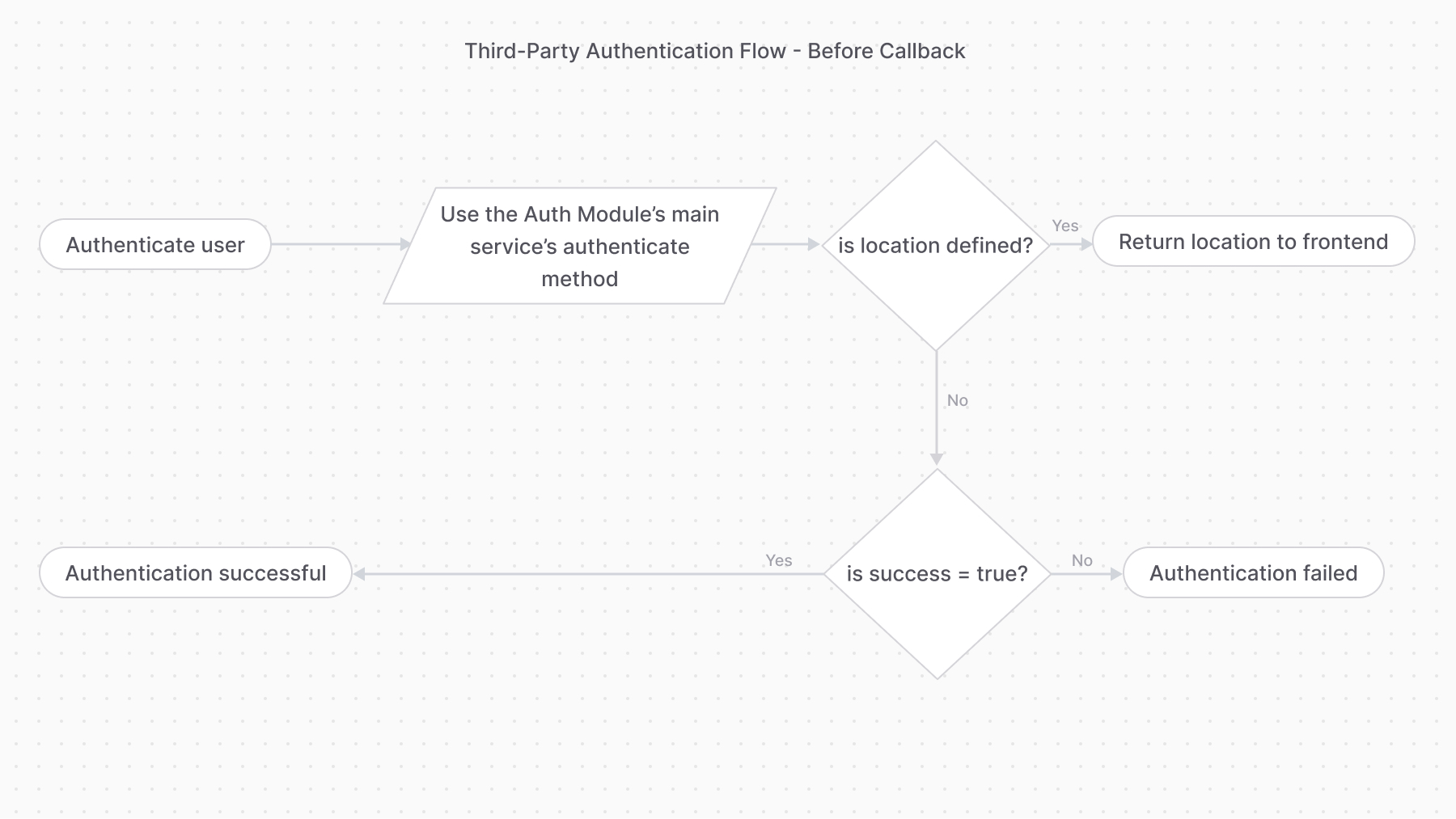
The third-party service authentication method requires using the `authenticate` method first.
|
||
|
||
If the `authenticate` method returns the following object:
|
||
|
||
```ts
|
||
data = {
|
||
success: true,
|
||
location: "https://....",
|
||
}
|
||
```
|
||
|
||
It means the authentication process requires the user to perform an action with a third-party service. For example, when using the `google` provider, the user goes to the URL specified in the `location`'s value to log in with their Google account.
|
||
|
||
|
||
|
||
### validateCallback
|
||
|
||
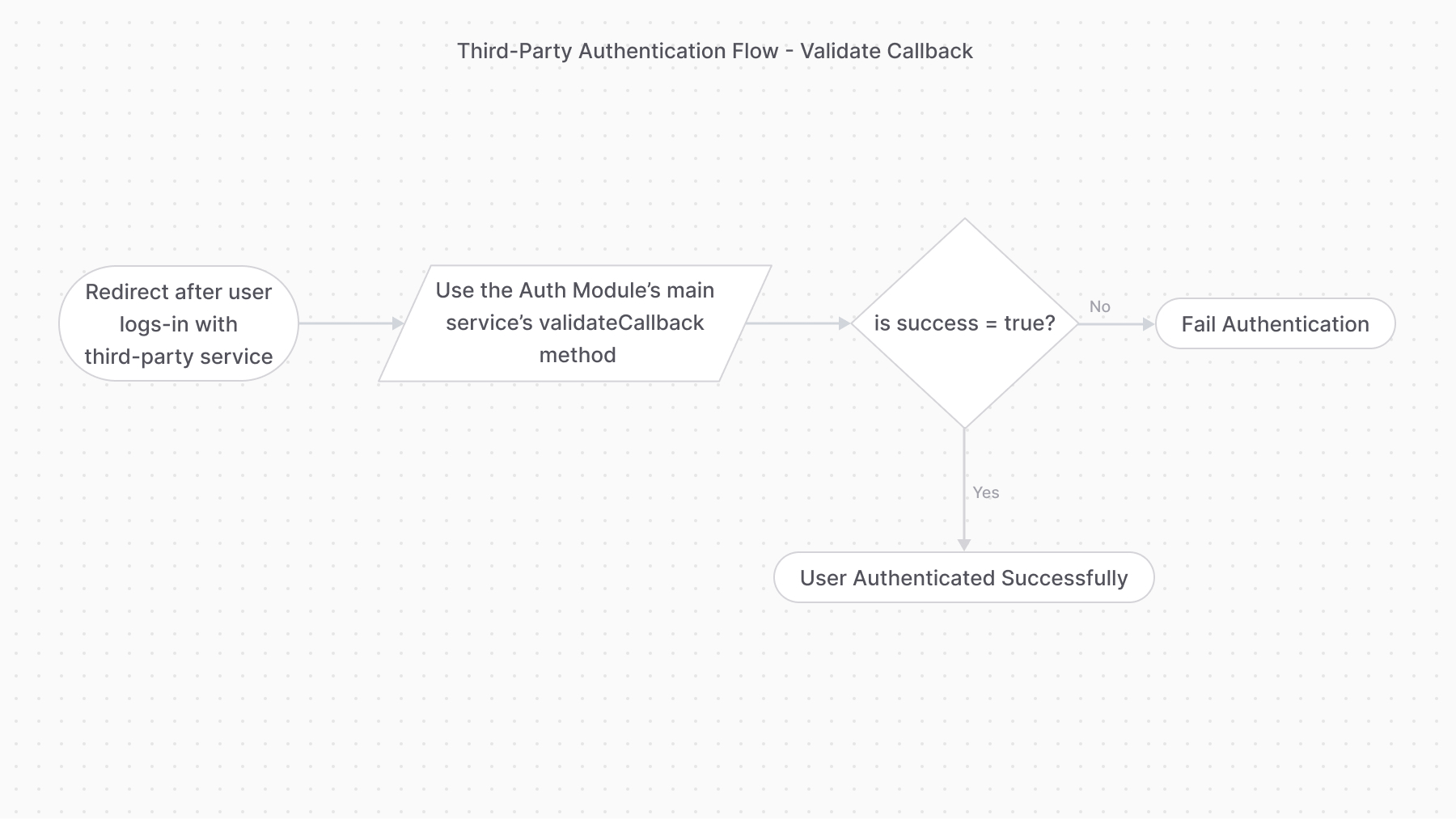
Providers handling this authentication flow must implement the `validateCallback` method. It implements the logic to validate the authentication with the third-party service.
|
||
|
||
So, once the user performs the required action, the third-party service must redirect to an API route that uses the [validateCallback method of the Auth Module's main service](/references/auth/validateCallback). The method calls the specified provider’s `validateCallback` method passing it the authentication details it received in the second parameter:
|
||
|
||
```ts
|
||
const data = await authModuleService.validateCallback(
|
||
"google",
|
||
// passed to auth provider
|
||
{
|
||
// ...
|
||
}
|
||
)
|
||
```
|
||
|
||
If the authentication is successful, the `validateCallback` method returns the same data as the basic authentication:
|
||
|
||
```ts
|
||
data = {
|
||
success: true,
|
||
authIdentity: {
|
||
// ...
|
||
},
|
||
}
|
||
```
|
||
|
||
|