
3146 lines
116 KiB
Plaintext
3146 lines
116 KiB
Plaintext
---
|
|
sidebar_label: "Integrate Contentful"
|
|
tags:
|
|
- server
|
|
- name: product
|
|
label: "Localization with Contentful"
|
|
- tutorial
|
|
products:
|
|
- product
|
|
---
|
|
|
|
import { Card, Prerequisites, Details, WorkflowDiagram } from "docs-ui"
|
|
import { Github, PlaySolid } from "@medusajs/icons"
|
|
|
|
export const ogImage = "https://res.cloudinary.com/dza7lstvk/image/upload/v1746006829/Medusa%20Resources/localization_dtiqtb.jpg"
|
|
|
|
export const metadata = {
|
|
title: `Implement Localization in Medusa by Integrating Contentful`,
|
|
openGraph: {
|
|
images: [
|
|
{
|
|
url: ogImage,
|
|
width: 1600,
|
|
height: 900,
|
|
type: "image/jpeg"
|
|
}
|
|
],
|
|
},
|
|
twitter: {
|
|
images: [
|
|
{
|
|
url: ogImage,
|
|
width: 1600,
|
|
height: 900,
|
|
type: "image/jpeg"
|
|
}
|
|
]
|
|
}
|
|
}
|
|
|
|
# {metadata.title}
|
|
|
|
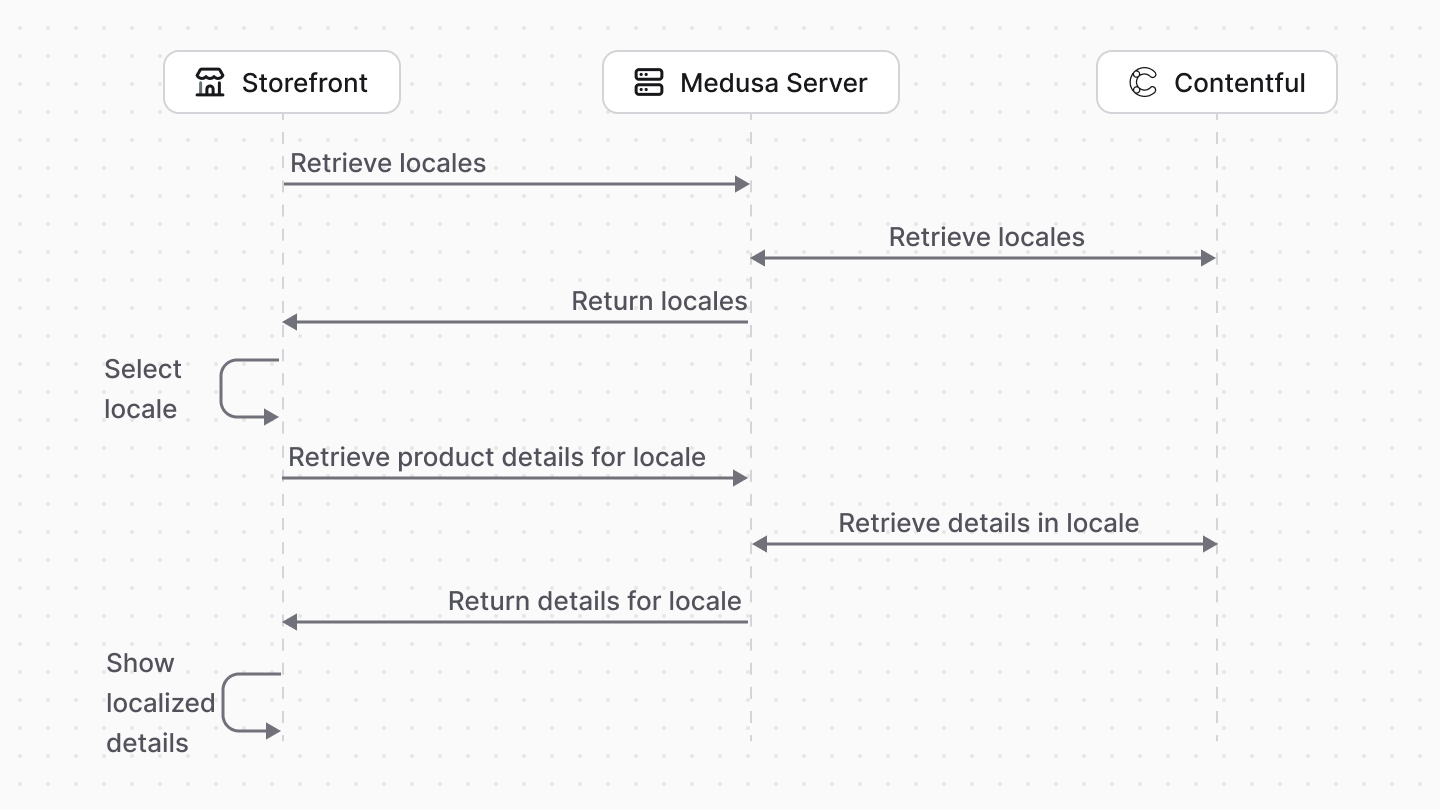
In this tutorial, you'll learn how to localize your Medusa store's data with Contentful.
|
|
|
|
When you install a Medusa application, you get a fully-fledged commerce platform with a Framework for customization. While Medusa provides features essential for internationalization, such as support for multiple [regions](../../../commerce-modules/region/page.mdx) and [currencies](../../../commerce-modules/currency/page.mdx), it doesn't provide content localization.
|
|
|
|
However, Medusa's architecture supports the integration of third-party services to provide additional features, such as data localization. One service you can integrate is [Contentful](https://www.contentful.com/), a headless content management system (CMS) that allows you to manage and deliver content across multiple channels.
|
|
|
|
## Summary
|
|
|
|
By following this tutorial, you'll learn how to:
|
|
|
|
- Install and set up Medusa.
|
|
- Integrate Contentful with Medusa.
|
|
- Create content types in Contentful for Medusa models.
|
|
- Trigger syncing products and related data to Contentful when:
|
|
- A product is created.
|
|
- The admin user triggers syncing the products.
|
|
- Customize the [Next.js Starter Storefront](../../../nextjs-starter/page.mdx) to fetch localized data from Contentful through Medusa.
|
|
- Listen to webhook events in Contentful to update Medusa's data accordingly.
|
|
|
|
You can follow this tutorial whether you're new to Medusa or an advanced Medusa developer.
|
|
|
|
|
|
|
|
<CardList items={[
|
|
{
|
|
href: "https://github.com/medusajs/examples/tree/main/localization-contentful",
|
|
title: "Tutorial Repository",
|
|
text: "Find the full code for this guide in this repository.",
|
|
icon: Github,
|
|
},
|
|
{
|
|
href: "https://res.cloudinary.com/dza7lstvk/raw/upload/v1744790686/OpenApi/Contentful_jysc07.yaml",
|
|
title: "OpenApi Specs for Postman",
|
|
text: "Import this OpenApi Specs file into tools like Postman.",
|
|
icon: PlaySolid,
|
|
},
|
|
]} />
|
|
|
|
---
|
|
|
|
## Step 1: Install a Medusa Application
|
|
|
|
<Prerequisites items={[
|
|
{
|
|
text: "Node.js v20+",
|
|
link: "https://nodejs.org/en/download"
|
|
},
|
|
{
|
|
text: "Git CLI tool",
|
|
link: "https://git-scm.com/downloads"
|
|
},
|
|
{
|
|
text: "PostgreSQL",
|
|
link: "https://www.postgresql.org/download/"
|
|
}
|
|
]} />
|
|
|
|
Start by installing the Medusa application on your machine with the following command:
|
|
|
|
```bash
|
|
npx create-medusa-app@latest
|
|
```
|
|
|
|
First, you'll be asked for the project's name. Then, when prompted about installing the [Next.js Starter Storefront](../../../nextjs-starter/page.mdx), choose "Yes."
|
|
|
|
Afterwards, the installation process will start, which will install the Medusa application in a directory with your project's name and the Next.js Starter Storefront in a separate directory named `{project-name}-storefront`.
|
|
|
|
<Note title="Why is the storefront installed separately?">
|
|
|
|
The Medusa application is composed of a headless Node.js server and an admin dashboard. The storefront is installed or custom-built separately and connects to the Medusa application through its REST endpoints, called [API routes](!docs!/learn/fundamentals/api-routes). Learn more in [Medusa's Architecture documentation](!docs!/learn/introduction/architecture).
|
|
|
|
</Note>
|
|
|
|
Once the installation finishes successfully, the Medusa Admin dashboard will open with a form to create a new user. Enter the user's credentials and submit the form. Afterwards, you can log in with the new user and explore the dashboard.
|
|
|
|
<Note title="Ran into Errors?">
|
|
|
|
Check out the [troubleshooting guides](../../../troubleshooting/create-medusa-app-errors/page.mdx) for help.
|
|
|
|
</Note>
|
|
|
|
---
|
|
|
|
## Step 2: Create Contentful Module
|
|
|
|
To integrate third-party services into Medusa, you create a module. A [module](!docs!/learn/fundamentals/modules) is a reusable package that provides functionalities related to a single feature or domain. Medusa integrates the module into your application without implications or side effects on your setup.
|
|
|
|
In this step, you'll create a module that provides the necessary functionalities to integrate Contentful with Medusa.
|
|
|
|
<Note>
|
|
|
|
Refer to the [Modules](!docs!/learn/fundamentals/modules) documentation to learn more about modules and their structure.
|
|
|
|
</Note>
|
|
|
|
### Install Contentful SDKs
|
|
|
|
Before building the module, you need to install Contentful's management and delivery JS SDKs. So, run the following command in the Medusa application's directory:
|
|
|
|
```bash npm2yarn
|
|
npm install contentful contentful-management
|
|
```
|
|
|
|
Where `contentful` is the delivery SDK and `contentful-management` is the management SDK.
|
|
|
|
### Create Module Directory
|
|
|
|
A module is created under the `src/modules` directory of your Medusa application. So, create the directory `src/modules/contentful`.
|
|
|
|
### Create Loader
|
|
|
|
When the Medusa application starts, you want to establish a connection to Contentful, then create the necessary content types if they don't exist in Contentful.
|
|
|
|
A module can specify a task to run on the Medusa application's startup using [loaders](!docs!/learn/fundamentals/modules/loaders). A loader is an asynchronous function that a module exports. Then, when the Medusa application starts, it runs the loader. The loader can be used to perform one-time tasks such as connecting to a database, creating content types, or initializing data.
|
|
|
|
<Note>
|
|
|
|
Refer to the [Loaders](!docs!/learn/fundamentals/modules/loaders) documentation to learn more about how loaders work and when to use them.
|
|
|
|
</Note>
|
|
|
|
Loaders are created in a TypeScript or JavaScript file under the `loaders` directory of a module. So, create the file `src/modules/contentful/loader/create-content-models.ts` with the following content:
|
|
|
|
export const loaderHighlights = [
|
|
["8", "ModuleOptions", "The type of options that the module expects."],
|
|
["17", "container", "The module's container, which is a\nregistry of resources available to the module."],
|
|
["18", "options", "The options passed to the module."],
|
|
["20", "if", "Validate that the module's options are valid."],
|
|
["30", "resolve", "Resolve a resource from the module's container."],
|
|
["33", "createClient", "Create a Contentful management client."],
|
|
["43", "createDeliveryClient", "Create a Contentful delivery client."],
|
|
]
|
|
|
|
```ts title="src/modules/contentful/loader/create-content-models.ts" highlights={loaderHighlights}
|
|
import { LoaderOptions } from "@medusajs/framework/types"
|
|
import { asValue } from "@medusajs/framework/awilix"
|
|
import { createClient } from "contentful-management"
|
|
import { MedusaError } from "@medusajs/framework/utils"
|
|
|
|
const { createClient: createDeliveryClient } = require("contentful")
|
|
|
|
export type ModuleOptions = {
|
|
management_access_token: string
|
|
delivery_token: string
|
|
space_id: string
|
|
environment: string
|
|
default_locale?: string
|
|
}
|
|
|
|
export default async function syncContentModelsLoader({
|
|
container,
|
|
options,
|
|
}: LoaderOptions<ModuleOptions>) {
|
|
if (
|
|
!options?.management_access_token || !options?.delivery_token ||
|
|
!options?.space_id || !options?.environment
|
|
) {
|
|
throw new MedusaError(
|
|
MedusaError.Types.INVALID_DATA,
|
|
"Contentful access token, space ID and environment are required"
|
|
)
|
|
}
|
|
|
|
const logger = container.resolve("logger")
|
|
|
|
try {
|
|
const managementClient = createClient({
|
|
accessToken: options.management_access_token,
|
|
}, {
|
|
type: "plain",
|
|
defaults: {
|
|
spaceId: options.space_id,
|
|
environmentId: options.environment,
|
|
},
|
|
})
|
|
|
|
const deliveryClient = createDeliveryClient({
|
|
accessToken: options.delivery_token,
|
|
space: options.space_id,
|
|
environment: options.environment,
|
|
})
|
|
|
|
|
|
// TODO try to create content types
|
|
|
|
} catch (error) {
|
|
logger.error(
|
|
`Failed to connect to Contentful: ${error}`
|
|
)
|
|
throw error
|
|
}
|
|
}
|
|
```
|
|
|
|
The loader file exports an asynchronous function that accepts an object having the following properties:
|
|
|
|
- `container`: The [Module container](!docs!/learn/fundamentals/modules/container), which is a registry of resources available to the module. You can use it to resolve or register resources in the module's container.
|
|
- `options`: An object of options passed to the module. These options are useful to pass secrets or options that may change per environment. You'll learn how to pass these options later.
|
|
- The Contentful Module expects the options to include the Contentful tokens for the management and delivery APIs, the space ID, environment, and optionally the default locale to use.
|
|
|
|
In the loader function, you validate the options passed to the module, and throw an error if they're invalid. Then, you resolve from the Module's container the [Logger](!docs!/learn/debugging-and-testing/logging) used to log messages in the terminal.
|
|
|
|
Finally, you create clients for Contentful's management and delivery APIs, passing them the necessary module's options. If the connection fails, an error is thrown, which is handled in the `catch` block.
|
|
|
|
#### Create Content Types
|
|
|
|
In the loader, you need to create content types in Contentful if they don't already exist.
|
|
|
|
In this tutorial, you'll only create content types for a product and its variants and options. However, you can create content types for other data models, such as categories or collections, by following the same approach.
|
|
|
|
<Note title="Tip">
|
|
|
|
You can learn more about the product-related data models, which the content types are based on, in the [Product Module's Data Models](/references/product/models) reference.
|
|
|
|
</Note>
|
|
|
|
To create the content type for products, replace the `TODO` in the loader with the following:
|
|
|
|
```ts title="src/modules/contentful/loader/create-content-models.ts"
|
|
// Try to create the product content type
|
|
try {
|
|
await managementClient.contentType.get({
|
|
contentTypeId: "product",
|
|
})
|
|
} catch (error) {
|
|
const productContentType = await managementClient.contentType.createWithId({
|
|
contentTypeId: "product",
|
|
}, {
|
|
name: "Product",
|
|
description: "Product content type synced from Medusa",
|
|
displayField: "title",
|
|
fields: [
|
|
{
|
|
id: "title",
|
|
name: "Title",
|
|
type: "Symbol",
|
|
required: true,
|
|
localized: true,
|
|
},
|
|
{
|
|
id: "handle",
|
|
name: "Handle",
|
|
type: "Symbol",
|
|
required: true,
|
|
localized: false,
|
|
},
|
|
{
|
|
id: "medusaId",
|
|
name: "Medusa ID",
|
|
type: "Symbol",
|
|
required: true,
|
|
localized: false,
|
|
},
|
|
{
|
|
type: "RichText",
|
|
name: "description",
|
|
id: "description",
|
|
validations: [
|
|
{
|
|
enabledMarks: [
|
|
"bold",
|
|
"italic",
|
|
"underline",
|
|
"code",
|
|
"superscript",
|
|
"subscript",
|
|
"strikethrough",
|
|
],
|
|
},
|
|
{
|
|
enabledNodeTypes: [
|
|
"heading-1",
|
|
"heading-2",
|
|
"heading-3",
|
|
"heading-4",
|
|
"heading-5",
|
|
"heading-6",
|
|
"ordered-list",
|
|
"unordered-list",
|
|
"hr",
|
|
"blockquote",
|
|
"embedded-entry-block",
|
|
"embedded-asset-block",
|
|
"table",
|
|
"asset-hyperlink",
|
|
"embedded-entry-inline",
|
|
"entry-hyperlink",
|
|
"hyperlink",
|
|
],
|
|
},
|
|
{
|
|
nodes: {},
|
|
},
|
|
],
|
|
localized: true,
|
|
required: true,
|
|
},
|
|
{
|
|
type: "Symbol",
|
|
name: "subtitle",
|
|
id: "subtitle",
|
|
localized: true,
|
|
required: false,
|
|
validations: [],
|
|
},
|
|
{
|
|
type: "Array",
|
|
items: {
|
|
type: "Link",
|
|
linkType: "Asset",
|
|
validations: [],
|
|
},
|
|
name: "images",
|
|
id: "images",
|
|
localized: true,
|
|
required: false,
|
|
validations: [],
|
|
},
|
|
{
|
|
id: "productVariants",
|
|
name: "Product Variants",
|
|
type: "Array",
|
|
localized: false,
|
|
required: false,
|
|
items: {
|
|
type: "Link",
|
|
validations: [
|
|
{
|
|
linkContentType: ["productVariant"],
|
|
},
|
|
],
|
|
linkType: "Entry",
|
|
},
|
|
disabled: false,
|
|
omitted: false,
|
|
},
|
|
{
|
|
id: "productOptions",
|
|
name: "Product Options",
|
|
type: "Array",
|
|
localized: false,
|
|
required: false,
|
|
items: {
|
|
type: "Link",
|
|
validations: [
|
|
{
|
|
linkContentType: ["productOption"],
|
|
},
|
|
],
|
|
linkType: "Entry",
|
|
},
|
|
disabled: false,
|
|
omitted: false,
|
|
},
|
|
],
|
|
})
|
|
|
|
await managementClient.contentType.publish({
|
|
contentTypeId: "product",
|
|
}, productContentType)
|
|
}
|
|
|
|
// TODO create product variant content type
|
|
```
|
|
|
|
In the above snippet, you first try to retrieve the product content type using Contentful's Management APIs. If the content type doesn't exist, an error is thrown, which you handle in the `catch` block.
|
|
|
|
In the `catch` block, you create the product content type with the following fields:
|
|
|
|
- `title`: The product's title, which is a localized field.
|
|
- `handle`: The product's handle, which is used to create a human-readable URL for the product in the storefront.
|
|
- `medusaId`: The product's ID in Medusa, which is a non-localized field. You'll store in this field the ID of the product in Medusa.
|
|
- `description`: The product's description, which is a localized rich-text field.
|
|
- `subtitle`: The product's subtitle, which is a localized field.
|
|
- `images`: The product's images, which is a localized array of assets in Contentful.
|
|
- `productVariants`: The product's variants, which is an array that references content of the `productVariant` content type.
|
|
- `productOptions`: The product's options, which is an array that references content of the `productOption` content type.
|
|
|
|
Next, you'll create the `productVariant` content type that represents a product's variant. A variant is a combination of the product's options that customers can purchase. For example, a "red" shirt is a variant whose color option is `red`.
|
|
|
|
To create the variant content type, replace the new `TODO` with the following:
|
|
|
|
```ts title="src/modules/contentful/loader/create-content-models.ts"
|
|
// Try to create the product variant content type
|
|
try {
|
|
await managementClient.contentType.get({
|
|
contentTypeId: "productVariant",
|
|
})
|
|
} catch (error) {
|
|
const productVariantContentType = await managementClient.contentType.createWithId({
|
|
contentTypeId: "productVariant",
|
|
}, {
|
|
name: "Product Variant",
|
|
description: "Product variant content type synced from Medusa",
|
|
displayField: "title",
|
|
fields: [
|
|
{
|
|
id: "title",
|
|
name: "Title",
|
|
type: "Symbol",
|
|
required: true,
|
|
localized: true,
|
|
},
|
|
{
|
|
id: "product",
|
|
name: "Product",
|
|
type: "Link",
|
|
required: true,
|
|
localized: false,
|
|
validations: [
|
|
{
|
|
linkContentType: ["product"],
|
|
},
|
|
],
|
|
disabled: false,
|
|
omitted: false,
|
|
linkType: "Entry",
|
|
},
|
|
{
|
|
id: "medusaId",
|
|
name: "Medusa ID",
|
|
type: "Symbol",
|
|
required: true,
|
|
localized: false,
|
|
},
|
|
{
|
|
id: "productOptionValues",
|
|
name: "Product Option Values",
|
|
type: "Array",
|
|
localized: false,
|
|
required: false,
|
|
items: {
|
|
type: "Link",
|
|
validations: [
|
|
{
|
|
linkContentType: ["productOptionValue"],
|
|
},
|
|
],
|
|
linkType: "Entry",
|
|
},
|
|
disabled: false,
|
|
omitted: false,
|
|
},
|
|
],
|
|
})
|
|
|
|
await managementClient.contentType.publish({
|
|
contentTypeId: "productVariant",
|
|
}, productVariantContentType)
|
|
}
|
|
|
|
// TODO create product option content type
|
|
```
|
|
|
|
In the above snippet, you create the `productVariant` content type with the following fields:
|
|
|
|
- `title`: The product variant's title, which is a localized field.
|
|
- `product`: References the `product` content type, which is the product that the variant belongs to.
|
|
- `medusaId`: The product variant's ID in Medusa, which is a non-localized field. You'll store in this field the ID of the variant in Medusa.
|
|
- `productOptionValues`: The product variant's option values, which is an array that references content of the `productOptionValue` content type.
|
|
|
|
Then, you'll create the `productOption` content type that represents a product's option, like size or color. Replace the new `TODO` with the following:
|
|
|
|
```ts title="src/modules/contentful/loader/create-content-models.ts"
|
|
// Try to create the product option content type
|
|
try {
|
|
await managementClient.contentType.get({
|
|
contentTypeId: "productOption",
|
|
})
|
|
} catch (error) {
|
|
const productOptionContentType = await managementClient.contentType.createWithId({
|
|
contentTypeId: "productOption",
|
|
}, {
|
|
name: "Product Option",
|
|
description: "Product option content type synced from Medusa",
|
|
displayField: "title",
|
|
fields: [
|
|
{
|
|
id: "title",
|
|
name: "Title",
|
|
type: "Symbol",
|
|
required: true,
|
|
localized: true,
|
|
},
|
|
{
|
|
id: "product",
|
|
name: "Product",
|
|
type: "Link",
|
|
required: true,
|
|
localized: false,
|
|
validations: [
|
|
{
|
|
linkContentType: ["product"],
|
|
},
|
|
],
|
|
disabled: false,
|
|
omitted: false,
|
|
linkType: "Entry",
|
|
},
|
|
{
|
|
id: "medusaId",
|
|
name: "Medusa ID",
|
|
type: "Symbol",
|
|
required: true,
|
|
localized: false,
|
|
},
|
|
{
|
|
id: "values",
|
|
name: "Values",
|
|
type: "Array",
|
|
required: false,
|
|
localized: false,
|
|
items: {
|
|
type: "Link",
|
|
validations: [
|
|
{
|
|
linkContentType: ["productOptionValue"],
|
|
},
|
|
],
|
|
linkType: "Entry",
|
|
},
|
|
disabled: false,
|
|
omitted: false,
|
|
},
|
|
],
|
|
})
|
|
|
|
await managementClient.contentType.publish({
|
|
contentTypeId: "productOption",
|
|
}, productOptionContentType)
|
|
}
|
|
|
|
// TODO create product option value content type
|
|
```
|
|
|
|
In the above snippet, you create the `productOption` content type with the following fields:
|
|
|
|
- `title`: The product option's title, which is a localized field.
|
|
- `product`: References the `product` content type, which is the product that the option belongs to.
|
|
- `medusaId`: The product option's ID in Medusa, which is a non-localized field. You'll store in this field the ID of the option in Medusa.
|
|
- `values`: The product option's values, which is an array that references content of the `productOptionValue` content type.
|
|
|
|
Finally, you'll create the `productOptionValue` content type that represents a product's option value, like "red" or "blue" for the color option. A variant references option values.
|
|
|
|
To create the option value content type, replace the new `TODO` with the following:
|
|
|
|
```ts title="src/modules/contentful/loader/create-content-models.ts"
|
|
// Try to create the product option value content type
|
|
try {
|
|
await managementClient.contentType.get({
|
|
contentTypeId: "productOptionValue",
|
|
})
|
|
} catch (error) {
|
|
const productOptionValueContentType = await managementClient.contentType.createWithId({
|
|
contentTypeId: "productOptionValue",
|
|
}, {
|
|
name: "Product Option Value",
|
|
description: "Product option value content type synced from Medusa",
|
|
displayField: "value",
|
|
fields: [
|
|
{
|
|
id: "value",
|
|
name: "Value",
|
|
type: "Symbol",
|
|
required: true,
|
|
localized: true,
|
|
},
|
|
{
|
|
id: "medusaId",
|
|
name: "Medusa ID",
|
|
type: "Symbol",
|
|
required: true,
|
|
localized: false,
|
|
},
|
|
],
|
|
})
|
|
|
|
await managementClient.contentType.publish({
|
|
contentTypeId: "productOptionValue",
|
|
}, productOptionValueContentType)
|
|
}
|
|
|
|
// TODO register clients in container
|
|
```
|
|
|
|
In the above snippet, you create the `productOptionValue` content type with the following fields:
|
|
|
|
- `value`: The product option value, which is a localized field.
|
|
- `medusaId`: The product option value's ID in Medusa, which is a non-localized field. You'll store in this field the ID of the option value in Medusa.
|
|
|
|
You've now created all the necessary content types to localize products.
|
|
|
|
### Register Clients in the Container
|
|
|
|
The last step in the loader is to register the Contentful management and delivery clients in the module's container. This will allow you to resolve and use them in the module's service, which you'll create next.
|
|
|
|
To register resources in the container, you can use its `register` method, which accepts an object containing key-value pairs. The keys are the names of the resources in the container, and the values are the resources themselves.
|
|
|
|
To register the management and delivery clients, replace the last `TODO` in the loader with the following:
|
|
|
|
```ts title="src/modules/contentful/loader/create-content-models.ts"
|
|
container.register({
|
|
contentfulManagementClient: asValue(managementClient),
|
|
contentfulDeliveryClient: asValue(deliveryClient),
|
|
})
|
|
|
|
logger.info("Connected to Contentful")
|
|
```
|
|
|
|
Now, you can resolve the management and delivery clients from the module's container using the keys `contentfulManagementClient` and `contentfulDeliveryClient`, respectively.
|
|
|
|
### Create Service
|
|
|
|
You define a module's functionality in a service. A service is a TypeScript or JavaScript class that the module exports. In the service's methods, you can connect to the database, which is useful if your module defines tables in the database, or perform actions with a third-party service.
|
|
|
|
In this section, you'll create the Contentful Module's service that can be used to retrieve content from Contentful, create content, and more.
|
|
|
|
To create the service, create the file `src/modules/contenful/service.ts` with the following content:
|
|
|
|
export const serviceHighlights = [
|
|
["16", "contentfulManagementClient", "Resolve the Contentful management client from the module's container."],
|
|
["17", "contentfulDeliveryClient", "Resolve the Contentful delivery client from the module's container."],
|
|
["19", "options", "The options passed to the module."],
|
|
["25", "default_locale", "Set the default locale to `en-US`\nif it's not provided in the module's options."],
|
|
]
|
|
|
|
```ts title="src/modules/contentful/service.ts" highlights={serviceHighlights}
|
|
import { ModuleOptions } from "./loader/create-content-models"
|
|
import { PlainClientAPI } from "contentful-management"
|
|
|
|
type InjectedDependencies = {
|
|
contentfulManagementClient: PlainClientAPI;
|
|
contentfulDeliveryClient: any;
|
|
}
|
|
|
|
export default class ContentfulModuleService {
|
|
private managementClient: PlainClientAPI
|
|
private deliveryClient: any
|
|
private options: ModuleOptions
|
|
|
|
constructor(
|
|
{
|
|
contentfulManagementClient,
|
|
contentfulDeliveryClient,
|
|
}: InjectedDependencies,
|
|
options: ModuleOptions
|
|
) {
|
|
this.managementClient = contentfulManagementClient
|
|
this.deliveryClient = contentfulDeliveryClient
|
|
this.options = {
|
|
...options,
|
|
default_locale: options.default_locale || "en-US",
|
|
}
|
|
}
|
|
|
|
// TODO add methods
|
|
}
|
|
```
|
|
|
|
You export a class that will be the Contentful Module's main service. In the class, you define properties for the Contentful clients and options passed to the module.
|
|
|
|
You also add a constructor to the class. A service's constructor accepts the following params:
|
|
|
|
1. The module's container, which you can use to resolve resources. You use it to resolve the Contentful clients you previously registered in the loader.
|
|
2. The options passed to the module.
|
|
|
|
In the constructor, you assign the clients and options to the class properties. You also set the default locale to `en-US` if it's not provided in the module's options.
|
|
|
|
<Note title="Order of Execution">
|
|
|
|
Since the loader is executed on application start-up, if an error occurs while connecting to Contentful, the module will not be registered and the service will not be executed. So, in the service, you're guaranteed that the clients are registered in the container and have successful connection to Contentful.
|
|
|
|
</Note>
|
|
|
|
As you implement the syncing and content retrieval features later, you'll add the necessary methods for them.
|
|
|
|
### Export Module Definition
|
|
|
|
The final piece to a module is its definition, which you export in an `index.ts` file at the module's root directory. This definition tells Medusa the name of the module, its service, and optionally its loaders.
|
|
|
|
To create the module's definition, create the file `src/modules/contentful/index.ts` with the following content:
|
|
|
|
export const moduleHighlights = [
|
|
["5", "CONTENTFUL_MODULE", "The module's name."],
|
|
["8", "service", "The module's service."],
|
|
["9", "loaders", "The module's loaders."],
|
|
]
|
|
|
|
```ts title="src/modules/contentful/index.ts" highlights={moduleHighlights}
|
|
import { Module } from "@medusajs/framework/utils"
|
|
import ContentfulModuleService from "./service"
|
|
import createContentModelsLoader from "./loader/create-content-models"
|
|
|
|
export const CONTENTFUL_MODULE = "contentful"
|
|
|
|
export default Module(CONTENTFUL_MODULE, {
|
|
service: ContentfulModuleService,
|
|
loaders: [
|
|
createContentModelsLoader,
|
|
],
|
|
})
|
|
```
|
|
|
|
You use `Module` from the Modules SDK to create the module's definition. It accepts two parameters:
|
|
|
|
1. The module's name, which is `contentful`.
|
|
2. An object with a required property `service` indicating the module's service. You also pass the loader you created to ensure it's executed when the application starts.
|
|
|
|
Aside from the module definition, you export the module's name as `CONTENTFUL_MODULE` so you can reference it later.
|
|
|
|
### Add Module to Medusa's Configurations
|
|
|
|
Once you finish building the module, add it to Medusa's configurations to start using it.
|
|
|
|
In `medusa-config.ts`, add a `modules` property and pass an array with your custom module:
|
|
|
|
```ts title="medusa-config.ts"
|
|
module.exports = defineConfig({
|
|
// ...
|
|
modules: [
|
|
{
|
|
resolve: "./src/modules/contentful",
|
|
options: {
|
|
management_access_token: process.env.CONTENTFUL_MANAGEMNT_ACCESS_TOKEN,
|
|
delivery_token: process.env.CONTENTFUL_DELIVERY_TOKEN,
|
|
space_id: process.env.CONTENTFUL_SPACE_ID,
|
|
environment: process.env.CONTENTFUL_ENVIRONMENT,
|
|
default_locale: "en-US",
|
|
},
|
|
},
|
|
],
|
|
})
|
|
```
|
|
|
|
Each object in the `modules` array has a `resolve` property, whose value is either a path to the module's directory, or an `npm` package's name.
|
|
|
|
You also pass an `options` property with the module's options, including the Contentful's tokens for the management and delivery APIs, the Contentful's space ID, environment, and default locale.
|
|
|
|
### Note about Locales
|
|
|
|
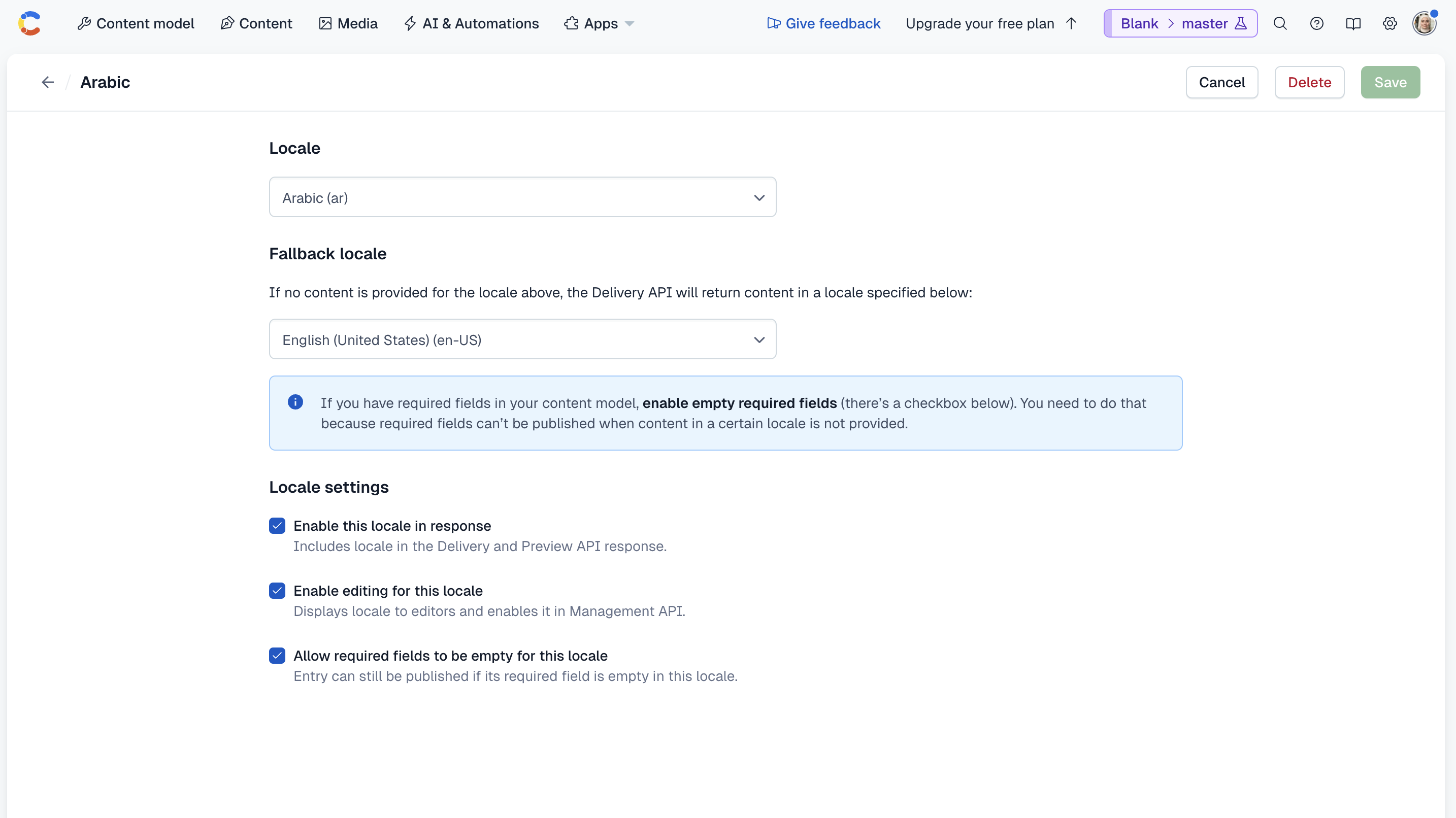
By default, your Contentful space will have one locale (for example, `en-US`). You can add locales as explained in the [Contentful documentation](https://www.contentful.com/help/localization/manage-locales/).
|
|
|
|
When you add a locale, make sure to:
|
|
|
|
- Set the fallback locale to the default locale (for example, `en-US`). This ensure that values are retrieved in the default locale if values for the requested locale are not available.
|
|
- Allow the required fields to be empty for the locale. Otherwise, you'll have to specify the values for the localized fields in each locale when you create the products later.
|
|
|
|
|
|
|
|
### Add Environment Variables
|
|
|
|
Before you can start using the Contentful Module, you need to add the necessary environment variables used in the module's options.
|
|
|
|
Add the following environment variables to your `.env` file:
|
|
|
|
```plain
|
|
CONTENTFUL_MANAGEMNT_ACCESS_TOKEN=CFPAT-...
|
|
CONTENTFUL_DELIVERY_TOKEN=eij...
|
|
CONTENTFUL_SPACE_ID=t2a...
|
|
CONTENTFUL_ENVIRONMENT=master
|
|
```
|
|
|
|
Where:
|
|
|
|
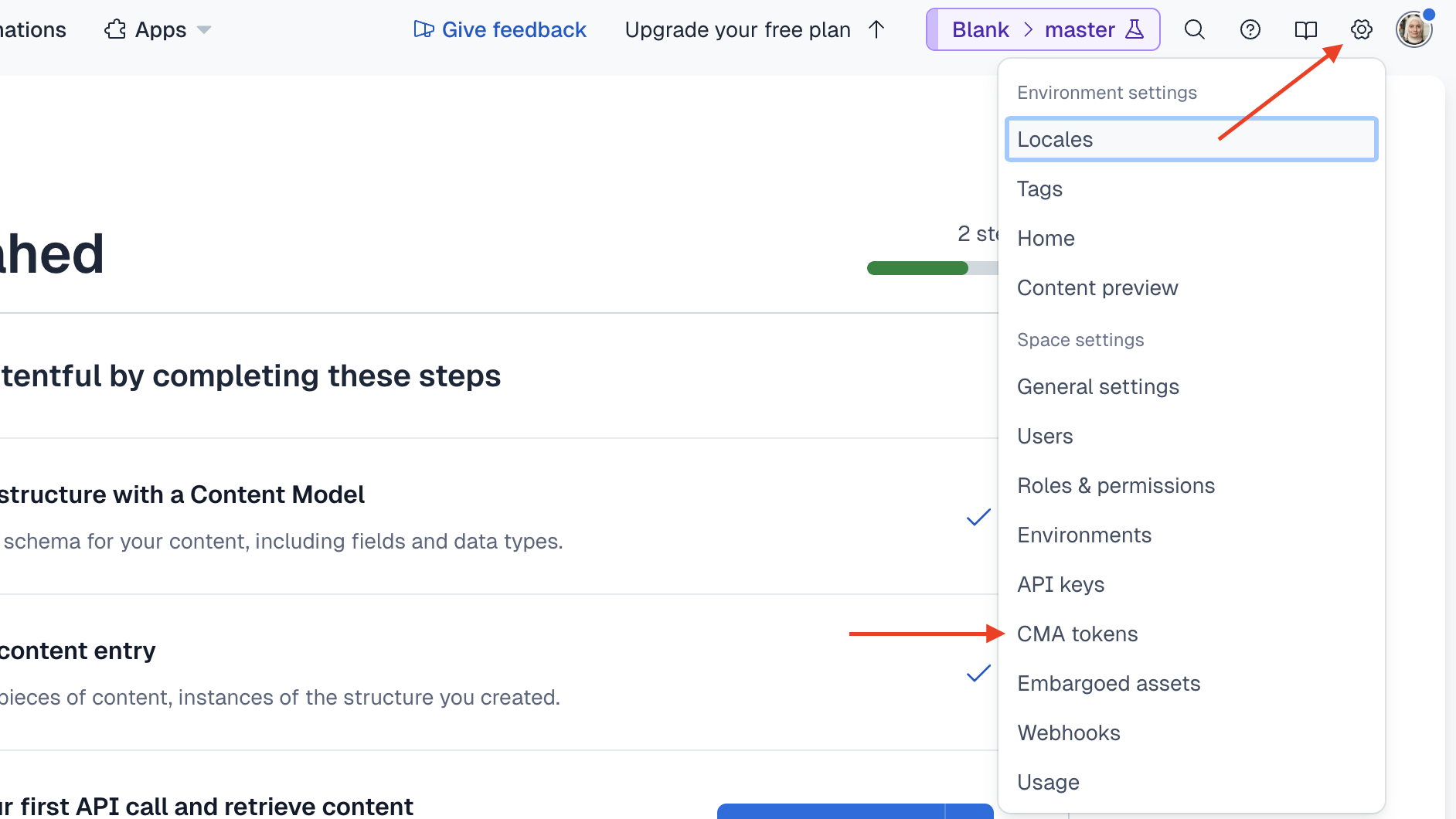
- `CONTENTFUL_MANAGEMNT_ACCESS_TOKEN`: The Contentful management API access token. To create it on the Contentful dashboard:
|
|
- Click on the cog icon at the top right, then choose "CMA tokens" from the dropdown.
|
|
|
|
|
|
|
|
- In the CMA tokens page, click on the "Create personal access token" button.
|
|
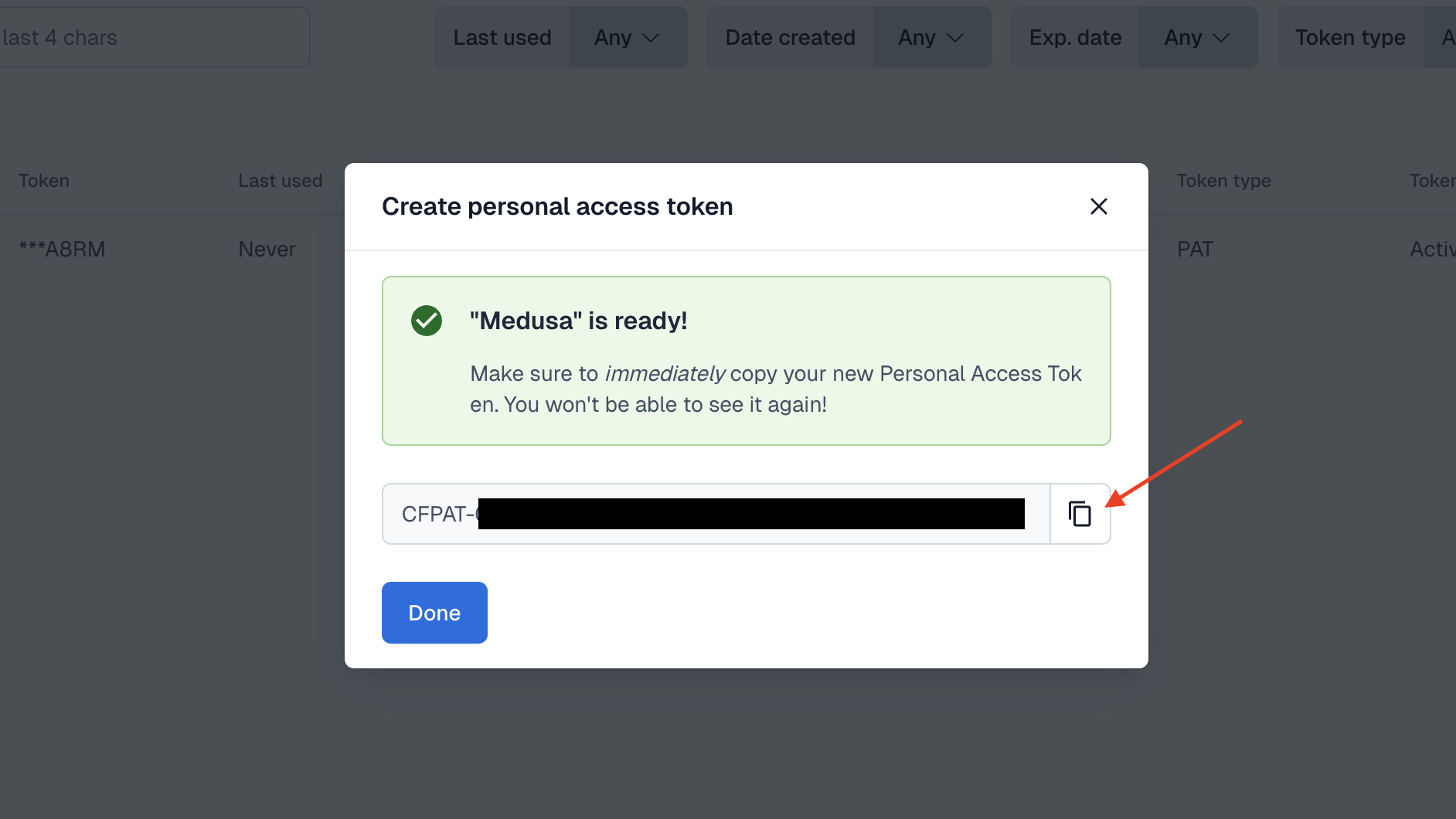
- In the window that pops up, enter a name for the token, and choose an expiry date. Once you're done, click the Generate button.
|
|
- The token is generated and shown in the pop-up. Make sure to copy it and use it in the `.env` file, as you can't access it again.
|
|
|
|
|
|
|
|
- `CONTENTFUL_DELIVERY_TOKEN`: An API token that you can use with the delivery API. To create it on the Contentful dashboard:
|
|
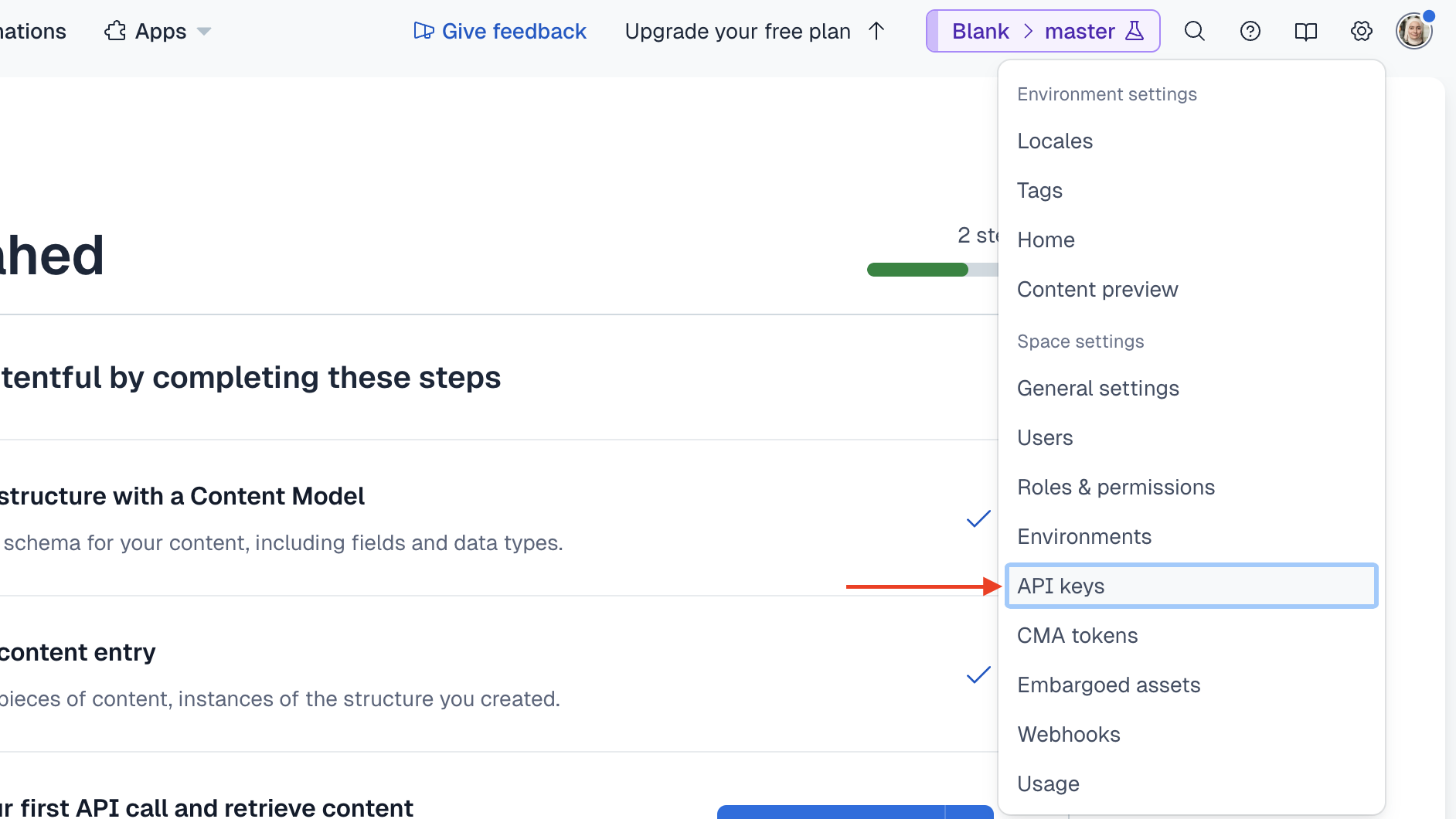
- Click on the cog icon at the top right, then choose "API keys" from the dropdown.
|
|
|
|
|
|
|
|
- In the APIs page, click on the "Add API key" button.
|
|
- In the window that pops up, enter a name for the token, then click the Add API Key button.
|
|
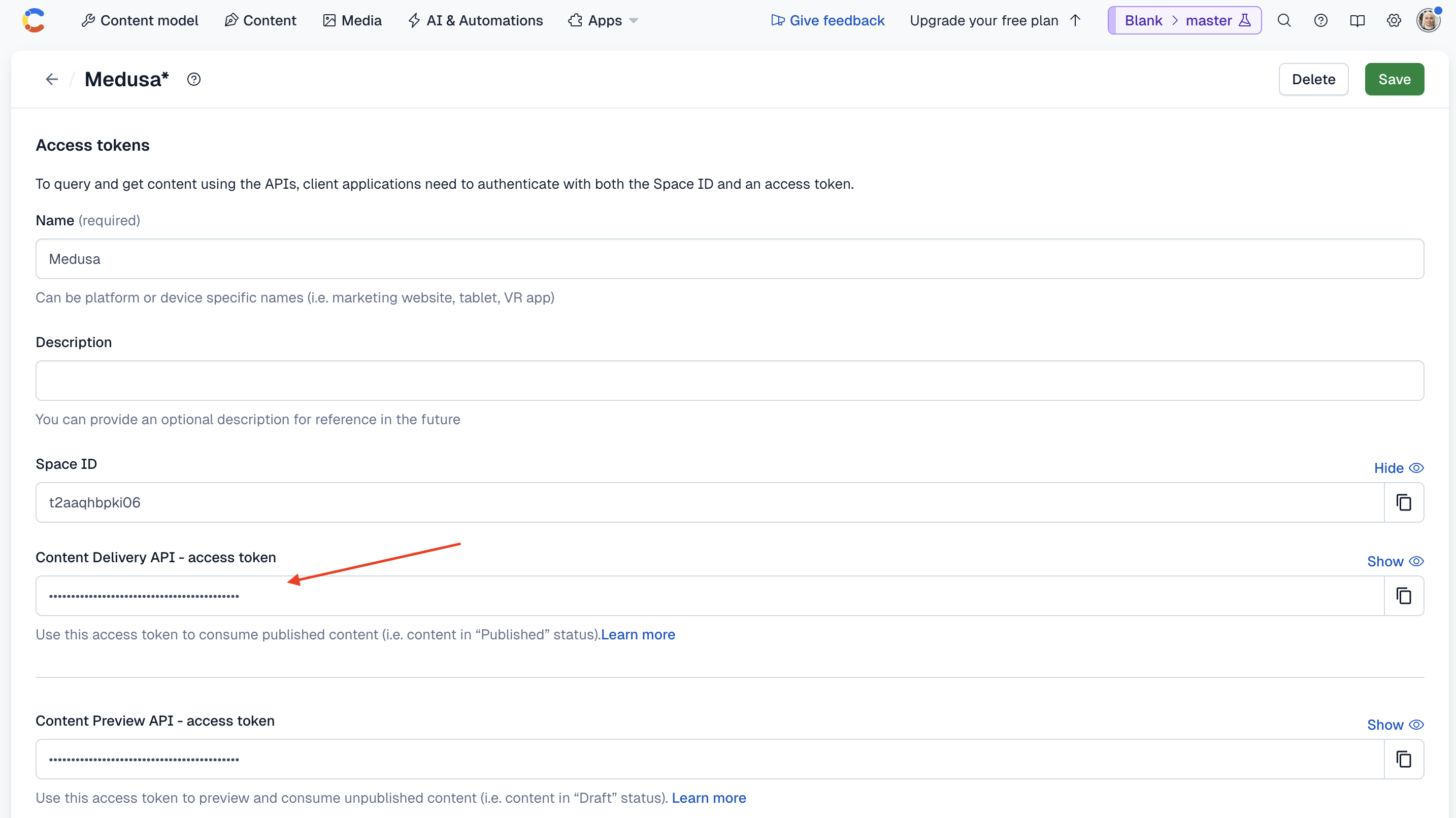
- This will create an API key and opens its page. On its page, copy the token for the "Content Delivery API" and use it as the value for `CONTENTFUL_DELIVERY_TOKEN`.
|
|
|
|
|
|
|
|
- `CONTENTFUL_SPACE_ID`: The ID of your Contentful space. You can copy this from the dashboard's URL which is of the format `https://app.contentful.com/spaces/{space_id}/...`.
|
|
- `CONTENTFUL_ENVIRONMENT`: The environment to manage and retrieve the content in. By default, you have the `master` environment which you can use. However, you can use another Contentful environment that you've created.
|
|
|
|
Your module is now ready for use.
|
|
|
|
### Test the Module
|
|
|
|
To test out the module, you'll start the Medusa application, which will run the module's loader.
|
|
|
|
To start the Medusa application, run the following command:
|
|
|
|
```bash npm2yarn
|
|
npm run dev
|
|
```
|
|
|
|
If the loader ran successfully, you'll see the following message in the terminal:
|
|
|
|
```bash
|
|
info: Connected to Contentful
|
|
```
|
|
|
|
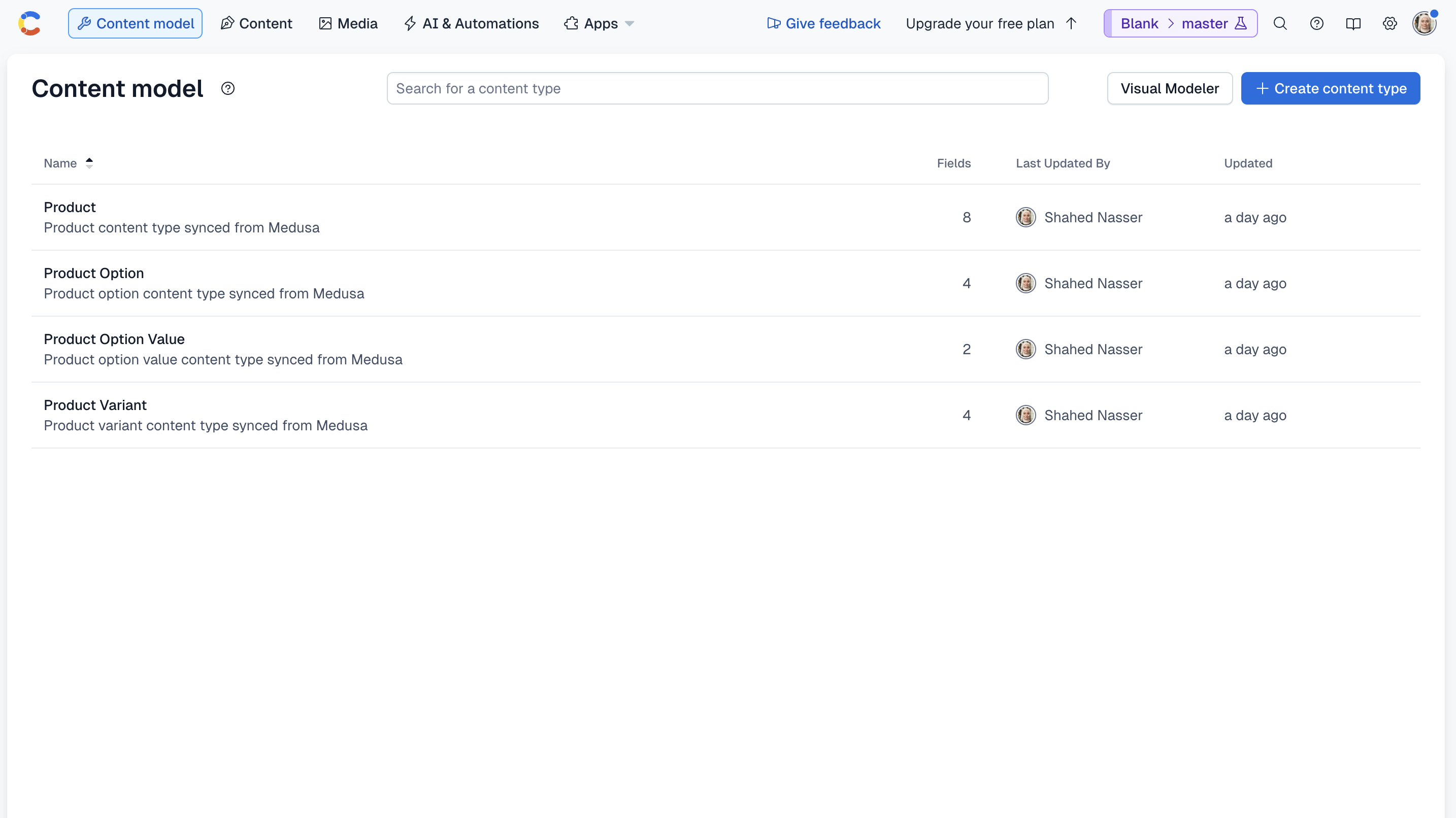
You can also see on the Contentful dashboard that the content types were created. To view them, go to the Content Model page.
|
|
|
|
|
|
|
|
---
|
|
|
|
## Step 3: Create Products in Contentful
|
|
|
|
Now that you have the Contentful Module ready for use, you can start creating products in Contentful.
|
|
|
|
In this step, you'll implement the logic to create products in Contentful. Later, you'll execute it when:
|
|
|
|
- A product is created in Medusa.
|
|
- The admin user triggers a sync manually.
|
|
|
|
### Add Methods to Contentful Module Service
|
|
|
|
To create products in Contentful, you need to add the necessary methods in the Contentful Module's service. Then, you can use these methods later when building the creation flow.
|
|
|
|
To create a product in Contentful, you'll need three methods: One to create the product's variants, another to create the product's options and values, and a third to create the product.
|
|
|
|
In the service at `src/modules/contentful/service.ts`, start by adding the method to create the product's variants:
|
|
|
|
```ts title="src/modules/contentful/service.ts"
|
|
// imports...
|
|
import { ProductVariantDTO } from "@medusajs/framework/types"
|
|
import { EntryProps } from "contentful-management"
|
|
|
|
export default class ContentfulModuleService {
|
|
// ...
|
|
|
|
private async createProductVariant(
|
|
variants: ProductVariantDTO[],
|
|
productEntry: EntryProps
|
|
) {
|
|
for (const variant of variants) {
|
|
await this.managementClient.entry.createWithId(
|
|
{
|
|
contentTypeId: "productVariant",
|
|
entryId: variant.id,
|
|
},
|
|
{
|
|
fields: {
|
|
medusaId: {
|
|
[this.options.default_locale!]: variant.id,
|
|
},
|
|
title: {
|
|
[this.options.default_locale!]: variant.title,
|
|
},
|
|
product: {
|
|
[this.options.default_locale!]: {
|
|
sys: {
|
|
type: "Link",
|
|
linkType: "Entry",
|
|
id: productEntry.sys.id,
|
|
},
|
|
},
|
|
},
|
|
productOptionValues: {
|
|
[this.options.default_locale!]: variant.options.map((option) => ({
|
|
sys: {
|
|
type: "Link",
|
|
linkType: "Entry",
|
|
id: option.id,
|
|
},
|
|
})),
|
|
},
|
|
},
|
|
}
|
|
)
|
|
}
|
|
}
|
|
}
|
|
```
|
|
|
|
You define a private method `createProductVariant` that accepts two parameters:
|
|
|
|
1. The product's variants to create in Contentful.
|
|
2. The product's entry in Contentful.
|
|
|
|
In the method, you iterate over the product's variants and create a new entry in Contentful for each variant. You set the fields based on the product variant content type you created earlier.
|
|
|
|
For each field, you specify the value for the default locale. In the Contentful dashboard, you can manage the values for other locales.
|
|
|
|
Next, add the method to create the product's options and values:
|
|
|
|
export const createProductOptionHighlights = [
|
|
["7", "options", "The product's options to create in Contentful."],
|
|
["8", "productEntry", "The product's entry in Contentful."],
|
|
["19", "createWithId", "Create a new entry in Contentful for a value of the option."],
|
|
["43", "createWithId", "Create a new entry in Contentful for the option."],
|
|
["65", "values", "Set the values for the option in Contentful."],
|
|
]
|
|
|
|
```ts title="src/modules/contentful/service.ts" highlights={createProductOptionHighlights}
|
|
// other imports...
|
|
import { ProductOptionDTO } from "@medusajs/framework/types"
|
|
|
|
export default class ContentfulModuleService {
|
|
// ...
|
|
private async createProductOption(
|
|
options: ProductOptionDTO[],
|
|
productEntry: EntryProps
|
|
) {
|
|
for (const option of options) {
|
|
const valueIds: {
|
|
sys: {
|
|
type: "Link",
|
|
linkType: "Entry",
|
|
id: string
|
|
}
|
|
}[] = []
|
|
for (const value of option.values) {
|
|
await this.managementClient.entry.createWithId(
|
|
{
|
|
contentTypeId: "productOptionValue",
|
|
entryId: value.id,
|
|
},
|
|
{
|
|
fields: {
|
|
value: {
|
|
[this.options.default_locale!]: value.value,
|
|
},
|
|
medusaId: {
|
|
[this.options.default_locale!]: value.id,
|
|
},
|
|
},
|
|
}
|
|
)
|
|
valueIds.push({
|
|
sys: {
|
|
type: "Link",
|
|
linkType: "Entry",
|
|
id: value.id,
|
|
},
|
|
})
|
|
}
|
|
await this.managementClient.entry.createWithId(
|
|
{
|
|
contentTypeId: "productOption",
|
|
entryId: option.id,
|
|
},
|
|
{
|
|
fields: {
|
|
medusaId: {
|
|
[this.options.default_locale!]: option.id,
|
|
},
|
|
title: {
|
|
[this.options.default_locale!]: option.title,
|
|
},
|
|
product: {
|
|
[this.options.default_locale!]: {
|
|
sys: {
|
|
type: "Link",
|
|
linkType: "Entry",
|
|
id: productEntry.sys.id,
|
|
},
|
|
},
|
|
},
|
|
values: {
|
|
[this.options.default_locale!]: valueIds,
|
|
},
|
|
},
|
|
}
|
|
)
|
|
}
|
|
}
|
|
}
|
|
```
|
|
|
|
You define a private method `createProductOption` that accepts two parameters:
|
|
|
|
1. The product's options, which is an array of objects.
|
|
2. The product's entry in Contentful, which is an object.
|
|
|
|
In the method, you iterate over the product's options and create entries for each of its values. Then, you create an entry for the option, and reference the values you created in Contentful. You set the fields based on the option and value content types you created earlier.
|
|
|
|
Finally, add the method to create the product:
|
|
|
|
export const createProductHighlights = [
|
|
["7", "product", "The product to create in Contentful."],
|
|
["11", "get", "Try to retrieve the existing product entry in Contentful."],
|
|
["16", "productEntry", "Return the existing product entry."],
|
|
["20", "createWithId", "Create a new entry in Contentful for the product."],
|
|
["65", "createProductOption", "Create the product's options in Contentful."],
|
|
["70", "createProductVariant", "Create the product's variants in Contentful."],
|
|
["74", "update", "Update the product entry with the variants and options you created."],
|
|
]
|
|
|
|
```ts title="src/modules/contentful/service.ts" highlights={createProductHighlights}
|
|
// other imports...
|
|
import { ProductDTO } from "@medusajs/framework/types"
|
|
|
|
export default class ContentfulModuleService {
|
|
// ...
|
|
async createProduct(
|
|
product: ProductDTO
|
|
) {
|
|
try {
|
|
// check if product already exists
|
|
const productEntry = await this.managementClient.entry.get({
|
|
environmentId: this.options.environment,
|
|
entryId: product.id,
|
|
})
|
|
|
|
return productEntry
|
|
} catch(e) {}
|
|
|
|
// Create product entry in Contentful
|
|
const productEntry = await this.managementClient.entry.createWithId(
|
|
{
|
|
contentTypeId: "product",
|
|
entryId: product.id,
|
|
},
|
|
{
|
|
fields: {
|
|
medusaId: {
|
|
[this.options.default_locale!]: product.id,
|
|
},
|
|
title: {
|
|
[this.options.default_locale!]: product.title,
|
|
},
|
|
description: product.description ? {
|
|
[this.options.default_locale!]: {
|
|
nodeType: "document",
|
|
data: {},
|
|
content: [
|
|
{
|
|
nodeType: "paragraph",
|
|
data: {},
|
|
content: [
|
|
{
|
|
nodeType: "text",
|
|
value: product.description,
|
|
marks: [],
|
|
data: {},
|
|
},
|
|
],
|
|
},
|
|
],
|
|
},
|
|
} : undefined,
|
|
subtitle: product.subtitle ? {
|
|
[this.options.default_locale!]: product.subtitle,
|
|
} : undefined,
|
|
handle: product.handle ? {
|
|
[this.options.default_locale!]: product.handle,
|
|
} : undefined,
|
|
},
|
|
}
|
|
)
|
|
|
|
// Create options if they exist
|
|
if (product.options?.length) {
|
|
await this.createProductOption(product.options, productEntry)
|
|
}
|
|
|
|
// Create variants if they exist
|
|
if (product.variants?.length) {
|
|
await this.createProductVariant(product.variants, productEntry)
|
|
}
|
|
|
|
// update product entry with variants and options
|
|
await this.managementClient.entry.update(
|
|
{
|
|
entryId: productEntry.sys.id,
|
|
},
|
|
{
|
|
sys: productEntry.sys,
|
|
fields: {
|
|
...productEntry.fields,
|
|
productVariants: {
|
|
[this.options.default_locale!]: product.variants?.map((variant) => ({
|
|
sys: {
|
|
type: "Link",
|
|
linkType: "Entry",
|
|
id: variant.id,
|
|
},
|
|
})),
|
|
},
|
|
productOptions: {
|
|
[this.options.default_locale!]: product.options?.map((option) => ({
|
|
sys: {
|
|
type: "Link",
|
|
linkType: "Entry",
|
|
id: option.id,
|
|
},
|
|
})),
|
|
},
|
|
},
|
|
}
|
|
)
|
|
|
|
return productEntry
|
|
}
|
|
}
|
|
```
|
|
|
|
You define a public method `createProduct` that accepts a product object as a parameter.
|
|
|
|
In the method, you first check if the product already exists in Contentful. If it does, you return the existing product entry. Otherwise, you create a new product entry with the fields based on the product content type you created earlier.
|
|
|
|
Next, you create entries for the product's options and variants using the methods you created earlier.
|
|
|
|
Finally, you update the product entry to reference the variants and options you created.
|
|
|
|
You now have all the methods to create products in Contentful. You'll also need one last method to delete a product in Contentful. This is useful when you implement the rollback mechanism in the flow that creates the products.
|
|
|
|
Add the following method to the service:
|
|
|
|
export const deleteProductHighlights = [
|
|
["9", "get", "Try to retrieve the existing product entry in Contentful."],
|
|
["19", "unpublish", "Unpublish the product entry."],
|
|
["24", "delete", "Delete the product entry."],
|
|
["31", "unpublish", "Unpublish the product variant entries."],
|
|
["36", "delete", "Delete the product variant entries."],
|
|
["45", "unpublish", "Unpublish the product option value entries."],
|
|
["50", "delete", "Delete the product option value entries."],
|
|
["56", "unpublish", "Unpublish the product option entries."],
|
|
["61", "delete", "Delete the product option entries."],
|
|
]
|
|
|
|
```ts title="src/modules/contentful/service.ts" highlights={deleteProductHighlights}
|
|
// other imports...
|
|
import { MedusaError } from "@medusajs/framework/utils"
|
|
|
|
export default class ContentfulModuleService {
|
|
// ...
|
|
async deleteProduct(productId: string) {
|
|
try {
|
|
// Get the product entry
|
|
const productEntry = await this.managementClient.entry.get({
|
|
environmentId: this.options.environment,
|
|
entryId: productId,
|
|
})
|
|
|
|
if (!productEntry) {
|
|
return
|
|
}
|
|
|
|
// Delete the product entry
|
|
await this.managementClient.entry.unpublish({
|
|
environmentId: this.options.environment,
|
|
entryId: productId,
|
|
})
|
|
|
|
await this.managementClient.entry.delete({
|
|
environmentId: this.options.environment,
|
|
entryId: productId,
|
|
})
|
|
|
|
// Delete the product variant entries
|
|
for (const variant of productEntry.fields.productVariants[this.options.default_locale!]) {
|
|
await this.managementClient.entry.unpublish({
|
|
environmentId: this.options.environment,
|
|
entryId: variant.sys.id,
|
|
})
|
|
|
|
await this.managementClient.entry.delete({
|
|
environmentId: this.options.environment,
|
|
entryId: variant.sys.id,
|
|
})
|
|
}
|
|
|
|
// Delete the product options entries and values
|
|
for (const option of productEntry.fields.productOptions[this.options.default_locale!]) {
|
|
for (const value of option.fields.values[this.options.default_locale!]) {
|
|
await this.managementClient.entry.unpublish({
|
|
environmentId: this.options.environment,
|
|
entryId: value.sys.id,
|
|
})
|
|
|
|
await this.managementClient.entry.delete({
|
|
environmentId: this.options.environment,
|
|
entryId: value.sys.id,
|
|
})
|
|
}
|
|
|
|
await this.managementClient.entry.unpublish({
|
|
environmentId: this.options.environment,
|
|
entryId: option.sys.id,
|
|
})
|
|
|
|
await this.managementClient.entry.delete({
|
|
environmentId: this.options.environment,
|
|
entryId: option.sys.id,
|
|
})
|
|
}
|
|
} catch (error) {
|
|
throw new MedusaError(
|
|
MedusaError.Types.INVALID_DATA,
|
|
`Failed to delete product from Contentful: ${error.message}`
|
|
)
|
|
}
|
|
}
|
|
}
|
|
```
|
|
|
|
You define a public method `deleteProduct` that accepts a product ID as a parameter.
|
|
|
|
In the method, you retrieve the product entry from Contentful with its variants, options, and values. For each entry, you must unpublish and delete it.
|
|
|
|
You now have all the methods necessary to build the creation flow.
|
|
|
|
### Create Contentful Product Workflow
|
|
|
|
To implement the logic that's triggered when a product is created in Medusa, or when the admin user triggers a sync manually, you need to create a workflow.
|
|
|
|
A [workflow](!docs!/learn/fundamentals/workflows) is a series of actions, called steps, that complete a task. You construct a workflow like you construct a function, but it's a special function that allows you to track its executions' progress, define roll-back logic, and configure other advanced features.
|
|
|
|
<Note>
|
|
|
|
Learn more about workflows in the [Workflows documentation](!docs!/learn/fundamentals/workflows).
|
|
|
|
</Note>
|
|
|
|
In this section, you'll create a workflow that creates Medusa products in Contentful using the Contentful Module.
|
|
|
|
The workflow has the following steps:
|
|
|
|
<WorkflowDiagram
|
|
workflow={{
|
|
name: "createProductsContentfulWorkflow",
|
|
steps: [
|
|
{
|
|
type: "step",
|
|
name: "useQueryGraphStep",
|
|
description: "Retrieve products to create in Contentful.",
|
|
link: "/references/helper-steps/useQueryGraphStep",
|
|
depth: 1
|
|
},
|
|
{
|
|
type: "step",
|
|
name: "createProductsContentfulStep",
|
|
description: "Create the products in Contentful.",
|
|
depth: 1
|
|
}
|
|
]
|
|
}}
|
|
hideLegend
|
|
/>
|
|
|
|
Medusa provides the `useQueryGraphStep` in its `@medusajs/medusa/core-flows` package. So, you only need to implement the second step.
|
|
|
|
#### createProductsContentfulStep
|
|
|
|
In the second step, you create the retrieved products in Contentful.
|
|
|
|
To create the step, create the file `src/workflows/steps/create-products-contentful.ts` with the following content:
|
|
|
|
<Note>
|
|
|
|
If you get a type error on resolving the Contentful Module, run the Medusa application once with the `npm run dev` or `yarn dev` command to generate the necessary type definitions, as explained in the [Automatically Generated Types guide](!docs!/learn/fundamentals/generated-types).
|
|
|
|
</Note>
|
|
|
|
export const createProductsContentfulStepHighlights = [
|
|
["12", `"create-products-contentful-step"`, "The step's unique name."],
|
|
["13", "input", "The step's input."],
|
|
["15", "container", "The Medusa container, useful to resolve Framework and commerce tools."],
|
|
["15", "resolve", "Resolve the Contentful Module's service from the Medusa container."],
|
|
["21", "createProduct", "Create a new product entry in Contentful."],
|
|
["24", "permanentFailure", "If an error occurs, fail the step and\npass the created products to the compensation function."],
|
|
["31", "products", "Return the created products."],
|
|
["32", "products", "Pass the created products to the compensation function."],
|
|
["44", "deleteProduct", "Delete the created product entries in Contentful\nif an error occurs."],
|
|
]
|
|
|
|
```ts title="src/workflows/steps/create-products-contentful.ts" highlights={createProductsContentfulStepHighlights}
|
|
import { ProductDTO } from "@medusajs/framework/types"
|
|
import { CONTENTFUL_MODULE } from "../../modules/contentful"
|
|
import { createStep, StepResponse } from "@medusajs/framework/workflows-sdk"
|
|
import ContentfulModuleService from "../../modules/contentful/service"
|
|
import { EntryProps } from "contentful-management"
|
|
|
|
type StepInput = {
|
|
products: ProductDTO[]
|
|
}
|
|
|
|
export const createProductsContentfulStep = createStep(
|
|
"create-products-contentful-step",
|
|
async (input: StepInput, { container }) => {
|
|
const contentfulModuleService: ContentfulModuleService =
|
|
container.resolve(CONTENTFUL_MODULE)
|
|
|
|
const products: EntryProps[] = []
|
|
|
|
try {
|
|
for (const product of input.products) {
|
|
products.push(await contentfulModuleService.createProduct(product))
|
|
}
|
|
} catch(e) {
|
|
return StepResponse.permanentFailure(
|
|
`Error creating products in Contentful: ${e.message}`,
|
|
products
|
|
)
|
|
}
|
|
|
|
return new StepResponse(
|
|
products,
|
|
products
|
|
)
|
|
},
|
|
async (products, { container }) => {
|
|
if (!products) {
|
|
return
|
|
}
|
|
|
|
const contentfulModuleService: ContentfulModuleService =
|
|
container.resolve(CONTENTFUL_MODULE)
|
|
|
|
for (const product of products) {
|
|
await contentfulModuleService.deleteProduct(product.sys.id)
|
|
}
|
|
}
|
|
)
|
|
```
|
|
|
|
You create a step with `createStep` from the Workflows SDK. It accepts three parameters:
|
|
|
|
1. The step's unique name, which is `create-products-contentful-step`.
|
|
2. An async function that receives two parameters:
|
|
- The step's input, which is in this case an object holding an array of products to create in Contentful.
|
|
- An object that has properties including the [Medusa container](!docs!/learn/fundamentals/medusa-container), which is a registry of Framework and commerce tools that you can access in the step.
|
|
3. An optional compensation function that undoes the actions performed in the step if an error occurs in the workflow's execution. This mechanism ensures data consistency in your application, especially as you integrate external systems.
|
|
|
|
<Note>
|
|
|
|
The Medusa container is different from the module's container. Since modules are isolated, they each have a container with their resources. Refer to the [Module Container](!docs!/learn/fundamentals/modules/container) documentation for more information.
|
|
|
|
</Note>
|
|
|
|
In the step function, you resolve the Contentful Module's service from the Medusa container using the name you exported in the module definition's file.
|
|
|
|
Then, you iterate over the products and create a new entry in Contentful for each product using the `createProduct` method you created earlier. If the creation of any product fails, you fail the step and pass the created products to the compensation function.
|
|
|
|
A step function must return a `StepResponse` instance. The `StepResponse` constructor accepts two parameters:
|
|
|
|
1. The step's output, which is the product entries created in Contentful.
|
|
2. Data to pass to the step's compensation function.
|
|
|
|
The compensation function accepts as a parameter the data passed from the step, and an object containing the Medusa container.
|
|
|
|
In the compensation function, you iterate over the created product entries and delete them from Contentful using the `deleteProduct` method you created earlier.
|
|
|
|
#### Create the Workflow
|
|
|
|
Now that you have all the necessary steps, you can create the workflow.
|
|
|
|
To create the workflow, create the file `src/workflows/create-products-contentful.ts` with the following content:
|
|
|
|
```ts title="src/workflows/create-products-contentful.ts"
|
|
import { createWorkflow, WorkflowResponse } from "@medusajs/framework/workflows-sdk"
|
|
import { useQueryGraphStep } from "@medusajs/medusa/core-flows"
|
|
import { createProductsContentfulStep } from "./steps/create-products-contentful"
|
|
import { ProductDTO } from "@medusajs/framework/types"
|
|
|
|
type WorkflowInput = {
|
|
product_ids: string[]
|
|
}
|
|
|
|
export const createProductsContentfulWorkflow = createWorkflow(
|
|
{ name: "create-products-contentful-workflow" },
|
|
(input: WorkflowInput) => {
|
|
const { data } = useQueryGraphStep({
|
|
entity: "product",
|
|
fields: [
|
|
"id",
|
|
"title",
|
|
"description",
|
|
"subtitle",
|
|
"status",
|
|
"handle",
|
|
"variants.*",
|
|
"variants.options.*",
|
|
"options.*",
|
|
"options.values.*",
|
|
],
|
|
filters: {
|
|
id: input.product_ids,
|
|
},
|
|
})
|
|
|
|
const contentfulProducts = createProductsContentfulStep({
|
|
products: data as unknown as ProductDTO[],
|
|
})
|
|
|
|
return new WorkflowResponse(contentfulProducts)
|
|
}
|
|
)
|
|
```
|
|
|
|
You create a workflow using `createWorkflow` from the Workflows SDK. It accepts the workflow's unique name as a first parameter.
|
|
|
|
It accepts as a second parameter a constructor function, which is the workflow's implementation. The function can accept input, which in this case the product IDs to create in Contentful.
|
|
|
|
In the workflow's constructor function, you:
|
|
|
|
1. Retrieve the Medusa products using the `useQueryGraphStep` helper step. This step uses Medusa's [Query](!docs!/learn/fundamentals/module-links/query) tool to retrieve data across modules. You pass it the product IDs to retrieve.
|
|
2. Create the product entries in Contentful using the `createProductsContentfulStep` step.
|
|
|
|
A workflow must return an instance of `WorkflowResponse`. The `WorkflowResponse` constructor accepts the workflow's output as a parameter, which is an object of the product entries created in Contentful.
|
|
|
|
You now have the workflow that you can execute when a product is created in Medusa, or when the admin user triggers a sync manually.
|
|
|
|
---
|
|
|
|
## Step 4: Trigger Sync on Product Creation
|
|
|
|
Medusa has an event system that allows you to listen for events, such as `product.created`, and perform an asynchronous action when the event is emitted.
|
|
|
|
You listen to events in a subscriber. A [subscriber](!docs!/learn/fundamentals/events-and-subscribers) is an asynchronous function that listens to one or more events and performs actions when these events are emitted. A subscriber is useful when syncing data across systems, as the operation can be time-consuming and should be performed in the background.
|
|
|
|
In this step, you'll create a subscriber that listens to the `product.created` event and executes the `createProductsContentfulWorkflow` workflow.
|
|
|
|
<Note>
|
|
|
|
Learn more about subscribers in the [Events and Subscribers documentation](!docs!/learn/fundamentals/events-and-subscribers).
|
|
|
|
</Note>
|
|
|
|
To create a subscriber, create the file `src/subscribers/create-product.ts` with the following content:
|
|
|
|
export const createProductSubscriberHighlights = [
|
|
["9", "handleProductCreate", "The subscriber function."],
|
|
["10", "data", "The event's data payload."],
|
|
["13", "createProductsContentfulWorkflow", "Create the product entries in Contentful."],
|
|
["24", `"product.created"`, "The event the subscriber listens to."],
|
|
]
|
|
|
|
```ts title="src/subscribers/create-product.ts" highlights={createProductSubscriberHighlights}
|
|
import {
|
|
type SubscriberConfig,
|
|
type SubscriberArgs,
|
|
} from "@medusajs/framework"
|
|
import {
|
|
createProductsContentfulWorkflow,
|
|
} from "../workflows/create-products-contentful"
|
|
|
|
export default async function handleProductCreate({
|
|
event: { data },
|
|
container,
|
|
}: SubscriberArgs<{ id: string }>) {
|
|
await createProductsContentfulWorkflow(container)
|
|
.run({
|
|
input: {
|
|
product_ids: [data.id],
|
|
},
|
|
})
|
|
|
|
console.log("Product created in Contentful")
|
|
}
|
|
|
|
export const config: SubscriberConfig = {
|
|
event: "product.created",
|
|
}
|
|
```
|
|
|
|
A subscriber file must export:
|
|
|
|
1. An asynchronous function, which is the subscriber that is executed when the event is emitted.
|
|
2. A configuration object that holds the name of the event the subscriber listens to, which is `product.created` in this case.
|
|
|
|
The subscriber function receives an object as a parameter that has the following properties:
|
|
|
|
- `event`: An object that holds the event's data payload. The payload of the `product.created` event is an array of product IDs.
|
|
- `container`: The Medusa container to access the Framework and commerce tools.
|
|
|
|
In the subscriber function, you execute the `createProductsContentfulWorkflow` by invoking it, passing the Medusa container as a parameter. Then, you chain a `run` method, passing it the product ID from the event's data payload as input.
|
|
|
|
Finally, you log a message to the console to indicate that the product was created in Contentful.
|
|
|
|
### Test the Subscriber
|
|
|
|
To test out the subscriber, start the Medusa application:
|
|
|
|
```bash npm2yarn
|
|
npm run dev
|
|
```
|
|
|
|
Then, open the Medusa Admin dashboard and login.
|
|
|
|
<Note>
|
|
|
|
Can't remember the credentials? Learn how to create a user in the [Medusa CLI reference](../../../medusa-cli/commands/user/page.mdx).
|
|
|
|
</Note>
|
|
|
|
Next, open the Products page and create a new product.
|
|
|
|
You should see the following message in the terminal:
|
|
|
|
```bash
|
|
info: Product created in Contentful
|
|
```
|
|
|
|
You can also see the product in the Contentful dashboard by going to the Content page.
|
|
|
|
---
|
|
|
|
## Step 5: Trigger Product Sync Manually
|
|
|
|
The other way to sync products is when the admin user triggers a sync manually. This is useful when you already have products in Medusa and you want to sync them to Contentful.
|
|
|
|
To allow admin users to trigger a sync manually, you need:
|
|
|
|
1. A subscriber that listens to a custom event.
|
|
2. An API route that emits the custom event when a request is sent to it.
|
|
3. A UI route in the Medusa Admin that displays a button to trigger the sync.
|
|
|
|
### Create Manual Sync Subscriber
|
|
|
|
You'll start by creating the subscriber that listens to a custom event to sync the Medusa products to Contentful.
|
|
|
|
To create the subscriber, create the file `src/subscribers/sync-products.ts` with the following content:
|
|
|
|
export const syncProductsSubscriberHighlights = [
|
|
["13", "query", "Resolve Query from the Medusa container."],
|
|
["24", "graph", "Retrieve the Medusa products with pagination."],
|
|
["36", "createProductsContentfulWorkflow", "Create the product entries in Contentful."],
|
|
["52", `"products.sync"`, "The custom event to listen to."],
|
|
]
|
|
|
|
```ts title="src/subscribers/sync-products.ts" highlights={syncProductsSubscriberHighlights}
|
|
import type {
|
|
SubscriberConfig,
|
|
SubscriberArgs,
|
|
} from "@medusajs/framework"
|
|
import { ContainerRegistrationKeys } from "@medusajs/framework/utils"
|
|
import {
|
|
createProductsContentfulWorkflow,
|
|
} from "../workflows/create-products-contentful"
|
|
|
|
export default async function syncProductsHandler({
|
|
container,
|
|
}: SubscriberArgs<Record<string, unknown>>) {
|
|
const query = container.resolve(ContainerRegistrationKeys.QUERY)
|
|
|
|
const batchSize = 100
|
|
let hasMore = true
|
|
let offset = 0
|
|
let totalCount = 0
|
|
|
|
while (hasMore) {
|
|
const {
|
|
data: products,
|
|
metadata: { count } = {},
|
|
} = await query.graph({
|
|
entity: "product",
|
|
fields: [
|
|
"id",
|
|
],
|
|
pagination: {
|
|
skip: offset,
|
|
take: batchSize,
|
|
},
|
|
})
|
|
|
|
if (products.length) {
|
|
await createProductsContentfulWorkflow(container).run({
|
|
input: {
|
|
product_ids: products.map((product) => product.id),
|
|
},
|
|
})
|
|
}
|
|
|
|
hasMore = products.length === batchSize
|
|
offset += batchSize
|
|
totalCount = count ?? 0
|
|
}
|
|
|
|
console.log(`Synced ${totalCount} products to Contentful`)
|
|
}
|
|
|
|
export const config: SubscriberConfig = {
|
|
event: "products.sync",
|
|
}
|
|
```
|
|
|
|
You create a subscriber that listens to the `products.sync` event.
|
|
|
|
In the subscriber function, you use [Query](!docs!/learn/fundamentals/module-links/query) to retrieve all the products in Medusa with pagination. Then, for each batch of products, you execute the `createProductsContentfulWorkflow` workflow, passing the product IDs to the workflow.
|
|
|
|
Finally, you log a message to the console to indicate that the products were synced to Contentful.
|
|
|
|
### Create API Route to Trigger Sync
|
|
|
|
Next, to allow the admin user to trigger the sync manually, you need to create an API route that emits the `products.sync` event.
|
|
|
|
An API Route is an endpoint that exposes commerce features to external applications and clients, such as storefronts.
|
|
|
|
<Note>
|
|
|
|
Learn more about API routes in [this documentation](!docs!/learn/fundamentals/api-routes).
|
|
|
|
</Note>
|
|
|
|
An API route is created in a `route.ts` file under a sub-directory of the `src/api` directory. The path of the API route is the file's path relative to `src/api`.
|
|
|
|
So, to create an API route at the path `/admin/contentful/sync`, create the file `src/api/admin/contentful/sync/route.ts` with the following content:
|
|
|
|
export const syncProductsRouteHighlights = [
|
|
["6", "POST", "The route handler function that exposes a POST API route."],
|
|
["10", "eventService", "Resolve the Event Module's service from the Medusa container."],
|
|
["12", "emit", "Emit the custom event."],
|
|
]
|
|
|
|
```ts title="src/api/admin/contentful/sync/route.ts" highlights={syncProductsRouteHighlights}
|
|
import {
|
|
MedusaRequest,
|
|
MedusaResponse,
|
|
} from "@medusajs/framework/http"
|
|
|
|
export const POST = async (
|
|
req: MedusaRequest,
|
|
res: MedusaResponse
|
|
) => {
|
|
const eventService = req.scope.resolve("event_bus")
|
|
|
|
await eventService.emit({
|
|
name: "products.sync",
|
|
data: {},
|
|
})
|
|
|
|
res.status(200).json({
|
|
message: "Products sync triggered successfully",
|
|
})
|
|
}
|
|
```
|
|
|
|
Since you export a `POST` route handler function, you expose an `API` route at `/admin/contentful/sync`. The route handler function accepts two parameters:
|
|
|
|
1. A request object with details and context on the request, such as body parameters or authenticated user details.
|
|
2. A response object to manipulate and send the response.
|
|
|
|
In the route handler, you resolve the [Event Module](../../../infrastructure-modules/event/page.mdx)'s service from the Medusa container and emit the `products.sync` event.
|
|
|
|
### Create UI Route to Trigger Sync
|
|
|
|
Finally, you'll add a new page to the Medusa Admin dashboard that displays a button to trigger the sync. To add a page, you need to create a UI route.
|
|
|
|
A [UI route](!docs!/learn/fundamentals/admin/ui-routes) is a React component that specifies the content to be shown in a new page of the Medusa Admin dashboard. You'll create a UI route to display a button that triggers product syncing to Contentful when clicked.
|
|
|
|
<Note>
|
|
|
|
Refer to the [UI Routes](!docs!/learn/fundamentals/admin/ui-routes) documentation for more information.
|
|
|
|
</Note>
|
|
|
|
#### Configure JS SDK
|
|
|
|
Before creating the UI route, you'll configure Medusa's [JS SDK](../../../js-sdk/page.mdx) so that you can use it to send requests to the Medusa server.
|
|
|
|
The JS SDK is installed by default in your Medusa application. To configure it, create the file `src/admin/lib/sdk.ts` with the following content:
|
|
|
|
```ts title="src/admin/lib/sdk.ts"
|
|
import Medusa from "@medusajs/js-sdk"
|
|
|
|
export const sdk = new Medusa({
|
|
baseUrl: "http://localhost:9000",
|
|
debug: process.env.NODE_ENV === "development",
|
|
auth: {
|
|
type: "session",
|
|
},
|
|
})
|
|
```
|
|
|
|
You create an instance of the JS SDK using the `Medusa` class from the JS SDK. You pass it an object having the following properties:
|
|
|
|
- `baseUrl`: The base URL of the Medusa server.
|
|
- `debug`: A boolean indicating whether to log debug information into the console.
|
|
- `auth`: An object specifying the authentication type. When using the JS SDK for admin customizations, you use the `session` authentication type.
|
|
|
|
#### Create UI Route
|
|
|
|
UI routes are created in a `page.tsx` file under a sub-directory of `src/admin/routes` directory. The file's path relative to `src/admin/routes` determines its path in the dashboard.
|
|
|
|
So, create the file `src/admin/routes/contentful/page.tsx` with the following content:
|
|
|
|
export const contentfulPageHighlights = [
|
|
["7", "ContentfulSettingsPage", "The React component that defines the content of the page."],
|
|
["8", "mutate", "A function that sends a request to\nthe API route to trigger the sync."],
|
|
["25", "Button", "The button that triggers the syncing."],
|
|
["38", "defineRouteConfig", "A function that defines the route's configuration."],
|
|
]
|
|
|
|
```tsx title="src/admin/routes/contentful/page.tsx" highlights={contentfulPageHighlights}
|
|
import { defineRouteConfig } from "@medusajs/admin-sdk"
|
|
import { Container, Heading, Button } from "@medusajs/ui"
|
|
import { useMutation } from "@tanstack/react-query"
|
|
import { sdk } from "../../lib/sdk"
|
|
import { toast } from "@medusajs/ui"
|
|
|
|
const ContentfulSettingsPage = () => {
|
|
const { mutate, isPending } = useMutation({
|
|
mutationFn: () =>
|
|
sdk.client.fetch("/admin/contentful/sync", {
|
|
method: "POST",
|
|
}),
|
|
onSuccess: () => {
|
|
toast.success("Sync to Contentful triggered successfully")
|
|
},
|
|
})
|
|
|
|
return (
|
|
<Container className="p-6">
|
|
<div className="flex flex-col gap-y-4">
|
|
<div>
|
|
<Heading level="h1">Contentful Settings</Heading>
|
|
</div>
|
|
<div>
|
|
<Button
|
|
variant="primary"
|
|
onClick={() => mutate()}
|
|
isLoading={isPending}
|
|
>
|
|
Sync to Contentful
|
|
</Button>
|
|
</div>
|
|
</div>
|
|
</Container>
|
|
)
|
|
}
|
|
|
|
export const config = defineRouteConfig({
|
|
label: "Contentful",
|
|
})
|
|
|
|
export default ContentfulSettingsPage
|
|
```
|
|
|
|
A UI route's file must export:
|
|
|
|
1. A React component that defines the content of the page.
|
|
2. A configuration object that specifies the route's label in the dashboard. This label is used to show a sidebar item for the new route.
|
|
|
|
In the React component, you use `useMutation` hook from `@tanstack/react-query` to create a mutation that sends a `POST` request to the API route you created earlier. In the mutation function, you use the JS SDK to send the request.
|
|
|
|
Then, in the return statement, you display a button that triggers the mutation when clicked, which sends a request to the API route you created earlier.
|
|
|
|
### Test the Sync
|
|
|
|
To test out the sync, start the Medusa application:
|
|
|
|
```bash npm2yarn
|
|
npm run dev
|
|
```
|
|
|
|
Then, open the Medusa Admin dashboard and login. In the sidebar, you'll find a new "Contentful" item. If you click on it, you'll see the page you created with the button to trigger the sync.
|
|
|
|
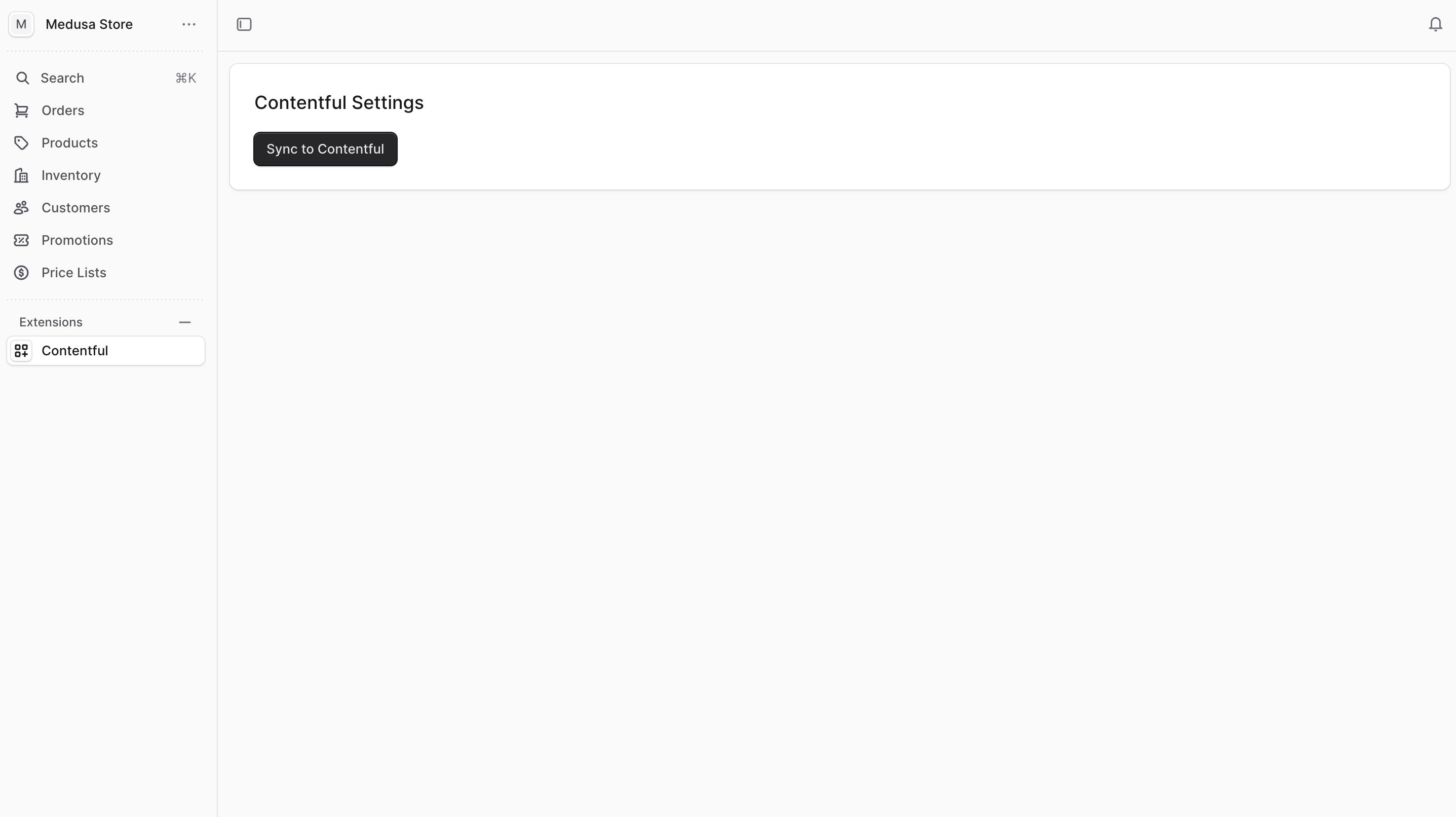
|
|
|
|
If you click on the button, you'll see the following message in the terminal:
|
|
|
|
```bash
|
|
info: Synced 4 products to Contentful
|
|
```
|
|
|
|
Assuming you have `4` products in Medusa, the message indicates that the sync was successful.
|
|
|
|
You can also see the products in the Contentful dashboard.
|
|
|
|
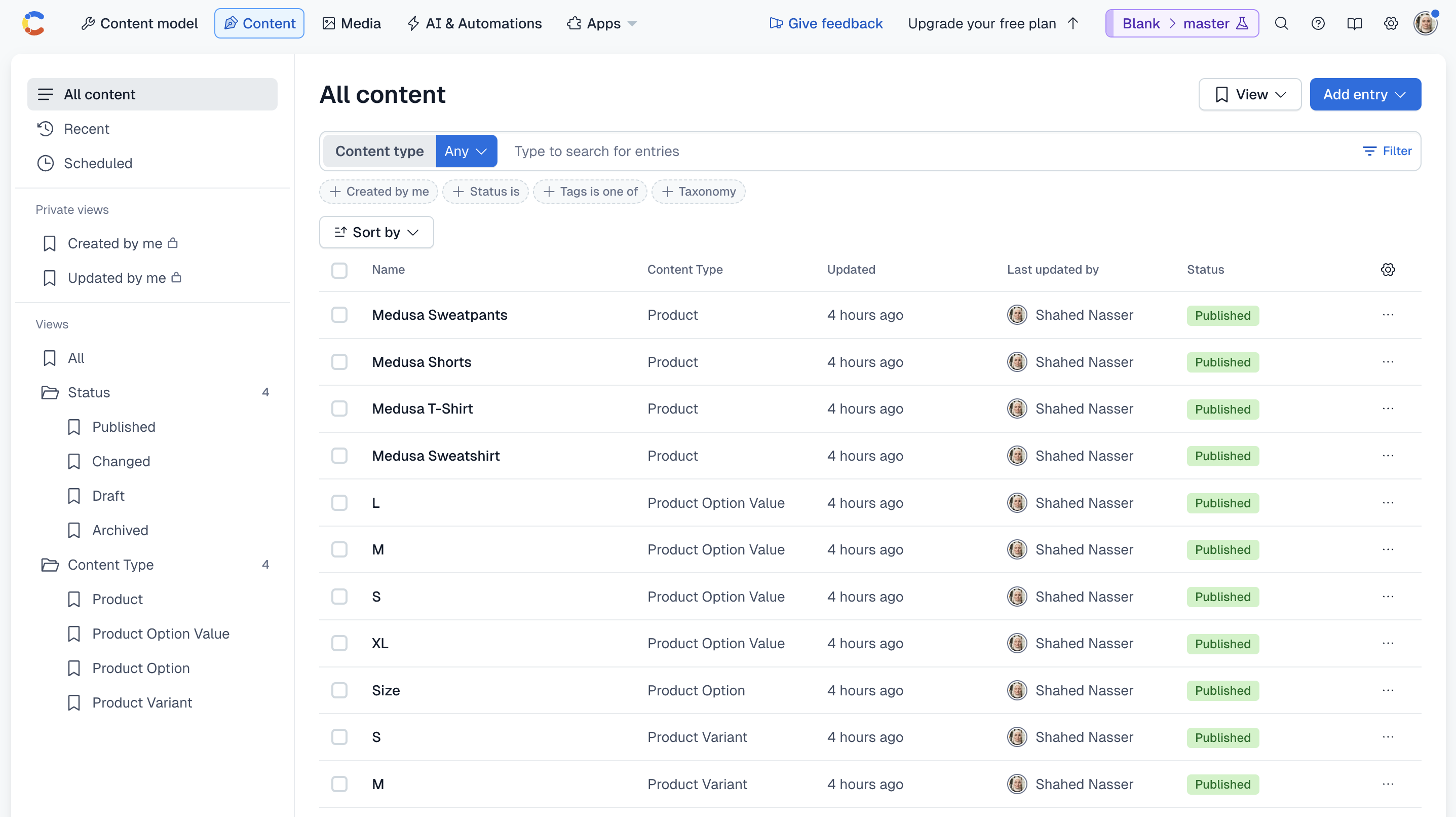
|
|
|
|
---
|
|
|
|
## Step 6: Retrieve Locales API Route
|
|
|
|
In the next steps, you'll implement customizations that are useful for storefronts. A storefront should show the customer a list of available locales and allow them to select from them.
|
|
|
|
In this step, you will:
|
|
|
|
1. Add the logic to retrieve locales from Contentful in the Contentful Module's service.
|
|
2. Create an API route that exposes the locales to the storefront.
|
|
3. Customize the Next.js Starter Storefront to show the locales to customers.
|
|
|
|
### Retrieve Locales from Contentful Method
|
|
|
|
You'll start by adding two methods to the Contentful Module's service that are useful to retrieve locales from Contentful.
|
|
|
|
The first method retrieves all locales from Contentful. Add it to the service at `src/modules/contentful/service.ts`:
|
|
|
|
```ts title="src/modules/contentful/service.ts"
|
|
export default class ContentfulModuleService {
|
|
// ...
|
|
async getLocales() {
|
|
return await this.managementClient.locale.getMany({})
|
|
}
|
|
}
|
|
```
|
|
|
|
You use the `locale.getMany` method of the Contentful Management API client to retrieve all locales.
|
|
|
|
The second method returns the code of the default locale:
|
|
|
|
```ts title="src/modules/contentful/service.ts"
|
|
export default class ContentfulModuleService {
|
|
// ...
|
|
async getDefaultLocaleCode() {
|
|
return this.options.default_locale
|
|
}
|
|
}
|
|
```
|
|
|
|
You return the default locale using the `default_locale` option you set in the module's options.
|
|
|
|
### Create API Route to Retrieve Locales
|
|
|
|
Next, you'll create an API route that exposes the locales to the storefront.
|
|
|
|
To create the API route, create the file `src/api/store/locales/route.ts` with the following content:
|
|
|
|
export const getLocalesRouteHighlights = [
|
|
["12", "contentfulModuleService", "Resolve the Contentful Module's service from the Medusa container."],
|
|
["16", "locales", "Retrieve the locales from Contentful."],
|
|
["17", "defaultLocaleCode", "Retrieve the default locale code from the module's options."],
|
|
["19", "formattedLocales", "Format the locales to include their name, code, and whether they are the default locale."],
|
|
]
|
|
|
|
```ts title="src/api/store/locales/route.ts" highlights={getLocalesRouteHighlights}
|
|
import {
|
|
MedusaRequest,
|
|
MedusaResponse,
|
|
} from "@medusajs/framework/http"
|
|
import { CONTENTFUL_MODULE } from "../../../modules/contentful"
|
|
import ContentfulModuleService from "../../../modules/contentful/service"
|
|
|
|
export const GET = async (
|
|
req: MedusaRequest,
|
|
res: MedusaResponse
|
|
) => {
|
|
const contentfulModuleService: ContentfulModuleService = req.scope.resolve(
|
|
CONTENTFUL_MODULE
|
|
)
|
|
|
|
const locales = await contentfulModuleService.getLocales()
|
|
const defaultLocaleCode = await contentfulModuleService.getDefaultLocaleCode()
|
|
|
|
const formattedLocales = locales.items.map((locale) => {
|
|
return {
|
|
name: locale.name,
|
|
code: locale.code,
|
|
is_default: locale.code === defaultLocaleCode,
|
|
}
|
|
})
|
|
|
|
res.json({
|
|
locales: formattedLocales,
|
|
})
|
|
}
|
|
```
|
|
|
|
Since you export a `GET` route handler function, you expose a `GET` route at `/store/locales`.
|
|
|
|
In the route handler, you resolve the Contentful Module's service from the Medusa container to retrieve the locales and the default locale code.
|
|
|
|
Then, you format the locales to include their name, code, and whether they are the default locale.
|
|
|
|
Finally, you return the formatted locales in the JSON response.
|
|
|
|
### Customize Storefront to Show Locales
|
|
|
|
In the first step of this tutorial, you installed the [Next.js Starter Storefront](../../../nextjs-starter/page.mdx) along with the Medusa application. This storefront provides ecommerce features like a product catalog, a cart, and a checkout.
|
|
|
|
In this section, you'll customize the storefront to show the locales to customers and allow them to select from them. The selected locale will be stored in the browser's cookies, allowing you to use it later when retrieving a product's localized data.
|
|
|
|
<Note title="Reminder" forceMultiline>
|
|
|
|
The Next.js Starter Storefront was installed in a separate directory from Medusa. The directory's name is `{your-project}-storefront`.
|
|
|
|
So, if your Medusa application's directory is `medusa-contentful`, you can find the storefront by going back to the parent directory and changing to the `medusa-contentful-storefront` directory:
|
|
|
|
```bash
|
|
cd ../medusa-contentful-storefront # change based on your project name
|
|
```
|
|
|
|
</Note>
|
|
|
|
#### Add Cookie Functions
|
|
|
|
You'll start by adding two functions that retrieve and set the locale in the browser's cookies.
|
|
|
|
In `src/lib/data/cookies.ts` add the following functions:
|
|
|
|
export const getLocaleHighlights = [
|
|
["1", "getLocale", "Retrieve the locale from the browser's cookies."],
|
|
["6", "setLocale", "Set the locale in the browser's cookies."],
|
|
]
|
|
|
|
```ts title="src/lib/data/cookies.ts" highlights={getLocaleHighlights} badgeLabel="Storefront" badgeColor="blue"
|
|
export const getLocale = async () => {
|
|
const cookies = await nextCookies()
|
|
return cookies.get("_medusa_locale")?.value
|
|
}
|
|
|
|
export const setLocale = async (locale: string) => {
|
|
const cookies = await nextCookies()
|
|
cookies.set("_medusa_locale", locale, {
|
|
maxAge: 60 * 60 * 24 * 7,
|
|
})
|
|
}
|
|
```
|
|
|
|
The `getLocale` function retrieves the locale from the browser's cookies, and the `setLocale` function sets the locale in the browser's cookies.
|
|
|
|
#### Manage Locales Functions
|
|
|
|
Next, you'll add server actions to retrieve the locales and set the selected locale.
|
|
|
|
Create the file `src/lib/data/locale.ts` with the following content:
|
|
|
|
export const getLocalesHighlights = [
|
|
["13", "getLocales", "Retrieve the locales from the Medusa server."],
|
|
["19", "getSelectedLocale", "Retrieve the selected locale either from the browser's cookies\nor the default locale."],
|
|
["28", "setSelectedLocale", "Set the selected locale in the browser's cookies."],
|
|
]
|
|
|
|
```ts title="src/lib/data/locale.ts" highlights={getLocalesHighlights} badgeLabel="Storefront" badgeColor="blue"
|
|
"use server"
|
|
|
|
import { sdk } from "@lib/config"
|
|
import type { Document } from "@contentful/rich-text-types"
|
|
import { getLocale, setLocale } from "./cookies"
|
|
|
|
export type Locale = {
|
|
name: string
|
|
code: string
|
|
is_default: boolean
|
|
}
|
|
|
|
export async function getLocales() {
|
|
return await sdk.client.fetch<{
|
|
locales: Locale[]
|
|
}>("/store/locales")
|
|
}
|
|
|
|
export async function getSelectedLocale() {
|
|
let localeCode = await getLocale()
|
|
if (!localeCode) {
|
|
const locales = await getLocales()
|
|
localeCode = locales.locales.find((l) => l.is_default)?.code
|
|
}
|
|
return localeCode
|
|
}
|
|
|
|
export async function setSelectedLocale(locale: string) {
|
|
await setLocale(locale)
|
|
}
|
|
```
|
|
|
|
You add the following functions:
|
|
|
|
1. `getLocales`: Retrieves the locales from the Medusa server using the API route you created earlier.
|
|
2. `getSelectedLocale`: Retrieves the selected locale from the browser's cookies, or the default locale if no locale is selected.
|
|
3. `setSelectedLocale`: Sets the selected locale in the browser's cookies.
|
|
|
|
You'll use these functions as you add the UI to show the locales next.
|
|
|
|
#### Show Locales in the Storefront
|
|
|
|
You'll now add the UI to show the locales to customers and allow them to select from them.
|
|
|
|
Create the file `src/modules/layout/components/locale-select/index.tsx` with the following content:
|
|
|
|
export const localeSelectHighlights = [
|
|
["9", "LocaleSelect", "The React component that defines the locale selector."],
|
|
["10", "locales", "The list of locales retrieved from the Medusa server."],
|
|
["11", "locale", "The selected locale."],
|
|
["12", "open", "A boolean indicating whether the dropdown is open."],
|
|
["14", "useEffect", "Retrieve the locales and set them in the `locales` state variable."],
|
|
["21", "useEffect", "Set the selected locale after the locales are retrieved."],
|
|
["32", "useEffect", "Set the newly selected locale in the browser's cookies."],
|
|
["38", "handleChange", "Set the selected locale and close the dropdown."],
|
|
]
|
|
|
|
```tsx title="src/modules/layout/components/locale-select/index.tsx" highlights={localeSelectHighlights} badgeLabel="Storefront" badgeColor="blue"
|
|
"use client"
|
|
|
|
import { useState, useEffect, Fragment } from "react"
|
|
import { getLocales, Locale, getSelectedLocale, setSelectedLocale } from "../../../../lib/data/locale"
|
|
import { Listbox, ListboxButton, ListboxOption, ListboxOptions, Transition } from "@headlessui/react"
|
|
import { ArrowRightMini } from "@medusajs/icons"
|
|
import { clx } from "@medusajs/ui"
|
|
|
|
const LocaleSelect = () => {
|
|
const [locales, setLocales] = useState<Locale[]>([])
|
|
const [locale, setLocale] = useState<Locale | undefined>()
|
|
const [open, setOpen] = useState(false)
|
|
|
|
useEffect(() => {
|
|
getLocales()
|
|
.then(({ locales }) => {
|
|
setLocales(locales)
|
|
})
|
|
}, [])
|
|
|
|
useEffect(() => {
|
|
if (!locales.length || locale) {
|
|
return
|
|
}
|
|
|
|
getSelectedLocale().then((locale) => {
|
|
const localeDetails = locales.find((l) => l.code === locale)
|
|
setLocale(localeDetails)
|
|
})
|
|
}, [locales])
|
|
|
|
useEffect(() => {
|
|
if (locale) {
|
|
setSelectedLocale(locale.code)
|
|
}
|
|
}, [locale])
|
|
|
|
const handleChange = (locale: Locale) => {
|
|
setLocale(locale)
|
|
setOpen(false)
|
|
}
|
|
|
|
// TODO add return statement
|
|
}
|
|
|
|
export default LocaleSelect
|
|
```
|
|
|
|
You create a `LocaleSelect` component with the following state variables:
|
|
|
|
1. `locales`: The list of locales retrieved from the Medusa server.
|
|
2. `locale`: The selected locale.
|
|
3. `open`: A boolean indicating whether the dropdown is open.
|
|
|
|
Then, you use three `useEffect` hooks:
|
|
|
|
1. The first `useEffect` hook retrieves the locales using the `getLocales` function and sets them in the `locales` state variable.
|
|
2. The second `useEffect` hook is triggered when the `locales` state variable changes. It retrieves the selected locale using the `getSelectedLocale` function and sets the `locale` state variable.
|
|
3. The third `useEffect` hook is triggered when the `locale` state variable changes. It sets the selected locale in the browser's cookies using the `setSelectedLocale` function.
|
|
|
|
You also create a `handleChange` function that sets the selected locale and closes the dropdown. You'll execute this function when the customer selects a locale from the dropdown.
|
|
|
|
Finally, you'll add a return statement that shows the locale dropdown. Replace the `TODO` with the following:
|
|
|
|
```tsx title="src/modules/layout/components/locale-select/index.tsx" badgeLabel="Storefront" badgeColor="blue"
|
|
return (
|
|
<div
|
|
className="flex justify-between"
|
|
onMouseEnter={() => setOpen(true)}
|
|
onMouseLeave={() => setOpen(false)}
|
|
>
|
|
<div>
|
|
<Listbox as="span" onChange={handleChange} defaultValue={locale}>
|
|
<ListboxButton className="py-1 w-full">
|
|
<div className="txt-compact-small flex items-start gap-x-2">
|
|
<span>Language:</span>
|
|
{locale && (
|
|
<span className="txt-compact-small flex items-center gap-x-2">
|
|
{locale.name}
|
|
</span>
|
|
)}
|
|
</div>
|
|
</ListboxButton>
|
|
<div className="flex relative w-full min-w-[320px]">
|
|
<Transition
|
|
show={open}
|
|
as={Fragment}
|
|
leave="transition ease-in duration-150"
|
|
leaveFrom="opacity-100"
|
|
leaveTo="opacity-0"
|
|
>
|
|
<ListboxOptions
|
|
className="absolute -bottom-[calc(100%-36px)] left-0 xsmall:left-auto xsmall:right-0 max-h-[442px] overflow-y-scroll z-[900] bg-white drop-shadow-md text-small-regular uppercase text-black no-scrollbar rounded-rounded w-full"
|
|
static
|
|
>
|
|
{locales?.map((l, index) => {
|
|
return (
|
|
<ListboxOption
|
|
key={index}
|
|
value={l}
|
|
className="py-2 hover:bg-gray-200 px-3 cursor-pointer flex items-center gap-x-2"
|
|
>
|
|
{l.name}
|
|
</ListboxOption>
|
|
)
|
|
})}
|
|
</ListboxOptions>
|
|
</Transition>
|
|
</div>
|
|
</Listbox>
|
|
</div>
|
|
<ArrowRightMini
|
|
className={clx(
|
|
"transition-transform duration-150",
|
|
open ? "-rotate-90" : ""
|
|
)}
|
|
/>
|
|
</div>
|
|
)
|
|
```
|
|
|
|
You show the selected locale. Then, when the customer hovers over the locale, the dropdown is shown to select a different locale.
|
|
|
|
When the customer selects a locale, you execute the `handleChange` function, which sets the selected locale and closes the dropdown.
|
|
|
|
#### Add Locale Select to the Side Menu
|
|
|
|
The last step is to show the locale selector in the side menu after the country selector.
|
|
|
|
In `src/modules/layout/components/side-menu/index.tsx`, add the following import:
|
|
|
|
```tsx title="src/modules/layout/components/side-menu/index.tsx" badgeLabel="Storefront" badgeColor="blue"
|
|
import LocaleSelect from "../locale-select"
|
|
```
|
|
|
|
Then, add the `LocaleSelect` component in the return statement of the `SideMenu` component, after the `div` wrapping the country selector:
|
|
|
|
```tsx title="src/modules/layout/components/side-menu/index.tsx" badgeLabel="Storefront" badgeColor="blue"
|
|
<LocaleSelect />
|
|
```
|
|
|
|
The locale selector will now show in the side menu after the country selector.
|
|
|
|
### Test out the Locale Selector
|
|
|
|
To test out all the changes made in this step, start the Medusa application by running the following command in the Medusa application's directory:
|
|
|
|
```bash npm2yarn
|
|
npm run dev
|
|
```
|
|
|
|
Then, start the Next.js Starter Storefront by running the following command in the storefront's directory:
|
|
|
|
```bash npm2yarn
|
|
npm run dev
|
|
```
|
|
|
|
The storefront will run at `http://localhost:8000`. Open it in your browser, then click on "Menu" at the top right. You'll see at the bottom of the side menu the locale selector.
|
|
|
|
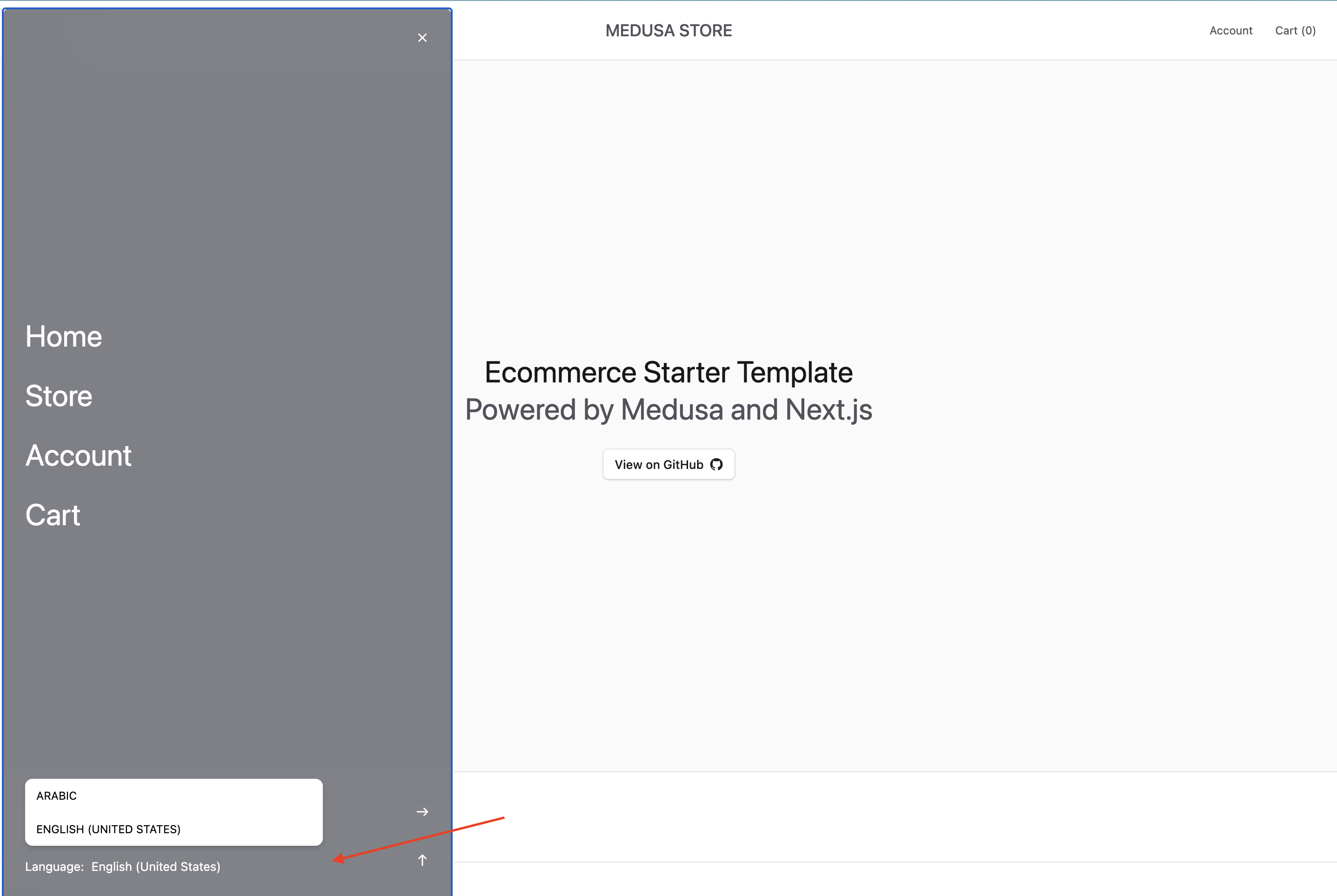
|
|
|
|
You can try selecting a different locale. The selected locale will be stored, but products will still be shown in the default locale. You'll implement the locale-based product retrieval in the next step.
|
|
|
|
---
|
|
|
|
## Step 7: Retrieve Product Details for Locale
|
|
|
|
The next feature you'll implement is retrieving and displaying product details for a selected locale.
|
|
|
|
You'll implement this feature by:
|
|
|
|
1. Linking Medusa's product to Contentful's product.
|
|
2. Adding the method to retrieve product details for a selected locale from Contentful.
|
|
3. Adding a new route to retrieve the product details for a selected locale.
|
|
4. Customizing the storefront to show the product details for the selected locale.
|
|
|
|
### Link Medusa's Product to Contentful's Product
|
|
|
|
Medusa facilitates retrieving data across systems using [module links](!docs!/learn/fundamentals/module-links). A module link forms an association between data models of two modules while maintaining module isolation.
|
|
|
|
Not only do module links support Medusa data models, but they also support virtual data models that are not persisted in Medusa's database. In that case, you create a [read-only module link](!docs!/learn/fundamentals/module-links/read-only) that allows you to retrieve data across systems.
|
|
|
|
In this section, you'll define a read-only module link between Medusa's product and Contentful's product, allowing you to later retrieve a product's entry in Contentful within a single query.
|
|
|
|
<Note>
|
|
|
|
Learn more about read-only module links in the [Read-Only Module Links](!docs!/learn/fundamentals/module-links/read-only) documentation.
|
|
|
|
</Note>
|
|
|
|
Module links are defined in a TypeScript or JavaScript file under the `src/links` directory. So, create the file `src/links/product-contentful.ts` with the following content:
|
|
|
|
export const productContentfulLinkHighlights = [
|
|
["5", "defineLink", "Define the module link."],
|
|
["7", "linkable", "The Medusa data model to link."],
|
|
["8", "field", "The field in the Medusa data model that holds the ID of the product."],
|
|
["11", "linkable", "The Contentful virtual data model to link."],
|
|
["12", "serviceName", "The name of the Contentful Module."],
|
|
["13", "alias", "The alias to use when querying the linked records."],
|
|
["14", "primaryKey", "The field in the Contentful virtual data model that holds the ID of a product."],
|
|
["18", "readOnly", "The module link is read-only."],
|
|
]
|
|
|
|
```ts title="src/links/product-contentful.ts" highlights={productContentfulLinkHighlights}
|
|
import { defineLink } from "@medusajs/framework/utils"
|
|
import ProductModule from "@medusajs/medusa/product"
|
|
import { CONTENTFUL_MODULE } from "../modules/contentful"
|
|
|
|
export default defineLink(
|
|
{
|
|
linkable: ProductModule.linkable.product,
|
|
field: "id",
|
|
},
|
|
{
|
|
linkable: {
|
|
serviceName: CONTENTFUL_MODULE,
|
|
alias: "contentful_product",
|
|
primaryKey: "product_id",
|
|
},
|
|
},
|
|
{
|
|
readOnly: true,
|
|
}
|
|
)
|
|
```
|
|
|
|
You define a module link using `defineLink` from the Modules SDK. It accepts three parameters:
|
|
|
|
1. An object with the linkable configuration of the data model in Medusa, and the field that will be passed as a filter to the Contentful Module's service.
|
|
2. An object with the linkable configuration of the virtual data model in Contentful. This object must have the following properties:
|
|
- `serviceName`: The name of the service, which is the Contentful Module's name. Medusa uses this name to resolve the module's service from the Medusa container.
|
|
- `alias`: The alias to use when querying the linked records. You'll see how that works in a bit.
|
|
- `primaryKey`: The field in Contentful's virtual data model that holds the ID of a product.
|
|
3. An object with the `readOnly` property set to `true`.
|
|
|
|
You'll see how the module link works in the upcoming steps.
|
|
|
|
### List Contentful Products Method
|
|
|
|
Next, you'll add a method that lists Contentful products for a given locale.
|
|
|
|
Add the following method to the Contentful Module's service at `src/modules/contentful/service.ts`:
|
|
|
|
export const listContentfulProductsMethodHighlights = [
|
|
["4", "filter", "The filter to apply on the retrieved products."],
|
|
["6", "context", "The context that includes the locale code."],
|
|
["11", "getEntries", "Retrieve the products from Contentful."],
|
|
["14", `"fields.medusaId"`, "Filter the products by their `medusaId` field."],
|
|
["15", "locale", "The locale code to retrieve the fields of the product in that locale."],
|
|
["16", "include", "The depth of the included nested entries."],
|
|
["19", "map", "Format the retrieved products."],
|
|
["24", "product_id", "Pass the product's ID in the `product_id` property."],
|
|
]
|
|
|
|
```ts title="src/modules/contentful/service.ts" highlights={listContentfulProductsMethodHighlights}
|
|
export default class ContentfulModuleService {
|
|
// ...
|
|
async list(
|
|
filter: {
|
|
id: string | string[]
|
|
context?: {
|
|
locale: string
|
|
}
|
|
}
|
|
) {
|
|
const contentfulProducts = await this.deliveryClient.getEntries({
|
|
limit: 15,
|
|
content_type: "product",
|
|
"fields.medusaId": filter.id,
|
|
locale: filter.context?.locale,
|
|
include: 3,
|
|
})
|
|
|
|
return contentfulProducts.items.map((product) => {
|
|
// remove links
|
|
const { productVariants: _, productOptions: __, ...productFields } = product.fields
|
|
return {
|
|
...productFields,
|
|
product_id: product.fields.medusaId,
|
|
variants: product.fields.productVariants.map((variant) => {
|
|
// remove circular reference
|
|
const { product: _, productOptionValues: __, ...variantFields } = variant.fields
|
|
return {
|
|
...variantFields,
|
|
product_variant_id: variant.fields.medusaId,
|
|
options: variant.fields.productOptionValues.map((option) => {
|
|
// remove circular reference
|
|
const { productOption: _, ...optionFields } = option.fields
|
|
return {
|
|
...optionFields,
|
|
product_option_id: option.fields.medusaId,
|
|
}
|
|
}),
|
|
}
|
|
}),
|
|
options: product.fields.productOptions.map((option) => {
|
|
// remove circular reference
|
|
const { product: _, ...optionFields } = option.fields
|
|
return {
|
|
...optionFields,
|
|
product_option_id: option.fields.medusaId,
|
|
values: option.fields.values.map((value) => {
|
|
// remove circular reference
|
|
const { productOptionValue: _, ...valueFields } = value.fields
|
|
return {
|
|
...valueFields,
|
|
product_option_value_id: value.fields.medusaId,
|
|
}
|
|
}),
|
|
}
|
|
}),
|
|
}
|
|
})
|
|
}
|
|
}
|
|
```
|
|
|
|
You add a `list` method that accepts an object with the following properties:
|
|
|
|
1. `id`: The ID of the product(s) in Medusa to retrieve their entries in Contentful.
|
|
2. `context`: An object with the `locale` property that holds the locale code to retrieve the product's entry in Contentful for that locale.
|
|
|
|
In the method, you use the Delivery API client's `getEntries` method to retrieve the products. You pass the following parameters:
|
|
|
|
- `limit`: The maximum number of products to retrieve.
|
|
- `content_type`: The content type of the entries to retrieve, which is `product`.
|
|
- `fields.medusaId`: Filter the products by their `medusaId` field, which holds the ID of the product in Medusa.
|
|
- `locale`: The locale code to retrieve the fields of the product in that locale.
|
|
- `include`: The depth of the included nested entries. This ensures that you can retrieve the product's variants and options, and their values.
|
|
|
|
Then, you format the retrieved products to:
|
|
|
|
- Pass the product's ID in the `product_id` property. This is essential to map a product in Medusa to its entry in Contentful.
|
|
- Remove the circular references in the product's variants, options, and values to avoid infinite loops.
|
|
|
|
<Note title="Tip">
|
|
|
|
To paginate the retrieved products, implement a `listAndCount` method as explained in the [Query Context](!docs!/learn/fundamentals/module-links/query-context#using-pagination-with-query) documentation.
|
|
|
|
</Note>
|
|
|
|
### Retrieve Product Details for Locale API Route
|
|
|
|
You'll now create the API route that returns a product's details for a given locale.
|
|
|
|
You can create an API route that accepts path parameters by creating a directory within the route file's path whose name is of the format `[param]`.
|
|
|
|
So, create the file `src/api/store/products/[id]/[locale]/route.ts` with the following content:
|
|
|
|
export const getProductLocaleDetailsRouteHighlights = [
|
|
["11", "locale", "Retrieve the locale from the request's path parameters."],
|
|
["12", "id", "Retrieve the product's ID from the request's path parameters."],
|
|
["13", "query", "Resolve Query from the Medusa container."],
|
|
["15", "data", "Retrieve the product's details from Contentful."],
|
|
["19", `"contentful_product.*"`, "Retrieve the product's details from Contentful."],
|
|
["24", "context", "Pass the locale code in the query's context."]
|
|
]
|
|
|
|
```ts title="src/api/store/products/[id]/[locale]/route.ts" highlights={getProductLocaleDetailsRouteHighlights}
|
|
import {
|
|
MedusaRequest,
|
|
MedusaResponse,
|
|
} from "@medusajs/framework/http"
|
|
import { QueryContext } from "@medusajs/framework/utils"
|
|
|
|
export const GET = async (
|
|
req: MedusaRequest,
|
|
res: MedusaResponse
|
|
) => {
|
|
const { locale, id } = req.params
|
|
|
|
const query = req.scope.resolve("query")
|
|
|
|
const { data } = await query.graph({
|
|
entity: "product",
|
|
fields: [
|
|
"id",
|
|
"contentful_product.*",
|
|
],
|
|
filters: {
|
|
id,
|
|
},
|
|
context: {
|
|
contentful_product: QueryContext({
|
|
locale,
|
|
}),
|
|
},
|
|
})
|
|
|
|
res.json({
|
|
product: data[0],
|
|
})
|
|
}
|
|
```
|
|
|
|
Since you export a `GET` route handler function, you expose a `GET` route at `/store/products/[id]/[locale]`. The route accepts two path parameters: the product's ID and the locale code.
|
|
|
|
In the route handler, you retrieve the `locale` and `id` path parameters from the request. Then, you resolve [Query](!docs!/learn/fundamentals/module-links/query) from the Medusa container.
|
|
|
|
Next, you use Query to retrieve the localized details of the specified product. To do that, you pass an object with the following properties:
|
|
|
|
- `entity`: The entity to retrieve, which is `product`.
|
|
- `fields`: The fields to retrieve. Notice that you include the `contentful_product.*` field, which is available through the module link you created earlier.
|
|
- `filters`: The filter to apply on the retrieved products. You apply the product's ID as a filter.
|
|
- `context`: An additional context to be passed to the methods retrieving the data. To pass a context, you use [Query Context](!docs!/learn/fundamentals/module-links/query-context).
|
|
|
|
By specifying `contentful_product.*` in the `fields` property, Medusa will retrieve the product's entry from Contentful using the `list` method you added to the Contentful Module's service.
|
|
|
|
Medusa passes the filters and context to the `list` method, and attaches the returned data to the Medusa product if its `product_id` matches the product's ID.
|
|
|
|
Finally, you return the product's details in the JSON response.
|
|
|
|
You can now use this route to retrieve a product's details for a given locale.
|
|
|
|
### Show Localized Product Details in Storefront
|
|
|
|
Now that you expose the localized product details, you can customize the storefront to show them.
|
|
|
|
#### Install Contentful Rich Text Package
|
|
|
|
When you retrieve the entries from Contentful, rich-text fields are returned as an object that requires special rendering. So, Contentful provides a package to render rich-text fields.
|
|
|
|
Install the package by running the following command:
|
|
|
|
```bash npm2yarn
|
|
npm install @contentful/@contentful/rich-text-types
|
|
```
|
|
|
|
You'll use this package to render the product's description.
|
|
|
|
#### Retrieve Localized Product Details Function
|
|
|
|
To retrieve a product's details for a given locale, you'll add a function that sends a request to the API route you created.
|
|
|
|
First, add the following import at the top of `src/lib/data/locale.ts`:
|
|
|
|
```ts title="src/lib/data/locale.ts" badgeLabel="Storefront" badgeColor="blue"
|
|
import type { Document } from "@contentful/rich-text-types"
|
|
```
|
|
|
|
Then, add the following type and function at the end of the file:
|
|
|
|
```ts title="src/lib/data/locale.ts" badgeLabel="Storefront" badgeColor="blue"
|
|
export type ProductLocaleDetails = {
|
|
id: string
|
|
contentful_product: {
|
|
product_id: string
|
|
title: string
|
|
handle: string
|
|
description: Document
|
|
subtitle?: string
|
|
variants: {
|
|
title: string
|
|
product_variant_id: string
|
|
options: {
|
|
value: string
|
|
product_option_id: string
|
|
}[]
|
|
}[]
|
|
options: {
|
|
title: string
|
|
product_option_id: string
|
|
values: {
|
|
title: string
|
|
product_option_value_id: string
|
|
}[]
|
|
}[]
|
|
}
|
|
}
|
|
|
|
export async function getProductLocaleDetails(
|
|
productId: string
|
|
) {
|
|
const localeCode = await getSelectedLocale()
|
|
|
|
return await sdk.client.fetch<{
|
|
product: ProductLocaleDetails
|
|
}>(`/store/products/${productId}/${localeCode}`)
|
|
}
|
|
```
|
|
|
|
You define a `ProductLocaleDetails` type that describes the structure of a localized product's details.
|
|
|
|
You also define a `getProductLocaleDetails` function that sends a request to the API route you created and returns the localized product's details.
|
|
|
|
#### Show Localized Product Title in Products Listing
|
|
|
|
Next, you'll customize existing components to show the localized product details.
|
|
|
|
The component defined in `src/modules/products/components/product-preview/index.tsx` shows the product's details in the products listing page. You need to retrieve the localized product details and show the product's title in the selected locale.
|
|
|
|
In `src/modules/products/components/product-preview/index.tsx`, add the following import:
|
|
|
|
```tsx title="src/modules/products/components/product-preview/index.tsx" badgeLabel="Storefront" badgeColor="blue"
|
|
import { getProductLocaleDetails } from "@lib/data/locale"
|
|
```
|
|
|
|
Then, in the `ProductPreview` component in the same file, add the following before the `return` statement:
|
|
|
|
```tsx title="src/modules/products/components/product-preview/index.tsx" badgeLabel="Storefront" badgeColor="blue"
|
|
const productLocaleDetails = await getProductLocaleDetails(product.id!)
|
|
```
|
|
|
|
This will retrieve the localized product details for the selected locale.
|
|
|
|
Finally, to show the localized product title, find in the `ProductPreview` component's `return` statement the following line:
|
|
|
|
```tsx title="src/modules/products/components/product-preview/index.tsx" badgeLabel="Storefront" badgeColor="blue"
|
|
{product.title}
|
|
```
|
|
|
|
And replace it with the following:
|
|
|
|
```tsx title="src/modules/products/components/product-preview/index.tsx" badgeLabel="Storefront" badgeColor="blue"
|
|
{productLocaleDetails.product.contentful_product?.title || product.title}
|
|
```
|
|
|
|
You'll test it out after the next step.
|
|
|
|
#### Show Localized Product Details in Product Page
|
|
|
|
Next, you'll customize the product page to show the localized product details.
|
|
|
|
The product's details page is defined in `src/app/[countryCode]/(main)/products/[handle]/page.tsx`. So, add the following import at the top of the file:
|
|
|
|
```tsx title="src/app/[countryCode]/(main)/products/[handle]/page.tsx" badgeLabel="Storefront" badgeColor="blue"
|
|
import { getProductLocaleDetails } from "@lib/data/locale"
|
|
```
|
|
|
|
Then, in the `ProductPage` component in the same file, add the following before the `return` statement:
|
|
|
|
```tsx title="src/app/[countryCode]/(main)/products/[handle]/page.tsx" badgeLabel="Storefront" badgeColor="blue"
|
|
const productLocaleDetails = await getProductLocaleDetails(pricedProduct.id!)
|
|
```
|
|
|
|
This will retrieve the localized product details for the selected locale.
|
|
|
|
Finally, in the `ProductPage` component in the same file, pass the following prop to `ProductTemplate`:
|
|
|
|
```tsx title="src/app/[countryCode]/(main)/products/[handle]/page.tsx" badgeLabel="Storefront" badgeColor="blue"
|
|
return (
|
|
<ProductTemplate
|
|
// ...
|
|
productLocaleDetails={productLocaleDetails.product}
|
|
/>
|
|
)
|
|
```
|
|
|
|
Next, you'll customize the `ProductTemplate` component to accept and use this prop.
|
|
|
|
In `src/modules/products/templates/index.tsx`, add the following import:
|
|
|
|
```tsx title="src/modules/products/templates/index.tsx" badgeLabel="Storefront" badgeColor="blue"
|
|
import { ProductLocaleDetails } from "@lib/data/locale"
|
|
```
|
|
|
|
Then, update the `ProductTemplateProps` type to include the `productLocaleDetails` prop:
|
|
|
|
```tsx title="src/modules/products/templates/index.tsx" badgeLabel="Storefront" badgeColor="blue"
|
|
export type ProductTemplateProps = {
|
|
// ...
|
|
productLocaleDetails: ProductLocaleDetails
|
|
}
|
|
```
|
|
|
|
Next, update the `ProductTemplate` component to destructure the `productLocaleDetails` prop:
|
|
|
|
```tsx title="src/modules/products/templates/index.tsx" badgeLabel="Storefront" badgeColor="blue"
|
|
const ProductTemplate: React.FC<ProductTemplateProps> = ({
|
|
// ...
|
|
productLocaleDetails,
|
|
}) => {
|
|
// ...
|
|
}
|
|
```
|
|
|
|
Finally, pass the `productLocaleDetails` prop to the `ProductInfo` component in the `return` statement:
|
|
|
|
```tsx title="src/modules/products/templates/index.tsx" badgeLabel="Storefront" badgeColor="blue"
|
|
<ProductInfo
|
|
// ...
|
|
productLocaleDetails={productLocaleDetails}
|
|
/>
|
|
```
|
|
|
|
The `ProductInfo` component shows the product's details. So, you need to update it to accept and use the `productLocaleDetails` prop.
|
|
|
|
In `src/modules/products/templates/product-info/index.tsx`, add the following imports:
|
|
|
|
```tsx title="src/modules/products/templates/product-info/index.tsx" badgeLabel="Storefront" badgeColor="blue"
|
|
import { ProductLocaleDetails } from "@lib/data/locale"
|
|
import { documentToHtmlString } from "@contentful/rich-text-html-renderer"
|
|
```
|
|
|
|
Then, update the `ProductInfoProps` type to include the `productLocaleDetails` prop:
|
|
|
|
```tsx title="src/modules/products/templates/product-info/index.tsx" badgeLabel="Storefront" badgeColor="blue"
|
|
export type ProductInfoProps = {
|
|
// ...
|
|
productLocaleDetails: ProductLocaleDetails
|
|
}
|
|
```
|
|
|
|
Next, update the `ProductInfo` component to destructure the `productLocaleDetails` prop:
|
|
|
|
```tsx title="src/modules/products/templates/product-info/index.tsx" badgeLabel="Storefront" badgeColor="blue"
|
|
const ProductInfo = ({ product, productLocaleDetails }: ProductInfoProps) => {
|
|
// ...
|
|
}
|
|
```
|
|
|
|
Then, find the following line in the `return` statement:
|
|
|
|
```tsx title="src/modules/products/templates/product-info/index.tsx" badgeLabel="Storefront" badgeColor="blue"
|
|
{product.title}
|
|
```
|
|
|
|
And replace it with the following:
|
|
|
|
```tsx title="src/modules/products/templates/product-info/index.tsx" badgeLabel="Storefront" badgeColor="blue"
|
|
{productLocaleDetails.contentful_product?.title || product.title}
|
|
```
|
|
|
|
Also, find the following line:
|
|
|
|
```tsx title="src/modules/products/templates/product-info/index.tsx" badgeLabel="Storefront" badgeColor="blue"
|
|
{product.description}
|
|
```
|
|
|
|
And replace it with the following:
|
|
|
|
```tsx title="src/modules/products/templates/product-info/index.tsx" badgeLabel="Storefront" badgeColor="blue"
|
|
{productLocaleDetails.contentful_product?.description ?
|
|
<div dangerouslySetInnerHTML={{ __html: documentToHtmlString(productLocaleDetails.contentful_product?.description) }} /> :
|
|
product.description
|
|
}
|
|
```
|
|
|
|
You use the `documentToHtmlString` function to render the rich-text field. The function returns an HTML string that you can use to render the description.
|
|
|
|
### Test out the Localized Product Details
|
|
|
|
You can now test out all the changes made in this step.
|
|
|
|
To do that, start the Medusa application by running the following command in the Medusa application's directory:
|
|
|
|
```bash npm2yarn
|
|
npm run dev
|
|
```
|
|
|
|
Then, start the Next.js Starter Storefront by running the following command in the storefront's directory:
|
|
|
|
```bash npm2yarn
|
|
npm run dev
|
|
```
|
|
|
|
Open the storefront at `http://localhost:8000` and select a different locale.
|
|
|
|
Then, open the products listing page by clicking on Menu -> Store. You'll see the product titles in the selected locale.
|
|
|
|
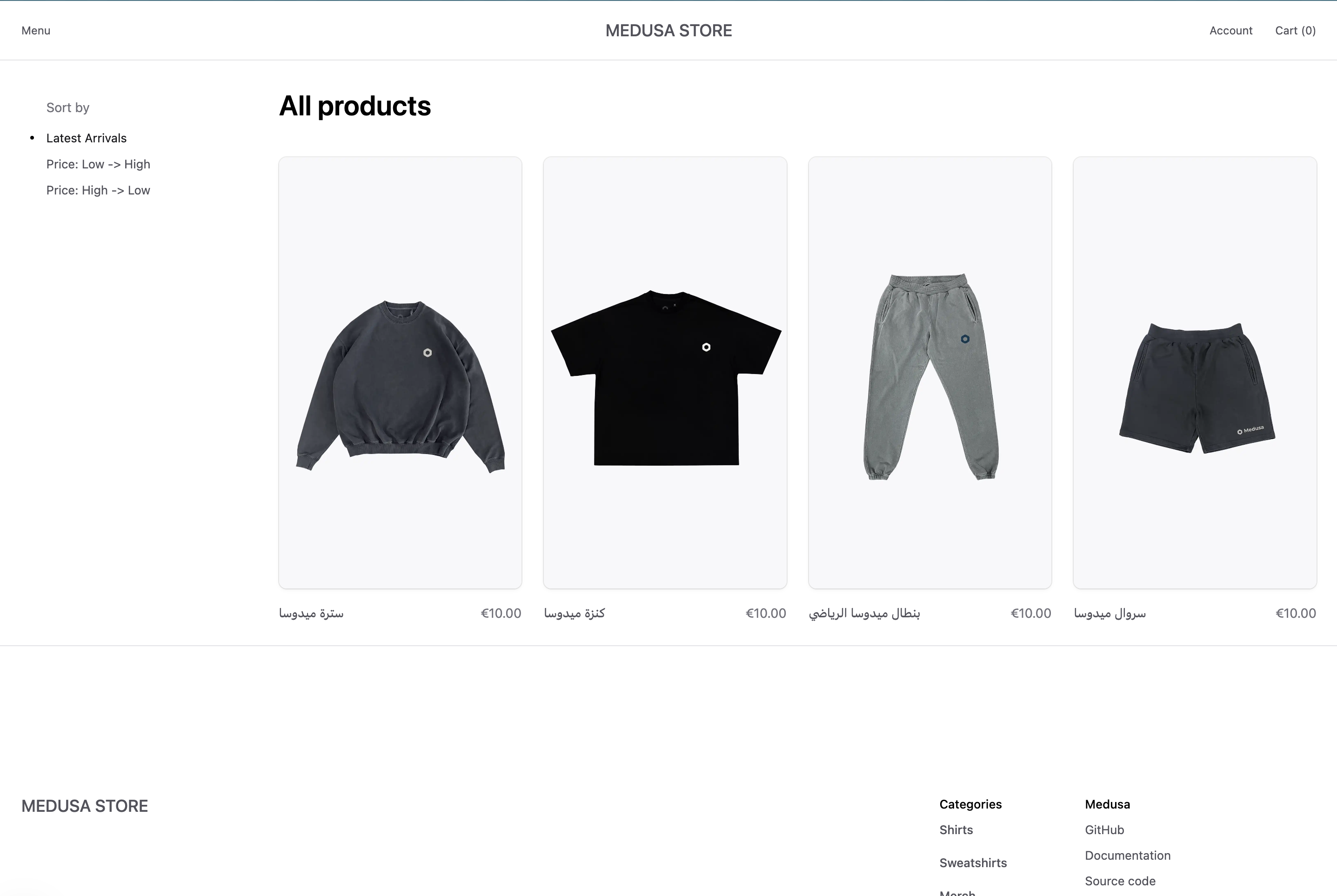
|
|
|
|
Then, if you click on a product, you'll see the product's title and description in the selected locale.
|
|
|
|
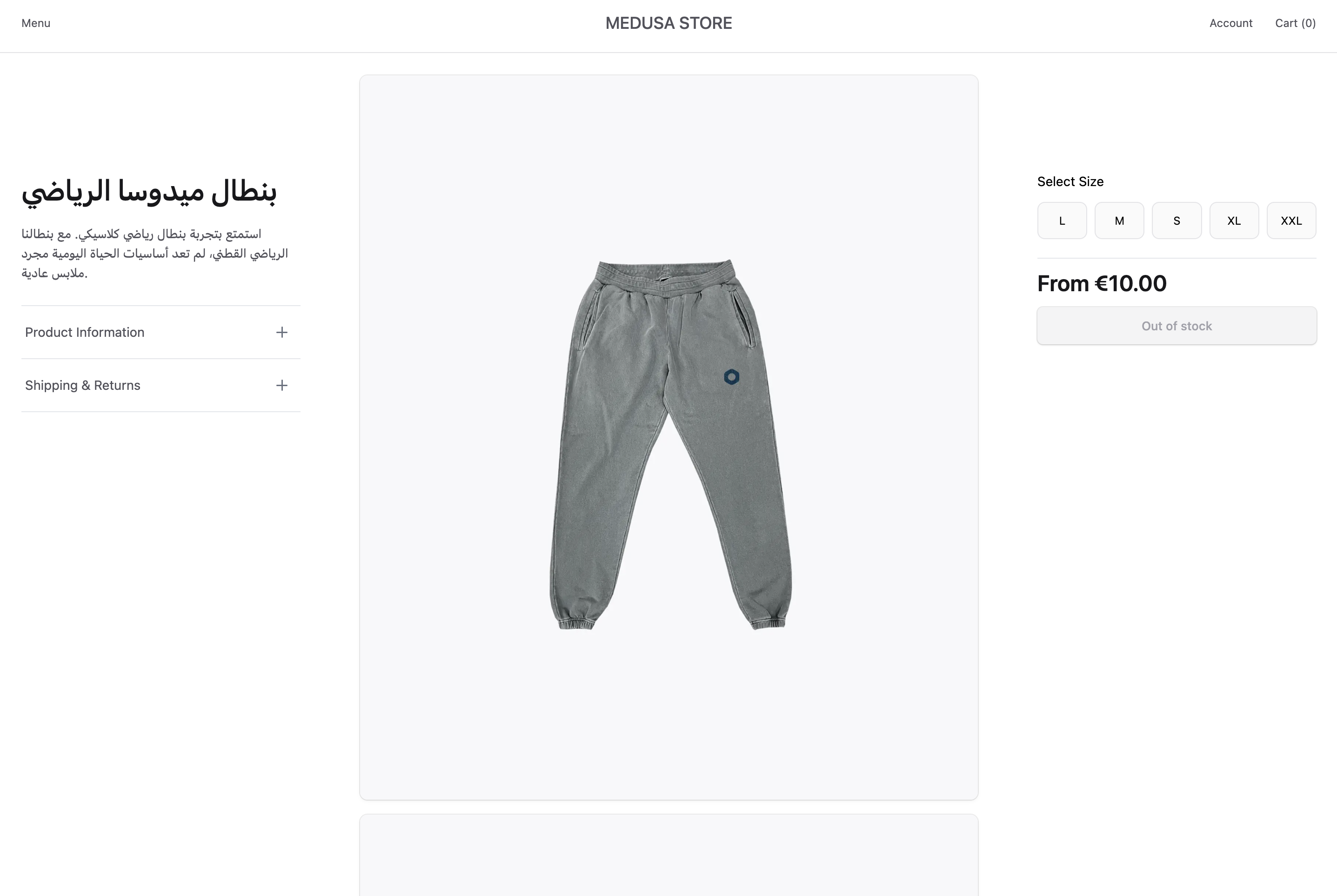
|
|
|
|
---
|
|
|
|
## Step 8: Sync Changes from Contentful to Medusa
|
|
|
|
The last feature you'll implement is syncing changes from Contentful to Medusa.
|
|
|
|
Contentful's webhooks allow you to listen to changes in your Contentful entries. You can then set up a webhook listener API route in Medusa that updates the product's data.
|
|
|
|
In this step, you'll set up a webhook listener that updates Medusa's product data when a Contentful entry is published.
|
|
|
|
### Prerequisites: Public Server
|
|
|
|
Webhooks can only trigger deployed listeners. So, you must either [deploy your Medusa application](../../../deployment/page.mdx), or use tools like [ngrok](https://ngrok.com/) to publicly expose your local application.
|
|
|
|
### Set Up Webhooks in Contentful
|
|
|
|
Before setting up the webhook listener, you need to set up a webhook in Contentful. To do that, on the Contentful dashboard:
|
|
|
|
1. Click on the cog icon at the top right, then choose "Webhooks" from the dropdown.
|
|
|
|
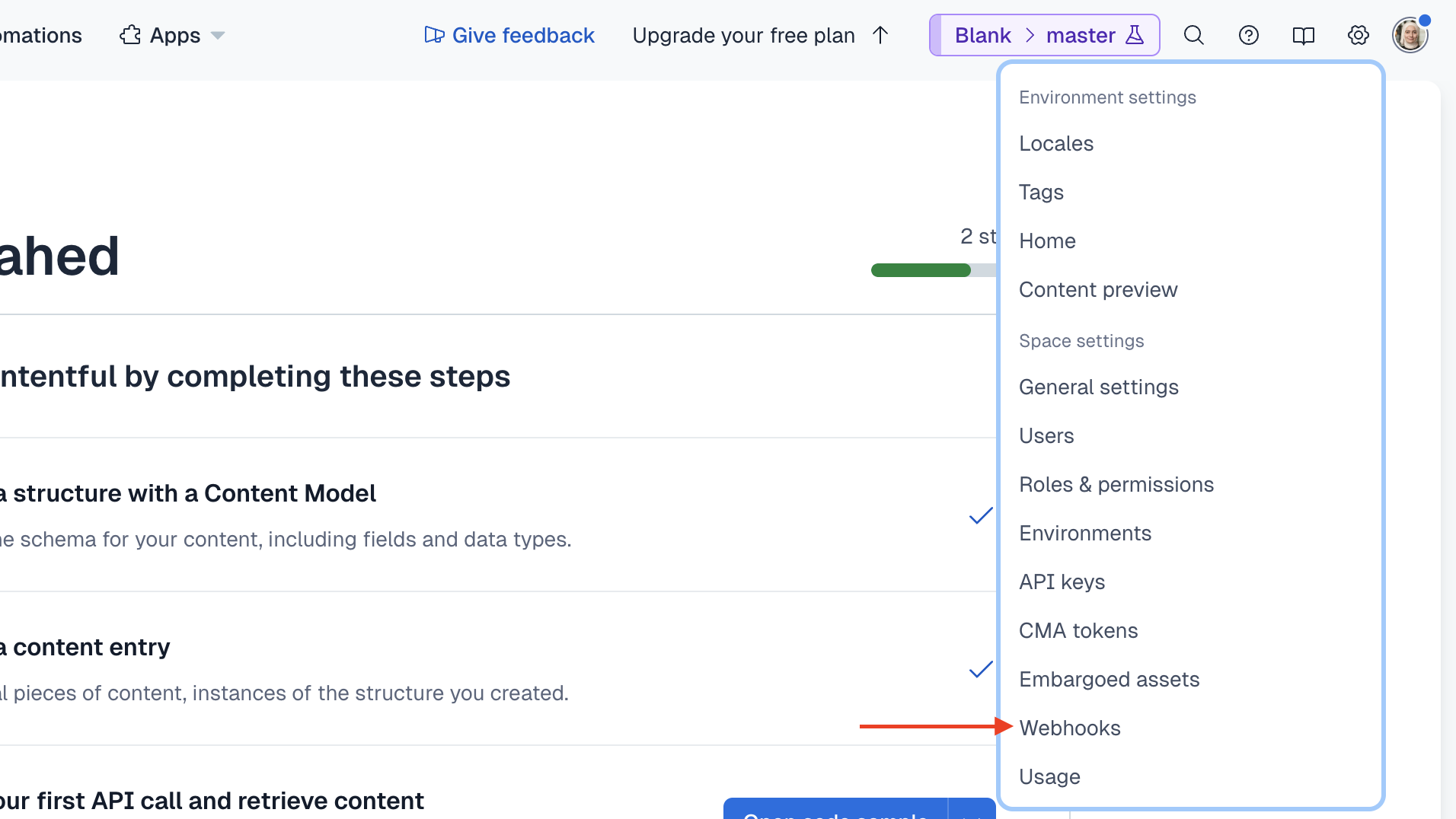
|
|
|
|
2. On the Webhooks page, click on the "Add Webhook" button.
|
|
3. In the webhook form:
|
|
- In the Name fields, enter a name, such as "Medusa".
|
|
- In the URL field, enter `{your_app}/hooks/contentful`, where `{your_app}` is the public URL of your Medusa application. You'll create the `/hooks/contentful` API route in a bit.
|
|
- In the Triggers section, select the "Published" trigger for "Entry".
|
|
|
|
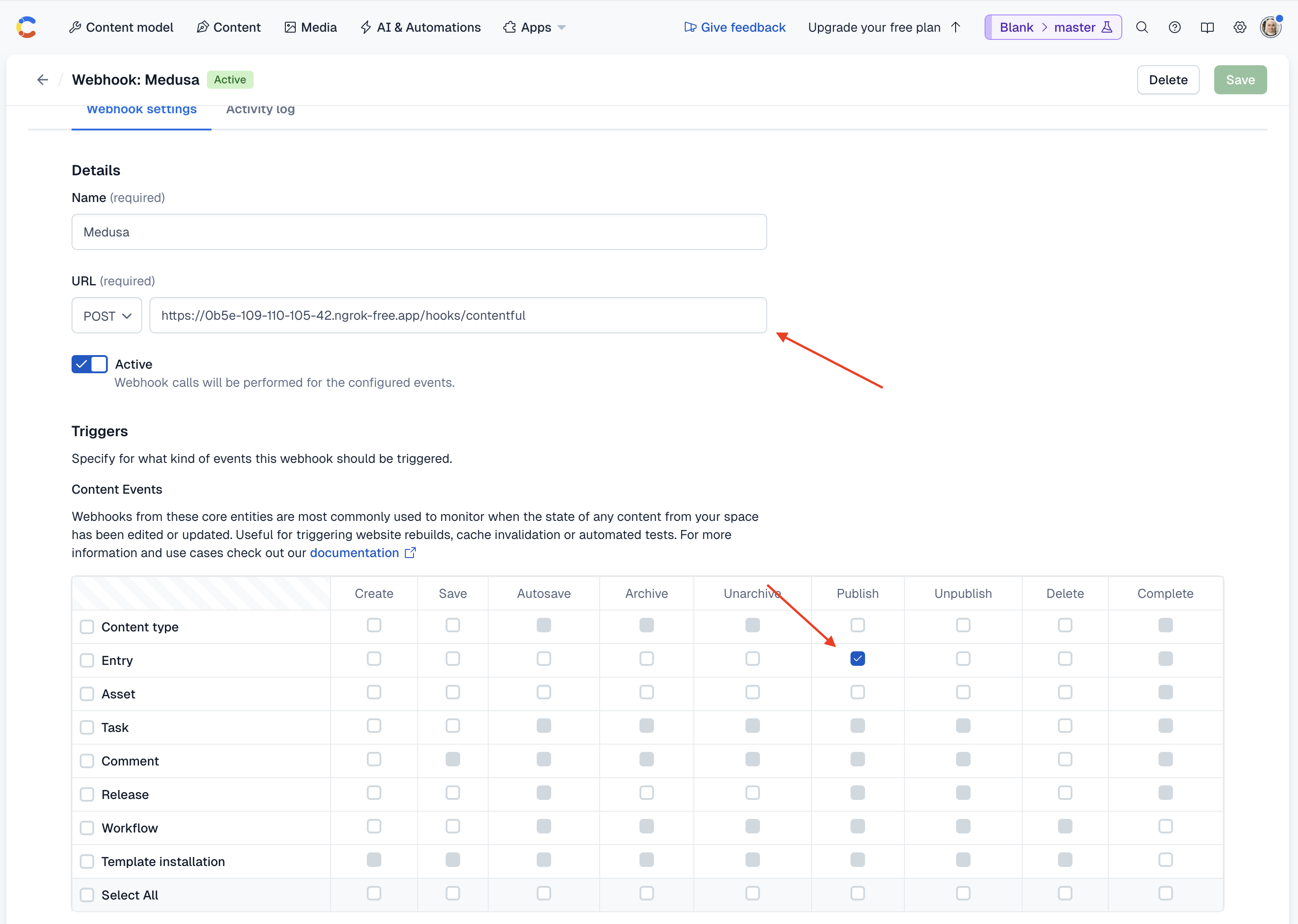
|
|
|
|
- Scroll down to the "Headers" section, and choose "application/json" for the "Content type" field.
|
|
|
|
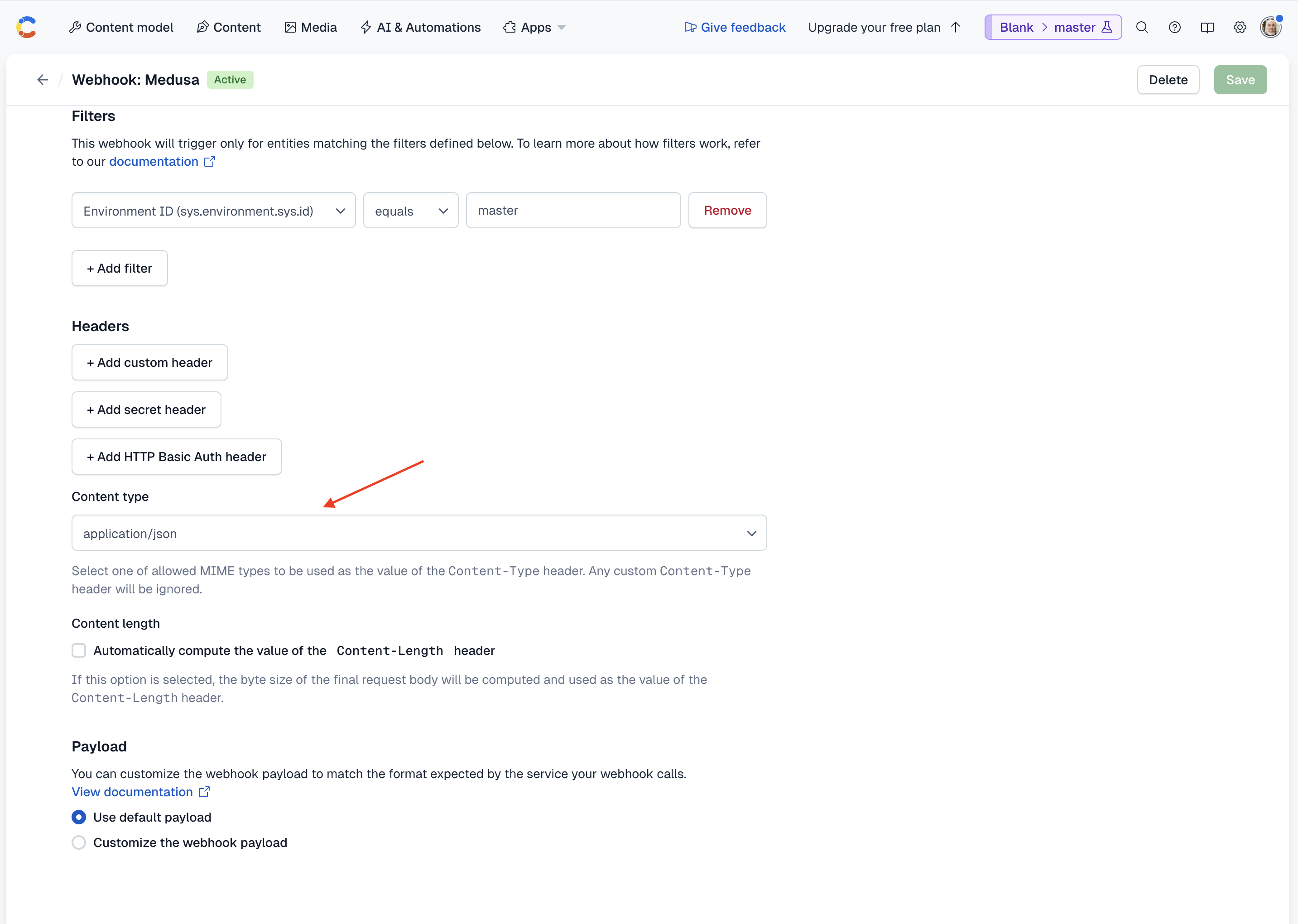
|
|
|
|
4. Once you're done, click the Save button.
|
|
|
|
### Setup Webhook Secret in Contentful
|
|
|
|
You also need to add a webhook secret in Contentful. To do that, on the Contentful dashboard:
|
|
|
|
1. Click on the cog icon at the top right, then choose "Webhooks" from the dropdown.
|
|
2. On the Webhooks page, click on the "Settings" tab.
|
|
3. Click on the "Enable request verification" button.
|
|
|
|
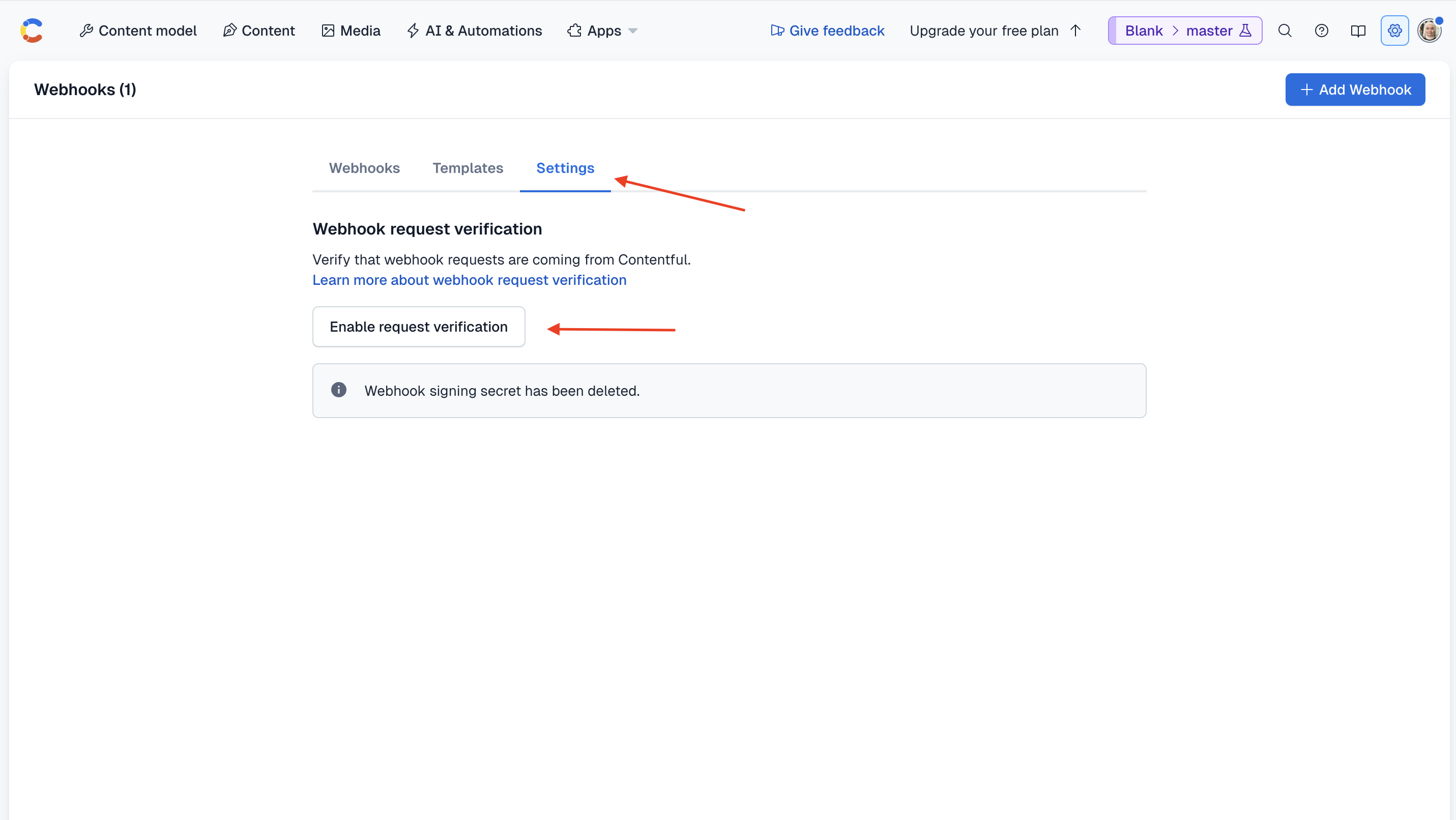
|
|
|
|
4. Copy the secret that shows up. You can update it later but you can't see the same secret again.
|
|
|
|
You'll use the secret to verify the webhook request in Medusa next.
|
|
|
|
### Update Contentful Module Options
|
|
|
|
First, add the webhook secret as an environment variable in the Medusa application's `.env` file:
|
|
|
|
```plain
|
|
CONTENTFUL_WEBHOOK_SECRET=aEl7...
|
|
```
|
|
|
|
Next, add the webhook secret to the Contentful Module options in the Medusa application's `medusa-config.ts` file:
|
|
|
|
```ts title="medusa-config.ts"
|
|
module.exports = defineConfig({
|
|
// ...
|
|
modules: [
|
|
{
|
|
resolve: "./src/modules/contentful",
|
|
options: {
|
|
// ...
|
|
webhook_secret: process.env.CONTENTFUL_WEBHOOK_SECRET,
|
|
},
|
|
},
|
|
],
|
|
})
|
|
```
|
|
|
|
Finally, update the `ModuleOptions` type in `src/modules/contentful/loader/create-content-models.ts` to include the `webhook_secret` option:
|
|
|
|
```ts title="src/modules/contentful/loader/create-content-models.ts"
|
|
export type ModuleOptions = {
|
|
// ...
|
|
webhook_secret: string
|
|
}
|
|
```
|
|
|
|
### Add Verify Request Method
|
|
|
|
Next, you'll add a method to the Contentful Module's service that verifies a webhook request.
|
|
|
|
To verify the request, you'll need the `@contentful/node-apps-toolkit` package that provides utility functions for Node.js applications.
|
|
|
|
So, run the following command to install it:
|
|
|
|
```bash npm2yarn
|
|
npm install @contentful/node-apps-toolkit
|
|
```
|
|
|
|
Then, add the following method to the Contentful Module's service in `src/modules/contentful/service.ts`:
|
|
|
|
```ts title="src/modules/contentful/service.ts"
|
|
// other imports...
|
|
import {
|
|
CanonicalRequest,
|
|
verifyRequest,
|
|
} from "@contentful/node-apps-toolkit"
|
|
|
|
export default class ContentfulModuleService {
|
|
// ...
|
|
async verifyWebhook(request: CanonicalRequest) {
|
|
if (!this.options.webhook_secret) {
|
|
throw new MedusaError(
|
|
MedusaError.Types.INVALID_DATA,
|
|
"Webhook secret is not set"
|
|
)
|
|
}
|
|
return verifyRequest(this.options.webhook_secret, request, 0)
|
|
}
|
|
}
|
|
```
|
|
|
|
You add a `verifyWebhook` method that verifies a webhook request using the `verifyRequest` function.
|
|
|
|
You pass to the `verifyRequest` function the webhook secret from the module's options with the request's details. You also disable time-to-live (TTL) check by passing `0` as the third argument.
|
|
|
|
### Handle Contentful Webhook Workflow
|
|
|
|
Before you add the webhook listener, the last piece you need is to add a workflow that handles the necessary updates based on the webhook event.
|
|
|
|
The workflow will have the following steps:
|
|
|
|
<WorkflowDiagram
|
|
workflow={{
|
|
name: "handleContentfulHookWorkflow",
|
|
steps: [
|
|
{
|
|
type: "step",
|
|
name: "prepareUpdateDataStep",
|
|
description: "Prepare the data for the update",
|
|
depth: 1,
|
|
},
|
|
{
|
|
type: "when",
|
|
condition: `input.entry.sys.contentType.sys.id === "product"`,
|
|
steps: [
|
|
{
|
|
type: "workflow",
|
|
name: "updateProductsWorkflow",
|
|
description: "Update the product if that's the entry type",
|
|
depth: 2,
|
|
link: "/references/medusa-workflows/updateProductsWorkflow"
|
|
}
|
|
]
|
|
},
|
|
{
|
|
type: "when",
|
|
condition: `input.entry.sys.contentType.sys.id === "productVariant"`,
|
|
steps: [
|
|
{
|
|
type: "workflow",
|
|
name: "updateProductVariantsWorkflow",
|
|
description: "Update the product variant if that's the entry type",
|
|
depth: 2,
|
|
link: "/references/medusa-workflows/updateProductVariantsWorkflow"
|
|
}
|
|
]
|
|
},
|
|
{
|
|
type: "when",
|
|
condition: `input.entry.sys.contentType.sys.id === "productOption"`,
|
|
steps: [
|
|
{
|
|
type: "workflow",
|
|
name: "updateProductOptionsWorkflow",
|
|
description: "Update the product option if that's the entry type",
|
|
depth: 2,
|
|
link: "/references/medusa-workflows/updateProductOptionsWorkflow"
|
|
}
|
|
]
|
|
}
|
|
]
|
|
}}
|
|
/>
|
|
|
|
You only need to implement the first step, as Medusa provides the other workflows (running as steps) in the `@medusajs/medusa/core-flows` package.
|
|
|
|
#### prepareUpdateDataStep
|
|
|
|
The first step receives the webhook data payload and, based on the entry type, returns the data necessary for the update.
|
|
|
|
To create the step, create the file `src/workflows/steps/prepare-update-data.ts` with the following content:
|
|
|
|
export const prepareUpdateDataStepHighlights = [
|
|
["12", "entry", "Receive the webhook data payload as an input."],
|
|
["13", "contentfulModuleService", "Resolve the Contentful Module's service from the Medusa container."],
|
|
["16", "defaultLocale", "Retrieve the default locale code from the Contentful Module's service."],
|
|
["18", "data", "Prepare the data to return based on the entry type."],
|
|
["20", "switch", "Set the data based on the entry type."]
|
|
]
|
|
|
|
```ts title="src/workflows/steps/prepare-update-data.ts" highlights={prepareUpdateDataStepHighlights}
|
|
import { createStep, StepResponse } from "@medusajs/framework/workflows-sdk"
|
|
import { EntryProps } from "contentful-management"
|
|
import ContentfulModuleService from "../../modules/contentful/service"
|
|
import { CONTENTFUL_MODULE } from "../../modules/contentful"
|
|
|
|
type StepInput = {
|
|
entry: EntryProps
|
|
}
|
|
|
|
export const prepareUpdateDataStep = createStep(
|
|
"prepare-update-data",
|
|
async ({ entry }: StepInput, { container }) => {
|
|
const contentfulModuleService: ContentfulModuleService =
|
|
container.resolve(CONTENTFUL_MODULE)
|
|
|
|
const defaultLocale = await contentfulModuleService.getDefaultLocaleCode()
|
|
|
|
let data: Record<string, unknown> = {}
|
|
|
|
switch (entry.sys.contentType.sys.id) {
|
|
case "product":
|
|
data = {
|
|
id: entry.fields.medusaId[defaultLocale!],
|
|
title: entry.fields.title[defaultLocale!],
|
|
subtitle: entry.fields.subtitle?.[defaultLocale!] || undefined,
|
|
handle: entry.fields.handle[defaultLocale!],
|
|
}
|
|
break
|
|
case "productVariant":
|
|
data = {
|
|
id: entry.fields.medusaId[defaultLocale!],
|
|
title: entry.fields.title[defaultLocale!],
|
|
}
|
|
break
|
|
case "productOption":
|
|
data = {
|
|
selector: {
|
|
id: entry.fields.medusaId[defaultLocale!],
|
|
},
|
|
update: {
|
|
title: entry.fields.title[defaultLocale!],
|
|
},
|
|
}
|
|
break
|
|
}
|
|
|
|
return new StepResponse(data)
|
|
}
|
|
)
|
|
```
|
|
|
|
You define a `prepareUpdateDataStep` function that receives the webhook data payload as an input.
|
|
|
|
In the step, you resolve the Contentful Module's service and use it to retrieve the default locale code. You need it to find the value to update the fields in Medusa.
|
|
|
|
Next, you prepare the data to return based on the entry type:
|
|
|
|
- `product`: The product's ID, title, subtitle, and handle.
|
|
- `productVariant`: The product variant's ID and title.
|
|
- `productOption`: The product option's ID and title.
|
|
|
|
The data is prepared based on the expected input for the workflows that will be used to update the data.
|
|
|
|
#### Create the Workflow
|
|
|
|
You can now create the workflow that handles the webhook event.
|
|
|
|
Create the file `src/workflows/handle-contentful-hook.ts` with the following content:
|
|
|
|
export const handleContentfulHookWorkflowHighlights = [
|
|
["16", "entry", "Receive the webhook data payload as an input."],
|
|
["22", "prepareUpdateData", "Prepare the data for the update."],
|
|
["26", "when", "Check if the entry type is a product."],
|
|
["28", "updateProductsWorkflow", "Update the product."],
|
|
["35", "when", "Check if the entry type is a product variant."],
|
|
["39", "updateProductVariantsWorkflow", "Update the product variant."],
|
|
["46", "when", "Check if the entry type is a product option."],
|
|
["50", "updateProductOptionsWorkflow", "Update the product option."],
|
|
]
|
|
|
|
```ts title="src/workflows/handle-contentful-hook.ts" highlights={handleContentfulHookWorkflowHighlights} collapsibleLines="1-14" expandButtonLabel="Show Imports"
|
|
import { createWorkflow, when } from "@medusajs/framework/workflows-sdk"
|
|
import { EntryProps } from "contentful-management"
|
|
import { prepareUpdateDataStep } from "./steps/prepare-update-data"
|
|
import {
|
|
updateProductOptionsWorkflow,
|
|
updateProductsWorkflow,
|
|
updateProductVariantsWorkflow,
|
|
UpdateProductOptionsWorkflowInput,
|
|
} from "@medusajs/medusa/core-flows"
|
|
import {
|
|
UpsertProductDTO,
|
|
UpsertProductVariantDTO,
|
|
} from "@medusajs/framework/types"
|
|
|
|
export type WorkflowInput = {
|
|
entry: EntryProps
|
|
}
|
|
|
|
export const handleContentfulHookWorkflow = createWorkflow(
|
|
{ name: "handle-contentful-hook-workflow" },
|
|
(input: WorkflowInput) => {
|
|
const prepareUpdateData = prepareUpdateDataStep({
|
|
entry: input.entry,
|
|
})
|
|
|
|
when(input, (input) => input.entry.sys.contentType.sys.id === "product")
|
|
.then(() => {
|
|
updateProductsWorkflow.runAsStep({
|
|
input: {
|
|
products: [prepareUpdateData as UpsertProductDTO],
|
|
},
|
|
})
|
|
})
|
|
|
|
when(input, (input) =>
|
|
input.entry.sys.contentType.sys.id === "productVariant"
|
|
)
|
|
.then(() => {
|
|
updateProductVariantsWorkflow.runAsStep({
|
|
input: {
|
|
product_variants: [prepareUpdateData as UpsertProductVariantDTO],
|
|
},
|
|
})
|
|
})
|
|
|
|
when(input, (input) =>
|
|
input.entry.sys.contentType.sys.id === "productOption"
|
|
)
|
|
.then(() => {
|
|
updateProductOptionsWorkflow.runAsStep({
|
|
input: prepareUpdateData as unknown as UpdateProductOptionsWorkflowInput,
|
|
})
|
|
})
|
|
}
|
|
)
|
|
```
|
|
|
|
You define a `handleContentfulHookWorkflow` function that receives the webhook data payload as an input.
|
|
|
|
In the workflow, you:
|
|
|
|
- Prepare the data for the update using the `prepareUpdateDataStep` step.
|
|
- Use a [when](!docs!/learn/fundamentals/workflows/conditions) condition to check if the entry type is a `product`, and if so, update the product using the `updateProductsWorkflow`.
|
|
- Use a `when` condition to check if the entry type is a `productVariant`, and if so, update the product variant using the `updateProductVariantsWorkflow`.
|
|
- Use a `when` condition to check if the entry type is a `productOption`, and if so, update the product option using the `updateProductOptionsWorkflow`.
|
|
|
|
<Note title="Why use When in Workflows?">
|
|
|
|
You can't perform data manipulation in a workflow's constructor function. Instead, the Workflows SDK includes utility functions like `when` to perform typical operations that requires accessing data values. Learn more about workflow constraints in the [Workflow Constraints](!docs!/learn/fundamentals/workflows/constructor-constraints) documentation.
|
|
|
|
</Note>
|
|
|
|
### Add the Webhook Listener API Route
|
|
|
|
You can finally add the API route that acts as a webhook listener.
|
|
|
|
To add the API route, create the file `src/api/hooks/contentful/route.ts` with the following content:
|
|
|
|
export const contentfulHookRouteHighlights = [
|
|
["15", "contentfulModuleService", "Resolve the Contentful Module's service from the Medusa container."],
|
|
["18", "isValid", "Verify the webhook request."],
|
|
["25", "if", "Throw an error if the request is invalid."],
|
|
["32", "handleContentfulHookWorkflow", "Run the workflow with the request's body as the input."],
|
|
]
|
|
|
|
```ts title="src/api/hooks/contentful/route.ts" highlights={contentfulHookRouteHighlights} collapsibleLines="1-10" expandButtonLabel="Show Imports"
|
|
import { MedusaRequest, MedusaResponse } from "@medusajs/framework/http"
|
|
import {
|
|
handleContentfulHookWorkflow,
|
|
HandleContentfulHookWorkflowInput,
|
|
} from "../../../workflows/handle-contentful-hook"
|
|
import { CONTENTFUL_MODULE } from "../../../modules/contentful"
|
|
import { CanonicalRequest } from "@contentful/node-apps-toolkit"
|
|
import { MedusaError } from "@medusajs/framework/utils"
|
|
import ContentfulModuleService from "../../../modules/contentful/service"
|
|
|
|
export const POST = async (
|
|
req: MedusaRequest,
|
|
res: MedusaResponse
|
|
) => {
|
|
const contentfulModuleService: ContentfulModuleService =
|
|
req.scope.resolve(CONTENTFUL_MODULE)
|
|
|
|
const isValid = await contentfulModuleService.verifyWebhook({
|
|
path: req.path,
|
|
method: req.method.toUpperCase(),
|
|
headers: req.headers,
|
|
body: JSON.stringify(req.body),
|
|
} as unknown as CanonicalRequest)
|
|
|
|
if (!isValid) {
|
|
throw new MedusaError(
|
|
MedusaError.Types.UNAUTHORIZED,
|
|
"Invalid webhook request"
|
|
)
|
|
}
|
|
|
|
await handleContentfulHookWorkflow(req.scope).run({
|
|
input: {
|
|
entry: req.body,
|
|
} as unknown as HandleContentfulHookWorkflowInput,
|
|
})
|
|
|
|
res.status(200).send("OK")
|
|
}
|
|
```
|
|
|
|
Since you export a `POST` route handler function, you expose a `POST` route at `/hooks/contentful`.
|
|
|
|
In the route, you first use the `verifyWebhook` method of the Contentful Module's service to verify the request. If the request is invalid, you throw an error.
|
|
|
|
Then, you run the `handleContentfulHookWorkflow` passing the request's body, which is the webhook data payload, as an input.
|
|
|
|
Finally, you return a `200` response to Contentful to confirm that the webhook was received and processed.
|
|
|
|
### Test the Webhook Listener
|
|
|
|
To test out the webhook listener, start the Medusa application:
|
|
|
|
```bash npm2yarn
|
|
npm run dev
|
|
```
|
|
|
|
Then, try updating a product's title (in the default locale) in Contentful. You should see the product's title updated in Medusa.
|
|
|
|
---
|
|
|
|
## Next Steps
|
|
|
|
You've now integrated Contentful with Medusa and supported localized product details. You can expand on the features in this tutorial to:
|
|
|
|
1. Add support for other data types, such as product categories or collections.
|
|
- Refer to the data model references for each [Commerce Module](../../../commerce-modules/page.mdx) to figure out the content types you need to create in Contentful.
|
|
2. Listen to other product events and update the Contentful entries accordingly.
|
|
- Refer to the [Events Reference](/references/events) for details on all events emitted in Medusa.
|
|
3. Add localization for the entire Next.js Starter Storefront. You can either:
|
|
- Create content types in Contentful for different sections in the storefront, then use them to retrieve the localized content;
|
|
- Or use the approaches recommended in the [Next.js documentation](https://nextjs.org/docs/app/building-your-application/routing/internationalization).
|
|
|
|
If you're new to Medusa, check out the [main documentation](!docs!/learn), where you'll get a more in-depth learning of all the concepts you've used in this guide and more.
|
|
|
|
To learn more about the commerce features that Medusa provides, check out Medusa's [Commerce Modules](../../../commerce-modules/page.mdx).
|
|
|
|
### Troubleshooting
|
|
|
|
If you encounter issues during your development, check out the [troubleshooting guides](../../../troubleshooting/page.mdx).
|
|
|
|
### Getting Help
|
|
|
|
If you encounter issues not covered in the troubleshooting guides:
|
|
|
|
1. Visit the [Medusa GitHub repository](https://github.com/medusajs/medusa) to report issues or ask questions.
|
|
2. Join the [Medusa Discord community](https://discord.gg/medusajs) for real-time support from community members.
|
|
3. Contact the [sales team](https://medusajs.com/contact/) to get help from the Medusa team.
|