 964927b597
* docs improvements and changes

* updated module definition

* modules + dml changes

* fix build

* fix vale error

* fix lint errors

* fixes to stripe docs

* fix condition

* fix condition

* fix module defintion

* fix checkout

* disable UI action

* change oas preview action

* flatten provider module options

* fix lint errors

* add module link docs

* pr comments fixes

* fix vale error

* change node engine version

* links -> linkable

* add note about database name

* small fixes

* link fixes

* fix response code in api reference

* added migrations step
33 lines
1.4 KiB
Plaintext
33 lines
1.4 KiB
Plaintext
export const metadata = {
|
||
title: `${pageNumber} Architectural Modules`,
|
||
}
|
||
|
||
# {metadata.title}
|
||
|
||
In this chapter, you’ll learn about architectural modules.
|
||
|
||
## What is an Architectural Module?
|
||
|
||
An architectural module implements features and mechanisms related to the Medusa application’s architecture and infrastructure.
|
||
|
||
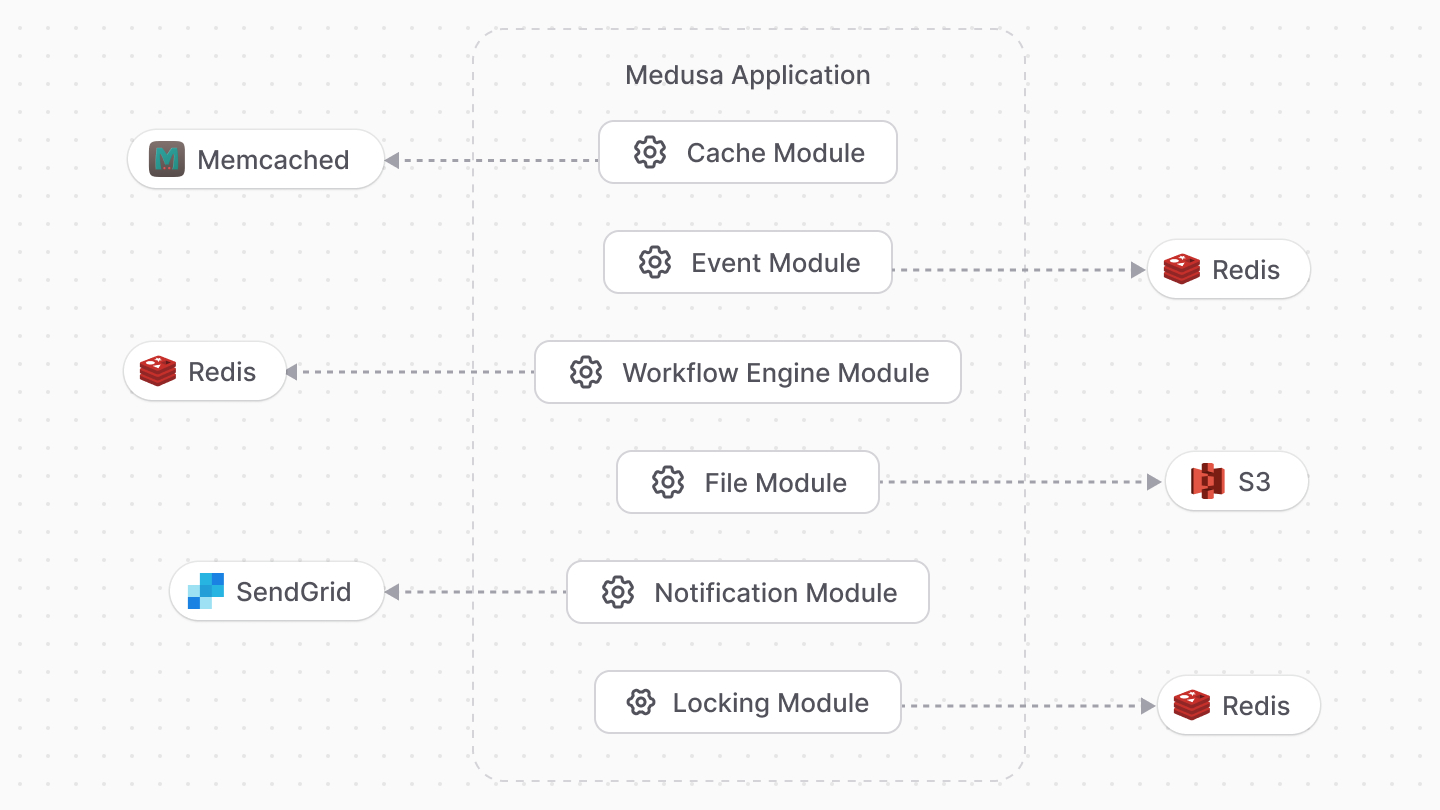
Since modules are interchangeable, you have more control over Medusa’s architecture. For example, you can choose to use Memcached for event handling instead of Redis.
|
||
|
||
---
|
||
|
||
### Architectural Module Type
|
||
|
||
There are different architectural module types including:
|
||
|
||
|
||
|
||
- Cache Module: Defines the caching mechanism or logic to cache computational results.
|
||
- Event Module: Integrates a pub/sub service to handle subscribing to and emitting events.
|
||
- File Module: Integrates a storage service to handle uploading and managing files.
|
||
- Notification Module: Integrates a third-party service or defines custom logic to send notifications to users and customers.
|
||
|
||
---
|
||
|
||
## Architectural Modules List
|
||
|
||
Refer to the [Architectural Modules reference](!resources!/architectural-modules) for a list of Medusa’s architectural modules, available modules to install, and how to create an architectural module.
|