 d1b4b11ff6
* docs: added rule for code length

* chore: fixes based on vale errors

* changed to use eslint

* fixes using eslint

* added github action for documentation eslint

* changed allowed max-length

* fixed incorrect heading level

* removed comment
195 lines
7.4 KiB
Markdown
195 lines
7.4 KiB
Markdown
# Strapi
|
||
|
||
In this document, you’ll learn how to integrate Strapi with Medusa to add rich Content Management System (CMS) functionalities.
|
||
|
||
:::info
|
||
|
||
This plugin is a [community plugin](https://github.com/Deathwish98/medusa-plugin-strapi) and is not managed by the official Medusa team. At the moment, it supports v4 of Strapi.
|
||
|
||
:::
|
||
|
||
## Overview
|
||
|
||
[Strapi](https://strapi.io/) is an open source headless CMS service that allows developers to have complete control over their content models. It can be integrated into many other frameworks, including Medusa.
|
||
|
||
By integrating Strapi to Medusa, you can benefit from powerful features in your ecommerce store including detailed product CMS details, [two-way sync](#test-two-way-sync), an easy-to-use interface to use for static content and pages, and much more.
|
||
|
||
---
|
||
|
||
## Prerequisites
|
||
|
||
### Medusa CLI
|
||
|
||
[Medusa’s CLI tool](../cli/reference.md#how-to-install-cli-tool) is required to set up a new Medusa server.
|
||
|
||
### Redis
|
||
|
||
Redis is required for the Strapi plugin to work as expected on your Medusa server. If you don’t have it installed, you can learn [how to install it in this documentation](../tutorial/0-set-up-your-development-environment.mdx#redis).
|
||
|
||
---
|
||
|
||
## Create Strapi Project
|
||
|
||
The first step is to create a Strapi project using the Medusa template:
|
||
|
||
```bash
|
||
npx create-strapi-app strapi-medusa --template shahednasser/strapi-medusa-template
|
||
```
|
||
|
||
This creates the Strapi project in the directory `strapi-medusa`.
|
||
|
||
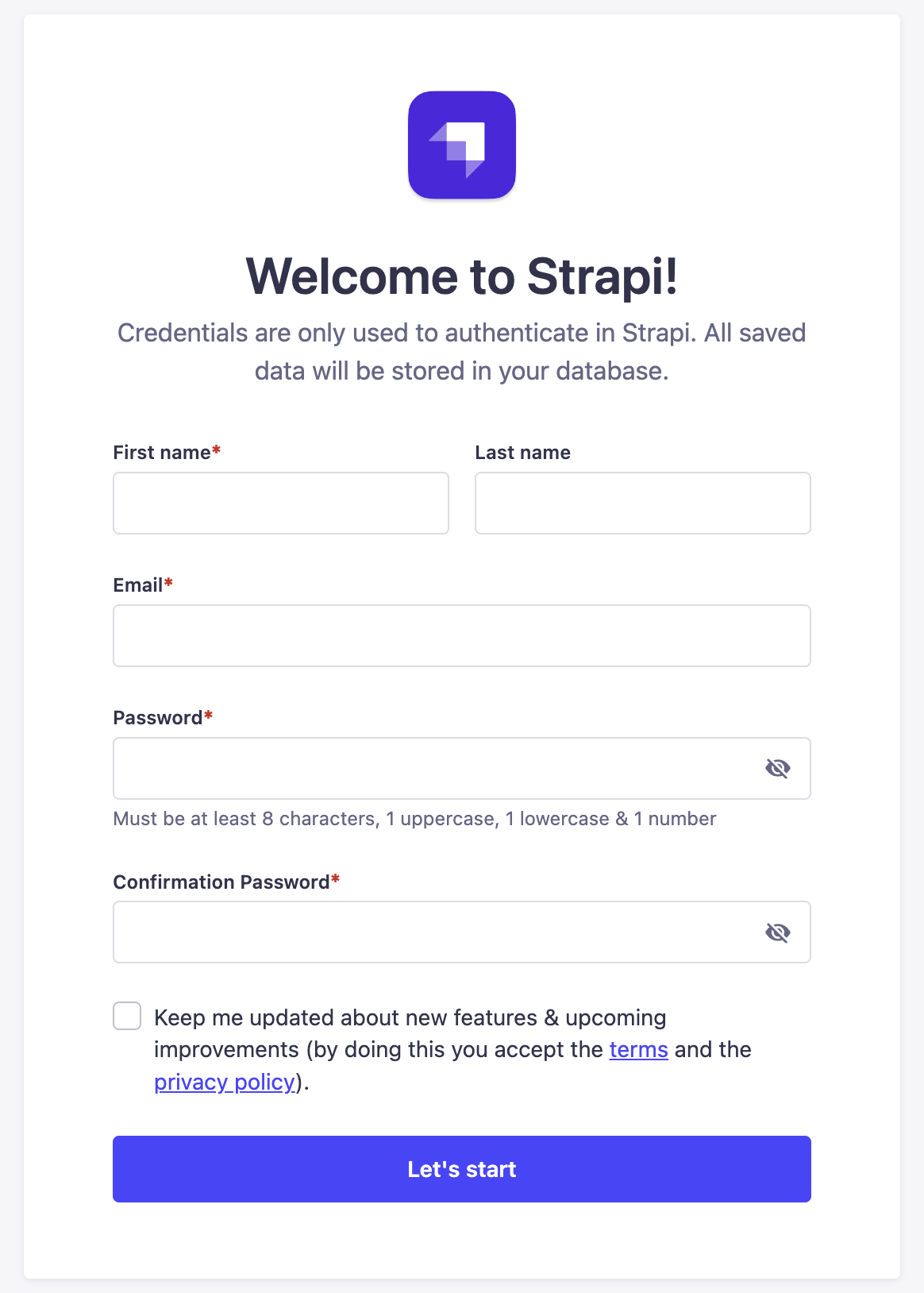
Once the installation is finished, the Strapi development server will run on `localhost:1337`. A new page will also open in your default browser to create a new admin user and log in.
|
||
|
||
|
||
|
||
Once you log in, you can access the Strapi dashboard.
|
||
|
||
### Create a Strapi User
|
||
|
||
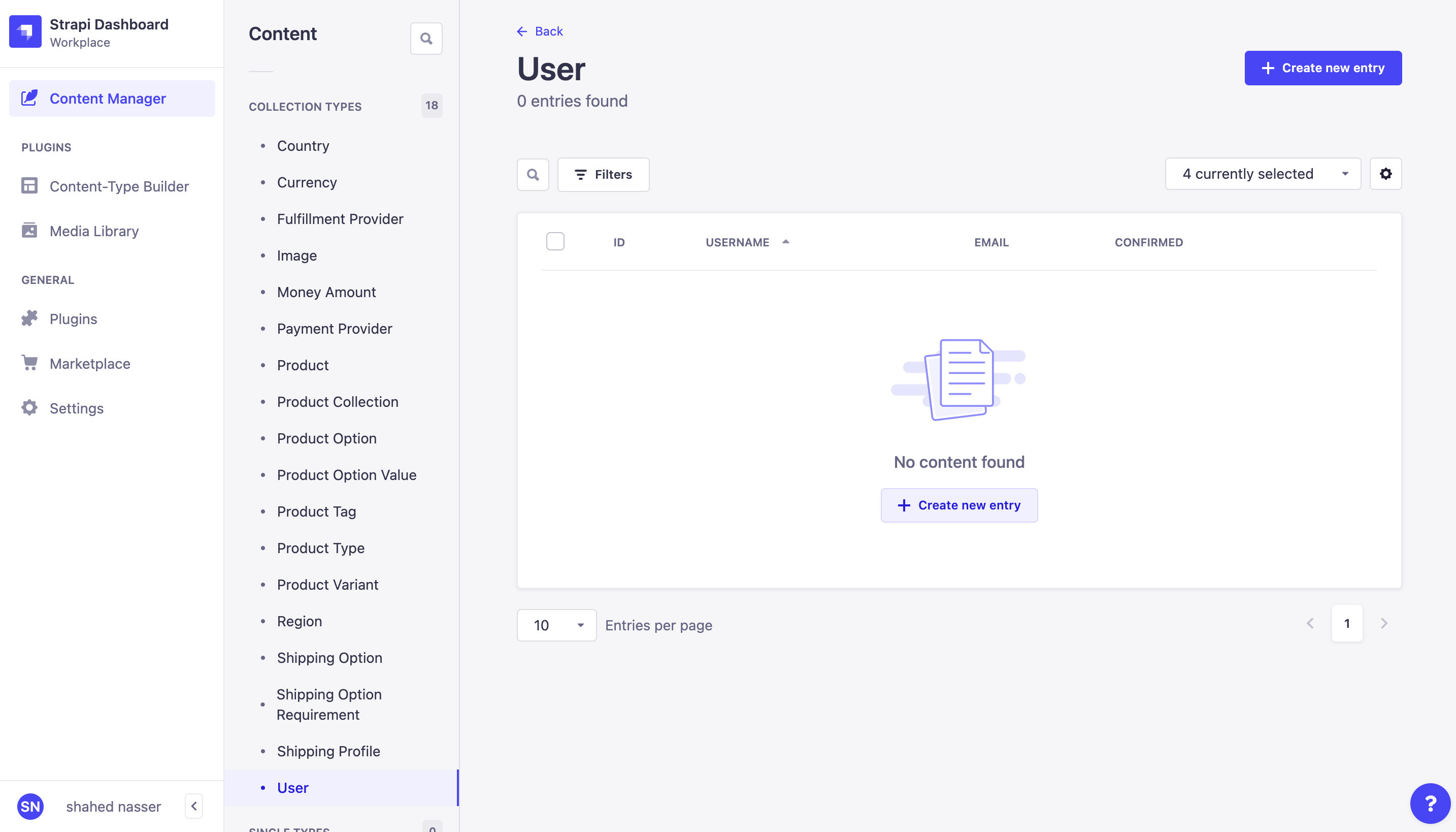
The Strapi plugin in Medusa requires the credentials of a Strapi user. To create a new user, go to Content Manager, then choose User under Collection Types.
|
||
|
||
|
||
|
||
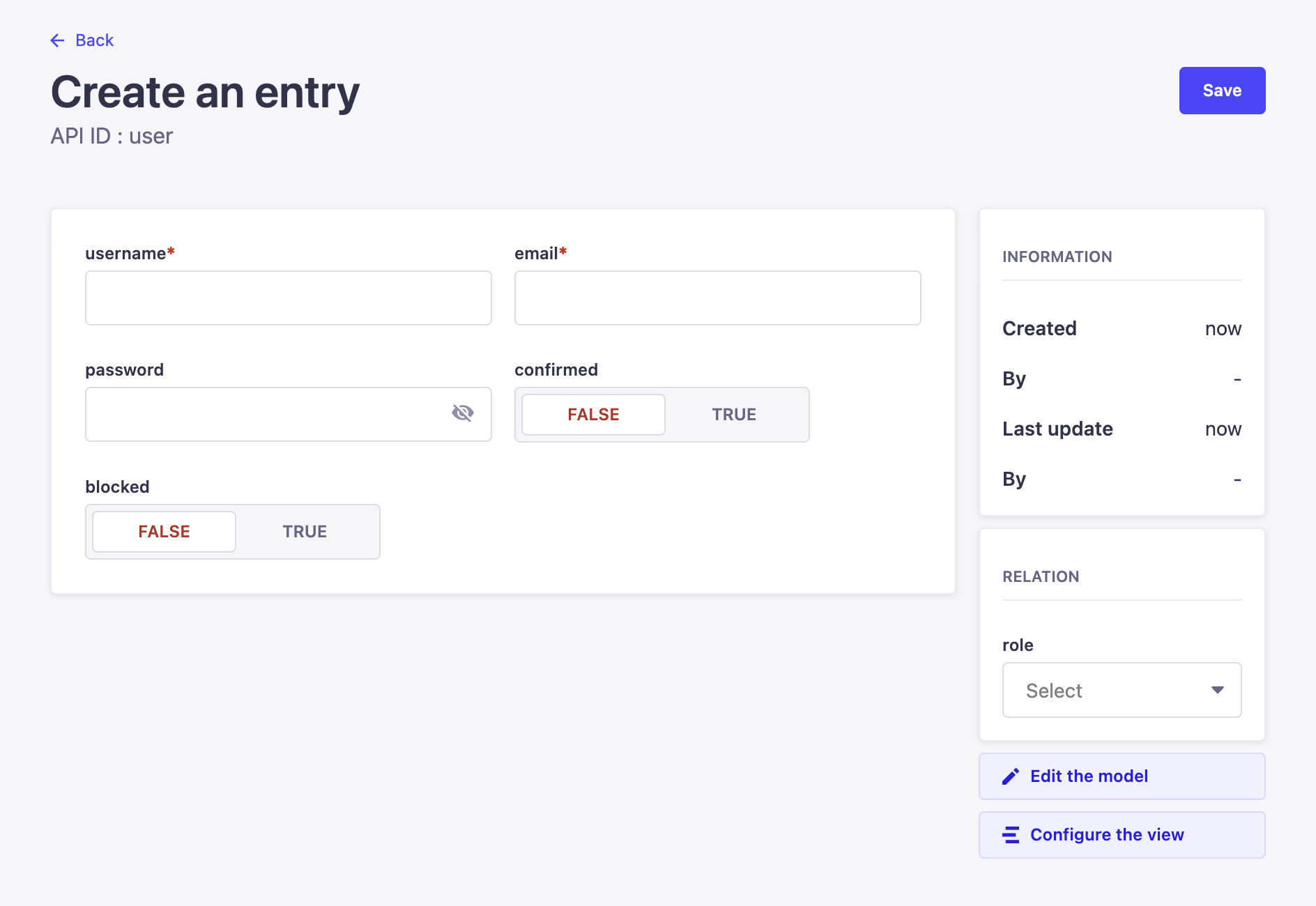
Click on the Create new entry button at the top right. This opens a new form to enter the user’s details.
|
||
|
||
|
||
|
||
Enter the user’s username, email, and password. Once you’re done, click on the Save button at the top right.
|
||
|
||
---
|
||
|
||
## Modify Permissions
|
||
|
||
By default, created users have the “Authenticated” role. Before you start using the Strapi plugin on your Medusa server, you must modify this role’s permissions to allow making changes to Medusa’s models in Strapi.
|
||
|
||
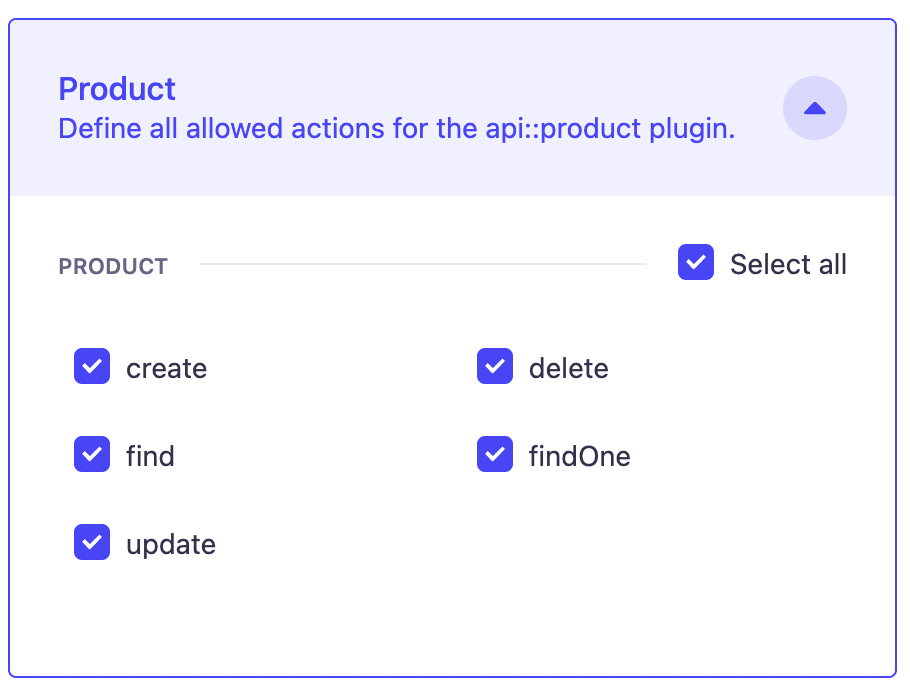
On your Strapi dashboard, go to Settings → Roles → Authenticated. Then, under the Permissions section, expand the accordion of each content model type and check the Select All checkbox.
|
||
|
||
|
||
|
||
Once you’re done, click the Save button at the top right.
|
||
|
||
---
|
||
|
||
## Create Medusa Server
|
||
|
||
:::note
|
||
|
||
You can use the Strapi plugin on an existing Medusa server, however, existing data (such as existing products) will not be imported. Only newer data will be imported.
|
||
|
||
:::
|
||
|
||
To create your Medusa server, run the following command:
|
||
|
||
```bash
|
||
medusa new medusa-server --seed
|
||
```
|
||
|
||
The `--seed` flag creates an SQLite database and seeds it with some demo data.
|
||
|
||
### Configure your Server
|
||
|
||
Once the command is done executing, change to the newly created `medusa-server` directory. Then, in `medusa-config.js`, change the exported object at the end of the file to enable Redis:
|
||
|
||
```jsx title=medusa-config.js
|
||
module.exports = {
|
||
projectConfig: {
|
||
redis_url: REDIS_URL,
|
||
// ...
|
||
},
|
||
// ...
|
||
}
|
||
```
|
||
|
||
This uses the default Redis configurations. If you want to learn more about configuring Redis, [check out this documentation](../usage/configurations.md#redis).
|
||
|
||
:::tip
|
||
|
||
It is also recommended to use PostgreSQL for an optimal experience, however, it is not required. Learn how to [install](../tutorial/0-set-up-your-development-environment.mdx#postgres) and [configure](../usage/configurations.md#postgresql-configurations) it on your Medusa server.
|
||
|
||
:::
|
||
|
||
---
|
||
|
||
## Install the Strapi Plugin
|
||
|
||
In the directory of your Medusa server, run the following command to install the Strapi plugin:
|
||
|
||
```bash npm2yarn
|
||
npm install medusa-plugin-strapi
|
||
```
|
||
|
||
Then, add the following environment variables:
|
||
|
||
```bash
|
||
STRAPI_USER=<STRAPI_IDENTIFIER>
|
||
STRAPI_PASSWORD=<STRAPI_PASSWORD>
|
||
STRAPI_PROTOCOL=http # Optional
|
||
STRAPI_URL=<STRAPI_URL> # Optional
|
||
STRAPI_PORT=<STRAPI_PORT> # Optional
|
||
```
|
||
|
||
Where:
|
||
|
||
- `<STRAPI_IDENTIFIER>` is either the email address or username of the user you created in the previous step.
|
||
- `<STRAPI_PASSWORD>` is the password of the user you created in the previous step.
|
||
- `<STRAPI_PROTOCOL>` is the protocol of your Strapi server. If you’re using a local Strapi server, set this to `http`. The default value is `https`.
|
||
- `<STRAPI_URL>` is the URL of your Strapi server. By default, the URL is `localhost`.
|
||
- `<STRAPI_PORT>` is the port the Strapi server runs on. By default, the port is `1337`.
|
||
|
||
Finally, open `medusa-config.js` and add the following new item to the `plugins` array:
|
||
|
||
```jsx title=medusa-config.js
|
||
const plugins = [
|
||
// ...
|
||
{
|
||
resolve: `medusa-plugin-strapi`,
|
||
options: {
|
||
strapi_medusa_user: process.env.STRAPI_USER,
|
||
strapi_medusa_password: process.env.STRAPI_PASSWORD,
|
||
strapi_url: process.env.STRAPI_URL, // optional
|
||
strapi_port: process.env.STRAPI_PORT, // optional
|
||
strapi_protocol: process.env.STRAPI_PROTOCOL, // optional
|
||
},
|
||
},
|
||
]
|
||
```
|
||
|
||
---
|
||
|
||
## Run Medusa Server
|
||
|
||
Make sure the Strapi server is still running. If not, you can run the following command to run the Strapi server in the directory of the Strapi project:
|
||
|
||
```bash npm2yarn
|
||
npm run develop
|
||
```
|
||
|
||
Then, in the directory of your Medusa server, run the following command to start the Medusa server:
|
||
|
||
```bash npm2yarn
|
||
npm run start
|
||
```
|
||
|
||
Once you start your Medusa server, if you ran the `--seed` command when you created your Medusa server, you’ll see that `product.created` events have been triggered along with similar events. This will update Strapi with the products you seeded.
|
||
|
||
---
|
||
|
||
## Test Two-Way Sync
|
||
|
||
This plugin ensures a two-way sync between the Medusa server and the Strapi server. So, if you update data on Strapi, it will be reflected on your Medusa server, and vice-versa.
|
||
|
||
### Update Products on Strapi
|
||
|
||
Try updating any products on Strapi by going to Content Manager → Products and choosing a product from the list. Then, make changes to the product and click Save. If you view the products on your server now, either using the [REST APIs](https://docs.medusajs.com/api/admin/#tag/Product/operation/GetProducts) or using [the Medusa Admin](../user-guide/products/index.mdx), you’ll see that the product has been updated.
|
||
|
||
### Update Products on Medusa
|
||
|
||
If you try to update products on Medusa either using the [REST APIs](https://docs.medusajs.com/api/admin/#tag/Product/operation/PostProductsProduct) or using [the Medusa Admin](../user-guide/products/manage.mdx), you’ll see that the product is also updated on Strapi.
|
||
|
||
---
|
||
|
||
## See Also
|
||
|
||
- [Deploy the Medusa server](../deployments/server/index.mdx)
|
||
- [Create your own plugin](../advanced/backend/plugins/create.md)
|