 6f1b49af03
* Fix issue on fixed total amount discount when using includes tax (#3472)

The calculation of the fixed discount amount breaks when having includes_tax setting active, due to the line item totals are incorrect and returning everything as 0, thus the totalItemPercentage will be Infinitiy due to the division by a subtotal of 0

* chore: Add missing changeset for @medusajs/medusa

* feat(medusa): Improve performance of Products domain (#3417)

* feat(medusa): Improve product update performances

* fix tests and update

* update mock repo

* improve repo

* cleanup

* fix

* cleanup + bulk emit + unit test fix

* improvements

* improve

* fix unit tests

* fix export

* fix product update handler

* enhance mock repo

* fix import integration

* fix end point tests

* revert mock repo product variant

* fix unit

* cleanup

* cleanup

* address feedback

* fix quotes in tests

* address feedback

* Create new-tips-mate.md

* use types

* chore: Remove integration-tests from changeset

* chore(release): v1.7.14

* chore(docs): Generated Docs Announcement Bar (automated) (#3489)

Co-authored-by: olivermrbl <olivermrbl@users.noreply.github.com>

* fix(medusa): EventBusService.emit using Redis mock (#3491)

* Fix eventBusService.emit using redis mock

* revert gitignore

* enqueuer

* unit test add redis_url

* fix test

* chore(docs): Generated Services Reference (automated) (#3490)

Co-authored-by: olivermrbl <olivermrbl@users.noreply.github.com>

* docs: publish restructure (#3496)

* docs: added features and guides overview page

* added image

* added version 2

* added version 3

* added version 4

* docs: implemented new color scheme

* docs: redesigned sidebar (#3193)

* docs: redesigned navbar for restructure (#3199)

* docs: redesigned footer (#3209)

* docs: redesigned cards (#3230)

* docs: redesigned admonitions (#3231)

* docs: redesign announcement bar (#3236)

* docs: redesigned large cards (#3239)

* docs: redesigned code blocks (#3253)

* docs: redesigned search modal and page (#3264)

* docs: redesigned doc footer (#3268)

* docs: added new sidebars + refactored css and assets (#3279)

* docs: redesigned api reference sidebar

* docs: refactored css

* docs: added code tabs transition

* docs: added new sidebars

* removed unused assets

* remove unusued assets

* Fix deploy errors

* fix incorrect link

* docs: fixed code responsivity + missing icons (#3283)

* docs: changed icons (#3296)

* docs: design fixes to the sidebar (#3297)

* redesign fixes

* docs: small design fixes

* docs: several design fixes after restructure (#3299)

* docs: bordered icon fixes

* docs: desgin fixes

* fixes to code blocks and sidebar scroll

* design adjustments

* docs: restructured homepage (#3305)

* docs: restructured homepage

* design fixes

* fixed core concepts icon

* docs: added core concepts page (#3318)

* docs: restructured homepage

* design fixes

* docs: added core concepts page

* changed text of different components

* docs: added architecture link

* added missing prop for user guide

* docs: added regions overview page (#3327)

* docs: added regions overview

* moved region pages to new structure

* docs: fixed description of regions architecture page

* small changes

* small fix

* docs: added customers overview page (#3331)

* docs: added regions overview

* moved region pages to new structure

* docs: fixed description of regions architecture page

* small changes

* small fix

* docs: added customers overview page

* fix link

* resolve link issues

* docs: updated regions architecture image

* docs: second-iteration fixes (#3347)

* docs: redesigned document

* design fixes

* docs: added products overview page (#3354)

* docs: added carts overview page (#3363)

* docs: added orders overview (#3364)

* docs: added orders overview

* added links in overview

* docs: added vercel redirects

* docs: added soon badge for cards (#3389)

* docs: resolved feedback changes + organized troubleshooting pages (#3409)

* docs: resolved feedback changes

* added extra line

* docs: changed icons for restructure (#3421)

* docs: added taxes overview page (#3422)

* docs: added taxes overview page

* docs: fix sidebar label

* added link to taxes overview page

* fixed link

* docs: fixed sidebar scroll (#3429)

* docs: added discounts overview (#3432)

* docs: added discounts overview

* fixed links

* docs: added gift cards overview (#3433)

* docs: added price lists overview page (#3440)

* docs: added price lists overview page

* fixed links

* docs: added sales channels overview page (#3441)

* docs: added sales overview page

* fixed links

* docs: added users overview (#3443)

* docs: fixed sidebar border height (#3444)

* docs: fixed sidebar border height

* fixed svg markup

* docs: added possible solutions to feedback component (#3449)

* docs: added several overview pages + restructured files (#3463)

* docs: added several overview pages

* fixed links

* docs: added feature flags + PAK overview pages (#3464)

* docs: added feature flags + PAK overview pages

* fixed links

* fix link

* fix link

* fixed links colors

* docs: added strategies overview page (#3468)

* docs: automated upgrade guide (#3470)

* docs: automated upgrade guide

* fixed vercel redirect

* docs: restructured files in docs codebase (#3475)

* docs: restructured files

* docs: fixed eslint exception

* docs: finished restructure loose-ends (#3493)

* fixed uses of backend

* docs: finished loose ends

* eslint fixes

* fixed links

* merged master

* added update instructions for v1.7.12

* docs: fixed discount details (#3499)

* docs: fix trailing slash causing 404 (#3508)

* docs: fix error during navigation (#3509)

* docs: removed the gatsby storefront guide (#3527)

* docs: removed the gatsby storefront guide

* docs: fixed query value

* chore(docs): Removed Docs Announcement Bar (automated) (#3536)

Co-authored-by: shahednasser <shahednasser@users.noreply.github.com>

* fix(medusa): Variant update should include the id for the listeners to be able to identify the entity (#3539)

* fix(medusa): Variant update should include the id for the listeners to be able to identify the entity

* fix unit tests

* Create brave-seahorses-film.md

* docs: fix admin redirects (#3548)

* chore(release): v1.7.15

* chore(docs): Generated Docs Announcement Bar (automated) (#3550)

Co-authored-by: olivermrbl <olivermrbl@users.noreply.github.com>

* chore(docs): Generated Services Reference (automated) (#3551)

Automated changes by [create-pull-request](https://github.com/peter-evans/create-pull-request) GitHub action

Co-authored-by: Oliver Windall Juhl <59018053+olivermrbl@users.noreply.github.com>

* chore: updated READMEs of plugins (#3546)

* chore: updated READMEs of plugins

* added notice to plugins

* docs: added a deploy guide for next.js storefront (#3558)

* docs: added a deploy next.js guide

* docs: fix image zoom

* docs: fixes to next.js deployment guide to vercel (#3562)

* chore(workflows): Enable manual workflow in pre-release mode (#3566)

* chore(docs): Removed Docs Announcement Bar (automated) (#3598)

Co-authored-by: shahednasser <shahednasser@users.noreply.github.com>

* fix(medusa): Rounding issues on line item adjustments (#3446)

* chores(medusa): Attempt to fix discount rounding issues

* add migration

* update entities

* apply multipler factor properly

* fix discount service

* WIP

* fix rounding issues in discounts

* fix some tests

* Exclude raw_discount_total from responses

* fix adjustments

* cleanup response

* fix

* fix draft order integration

* fix order integration

* fix order integration

* address feedback

* fix test

* Create .changeset/polite-llamas-sit.md

* remove comment

---------

Co-authored-by: Oliver Windall Juhl <59018053+olivermrbl@users.noreply.github.com>

* chore(workflows): Add release notification (#3629)

---------

Co-authored-by: pepijn-vanvlaanderen <pepijn@webbers.com>
Co-authored-by: olivermrbl <oliver@mrbltech.com>
Co-authored-by: Adrien de Peretti <adrien.deperetti@gmail.com>
Co-authored-by: github-actions[bot] <41898282+github-actions[bot]@users.noreply.github.com>
Co-authored-by: olivermrbl <olivermrbl@users.noreply.github.com>
Co-authored-by: Carlos R. L. Rodrigues <37986729+carlos-r-l-rodrigues@users.noreply.github.com>
Co-authored-by: shahednasser <shahednasser@users.noreply.github.com>
Co-authored-by: Oliver Windall Juhl <59018053+olivermrbl@users.noreply.github.com>
335 lines
12 KiB
Markdown
335 lines
12 KiB
Markdown
---
|
||
description: 'Learn step-by-step.'
|
||
addHowToData: true
|
||
---
|
||
|
||
# Deploy Gatsby Storefront on Netlify
|
||
|
||
:::note
|
||
|
||
The Gatsby storefront has been deprecated and it's not recommended to use it moving forward. You can use the [Next.js storefront](../../starters/nextjs-medusa-starter.mdx) instead or build your own.
|
||
|
||
:::
|
||
|
||
In this document, you’ll learn how to deploy the Gatsby Storefront on [Netlify](https://www.netlify.com/).
|
||
|
||
Alternatively, you can use this button to deploy the Gatsby Storefront to Netlify directly:
|
||
|
||
<a href="https://app.netlify.com/start/deploy?repository=https://github.com/medusajs/gatsby-starter-medusa" class="img-url no-zoom-img">
|
||
<img src="https://www.netlify.com/img/deploy/button.svg" alt="Deploy to Netlify" class="no-zoom-img" />
|
||
</a>
|
||
|
||
---
|
||
|
||
## Prerequisites
|
||
|
||
### Medusa Components
|
||
|
||
Before proceeding with this documentation, it is assumed you already have the Gatsby storefront installed locally.
|
||
|
||
Additionally, this documentation does not cover how to deploy the Medusa backend. If you want to deploy the Medusa backend, [check out one of the deployment documentation related to the Medusa backend](../server/index.mdx).
|
||
|
||
### Needed Accounts
|
||
|
||
- A [Netlify](https://app.netlify.com/signup) account to deploy the Gatsby storefront.
|
||
- A [GitHub](https://github.com/signup) account where you will host the repository for the Gatsby storefront.
|
||
|
||
:::tip
|
||
|
||
If you want to use another Git Provider, it’s possible to follow along with this guide but you’ll have to perform the equivalent steps in your Git Provider.
|
||
|
||
:::
|
||
|
||
### Required Tools
|
||
|
||
- Git’s CLI tool. You can follow [this documentation to learn how to install it for your operating system](../../development/backend/prepare-environment.mdx#git).
|
||
|
||
---
|
||
|
||
## Create GitHub Repository
|
||
|
||
Before you can deploy your Gatsby storefront you need to create a GitHub repository and push the code base to it.
|
||
|
||
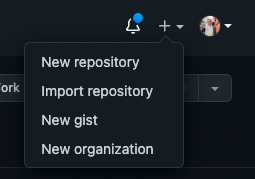
On GitHub, click the plus icon at the top right, then click New Repository.
|
||
|
||
|
||
|
||
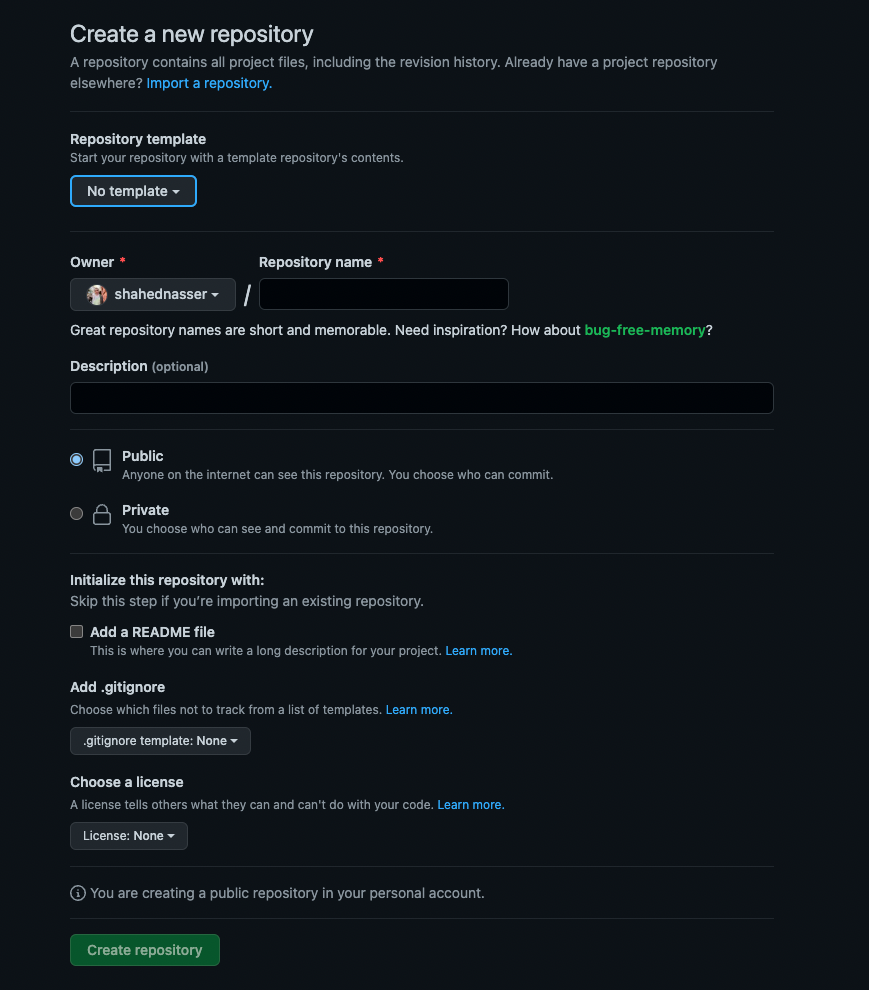
You’ll then be redirected to a new page with a form. In the form, enter the Repository Name then scroll down and click Create repository.
|
||
|
||
|
||
|
||
### Push Code to GitHub Repository
|
||
|
||
The next step is to push the code to the GitHub repository you just created.
|
||
|
||
After creating the repository, you’ll be redirected to the repository’s page. On that page, you should see a URL that you can copy to connect your repository to a local directory.
|
||
|
||

|
||
|
||
Copy the link. Then, open your terminal in the directory that holds your Gatsby storefront codebase and run the following commands:
|
||
|
||
```bash
|
||
git init
|
||
git remote add origin <GITHUB_URL>
|
||
```
|
||
|
||
Where `<GITHUB_URL>` is the URL you just copied.
|
||
|
||
Then, add, commit, and push the changes into the repository:
|
||
|
||
```bash
|
||
git add .
|
||
git commit -m "initial commit"
|
||
git push origin master
|
||
```
|
||
|
||
After pushing the changes, you can find the files in your GitHub repository.
|
||
|
||
---
|
||
|
||
## Deploy to Netlify
|
||
|
||
This section covers how to deploy Netlify either through the Netlify website or using Netlify’s CLI tool.
|
||
|
||
### Option 1: Using Netlify’s Website
|
||
|
||
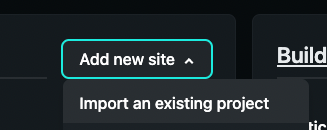
After logging in with Netlify, go to the [dashboard](https://app.netlify.com/). Then, at the top right of the “Sites” section, click on “Add new site”, then click on “Import an existing project” from the dropdown.
|
||
|
||
:::note
|
||
|
||
Alternatively, if you don’t have any other websites, you’ll see a big button that says “Import an existing project”.
|
||
|
||
:::
|
||
|
||
|
||
|
||
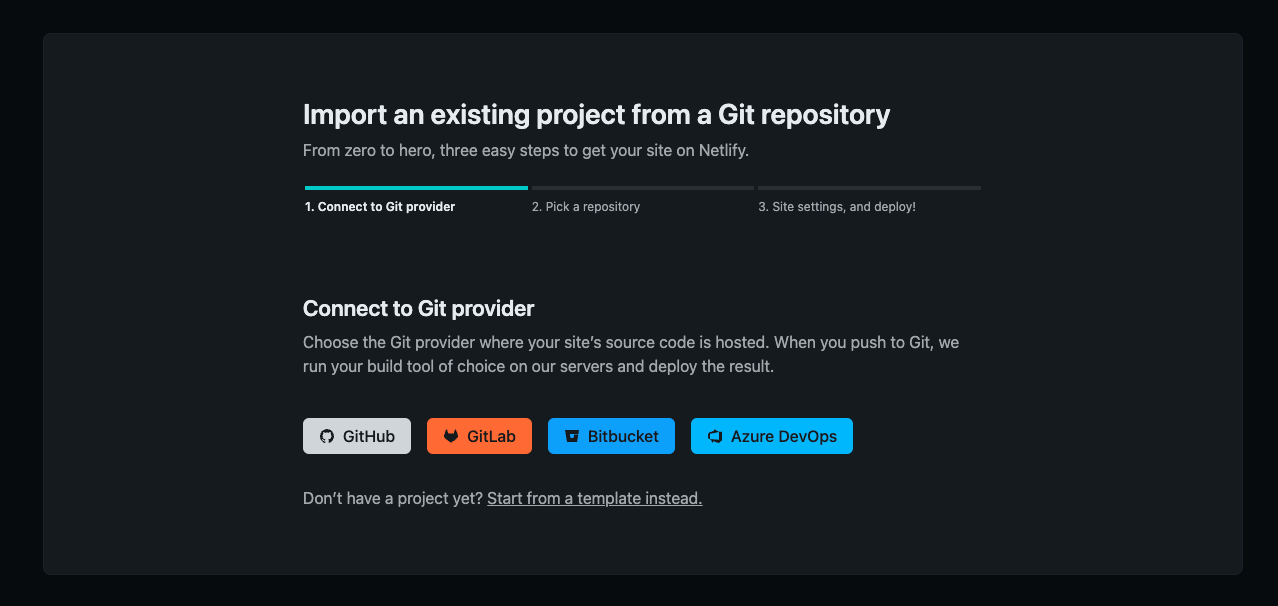
You’ll then be asked to connect to a Git provider.
|
||
|
||
|
||
|
||
Choose GitHub. You’ll then be redirected to GitHub’s website to give Netlify permissions if you haven’t done that before.
|
||
|
||
After you authorize Netlify to use GitHub, you’ll be asked to pick the repository you want to deploy. Pick the repository you just created.
|
||
|
||

|
||
|
||
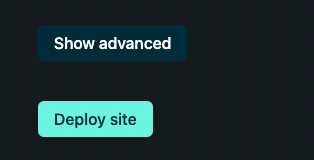
In the form that shows, keep all fields the same and click on the “Show advanced” button before the “Deploy site” button.
|
||
|
||
|
||
|
||
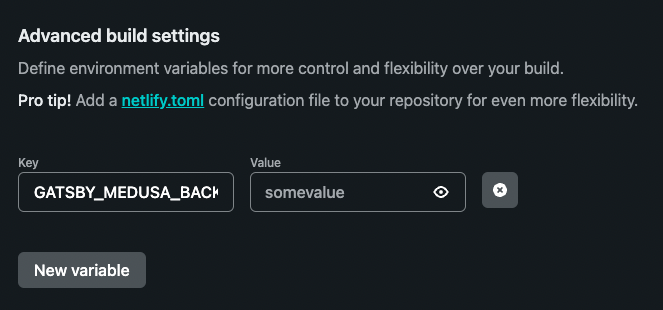
Under the “Advanced build settings” section click on the “New variable” button. This will show two inputs for the key and value of the environment variable.
|
||
|
||
For the first field enter the key `GATSBY_MEDUSA_BACKEND_URL` and for the value enter the URL of your Medusa backend.
|
||
|
||
:::caution
|
||
|
||
If you haven’t deployed your Medusa backend yet, you can leave the value blank for now and add it later. However, the build process for the Gatsby storefront will fail.
|
||
|
||
:::
|
||
|
||
|
||
|
||
:::note
|
||
|
||
If you use more environment variables in your storefront be sure to add them here.
|
||
|
||
:::
|
||
|
||
Once you’re done, scroll down and click on Deploy site.
|
||
|
||
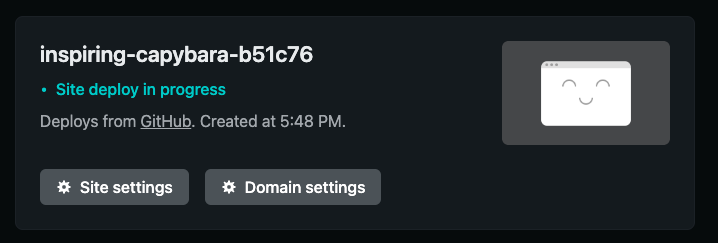
You’ll be then redirected to the dashboard of the new website. Netlify will build your website in the background. You should see “Site deploy in progress” on the top card.
|
||
|
||
|
||
|
||
The deployment can take a few minutes.
|
||
|
||
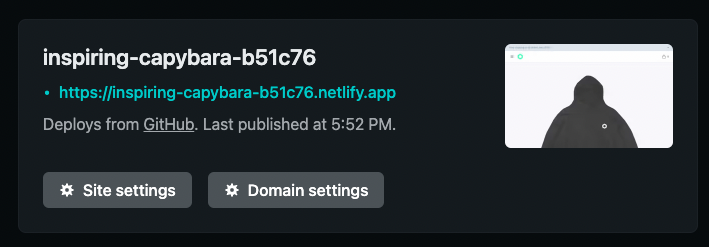
Once the deployment is done, you’ll find the URL in the place of the “Site deploy in progress” message you saw earlier.
|
||
|
||
:::tip
|
||
|
||
If you haven’t added any products to your Medusa backend, the build process might fail. It’s recommended to add some products to the backend first in that case.
|
||
|
||
Alternatively, you can seed the backend with demo data by running this command in the root directory of the backend:
|
||
|
||
```bash noReport
|
||
medusa seed -f data/seed.json
|
||
```
|
||
|
||
:::
|
||
|
||
|
||
|
||
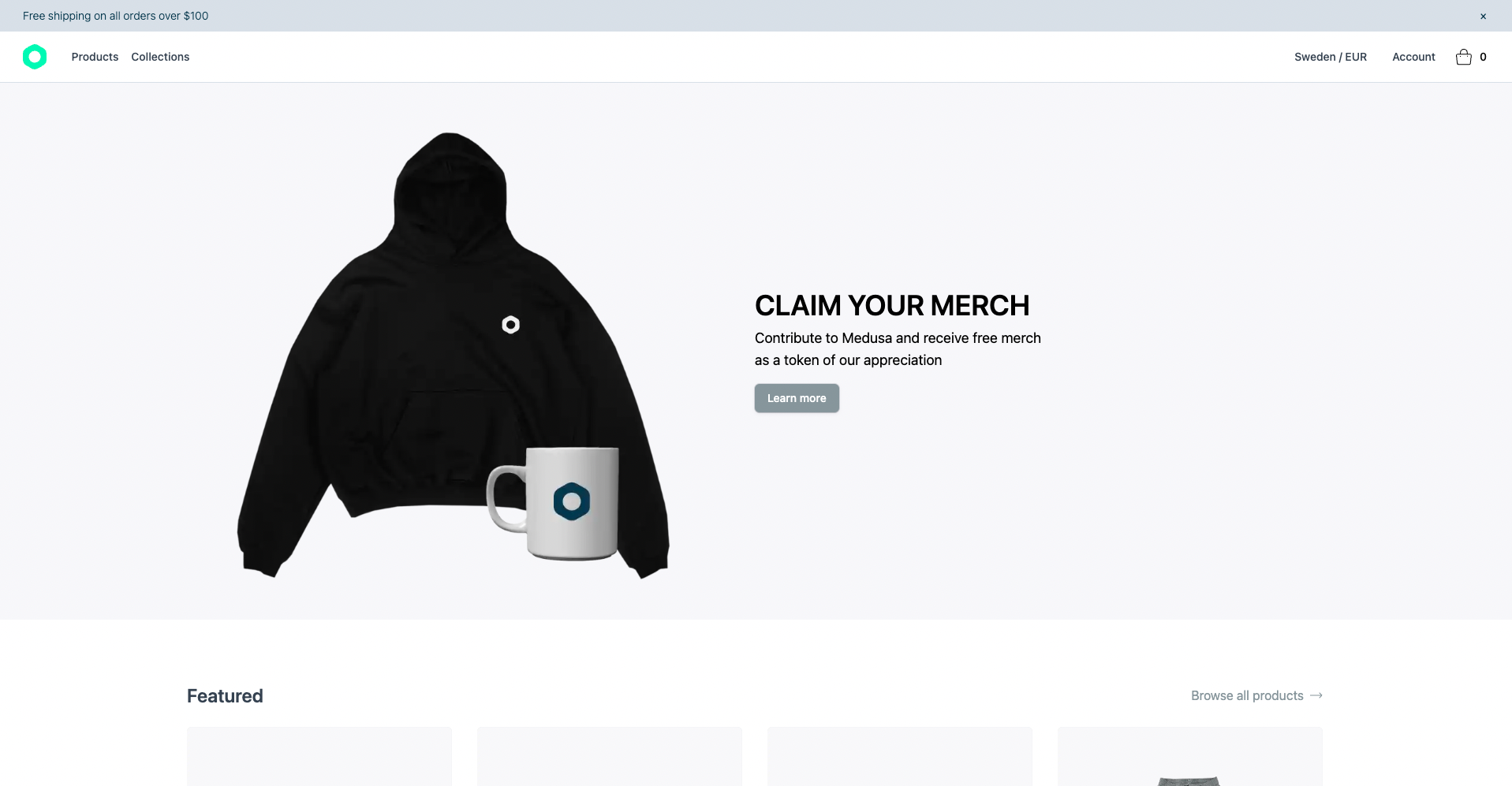
If you click on it, you’ll be redirected to the deployed storefront website.
|
||
|
||
|
||
|
||
:::caution
|
||
|
||
At this point, you will face errors related to Cross-Origin Resource Sharing (CORS) while using the storefront. Before you start using the storefront, follow along the [Configure CORS on the Medusa Backend section](#configure-cors-variable-on-the-medusa-backend).
|
||
|
||
:::
|
||
|
||
### Option 2: Using Netlify’s CLI Tool
|
||
|
||
In this section, you’ll deploy the Gatsby storefront using Netlify’s CLI tool.
|
||
|
||
#### Install the Netlify CLI tool
|
||
|
||
If you don’t have the tool installed, run the following command to install it:
|
||
|
||
```bash
|
||
npm install netlify-cli -g
|
||
```
|
||
|
||
#### Login to Netlify
|
||
|
||
Then, run the following command to log in to Netlify in your terminal:
|
||
|
||
```bash
|
||
netlify login
|
||
```
|
||
|
||
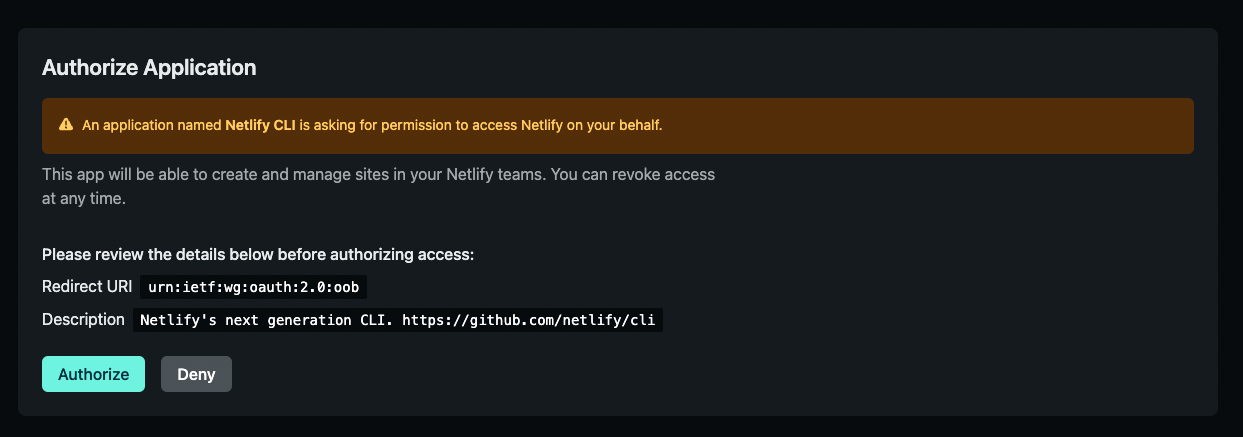
This opens a page to log in on your browser. You’ll be asked to authorize the Netlify CLI tool.
|
||
|
||
|
||
|
||
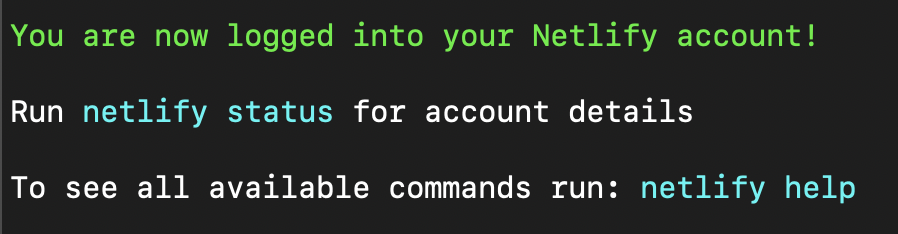
Click on Authorize. Then, you can go back to your terminal and see that you’ve successfully logged in.
|
||
|
||
|
||
|
||
#### Initialize Netlify Website
|
||
|
||
In your terminal, run the following command:
|
||
|
||
```bash
|
||
netlify init
|
||
```
|
||
|
||
You’ll have to follow five steps for the initialization:
|
||
|
||
##### Step 1: Create Netlify Website
|
||
|
||
You’ll be asked to either connect to an existing Netlify website or create a new one. Choose the second option to create a new site:
|
||
|
||
```bash noReport
|
||
? What would you like to do?
|
||
⇄ Connect this directory to an existing Netlify site
|
||
❯ + Create & configure a new site
|
||
```
|
||
|
||
##### Step 2: Choose Netlify Team
|
||
|
||
Choose the team you want to create the website in if you have multiple teams.
|
||
|
||
##### Step 3: Enter Site Name
|
||
|
||
You’ll be asked to optionally enter a site name.
|
||
|
||
##### Step 4: Configure Webhooks and Deployment Keys
|
||
|
||
At this point, the website is created on Netlify. However, Netlify needs to configure Webhooks and deployment keys. You’ll be asked to either authorize GitHub through Netlify’s website or through a personal access token. You’re free to choose either:
|
||
|
||
```bash noReport
|
||
? Netlify CLI needs access to your GitHub account to configure Webhooks and Depl
|
||
oy Keys. What would you like to do? (Use arrow keys)
|
||
❯ Authorize with GitHub through app.netlify.com
|
||
Authorize with a GitHub personal access token
|
||
```
|
||
|
||
If you pick the first option, a page in your browser will open where you have to grant authorization to your Git provider.
|
||
|
||
If you pick the second option, you’ll need to create a personal access token on GitHub. You can follow [this guide in GitHub’s documentation](https://docs.github.com/en/authentication/keeping-your-account-and-data-secure/creating-a-personal-access-token) to learn how to do it.
|
||
|
||
##### Last Step: Steps with Default Values
|
||
|
||
For the rest of the steps, you can keep the default values provided by Netlify and press the “Enter” key on your keyboard for each.
|
||
|
||
#### Set Environment Variables
|
||
|
||
After the previous command has finished running, your Netlify website will be created. The next step is to add an environment variable that points to your Medusa backend.
|
||
|
||
:::caution
|
||
|
||
If you haven’t deployed your Medusa backend yet, you can leave the value blank for now and add it later. However, the build process for the Gatsby storefront will fail.
|
||
|
||
:::
|
||
|
||
Run the following command to add the environment variable:
|
||
|
||
```bash
|
||
netlify env:set GATSBY_MEDUSA_BACKEND_URL "<YOUR_BACKKEND_URL>"
|
||
```
|
||
|
||
Where `<YOUR_BACKKEND_URL>` is the URL of your Medusa backend.
|
||
|
||
:::note
|
||
|
||
If you use more environment variables in your storefront be sure to add them here.
|
||
|
||
:::
|
||
|
||
#### Check deployment status
|
||
|
||
You can check the deployment status of your website by running the following command:
|
||
|
||
```bash
|
||
netlify watch
|
||
```
|
||
|
||
After the deployment has been completed, you should see a message saying “Deploy complete” with URLs to your website.
|
||
|
||
:::tip
|
||
|
||
If you haven’t added any products to your Medusa backend, the build process might fail. It’s recommended to add some products to the backend first in that case.
|
||
|
||
Alternatively, you can seed the backend with demo data by running this command in the root directory of the backend:
|
||
|
||
```bash noReport
|
||
medusa seed -f data/seed.json
|
||
```
|
||
|
||
:::
|
||
|
||
#### Open the Gatsby storefront Website
|
||
|
||
To open the Gatsby storefront website, either use the URL shown to you or run the following command:
|
||
|
||
```bash
|
||
netlify open:site
|
||
```
|
||
|
||
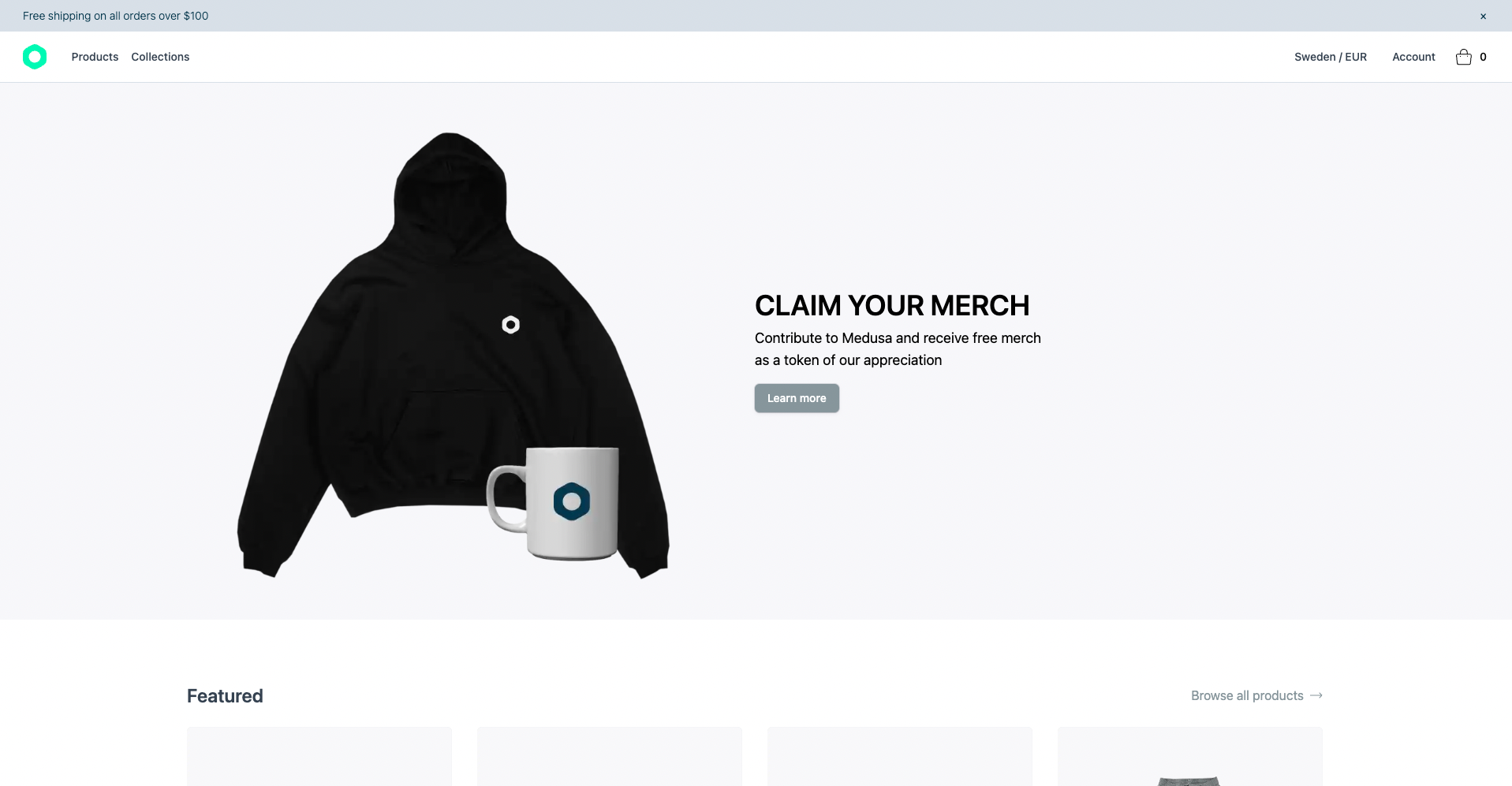
The Gatsby storefront will then open in your browser.
|
||
|
||
|
||
|
||
Before you can use the Gatsby storefront, you must add the URL as an environment variable on your deployed Medusa backend.
|
||
|
||
---
|
||
|
||
## Configure CORS Variable on the Medusa Backend
|
||
|
||
To send requests to the Medusa backend from the Gatsby storefront, you must set the `STORE_CORS` environment variable on your backend to the Gatsby storefront’s URL.
|
||
|
||
:::caution
|
||
|
||
If you want to set a custom domain to your Gatsby storefront website on Netlify, make sure to do it before this step. You can refer to this guide on [Netlify’s documentation to learn how to add a custom domain](https://docs.netlify.com/domains-https/custom-domains/#assign-a-domain-to-a-site).
|
||
|
||
:::
|
||
|
||
On your Medusa backend, add the following environment variable:
|
||
|
||
```bash
|
||
STORE_CORS=<STOREFRONT_URL>
|
||
```
|
||
|
||
Where `<STOREFRONT_URL>` is the URL of your Gatsby storefront that you just deployed.
|
||
|
||
Then, restart your Medusa backend. Once the backend is running again, you can use your Gatsby storefront.
|
||
|
||
---
|
||
|
||
## See Also
|
||
|
||
- [Deploy the Medusa Admin](../admin/index.mdx)
|
||
- [Configure your Medusa backend](../../development/backend/configurations.md)
|